
- Age rating4+
- CategoryNavigation
- DeveloperIlan Hankin
- LanguagesEnglish
- Size8.3 MB
Links to the official App Store page
Download.org hosts no file of SailNav GPS. The button opens its official App Store page, published by Ilan Hankin. Listing last checked on Nov 17, 2026.
Screenshots

About
SailNav GPS is your essential sailing companion for iPhone AND Apple Watch: two apps that work together as one, fully synced. Plan on the big screen of your iPhone, then sail with everything on your wrist. On Apple Watch it is GPS-only, with no internet connection required, so it works wherever you sail. On iPhone, charts and map data load when you have a connection.
IPHONE + APPLE WATCH, FULLY SYNCED
• Build routes on your iPhone and send them to your Apple Watch
• Waypoints created on either device appear on both
• Start navigation, the anchor alarm or MOB on one device and see the same live state on the other
• Settings stay in sync between your iPhone and your Watch
• Trips recorded on the Watch are saved to your iPhone
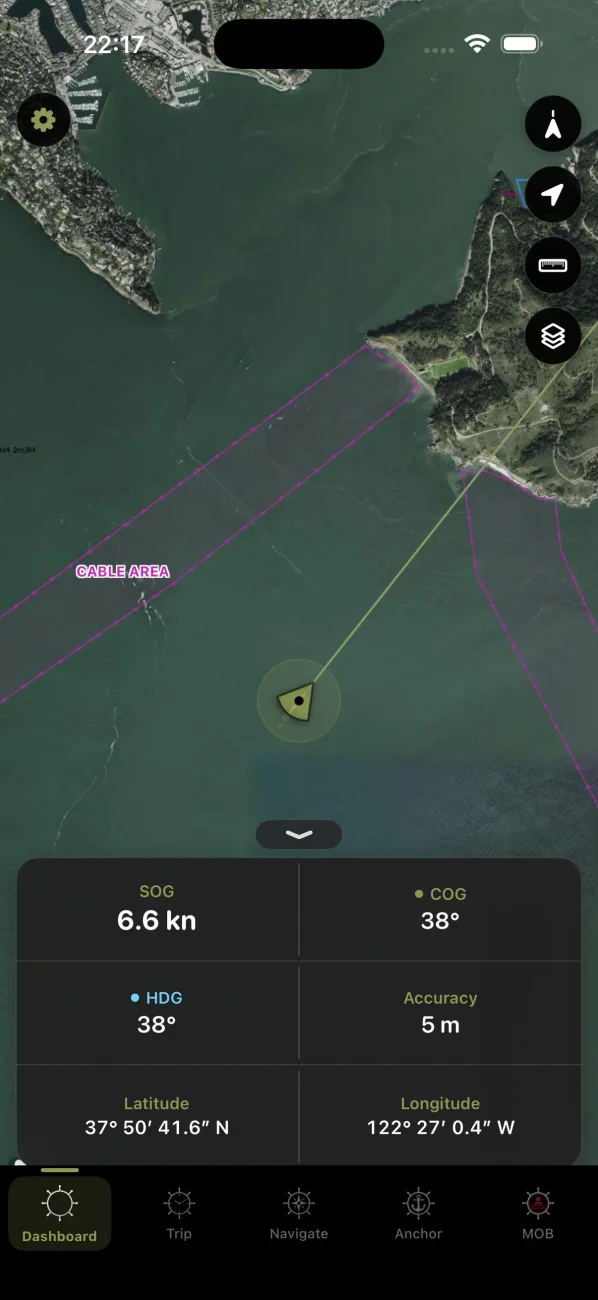
DASHBOARD
All your essential sailing data at a glance: speed over ground, course over ground, heading, and your exact position.
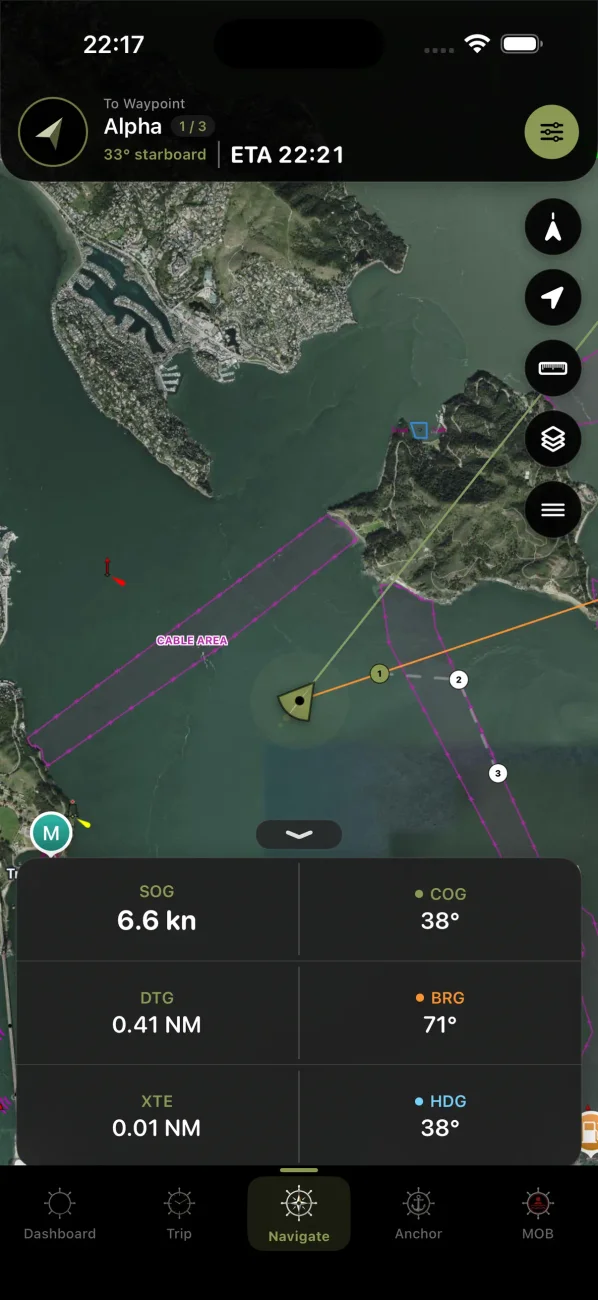
NAVIGATION
Navigate to a waypoint or follow a route with ease. Clear heading guidance, distance to go, and estimated time of arrival — always visible.
NAUTICAL CHARTS (iPhone)
See your boat on a standard or satellite map with a nautical seamark overlay, plus heading, course and bearing lines. Map data requires an internet connection.
ANCHOR ALARM
Drop anchor and get alerted if you drift out of range. Customize your radius, alarm delay, and alerts, and watch your live position relative to the anchor.
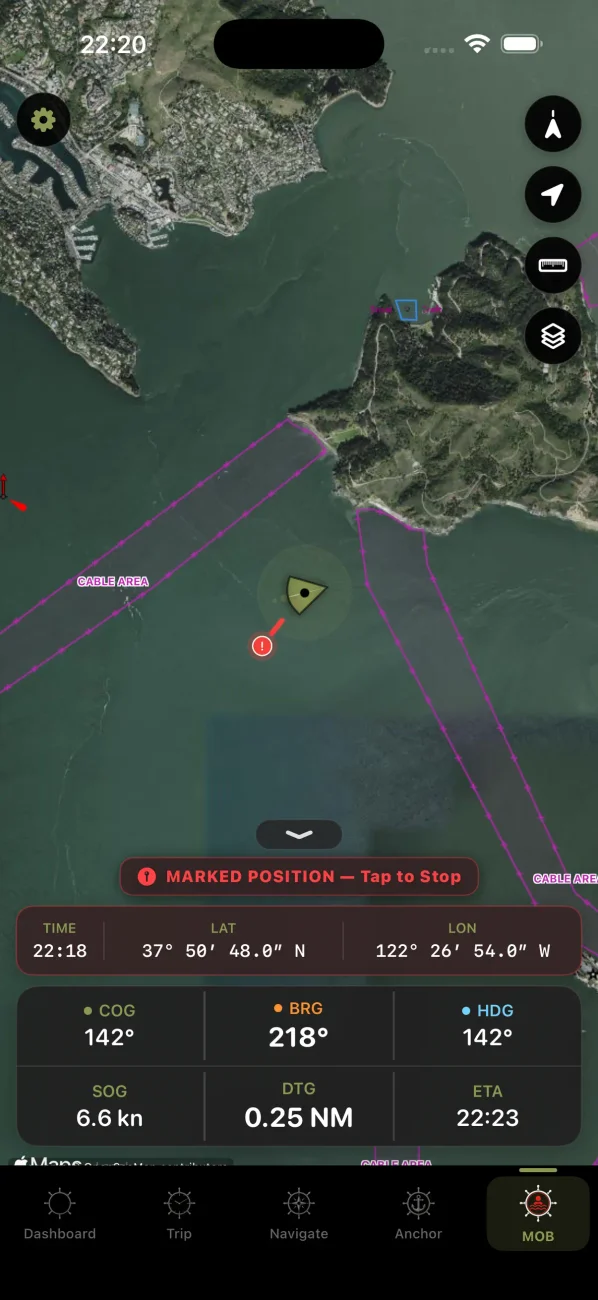
MAN OVERBOARD (MOB)
Mark a man overboard position instantly with a long press from anywhere in the app, and get clear direction and distance back to them, fast.
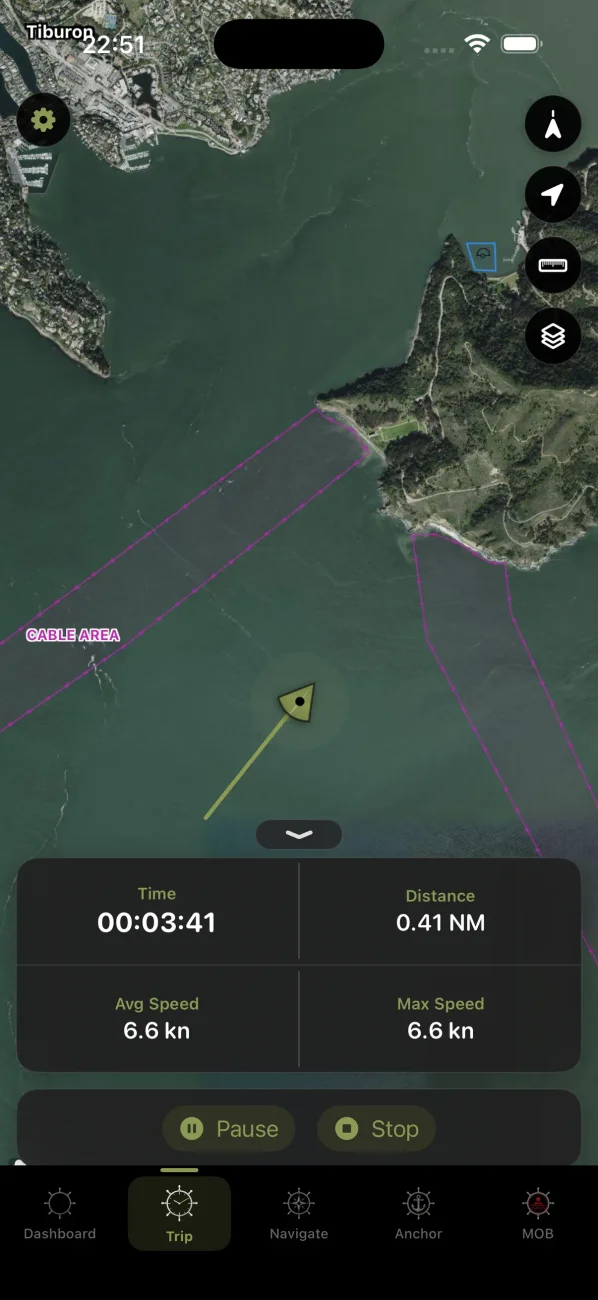
TRIP RECORDING
Track time, distance, average speed, and maximum speed during your trip.
SETTINGS
Choose your appearance, coordinate format, and distance and speed units to match how you sail.
Built by sailors, for sailors. Focus on what matters on the water.
Tip: for the best experience while sailing, set Return to Clock to "After 1 Hour" in your Watch settings (Apple Watch → Settings → General → Return to Clock), so SailNav GPS stays easily accessible when you raise your wrist underway.
SailNav GPS is an aid to navigation and does not replace official charts, proper seamanship or safety equipment.
Map data © OpenStreetMap contributors and OpenSeaMap contributors.
SailNav GPS is offered as an auto-renewable yearly subscription (Yearly Access, billed once per year; the price is shown in the app before you subscribe). Payment is charged to your Apple ID at confirmation of purchase and renews automatically unless canceled at least 24 hours before the end of the current period. Manage or cancel in Settings > Apple ID > Subscriptions.
Terms of Use (EULA): https://www.apple.com/legal/internet-services/itunes/dev/stdeula/
Privacy Policy: https://sites.google.com/view/sailnavgps/
What’s new
Version 1.0.8 · Nov 2, 2026
• Man Overboard now shows heading, course and bearing lines on the map
• Smoother map following while you sail
• Aligned logos and refined layouts on the Anchor and MOB screens
• Added map data credits (OpenStreetMap, OpenSeaMap) in Settings
• Improved reliability of nautical chart data loading
App privacy
What Ilan Hankin declares on the App Store about how this app handles data.
-
Data not collected
The developer does not collect any data from this app.
Privacy practices may vary, for example with the features you use or your age.
Information
- Seller
- Ilan Hankin
- Category
- Navigation
- Version
- 1.0.8
- Updated
- Nov 2, 2026
- Released
- Sep 6, 2026
- Size
- 8.3 MB
- Requires
- iOS 17.0 or later
- Age rating
- 4+
- Price
- Free
- In-app purchases
- Yes
- Languages
- English
- Copyright
- © 2026 Ilan Hankin
You might also like
-
 Marine Maps :GPS Nav for boatsNautical charts, tides, routes
-
 ReefMap: Marine NavigationOffline charts, GPS & anchor
-
 Hull SpeedGPS speedometer, in knots
-
 NorthPin True North CompassTrue North & µT Alerts
-
 BoatMap - Charts, GPS, WeatherRoutes, Marinas, Anchorages
-
 ParkWise IsraelReal parking price, upfront
-
 Boat Speed in KnotsMarine GPS speedometer
-
 Nannybag for NanniesTravel
-
 Boat Knot Meter: Anchor WatchMarine GPS speed, drift alarm
-
 Out&safeApp for safety outdoors