
Saldo Pocket
Spend today, payday forecast
Designed for iPhone, iPad
Free · In-app purchases
- Age rating4+
- CategoryFinance
- DeveloperMarco Jansson Olstad
- LanguagesEnglish+ 17 more
- Size106.4 MB
Links to the official App Store page
Download.org hosts no file of Saldo Pocket. The button opens its official App Store page, published by Marco Jansson Olstad. Listing last checked on Nov 23, 2026.
Screenshots


About
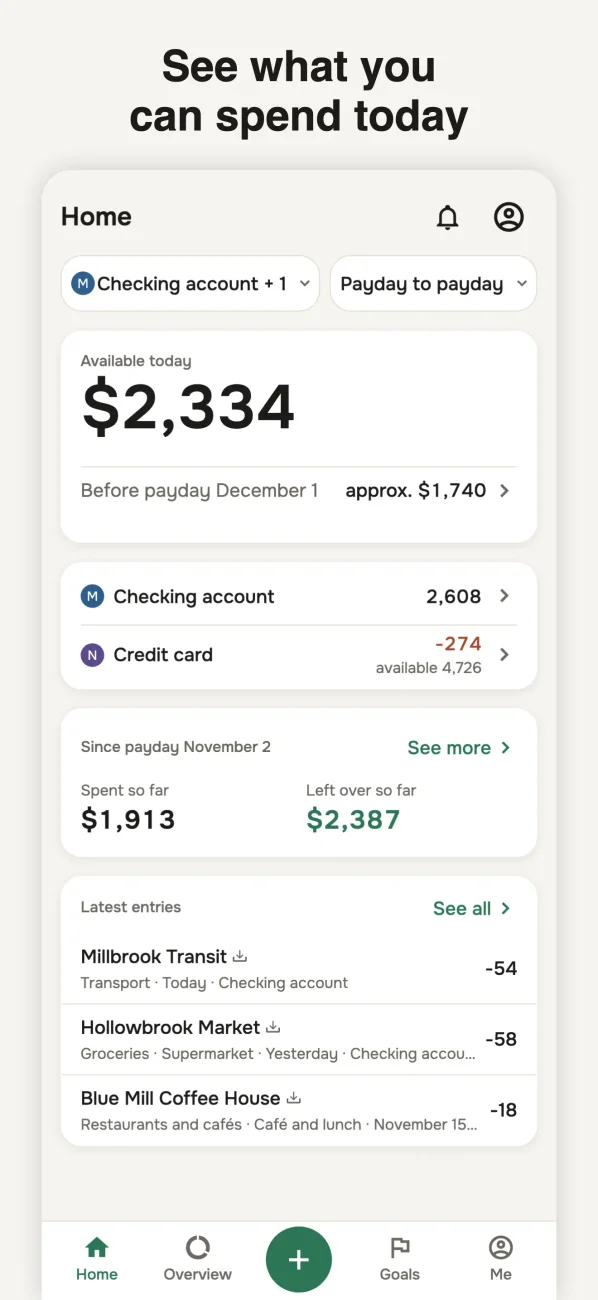
Saldo Pocket shows what you can spend today, and how the period will end – payday to payday or by calendar month.
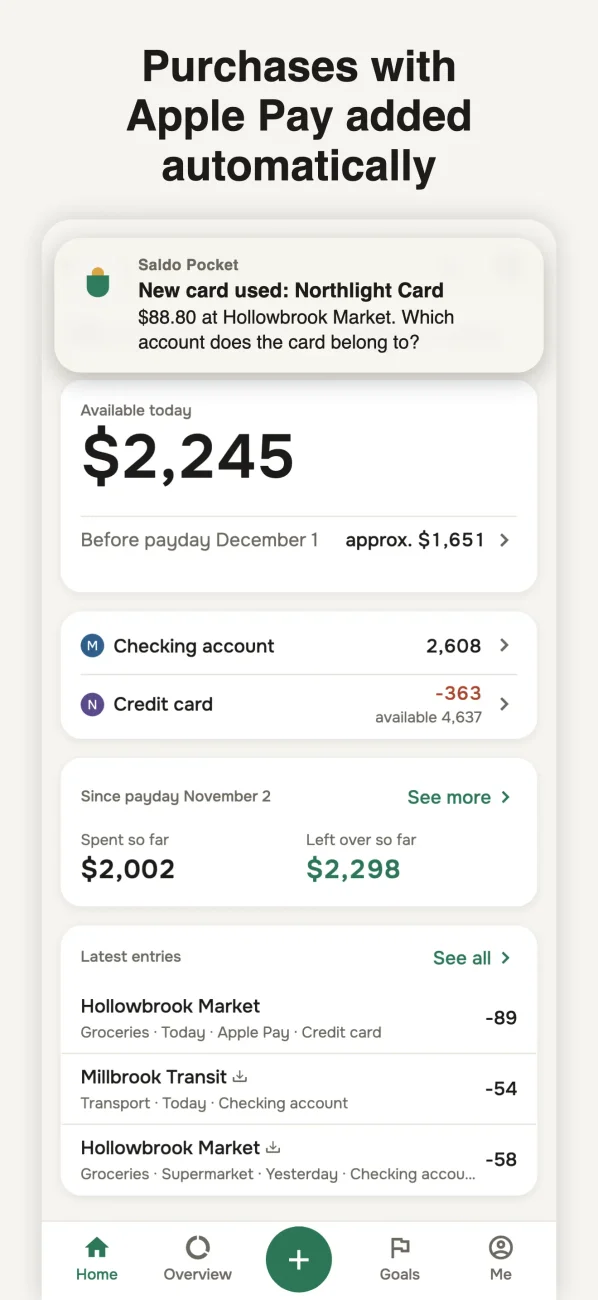
AUTOMATIC PURCHASE REGISTRATION (PRO, IPHONE)
Purchases you pay for with Apple Pay in shops on iPhone can be added to the app automatically. You set up an automation in the Shortcuts app once, and the app shows the steps. When you pay with a card in Wallet, the automation sends the amount, the shop and the card to Saldo Pocket, which puts the purchase on the account the card belongs to. When the bank's entry comes in, they become one entry. Part of Pro – try it free.
WHAT YOU CAN SPEND TODAY
Home shows what is available in your accounts today, and roughly what you will have left before your next payday or at the end of the month.
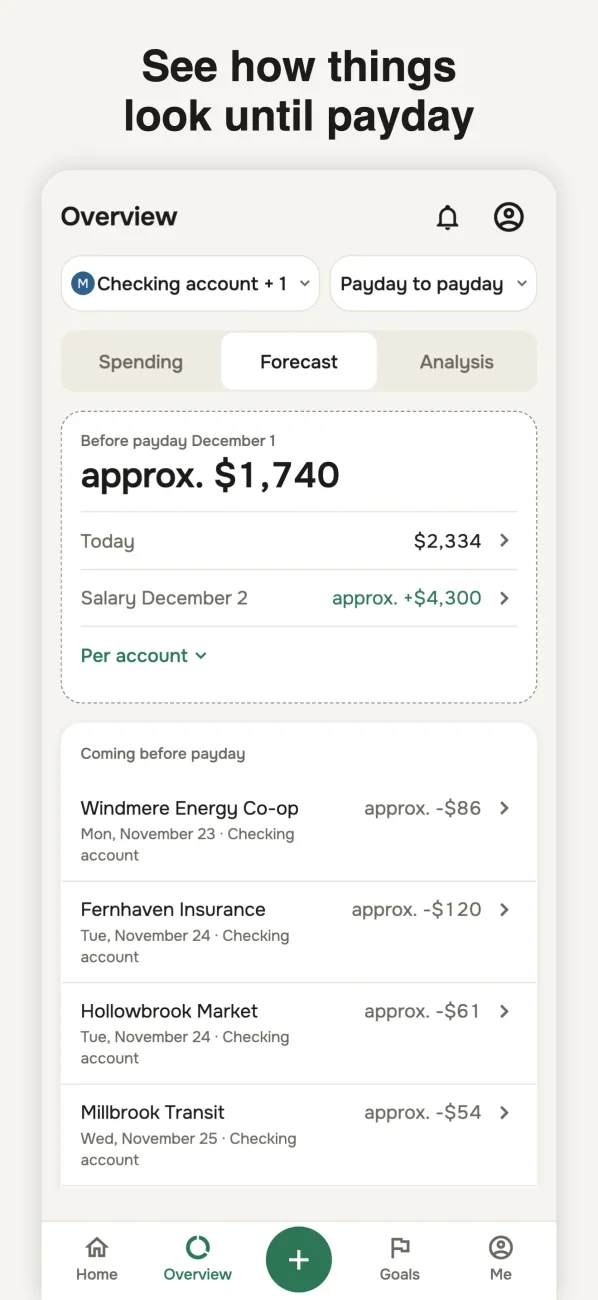
FORECAST TO PAYDAY
The app finds your salary, regular bills and subscriptions in your transactions and works out how the period will end: rent, insurance, utilities, card bills, interest and everyday spending. You see what is coming up, and what is late.
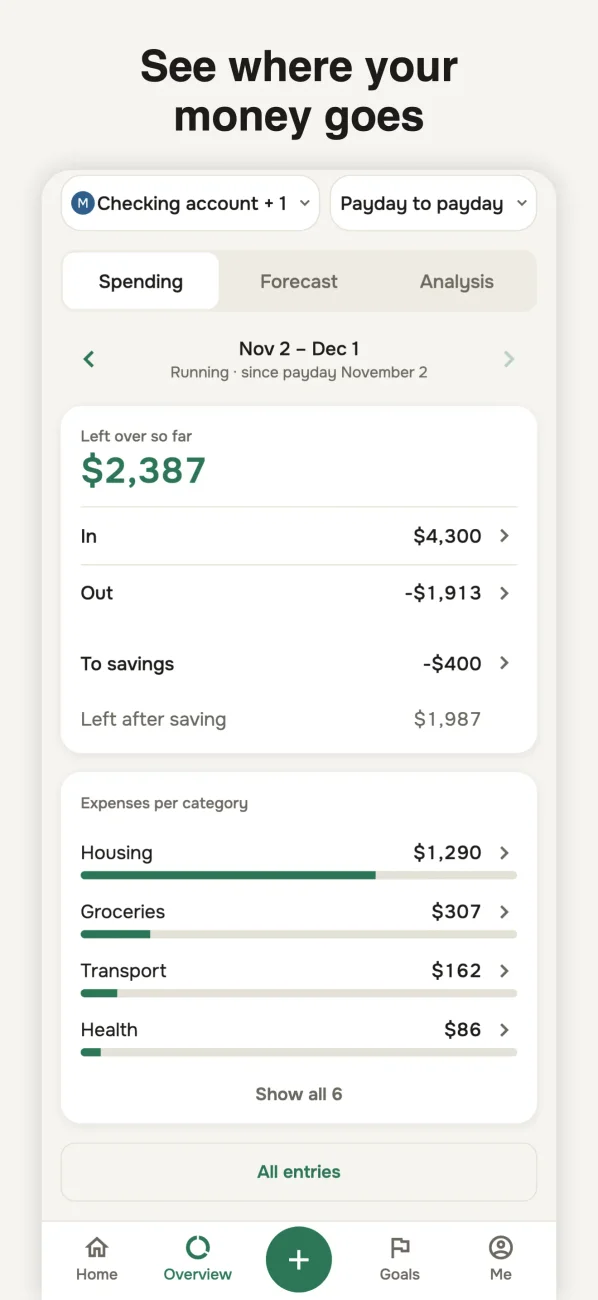
SEE WHERE YOUR MONEY GOES
Spending by category, what came in and what was left over – this period and earlier periods.
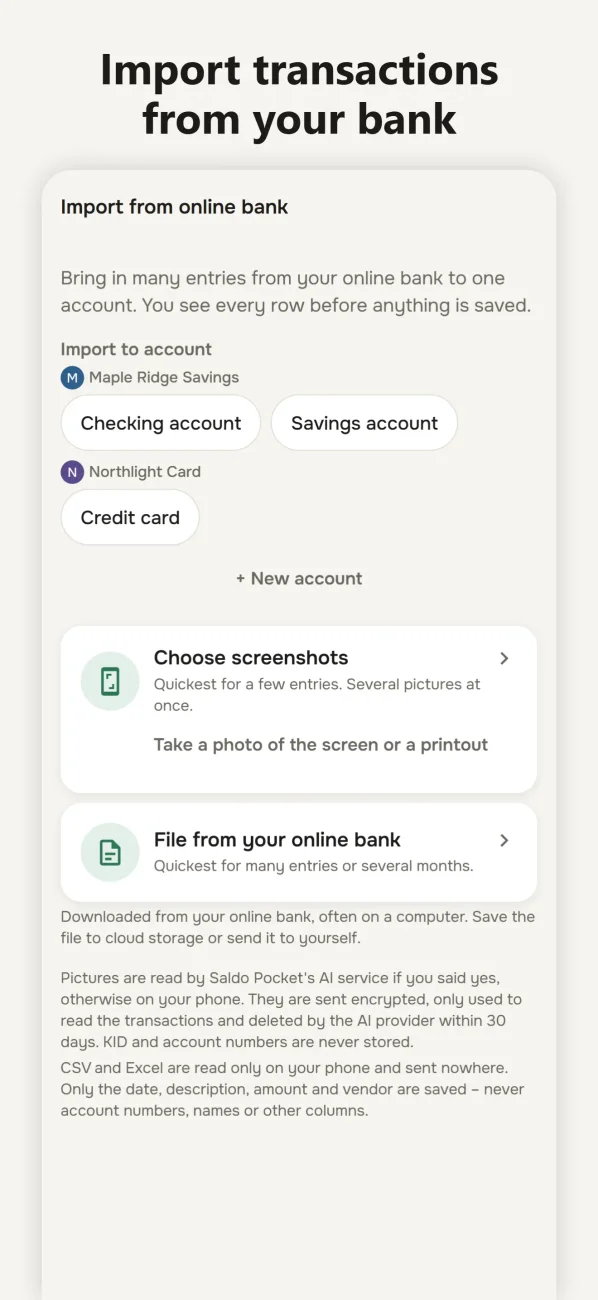
ADD TRANSACTIONS
• Screenshots from your online bank
• A file from your online bank (CSV or Excel)
• Scan a receipt or bill
• Enter them yourself
Pictures are read by AI only with your permission, and are only used to read the transactions.
ACCOUNTS, CARDS AND LOANS
Checking, savings, credit cards, lines of credit and loans, each in its own currency. The app estimates interest and shows your card bill before it arrives.
SAVINGS GOALS
Set a goal, pick the account and see when you will reach it.
WIDGET
Your available balance, right on your home screen.
YOUR DATA
Your data stays on your phone unless you sign in to sync between your devices, and you do not need an account to use the app. You can export and delete all your data at any time.
FREE
The forecast and exporting all your data are free.
SALDO POCKET PRO
• Register purchases automatically with Apple Pay in shops (iPhone)
• Adjust the forecast yourself
• Accrued interest in detail
• Reports in Excel, CSV and PDF
• All history
• More accounts, savings goals, custom categories and AI scans
• All widget styles
• Sync between your devices (optional)
Light and dark mode. 18 languages.
Terms of Use (EULA): https://www.apple.com/legal/internet-services/itunes/dev/stdeula/
Privacy Policy: https://www.nordicdigitalapp.com/en/saldo-pocket/privacy
What’s new
Version 1.0.11 · Nov 16, 2026
• Better on iPad, foldable phones and split screen
• What you have filled in is kept if the app closes before you have saved
• Automatic registration of Apple Pay purchases is more reliable: no purchase is lost, and the app asks when something is unclear, such as two identical purchases or a refund
• If Pro has expired, purchases wait for 30 days, so you do not lose them if you renew
• Bug fixes and improvements
App privacy
What Marco Jansson Olstad declares on the App Store about how this app handles data.
-
Data linked to you
May be collected and linked to your identity.
- Purchases
- Financial info
- Contact info
- Identifiers
-
Data not linked to you
May be collected but is not linked to your identity.
- User content
- Identifiers
- Diagnostics
Privacy practices may vary, for example with the features you use or your age.
Information
- Seller
- Marco Jansson Olstad
- Category
- Finance
- Version
- 1.0.11
- Updated
- Nov 16, 2026
- Released
- Nov 4, 2026
- Size
- 106.4 MB
- Requires
- iOS 16.4 or later
- Age rating
- 4+
- Price
- Free
- In-app purchases
- Yes
- Languages
- English, Arabic, Danish, Dutch, Finnish, French, German, Hindi, Italian, Japanese, Korean, Norwegian Bokmål + 6 more
- Copyright
- © 2026 Olstad Digital