Saluton: Learn Esperanto
Language lessons & flashcards
Designed for iPhone, iPad
Free
- Age rating4+
- CategoryEducation
- DeveloperSebastian Kruszek
- LanguagesEnglish+ 23 more
- Size40.4 MB
Links to the official App Store page
Download.org hosts no file of Saluton: Learn Esperanto. The button opens its official App Store page, published by Sebastian Kruszek. Listing last checked on Nov 28, 2026.
Screenshots
About
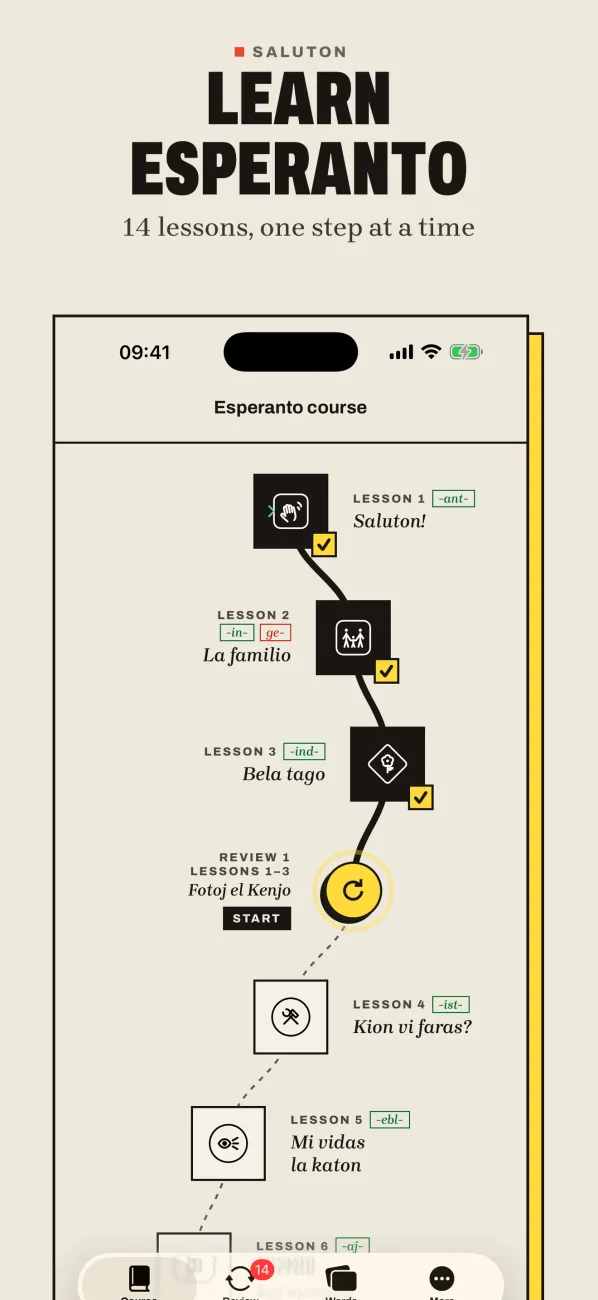
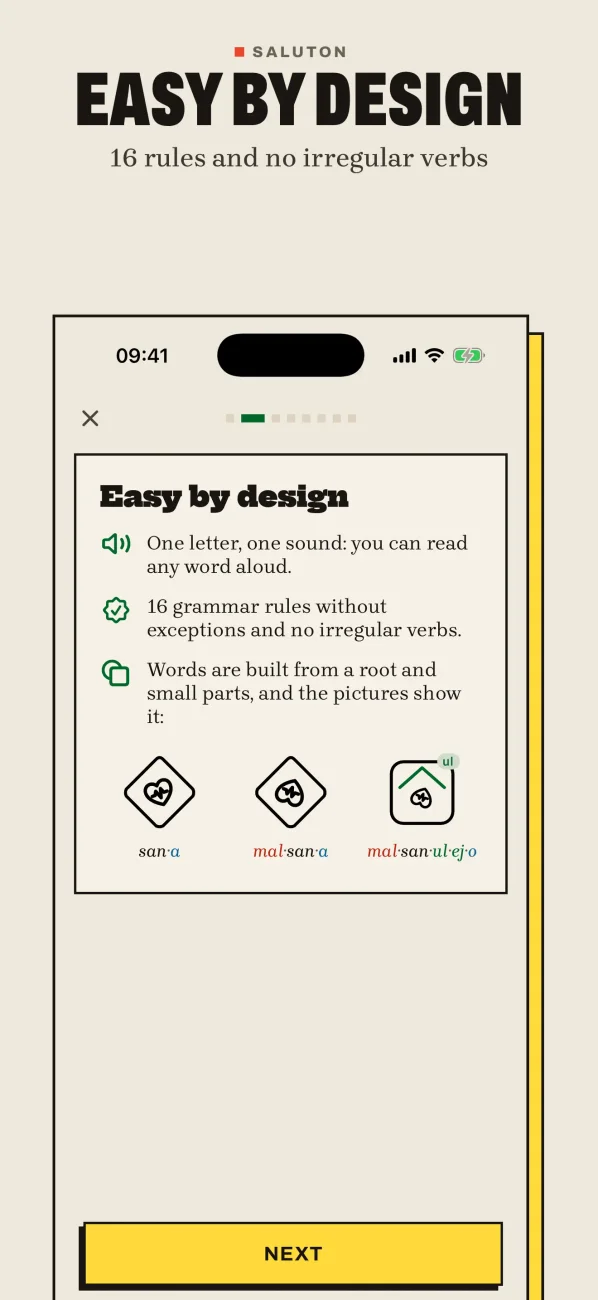
Esperanto was created as an easy second language for everyone: 28 letters, each with one sound, 16 grammar rules and no irregular verbs. Saluton takes you from your first “Saluton!” (hello!) to reading and writing real Esperanto in 14 lessons and 4 review lessons – one step at a time.
LESSONS STEP BY STEP
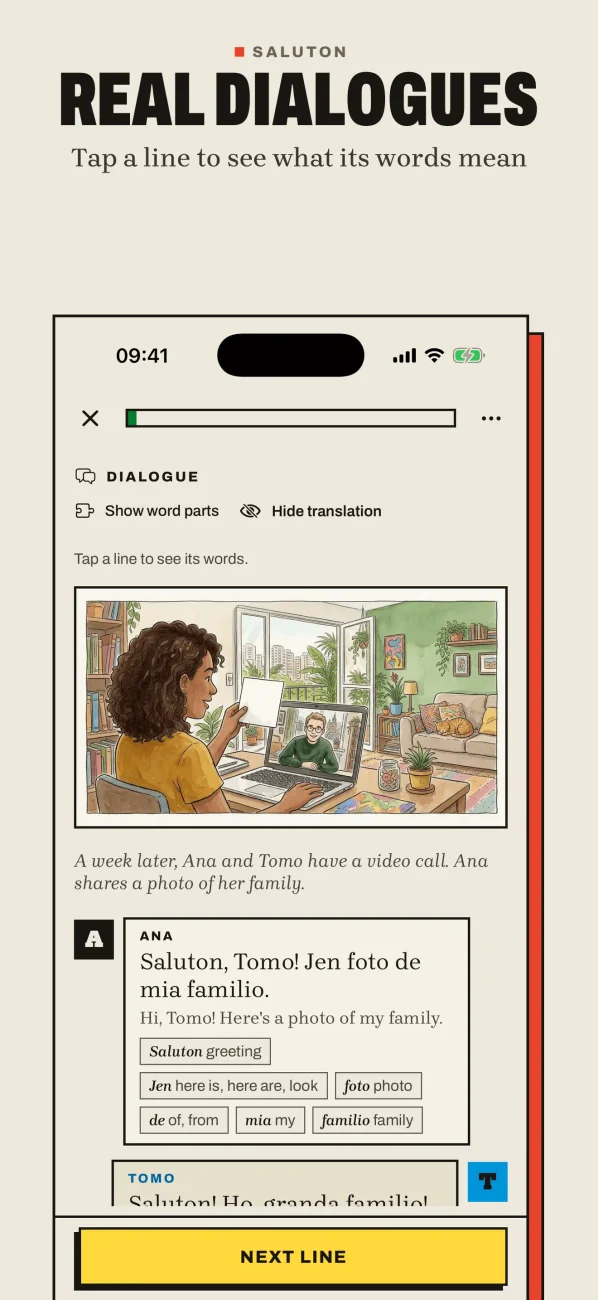
• One thing on the screen at a time: the dialogue line by line, new words one by one, a short explanation, then an exercise
• Tap a line of the dialogue to see what its words mean
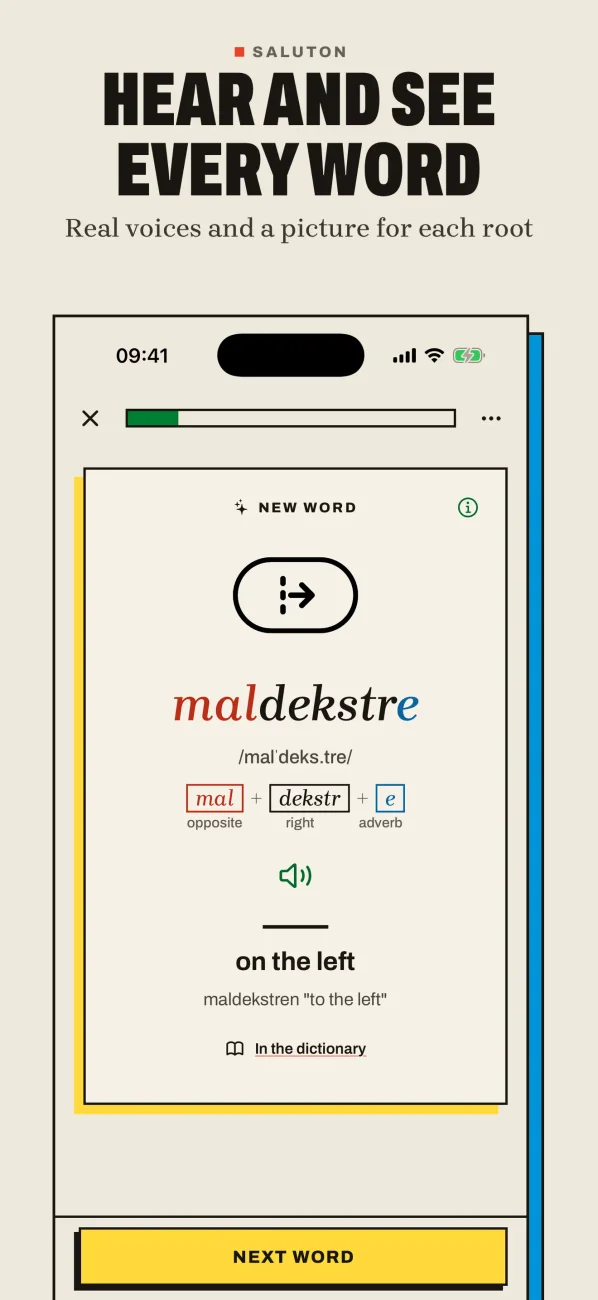
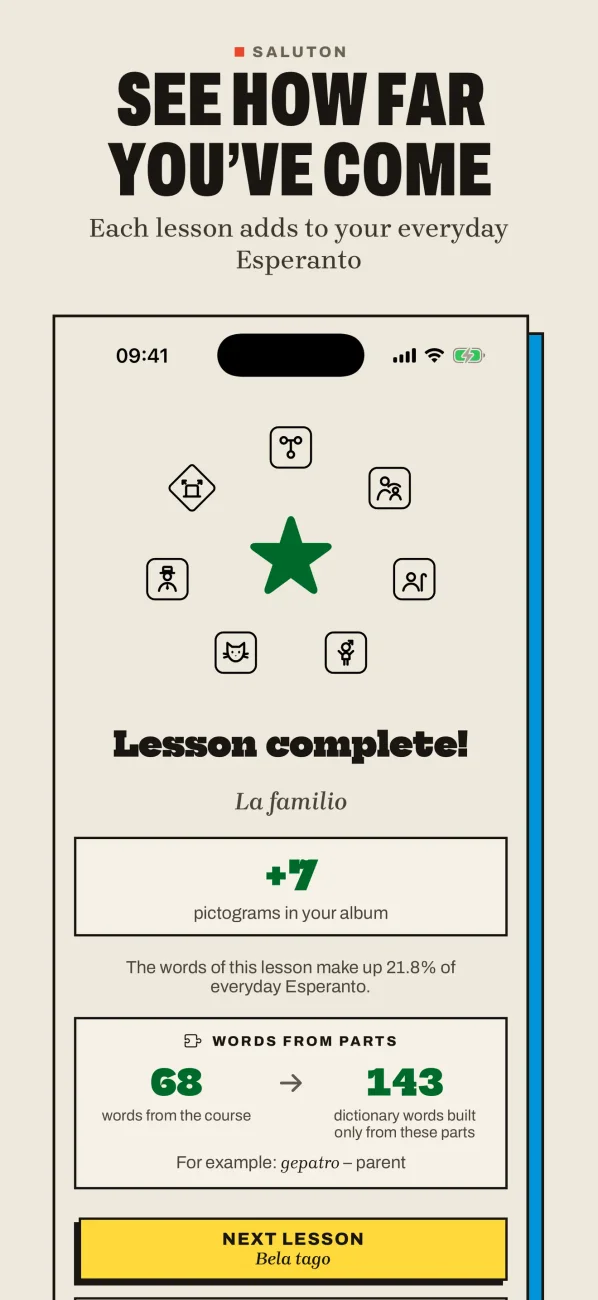
• Word cards with pronunciation recordings and a pictogram that draws itself
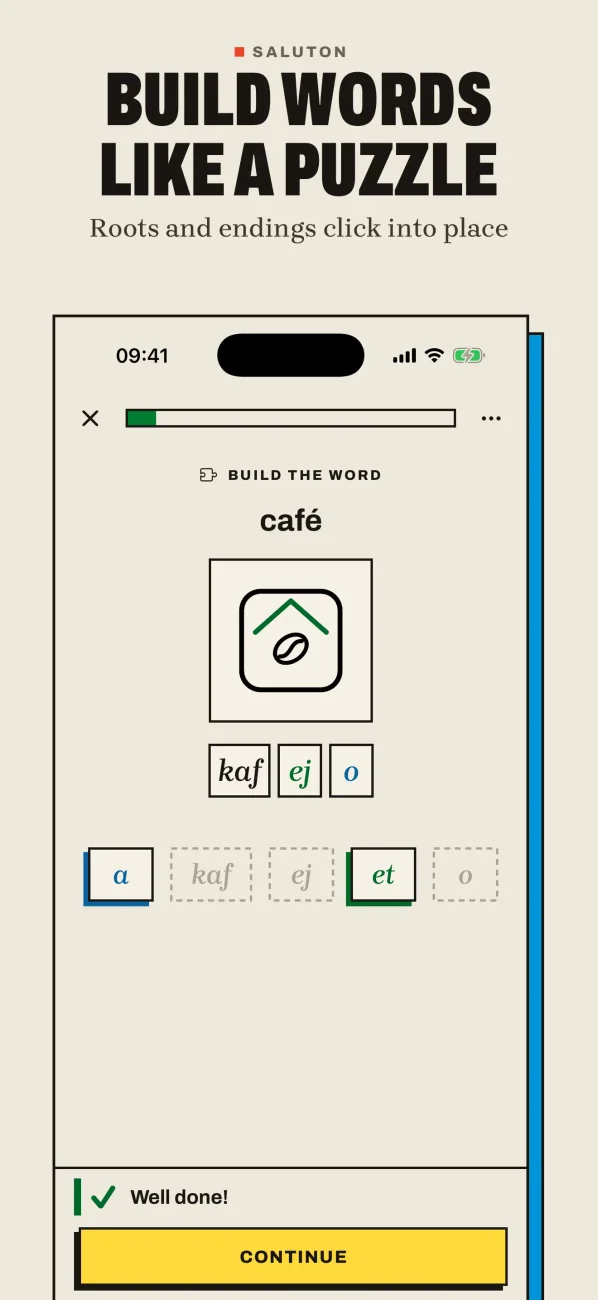
• Quick questions after each set of words: “Do you remember?”, “Which word do you hear?” and “Build the word”
• Exercises that check your answers: choose, type, build sentences, pick the ending, match pairs
• A second chance at the end for anything you got wrong; the lesson remembers where you stopped
• A question about a lesson? Ask a volunteer advisor who speaks Esperanto
SEE HOW WORDS ARE BUILT
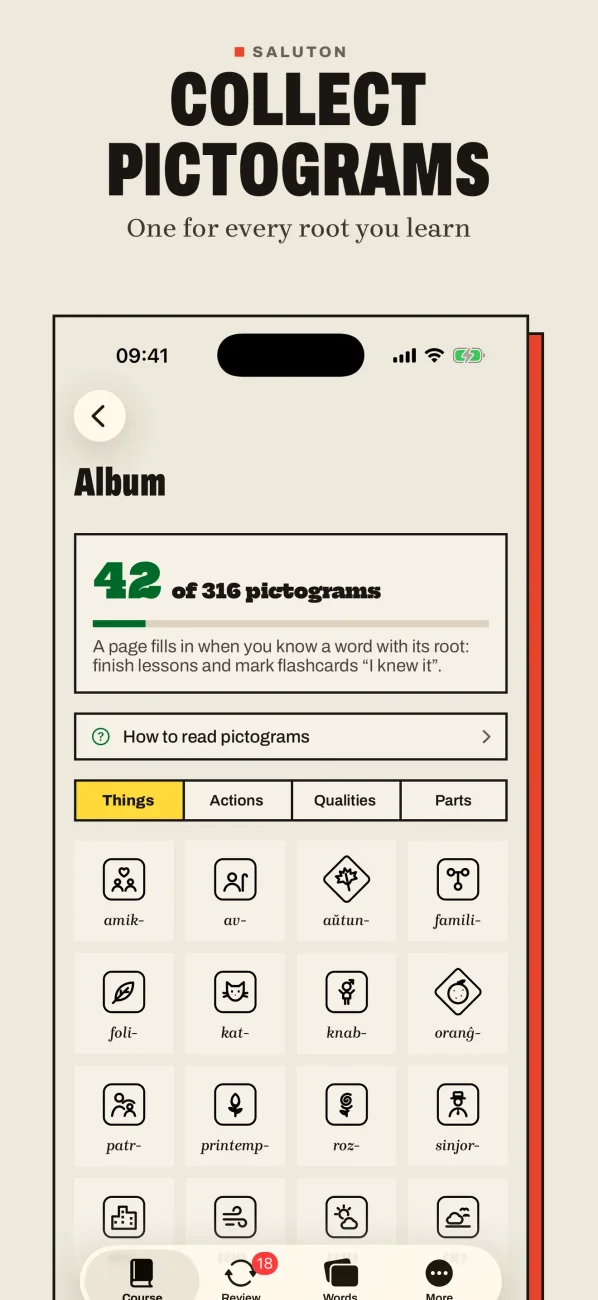
Esperanto builds words from a root and small parts: san·a (healthy), mal·san·a (ill), mal·san·ul·ej·o (hospital). Pictograms show it: the picture is the root, the frame is the ending, and every part changes the picture. Build words in the Word workshop and collect a pictogram for every root you learn. In every dialogue, “Show word parts” colours the roots, prefixes, suffixes and endings, and “Guess the meaning” lets you work out new words from parts you know.
PRACTICE THAT STICKS
• Today: your reviews and flashcards for the day in one short session
• Every mistake goes to your review list and comes back until you know it
• Helpful hints when you’re almost right – a missing -n, a wrong ending or a missing hat on ĉ, ĝ, ŝ
• Type the special letters with one tap, or use the x-system (cx → ĉ)
• An optional daily reminder, soft sounds (you can turn them off) and haptics
THE 1000 MOST COMMON WORDS
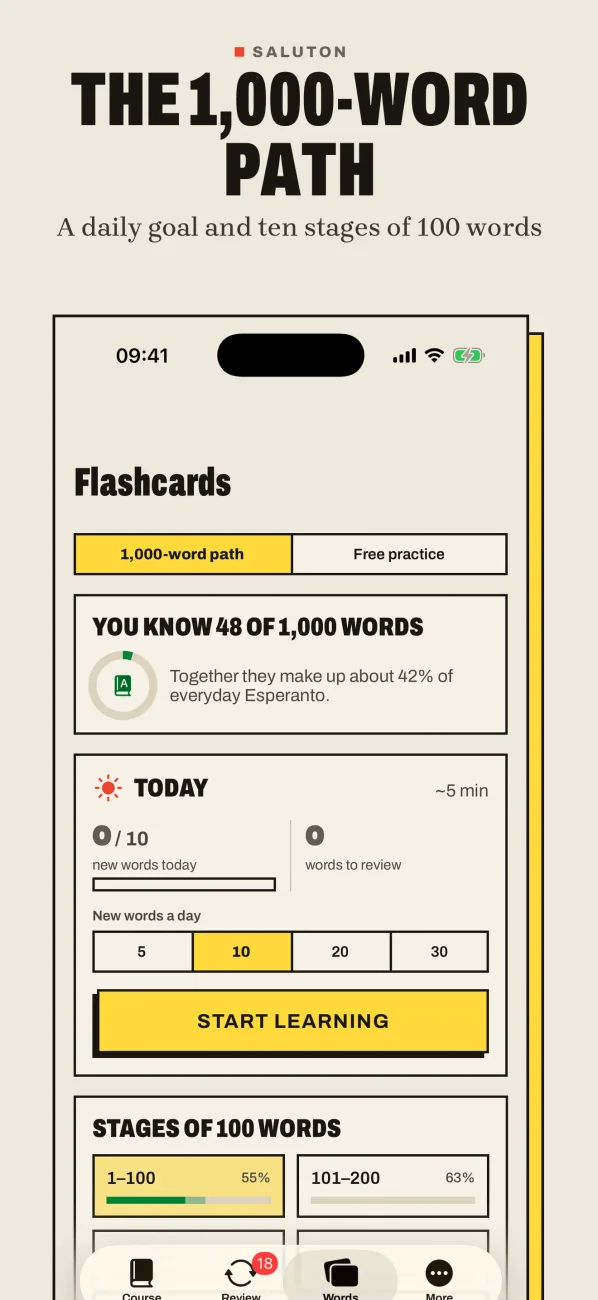
Flashcards with the words that make up about 78% of all words in a large collection of Esperanto sentences, in order of frequency, most of them with a recording. Follow the path with a daily goal and 10 stages of 100 words, or practise freely: choose the words and the exercise – flashcards, multiple choice, listening, typing, sentences or pairs.
WHAT IS ESPERANTO?
A two-minute introduction to its history, speakers and culture.
IN 24 LANGUAGES
The course, the 1000 words and the app in English, Esperanto, Polish, Spanish, German, French, Portuguese, Russian, Ukrainian, Japanese, Italian, Chinese, Dutch, Czech, Slovak, Turkish, Hungarian, Swedish, Romanian, Vietnamese, Korean, Finnish, Indonesian and Catalan. The app follows your phone’s language, or choose one in More.
ON IPHONE, IPAD AND MAC
On iPad in any orientation and in Split View, with keyboard shortcuts; also on Mac with Apple silicon.
ONE ACCOUNT FOR THE APP AND THE WEBSITE
The course and exercises work without an account, and the lessons work offline (recordings need the internet). If you like, sign in with Apple, Google or your e-mail address to keep your progress safe and continue on esperantopedia.org or on another device. No ads.
FOR CLASSES
Teachers can create a virtual class on esperantopedia.org. Students join with a code, see their teacher’s tasks right in the app and keep track of their learning time.
PART OF ESPERANTOPEDIA
The course comes from esperantopedia.org, a free website about Esperanto in 24 languages. From the app you can open the dictionary, the full grammar and the phrasebook.
Course content: Esperantopedia, CC BY-SA 4.0. Word list and sentences from Tatoeba, Wiktionary and ESPDIC; word families from Reta Vortaro. Recordings: Wikimedia Commons.
What’s new
Version 1.24 · Nov 26, 2026
When a lesson step continues below the screen, an arrow at the bottom now shows it — tap it to scroll. Matching pairs take up less space. The word ĝemeloj now has a pronunciation recording. Clearer pronunciation: every word recording in the course has been checked. 26 words, including nia, varma, promeni and malsano, now use a clearer voice, and recordings that sounded like a different word have been removed. In inter you can now clearly hear the stress on the first syllable.
App privacy
What Sebastian Kruszek declares on the App Store about how this app handles data.
-
Data linked to you
May be collected and linked to your identity.
- Location
- Contact info
- User content
- Identifiers
- Usage data
- Diagnostics
Privacy practices may vary, for example with the features you use or your age.
Information
- Seller
- Sebastian Kruszek
- Category
- Education
- Version
- 1.24
- Updated
- Nov 26, 2026
- Released
- Oct 23, 2026
- Size
- 40.4 MB
- Requires
- iOS 17.0 or later
- Age rating
- 4+
- Price
- Free
- Languages
- English, Catalan, Czech, Dutch, Esperanto, Finnish, French, German, Hungarian, Indonesian, Italian, Japanese + 12 more
- Copyright
- © 2026 Sebastian Kruszek
You might also like
-
 ParolejoOffline Esperanto tool
-
 Sankta Biblio en EsperantoReference
-
 Grammarific: Esperanto GrammarLearn Grammar with AI
-
 Liberation Philology FriulianVocabulary & grammar practise
-
 Esperanto - Listening SpeakingEsperanto learning app
-
 Eszperantó-magyar szótárReference
-
 Learn Esperanto CommunicateEducation
-
 LP SardinianVocabulary & grammar practise
-
 La route des motsEducation
-
 LatynizeKazakh Script Converter