
SAND: Audio MIDI Sequencer
Record & Make Music, Host AUv3
Designed for iPhone, iPad, iPod touch
Free · In-app purchases
- Age rating4+
- CategoryMusic
- DeveloperMatteo Caldari
- LanguagesEnglish
- Size52.5 MB
Links to the official App Store page
Download.org hosts no file of SAND: Audio MIDI Sequencer. The button opens its official App Store page, published by Matteo Caldari. Listing last checked on Nov 23, 2026.
Screenshots

About
Have SAND in your pocket. Create music anywhere. Sketch your ideas, compose with MIDI and audio clips, host your favorite plugins. All designed for creative flow, whether you're at home or on the go.
SAND is a music sketchpad for AUv3, MIDI, and audio clips—built so you can try ideas quickly, without setup getting in the way.
Please note: SAND does not generate sound on its own—it relies on AUv3 plugins you can find on the App Store. Try SAND free for 14 days; in-app purchases unlock features after the trial.
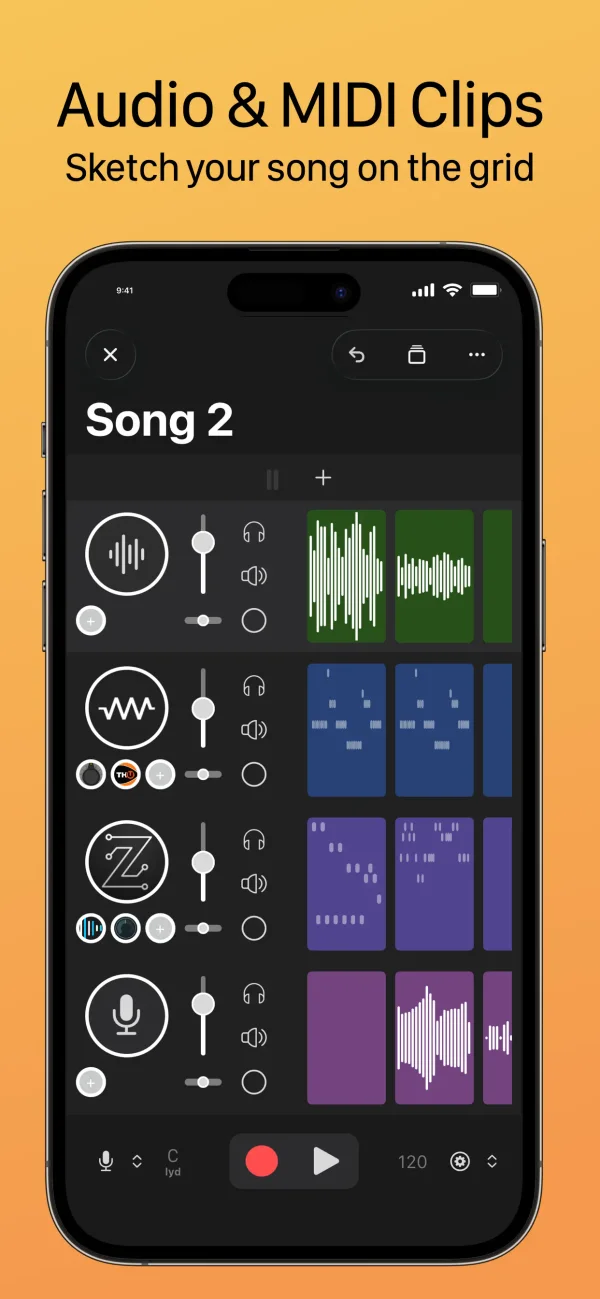
GRID SEQUENCER
Arrange MIDI and audio clips on a grid to build your ideas.
Copy, duplicate, merge, combine, and drag-and-drop clips to shape your project.
Quick clip tools: quantize, length, legato, transpose from the clip menu.
Render MIDI clips as audio by dropping them onto an audio track.
MIDI TRACKS
Work with instrument and MIDI tracks in your projects.
Load an instrument and unlimited audio and MIDI effects on each track.
Hide tracks and assign custom icons to keep sessions organized.
Save tracks as templates for future projects.
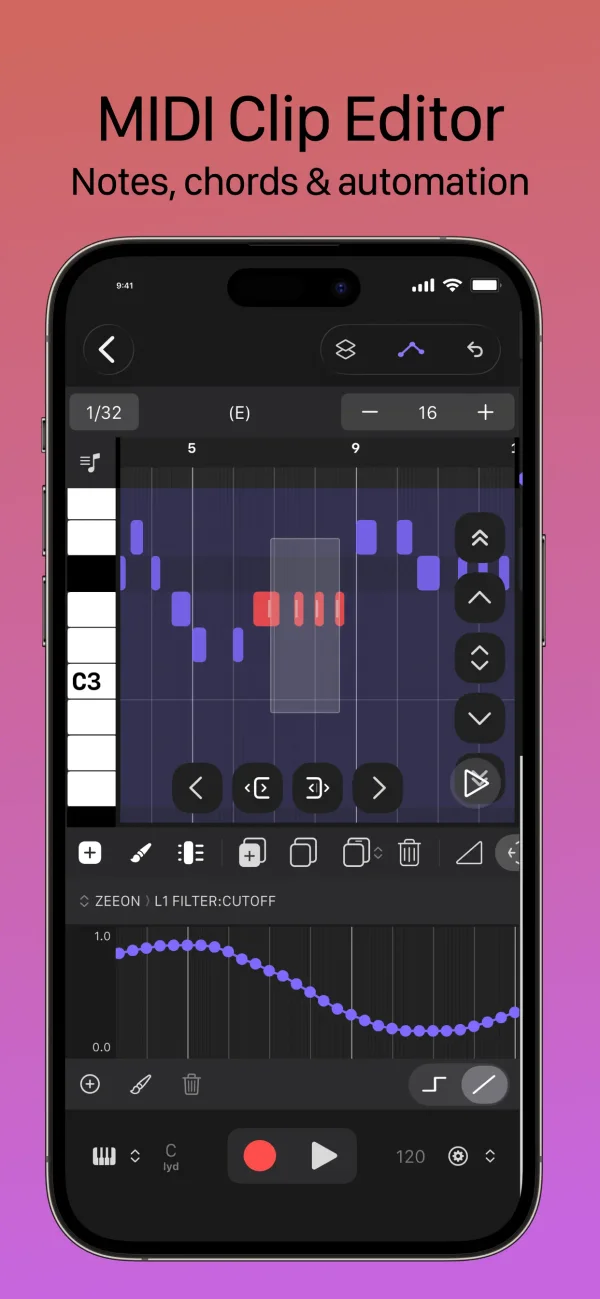
Edit MIDI in a piano-roll clip editor: quantize, legato, split, duplicate, copy, and paste.
Build chords with the chord selector.
Adjust note position, pitch, duration, and velocity.
Handle bars edit position and pitch on the note.
Use an adjustable grid or free placement.
Scale highlighting helps you stay in key.
Record with an optional count-in or from the first note.
Quantize recordings for tighter timing.
AUDIO TRACKS
Add dedicated audio tracks alongside your MIDI material.
Import audio into clips from other apps or the clip import flow, with preview before committing.
Record audio into clips with per-track input settings and track arming.
Set loop or one-shot playback, beat-aligned or immediate start, and optional clip BPM.
Looping clips follow project tempo.
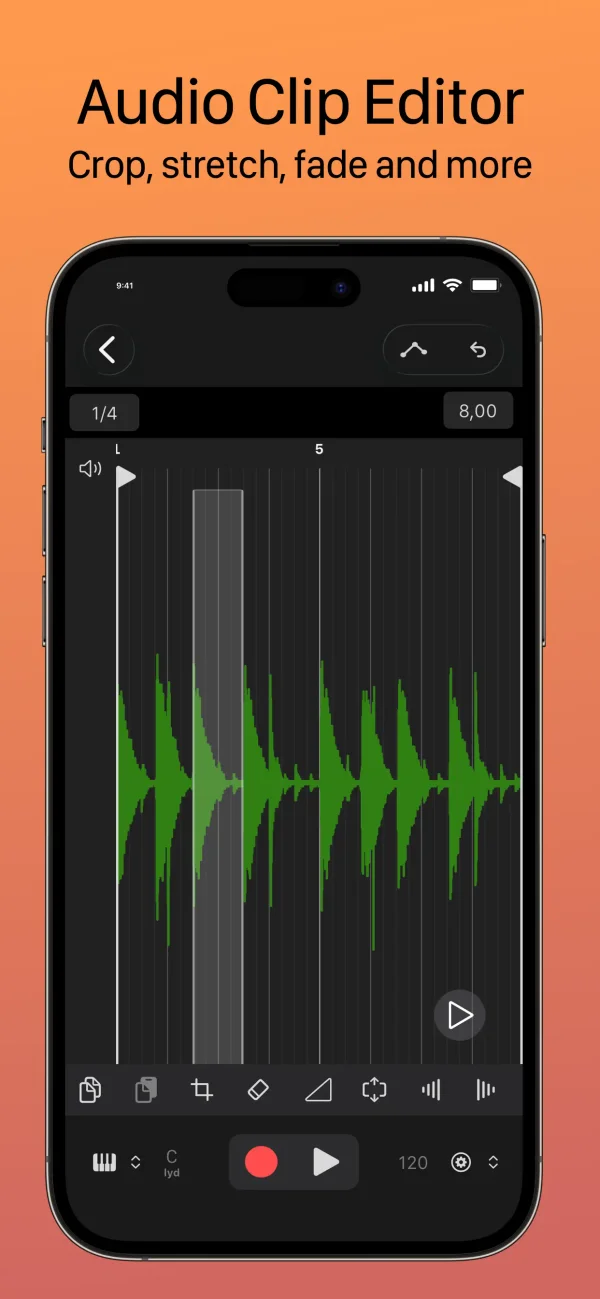
The audio editor supports copy, paste, crop, gain adjustment, normalize, silence, fades, reverse, pitch, stretch, and split. With automatic or manual preview.
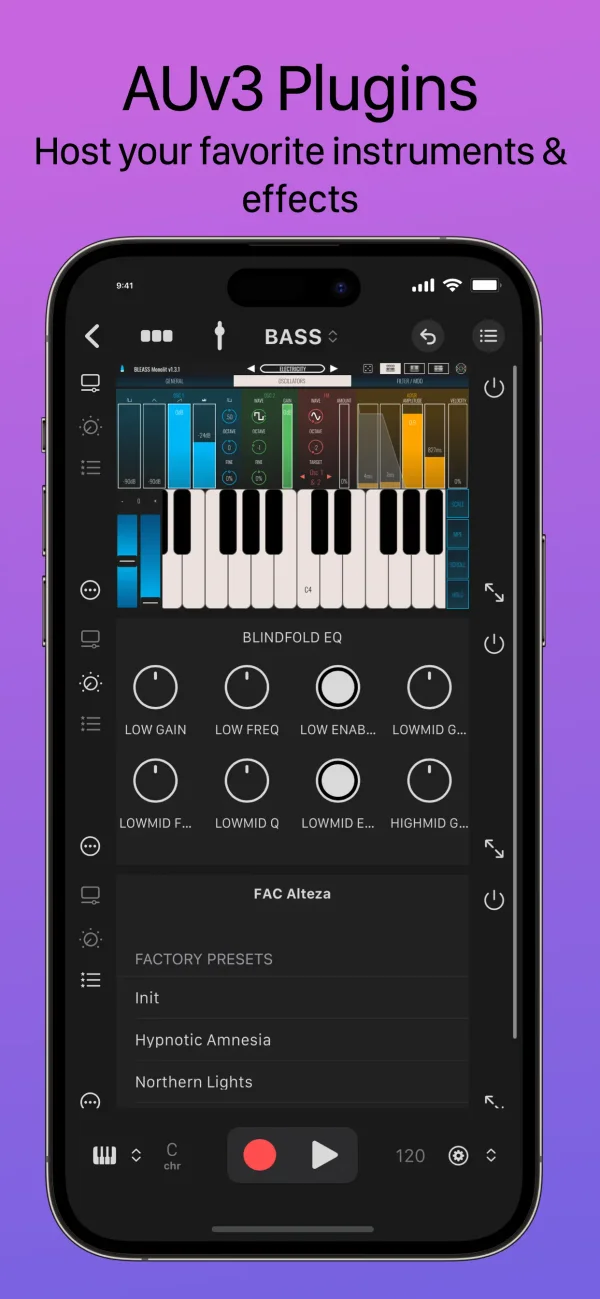
PLUGIN HOST
Host AUv3 instruments, audio effects, and MIDI processors.
Control parameters and presets, and save default states for new instances.
Record notes and MIDI from plugin interfaces, and capture output from MIDI plugins.
Mark plugins as favorites for faster access.
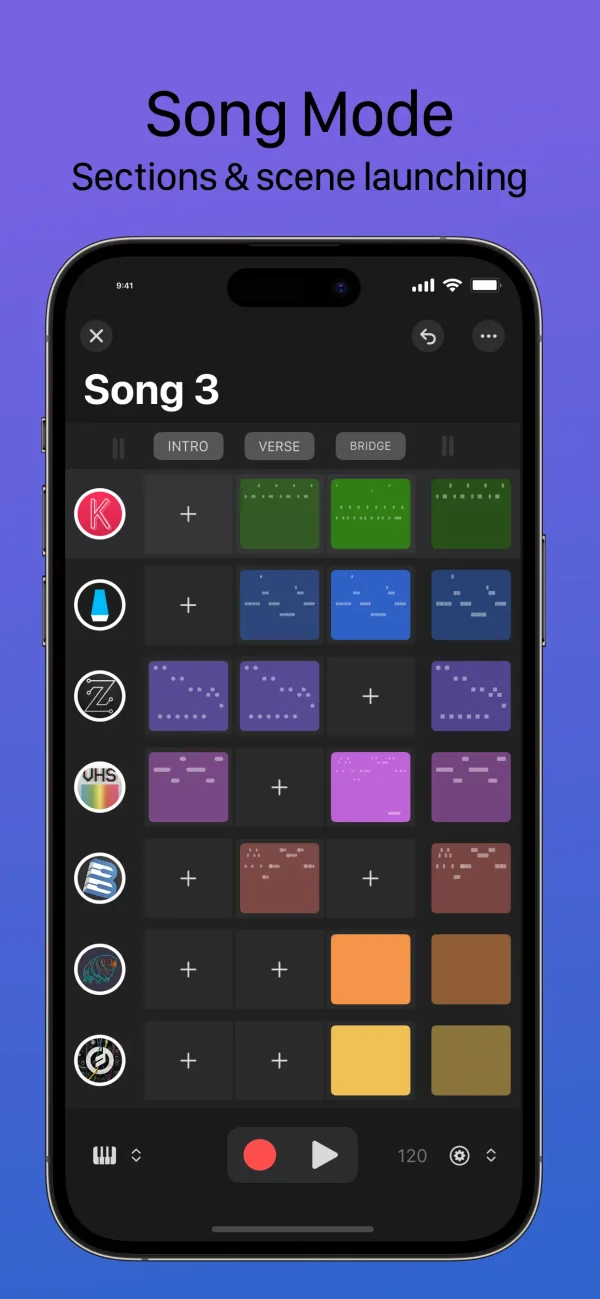
SONG MODE
Arrange clips in sections with independent lengths, played back seamlessly in order.
Launch every clip in a section at once, sections work as scene launchers.
Set a different time signature per section when needed.
AUTOMATION
Automate volume, pan, effect parameters, and MIDI for dynamic changes across your tracks.
MASTER TRACK
Apply effects globally across the project.
Use the master track's clip to generate bass lines and chord progressions.
MIDI ROUTING
Record from external MIDI devices, including hardware synths.
Send MIDI out for real-time playback and route MIDI between tracks.
Use SAND as a virtual MIDI input and output.
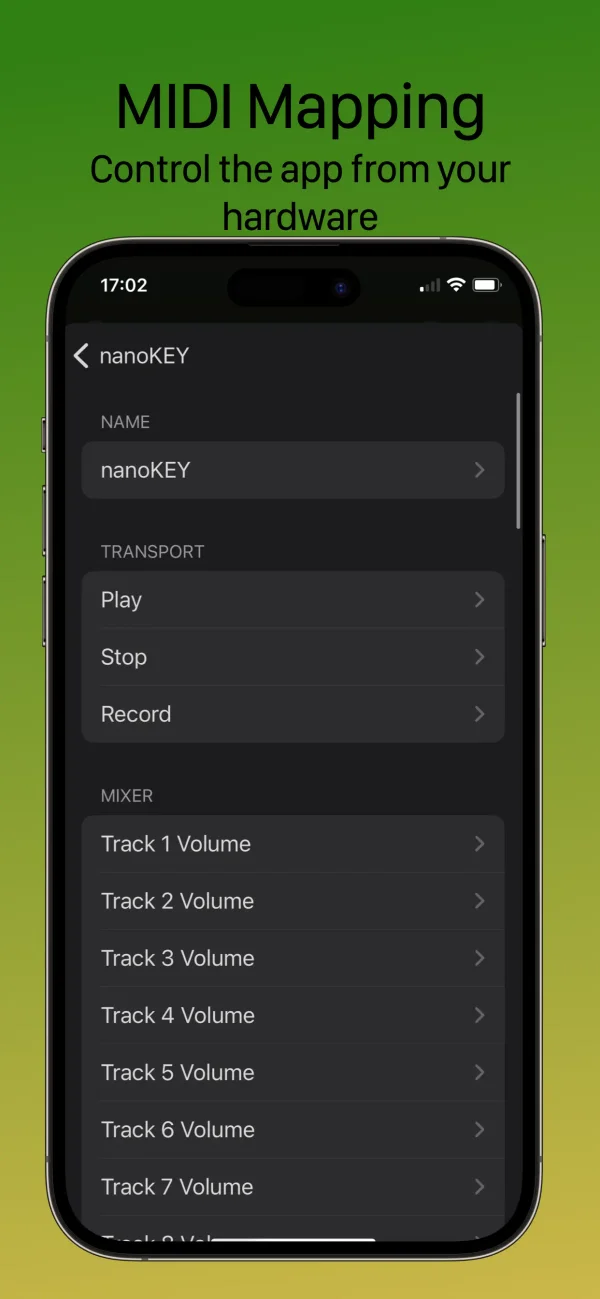
MIDI MAPPING
Map a MIDI controller to control the app with a flexible, customizable layout.
"Shift" mappings extend what a single controller surface can do.
PROJECT VERSIONS
Save and restore named snapshots of a project—experiment freely, then return to an earlier state.
PROJECT MANAGEMENT
Rename projects and branch copies with Save As…. (iOS 18+) Start new work from project templates. (iOS 18+)
SYNC
Sync with other apps and DAWs using Ableton Link.
ON-SCREEN KEYBOARD AND PADS
Record with a velocity-sensitive on-screen keyboard. Choose scale and root to limit keys to a scale, and adjust visible keys to match how you play. Play and record beats with on-screen drum pads.
IMPORT / EXPORT
Export clips as audio or MIDI. Export projects as Ableton Live sets. Record performances and export audio, including stems for separate processing.
What’s new
Version 3.0.8 · Nov 17, 2026
New: press and drag in the clip editor’s Add mode to draw a note of any length
VoiceOver can now read and adjust exposed parameters
Fixed: drum pads sometimes played after a delay
Fixed: switching tracks from the track menu no longer starts recording
Fixed: step input now follows the track’s MIDI input device and channel
Fixed: new notes follow the grid size, also after turning the grid off
App privacy
What Matteo Caldari declares on the App Store about how this app handles data.
-
Data not linked to you
May be collected but is not linked to your identity.
- Usage data
- Diagnostics
Privacy practices may vary, for example with the features you use or your age.
Information
- Seller
- Matteo Caldari
- Category
- Music
- Version
- 3.0.8
- Updated
- Nov 17, 2026
- Released
- Nov 22, 2022
- Size
- 52.5 MB
- Requires
- iOS 15.0 or later
- Age rating
- 4+
- Price
- Free
- In-app purchases
- Yes
- Languages
- English
- Copyright
- © 2026 Matteo Caldari
You might also like
-
 Zen AutoPanAUv3 Stereo Movement Tool
-
 ThesysPitch Sequencer
-
 Moon EchoMoon Bounce Simulator
-
 Warp - Baby AudioAUv3 Pitch/Time Shifter Plugin
-
 OCTACHRON MIDI Drum SequencerMIDI CC AUv3
-
 Playbeat 4AI-Powered Drum Designer
-
 BA-1 FX Strip - Baby AudioAUv3 Retro FX Channel Strip
-
 Relic Flow4 billion unique Lo-Fi rhythms
-
 ShowMIDIEffortlessly visualize MIDI
-
 EffectrixEffects Sequencer