
Save-2-Invest
Take Control of Your Money
Designed for iPhone
Free · In-app purchases
- Age rating4+
- CategoryFinance
- DeveloperPennie Braynen
- LanguagesEnglish
- Size2.3 MB
Links to the official App Store page
Download.org hosts no file of Save-2-Invest. The button opens its official App Store page, published by Pennie Braynen. Listing last checked on Nov 18, 2026.
Screenshots




About
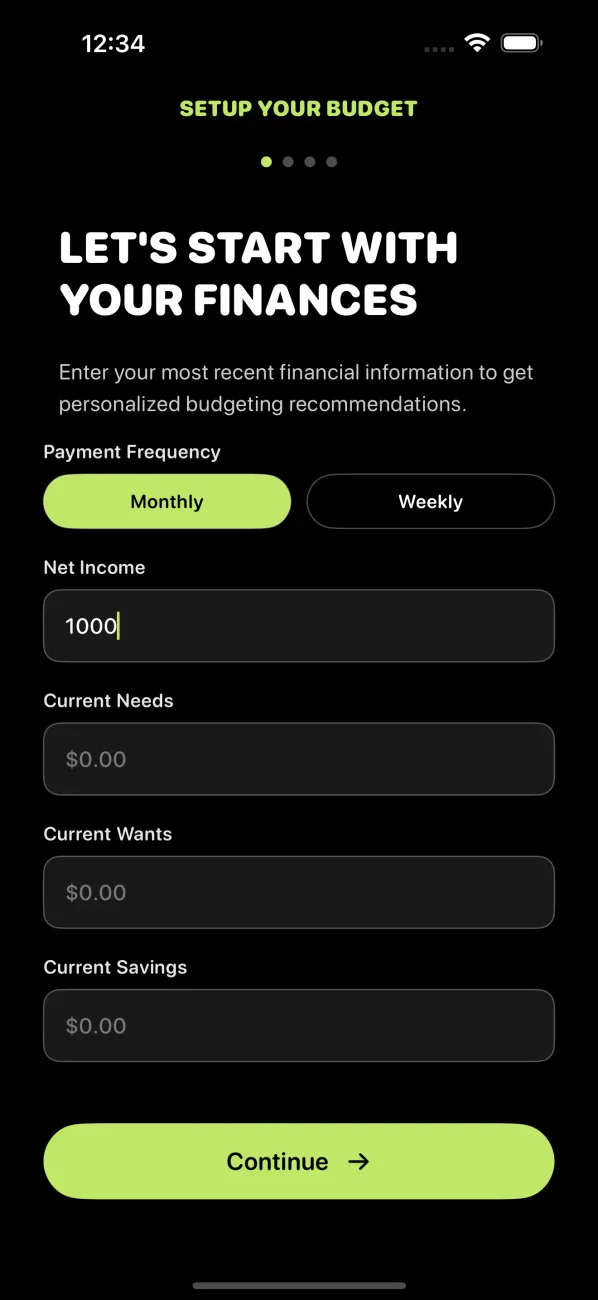
Managing your personal finances has never been easier. Save-2-Invest helps you track spending, plan budgets, and build better money habits so you can reach your personal financial goals with confidence. The ultimate goal of Save-2-Invest is to discover your very own personal pathway to investing for future wealth.
Key Features
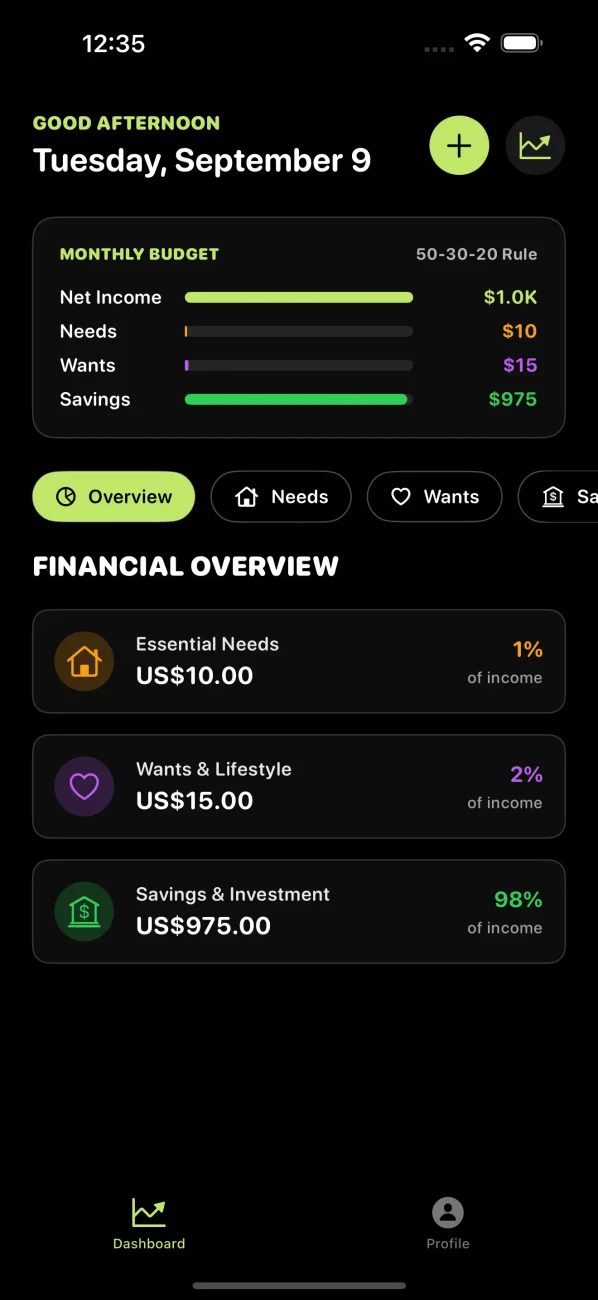
• Effortless budgeting with a simple system that organizes your money into Needs, Wants, and Savings
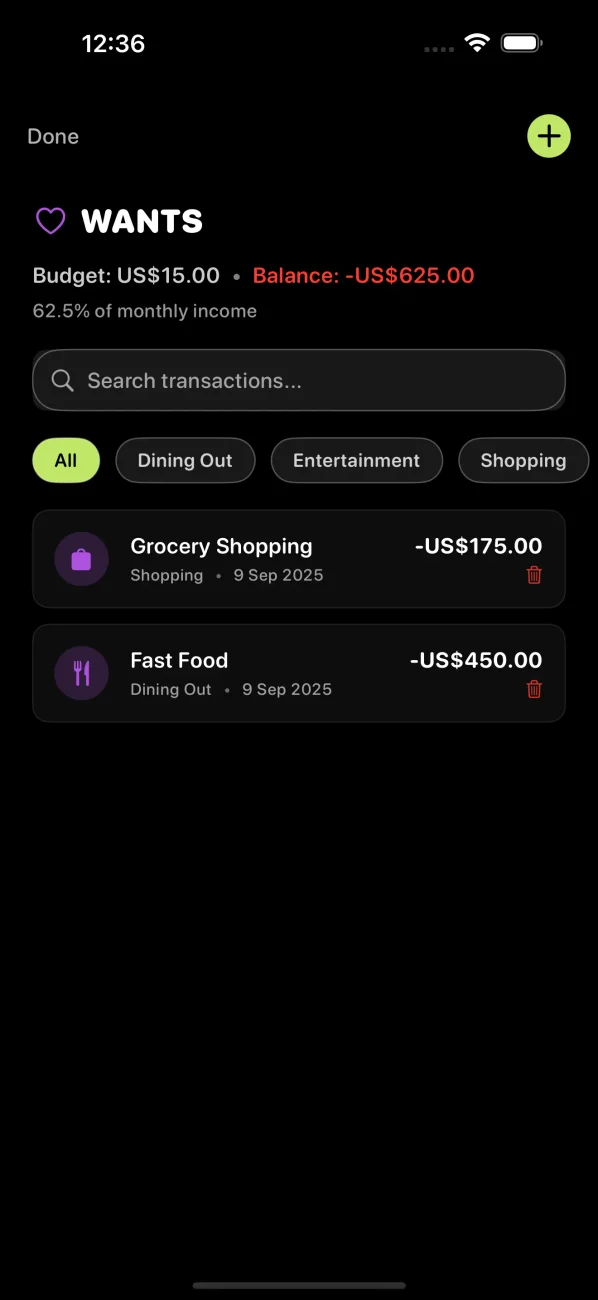
• Smart transaction tracking—categorize expenses like Housing, Food, Transportation, Healthcare, and more
• Clear monthly breakdowns to help you stay in control of your spending
• Built-in formulas based on proven strategies for financial success
• Actionable pathways to investing, that can potentially grow your wealth in the future
• Values-based spending that aligns your money choices with what matters most to you
• Clean, modern design for a smooth, stress-free experience
Whether you want to save for the future, cut unnecessary spending, or simply understand your money better, Save-2-Invest gives you the tools you need.
Start your journey today and take control of your financial future.
Legal
Privacy Policy: https://sites.google.com/view/save-2-invest-privacy/home
Terms & Conditions: https://sites.google.com/view/save-2-invest-terms/home
EULA: https://sites.google.com/view/save-2-invest-eula/home
What’s new
Version 1.1 · Apr 23, 2026
What's new in Save-2-Invest
Introducing Save-2-Invest AI
Your personal financial assistant is now built into the app. Tap the sparkles icon from the dashboard or open it from your Home Settings to get started.
• Friendly welcome screen that guides you to the right topic with large, category-colored option buttons.
• Six built-in paths: Monthly Budget, Debt Payoff, Emergency Fund, Retirement Planning, Investment Options & Links, and the Save-2-Invest Formula.
• Each option includes a short description so you know exactly where it leads.
• Tap + to expand a topic and fill a guided form; tap − to collapse.
• Tapping a topic auto-scrolls it into view so the form is always fully visible.
• Investment Options & Links opens the Investment Resources page directly.
• Clear field labels on every form so you always know what you're editing.
• Smart, plain-language responses with a friendly fallback message when the answer includes a chart or table.
New Reminders
Stay on track without thinking about it.
• Gentle inactivity nudge after 3 days without opening the app, with follow-ups every 7 days.
• Dedicated onboarding screen explains what reminders are for before iOS asks for permission.
• Reminders toggle at the bottom of Home Settings to turn them on or off any time.
• "Not now" is respected for the session; if previously denied, a one-tap Open Settings shortcut is offered.
Refreshed Home & Navigation
• Redesigned bottom navigation: Reset Budget, Dashboard, Home, Subscription — with Dashboard as the default landing screen.
• New sparkles AI button in the dashboard header to jump straight into the assistant.
• New purple/magenta "View your customized money breakdown" button on Home Settings.
• Section renamed from "Profile Settings" to "Home Settings" and profile actions repositioned for better balance.
Investment Resources & Subscription
• Streamlined profile setup — now ends after income (no more investment step).
• Investment Resources available to active subscribers; non-subscribers are sent directly to the subscription page.
• Clearer subscription feedback: Active plan banner, Current Plan badge, highlighted card, and Subscribed / Processing states.
• Subscription gating is scoped only to the AI Assistant and Investment Resources — no launch-time paywall.
• Dismissing Investment Resources from the assistant automatically reopens the chat for a smoother flow.
Branding
• New branded launch splash with an AI-powered heading, custom logo mark with accent arrow, and the Save-2-Invest wordmark on black.
Thanks for using Save-2-Invest!
App privacy
What Pennie Braynen declares on the App Store about how this app handles data.
-
Data not collected
The developer does not collect any data from this app.
Privacy practices may vary, for example with the features you use or your age.
Information
- Seller
- Pennie Braynen
- Category
- Finance
- Version
- 1.1
- Updated
- Apr 23, 2026
- Released
- Sep 22, 2025
- Size
- 2.3 MB
- Requires
- iOS 17.6 or later
- Age rating
- 4+
- Price
- Free
- In-app purchases
- Yes
- Languages
- English
- Copyright
- © Pennie Braynen
You might also like
-
 TithesTrack Your Ma'aser
-
 FutureFunds financeTake Control of Your Future
-
 Kingdom StewardFaith-led budgeting by hand
-
 Money Mate: Your Personal CASmart Expense Tracking
-
 Income Expense Budget TrackerTrack Expenses & Manage Budget
-
 Principles of Real EstateInvestment & Financial Plan
-
 Deep EdgeTrading Journal & Discipline
-
 OngMon - Budget TrackerFinance
-
 Receiply: AI Receipt ScannerExpense Report, Voice & Taxes
-
 Bidii ChamaEmpower Your Chama