
Savebar – Savings Tracker
Money Jar Goals & Lock Screen
Designed for iPhone, iPad
Free · In-app purchases
- Age rating4+
- CategoryFinance
- DeveloperMinari Taniguchi
- LanguagesEnglish+ 17 more
- Size8.2 MB
Links to the official App Store page
Download.org hosts no file of Savebar – Savings Tracker. The button opens its official App Store page, published by Minari Taniguchi. Listing last checked on Nov 24, 2026.
Screenshots
About
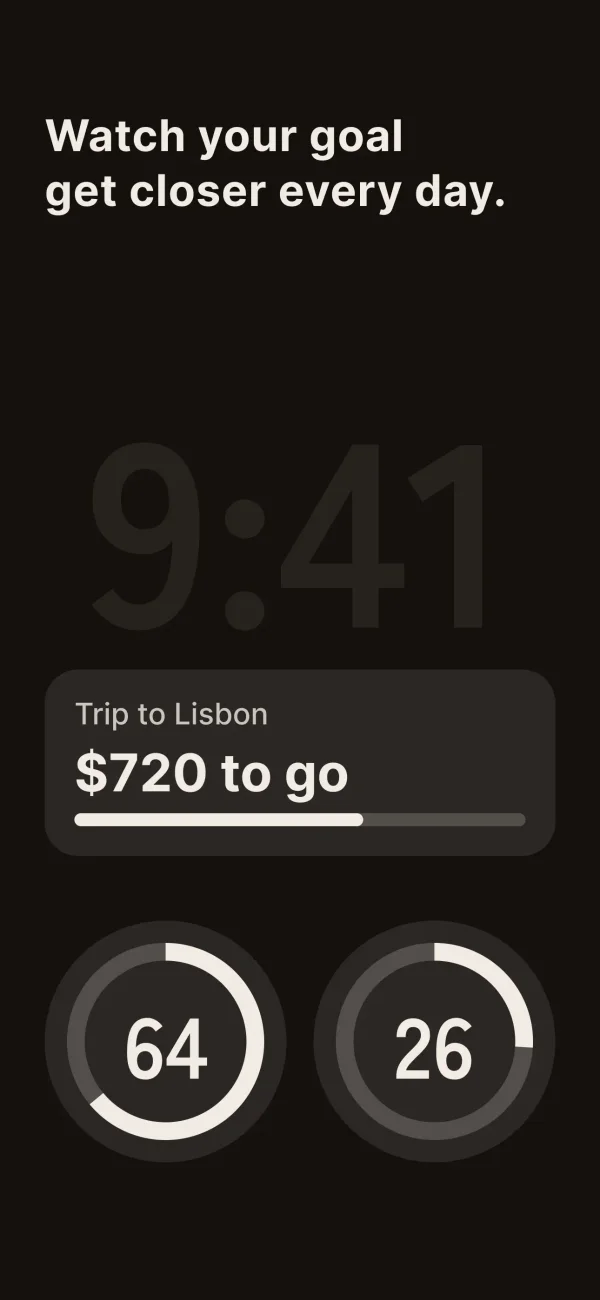
Savebar puts your savings progress where you'll see it every day — on your Home Screen and Lock Screen. Set aside some money, tap an amount button like +$10 on the widget, and watch the bar move.
No bank connection, no account, no subscription. You add what you've saved yourself; your goals and amounts stay on your devices and, with sync on, in your own iCloud only.
FREE
• Small widget: one goal, its progress bar and percentage, and a button that adds your set amount without opening the app
• Add a photo of what you're saving for — the Small widget shows it big
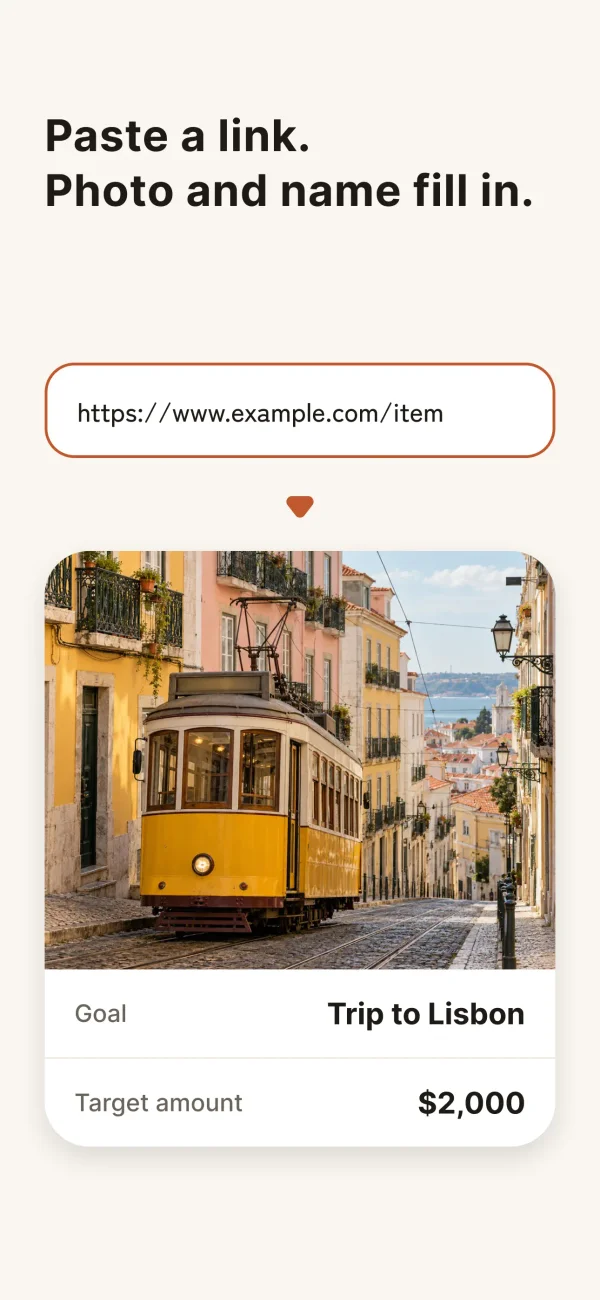
• Paste a product link and the photo and name fill in for you
• Save something from a shop page in Safari — or with the Share button — as a goal, with its photo, name and price
• One goal — name, target amount and optional date
• In the app, type any amount or tap one you use often
• Every deposit is kept in a history you can edit or delete
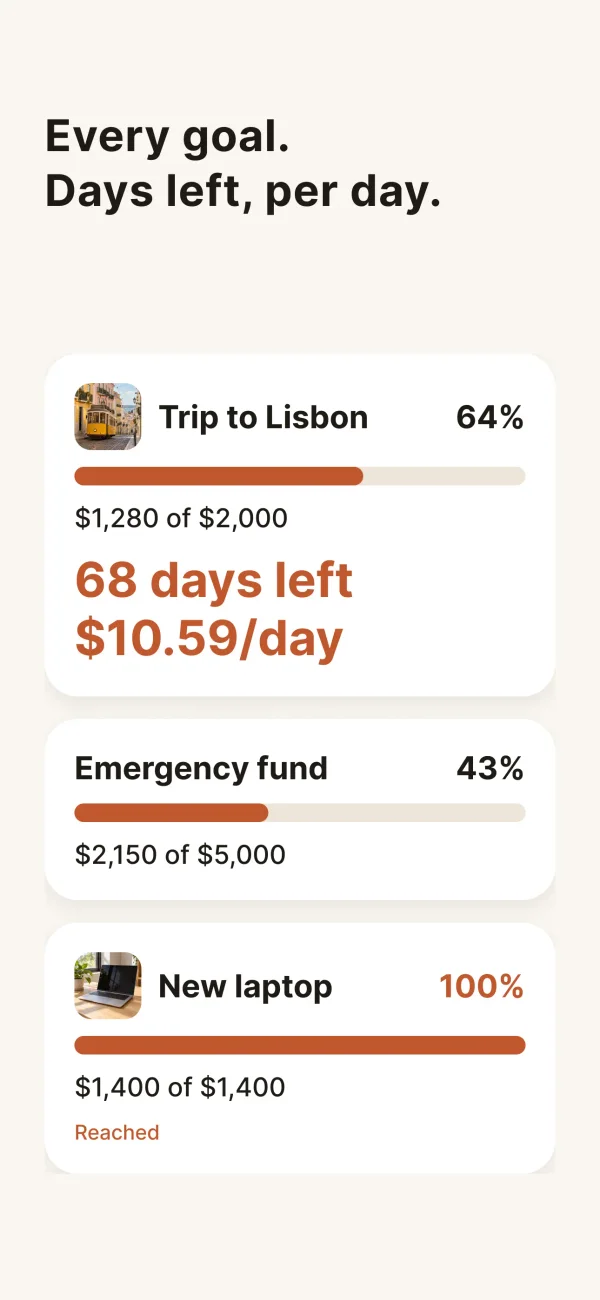
• With a date: how many days are left and how much to set aside per day
• Your device's currency by default, changeable in Settings
• A different currency for each goal
• No ads
SAVEBAR PRO — one-time purchase, no subscription
• Unlimited goals: save for several things at once
• Medium and Large widgets: several goals at once, with days left and per-day amounts, and up to two amount buttons for each
• Lock Screen widgets: a ring with your percentage, what's left to go, and a one-line view
• Apple Watch: add to a goal from your wrist with the same amount buttons, plus watch face complications
PRIVATE BY DESIGN
• Amounts, goal names and photos are never sent to us. Only when you enter a product link does the app load that store page directly. Anonymous usage events (like "a widget + was tapped") help improve the app; you can turn them off in Settings.
What’s new
Version 1.8 · Nov 23, 2026
• iPhone Duo: unfold to see your savings like a bankbook — every deposit with its date, amount and running balance, and your balance and progress at the bottom right.
App privacy
What Minari Taniguchi declares on the App Store about how this app handles data.
-
Data not linked to you
May be collected but is not linked to your identity.
- Usage data
Privacy practices may vary, for example with the features you use or your age.
Information
- Seller
- Minari Taniguchi
- Category
- Finance
- Version
- 1.8
- Updated
- Nov 23, 2026
- Released
- Sep 29, 2026
- Size
- 8.2 MB
- Requires
- iOS 17.0 or later
- Age rating
- 4+
- Price
- Free
- In-app purchases
- Yes
- Languages
- English, Dutch, French, German, Indonesian, Italian, Japanese, Korean, Polish, Portuguese, Russian, Simplified Chinese + 6 more
- Copyright
- © 2026 Minari Taniguchi
You might also like
-
 Save Up: Savings Goal TrackerBudget Planner & Money Manager
-
 Piggy Bank Widget - SavingsIncome & Expenses, Piggy Bank
-
 Money Goals: Savings TrackerSave Up: Piggy Bank & Planner
-
 Moneybox: Savings Goal TrackerPiggy Bank & Money Manager
-
 Milo: Your Money GuideThe money app for your 20s
-
 Expense & Budget App: SpendeeMoney Tracker & Planner
-
 Goodbudget Budget PlannerMoney & Expense Tracker
-
 Savings GoalKeep track of your goals!
-
 Wallet - Daily Budget & ProfitPersonal Expense Tracker
-
 Fleur - Budget Planner AppBill Organizer & Money Tracker