
SavingsBox
AI-powered financial wellness
Designed for iPhone, iPad
Free · In-app purchases
- Age rating17+
- CategoryFinance
- DeveloperThe SavingsBox Inc
- LanguagesEnglish
- Size86.7 MB
Links to the official App Store page
Download.org hosts no file of SavingsBox. The button opens its official App Store page, published by The SavingsBox Inc. Listing last checked on Nov 16, 2026.
Screenshots




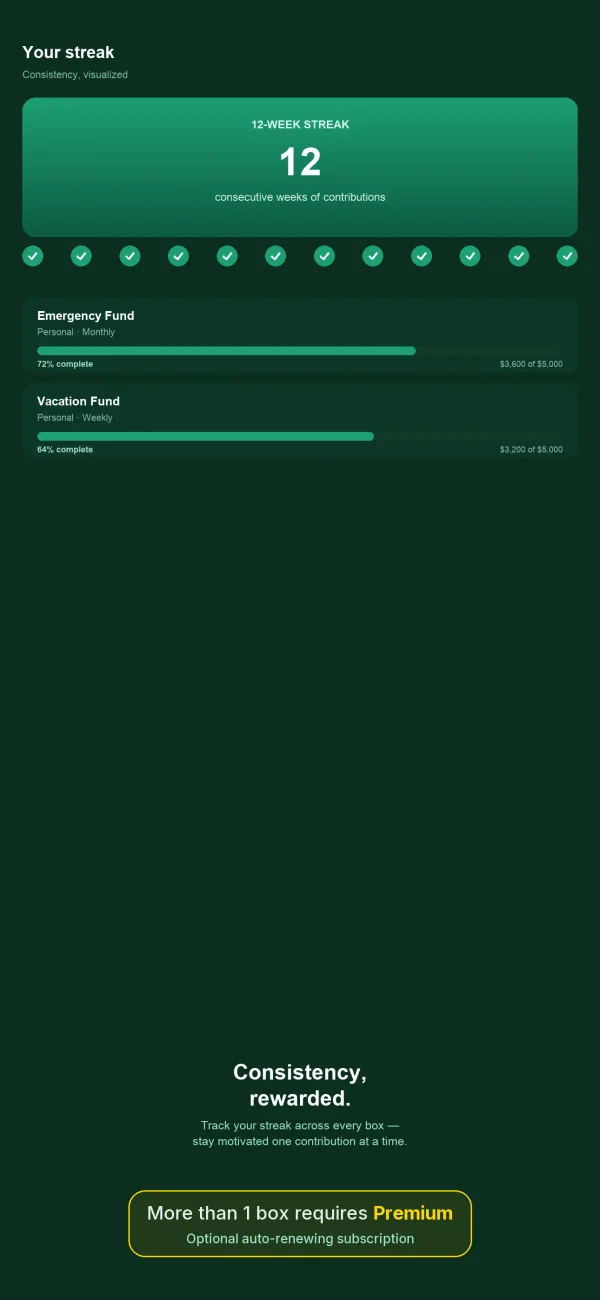
About
SavingsBox — Save with purpose. Plan with confidence.
SavingsBox is a savings and financial wellness app built around real goals, real guidance, and real accountability — not just a place to park money.
SavingsBox is free to download. Some features require SavingsBox Premium, an optional auto-renewing subscription purchased in the app. Features marked (Premium) below require it. Sessions with financial professionals also carry a separate per-session fee (see below).
Save your way:
Create a personal SavingsBox for any goal. The free plan includes 1 personal box; unlimited boxes require Premium. Invite friends and family into an Accountability Circle (free) or a Group Box with a shared savings pot (Premium) to save together. Track each contribution individually and see how shared progress adds up toward the goal. Turn on Round-Up Savings to put spare change from everyday purchases toward your savings goals. Automatic recurring contributions to a personal box or Group Box require Premium.
Maya, your AI financial coach:
Maya connects your income, spending, savings, debts, bills, and goals to help you understand what matters most right now. Unlimited Maya messages require Premium. Maya is powered by Claude, an AI model from Anthropic; the app asks your permission before sharing any of your information with it. Get a weekly check-in on your progress, a heads-up when a bill might put pressure on your cash flow, a plain-English answer to questions like, "What if I put an extra $50 toward this debt each month?" and a clear view of your financial timeline in one place.
Maya explains and educates — she doesn't replace a licensed financial, tax, or legal professional. When a question goes beyond what AI coaching should handle, she'll tell you.
Real help when you need it:
Sometimes you need a person, not an algorithm. Book a session directly in SavingsBox with a vetted financial professional, including a CPA, financial advisor, attorney, credit counselor, loan officer, or financial coach. Booking is available on the free plan; each session is priced by the professional and paid at booking.
Built with security in mind:
SavingsBox uses identity verification, secure bank connections through Plaid, security and fraud controls, optional two-factor authentication, and biometric app lock. You control your notifications and have tools to manage your account and data.
Track debts and goals, not just savings:
Log your debts and see an estimated payoff timeline. Set a goal you're not ready to fund yet. Maya brings your savings, debts, and goals together into one prioritized view so you can focus on what matters most right now.
SavingsBox Premium (optional subscription):
Premium includes unlimited personal savings boxes, Group Boxes with a shared savings pot, automatic recurring contributions, unlimited Maya messages, and priority support. Premium is billed monthly to your Apple ID and renews automatically unless cancelled at least 24 hours before the end of the current period. Manage or cancel anytime in your Apple ID settings.
Whether you're building an emergency fund, saving for a shared trip with friends, paying down debt, or simply trying to understand where your money goes, SavingsBox gives you the tools, guidance, and accountability to move forward.
Terms of Use: https://thesavingsbox.com/terms
Privacy Policy: https://thesavingsbox.com/privacy
What’s new
Version 1.0.1 · Oct 30, 2026
- Learning stories are now read by a natural recorded voice. Pause and resume anytime, and read along with the full text.
- More in Learning: learning paths, practice quizzes, interactive practice labs (including home-buying labs), toolkits, a daily money challenge and quick review.
- Rate your sessions with financial professionals.
- Fixes: money amounts always show cents, wallet totals add up, and smaller phones scroll correctly.
App privacy
What The SavingsBox Inc declares on the App Store about how this app handles data.
-
Data linked to you
May be collected and linked to your identity.
- Purchases
- Financial info
- Location
- Contact info
- User content
- Identifiers
- Usage data
-
Data not linked to you
May be collected but is not linked to your identity.
- Diagnostics
Privacy practices may vary, for example with the features you use or your age.
Information
- Seller
- The SavingsBox Inc
- Category
- Finance
- Version
- 1.0.1
- Updated
- Oct 30, 2026
- Released
- Oct 18, 2026
- Size
- 86.7 MB
- Requires
- iOS 16.4 or later
- Age rating
- 17+
- Price
- Free
- In-app purchases
- Yes
- Languages
- English
- Copyright
- © 2026 The SavingsBox Inc.
You might also like
-
 TE Advisors TappCashFinance
-
 scfi proFinance
-
 Viridian: Expense TrackerBusiness & Personal Budget
-
 RedisPlexFinance
-
 NWX InvestPortfolio & performance view
-
 YesCrowFinance
-
 PesaNet: Send, Receive, PayTransfers to and from Africa
-
 TAPP CashFinance
-
 WalletPro Flexible PaymentsFlexible Payments
-
 CitizenWealthSend money. Save together.