
- Age rating4+
- CategoryProductivity
- DeveloperJORGE DAVID SOTOMAYOR MORA
- LanguagesEnglish
- Size30.4 MB
Links to the official App Store page
Download.org hosts no file of Scale It PDF. The button opens its official App Store page, published by JORGE DAVID SOTOMAYOR MORA. Listing last checked on Nov 23, 2026.
Screenshots

About
Scale It is a drawing takeoff and markup app made for the trades: plumbing, mechanical, fire sprinkler and electrical. It was built by people who work in the field, for foremen, fitters and estimators who need answers from a drawing without learning complicated software.
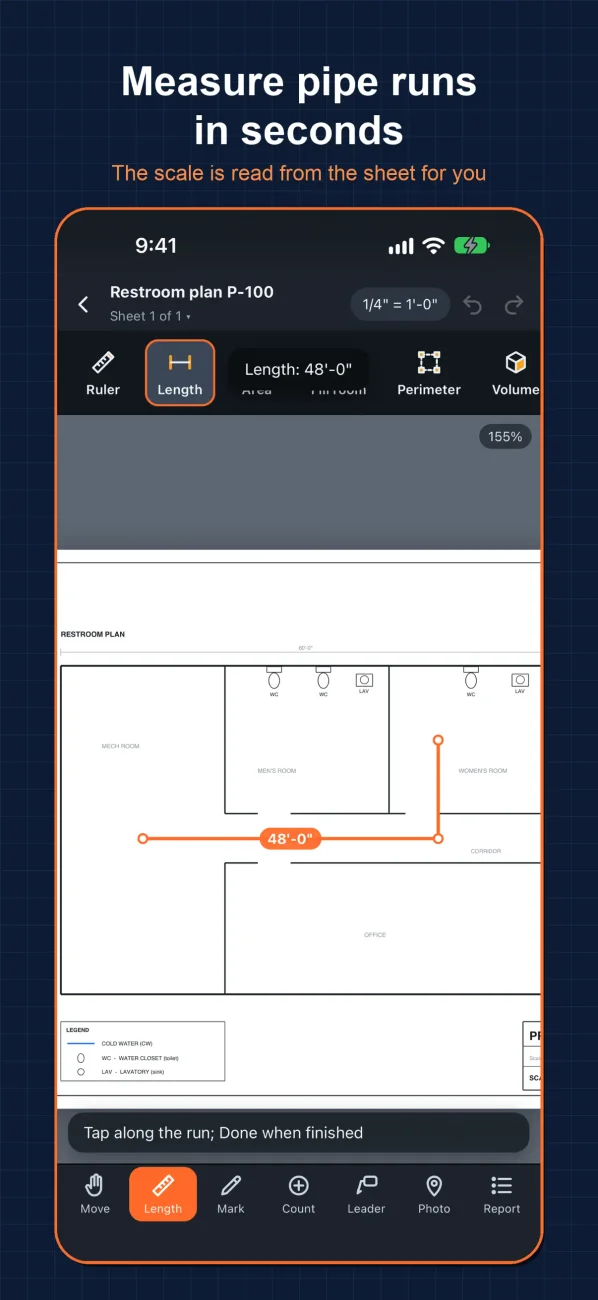
OPEN A DRAWING, START MEASURING
• Open any PDF drawing from Files, email or the cloud, or tap Share > Scale It PDF in Mail, Outlook, WhatsApp or Drive.
• Scale It reads the scale from the title block by itself (for example 1/8" = 1'-0"). You can also set it from any known dimension.
• Tap along a pipe run and the length adds up as you go.
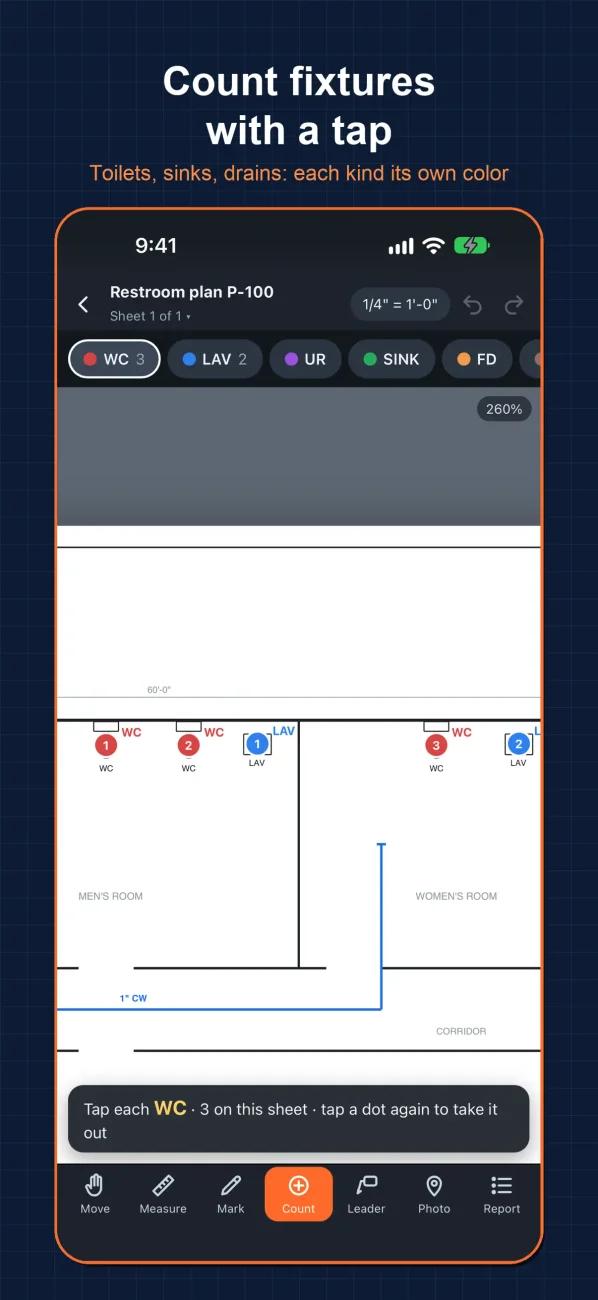
COUNT FIXTURES IN SECONDS
• Pick what you are counting (water closets, lavatories, sinks, floor drains, anything you name) and tap each one.
• Every type gets its own color and running total.
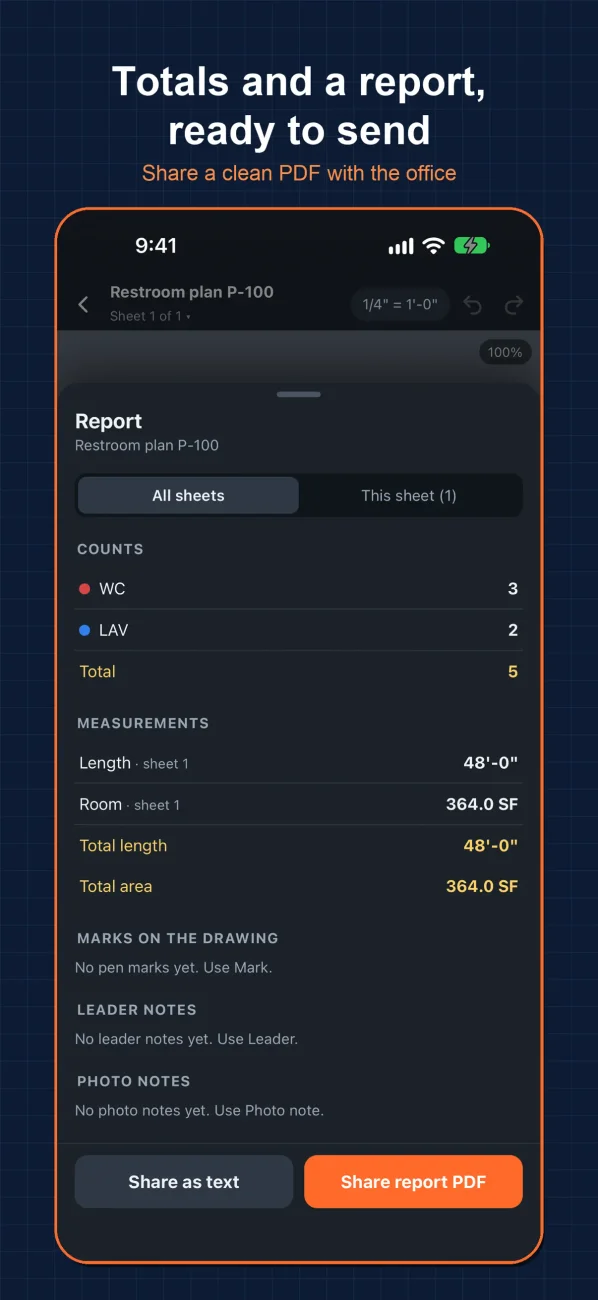
TOTALS THAT ADD UP BY THEMSELVES
• Name a run "2" Cold water" or "3/4" Conduit" and it gets its own line in the totals.
• See the totals for this sheet or the whole set.
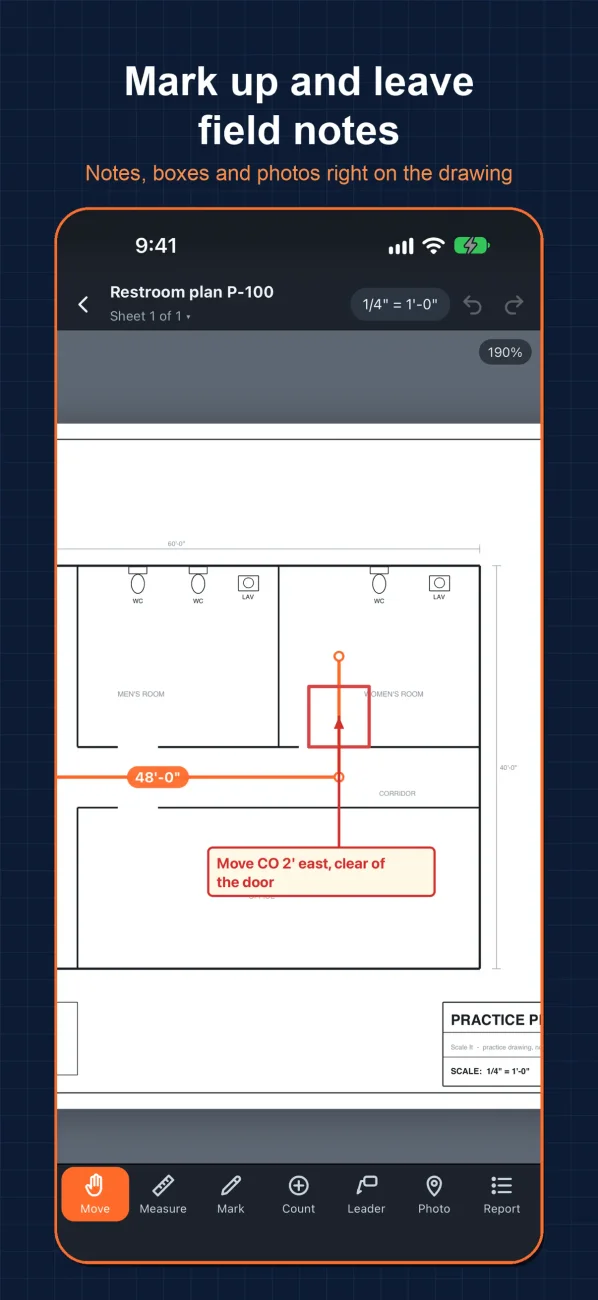
MARK UP THE DRAWING
• Pen, highlighter, lines, boxes, clouds, leader notes and photo notes.
• Make an as-built right on the drawing in the field.
PUNCH LISTS (iPad)
• Give any markup a person and a due date. Late items show in red.
• Print the punch list as a PDF or send it as Excel.
SHARE A REPORT
• On iPhone, one tap makes a clean report of counts, lengths and notes to share as text or PDF.
• Send a marked-up copy of the drawing to the office.
YOUR DRAWINGS STAY YOURS
• Drawings, photos and notes stay on your iPhone or iPad. Pipe Dream never receives them.
• No ads and no tracking.
iPhone opens Scale It Lite, made for one hand on the job site. iPad opens the full app with every tool.
Scale It needs a free account to start. Questions or ideas: team@pipedreamsolution.com
What’s new
Version 1.1.3 · Nov 22, 2026
New: open AutoCAD DXF drawings on iPhone and iPad. Scale It reads the scale from the file and keeps each CAD layer. On iPad: fill in fillable PDF forms right on the sheet, add a watermark such as DRAFT, edit document properties, turn a text box's outline off, and double-tap a text box to edit it. Small fixes and polish.
App privacy
What JORGE DAVID SOTOMAYOR MORA declares on the App Store about how this app handles data.
-
Data linked to you
May be collected and linked to your identity.
- Contact info
- Identifiers
Privacy practices may vary, for example with the features you use or your age.
Information
- Seller
- JORGE DAVID SOTOMAYOR MORA
- Category
- Productivity
- Version
- 1.1.3
- Updated
- Nov 22, 2026
- Released
- Nov 6, 2026
- Size
- 30.4 MB
- Requires
- iOS 17.0 or later
- Age rating
- 4+
- Price
- Free
- Languages
- English
- Copyright
- © 2026 Pipe Dream Solutions LLC
You might also like
-
 connectables.appconnectable.biz
-
 BiltOn USConstruction Operations
-
 ScaleTap: PDF Plan MeasureFast Construction Takeoff
-
 PlanFormManage Construction Plans
-
 Dispatch ManagerProductivity
-
 Ermine - Calendar & WidgetsProductivity
-
 Training ConnectValidate your NYC DOB TC Card
-
 Dispatch FieldProductivity
-
 Massive: Swipe & ApplySwipe to apply to 100K+ jobs!
-
 Universe Website BuilderCustom store and website maker