- Age rating4+
- CategoryUtilities
- DeveloperMarcelo Mejia Cobo
- LanguagesEnglish
- Size7.0 MB
Links to the official App Store page
Download.org hosts no file of Scales HD. The button opens its official App Store page, published by Marcelo Mejia Cobo. Listing last checked on Nov 16, 2026.
Screenshots






About
Scales HD puts a real architect's and engineer's scale rule in your pocket, drawn at true physical size on every iPhone and iPad, so a millimetre on screen is a millimetre on your drawing. Around it: a CAD, Room Scan, a PDF blueprint reader, a construction calculator, notes and more.
TRUE SIZE ON EVERY DEVICE
• Exact screen density for every iPhone, iPad and iPhone Duo model
• Zero at the screen edge or the device edge; optional calibration
TRIANGULAR SCALES, JUST LIKE THE REAL ONE
• Turn the scale to its other sides; all four edges on each, the original artwork's grooves and faces
• One tap prints the US ↔ metric equivalent beside every scale: 1:48 next to 1/4" = 1'-0"
• Two measuring lines read in both edge scales at once, with snapping
EVERY SCALE YOU USE
• US architectural 1/32" to 12" = 1'-0"; engineering 1" = 10' to 120'
• Metric 1:1 to 1:10000, civil and survey; mechanical; UK and Japanese rules
• Enlargements, maps 1:24000 to 1:250000, model rail and kits; read any edge at ×10 or ×100
• Your own scales, any ratio, in your own color
CAD
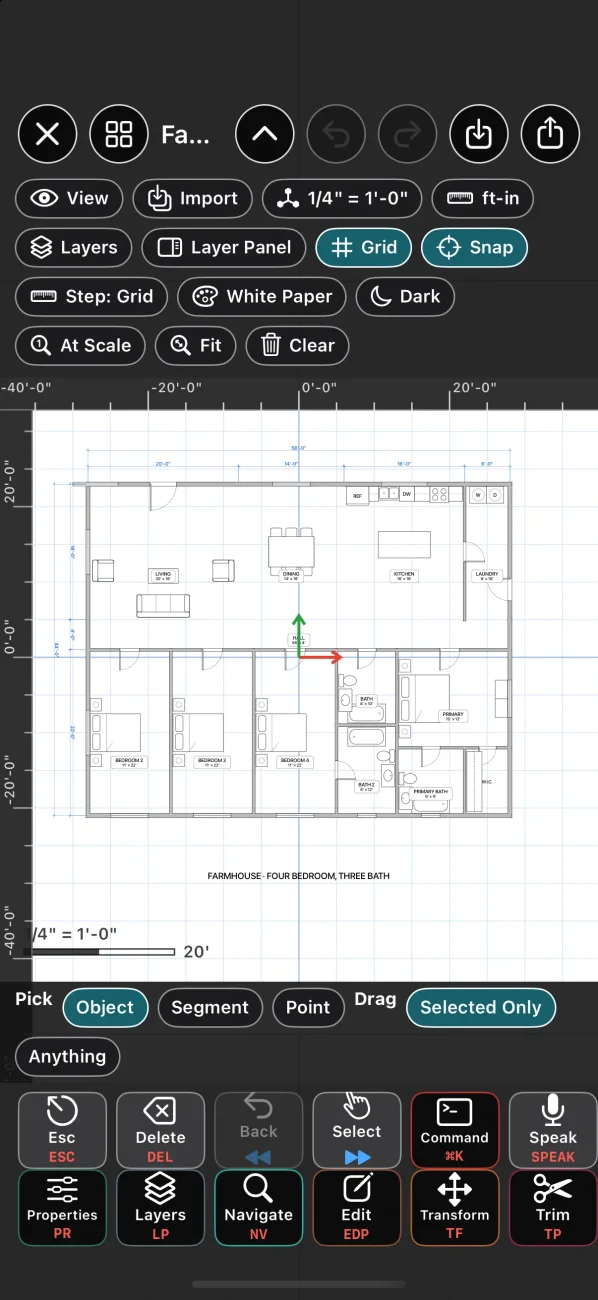
• Walls, doors, windows, furniture and dimensions at real size; freehand too
• Booleans, trim, extend, fillet, offset, arrays, layers, edit in place
• About 700 templates: full project sets, homes, interiors, ADA, landscape, sections, details, MEP
• Export true-scale PDF or SVG, PNG, DXF and DWG; open DWG and DXF drawings
ROOM SCAN (LiDAR iPhone and iPad)
• Scan rooms into floor plans, elevations, a room schedule and 3D models
• Stitch rooms, set a measured length, export USDZ, OBJ, glTF, IFC and DXF, or open as a CAD drawing
BLUEPRINTS
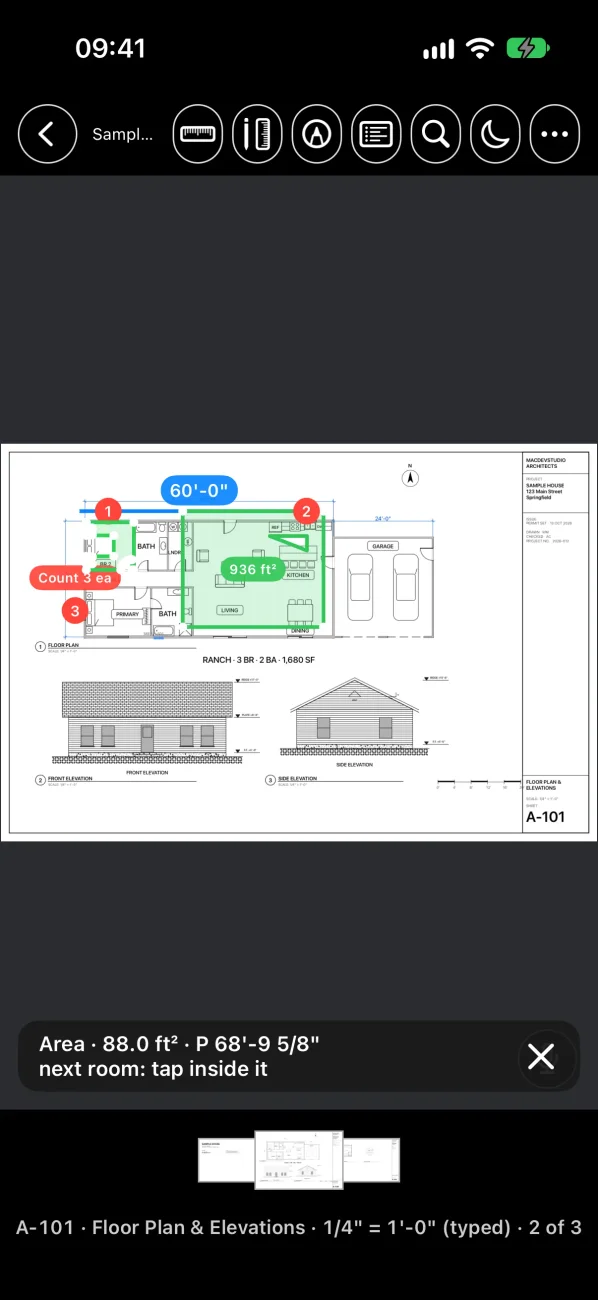
• PDF drawing sets as sheets you can search and bookmark
• Set the sheet's scale and measure lengths, areas and counts; mark up with clouds, callouts and stamps
• Compare revisions; stand a plan in the room at 1:1 in AR
CONSTRUCTION CALCULATOR
• Feet-inch-fraction and metric, mixed freely: 5'-3 1/2" + 80 cm
• Areas, volumes, diagonal, pitch, stairs, circles; a tape of your calculations
NOTES THAT SKETCH
• Lists, checklists and a full row of symbols, fractions and units over the keyboard
• Drop in pictures, PDF pages and CAD drawings, then move and size them; text flows around
• Quick sketch stickies: draw with a finger or Apple Pencil in any color and pen
VOICE
• A microphone on every screen: "use 1 to 50", "3 feet 4 inches plus 2 feet", "place a queen bed against the north wall". Understood on the device
MORE TOOLS
• Unit converter: 11 families, 94 units
• Scale converter: drawing ↔ real size, redraw at another scale, find a drawing's scale
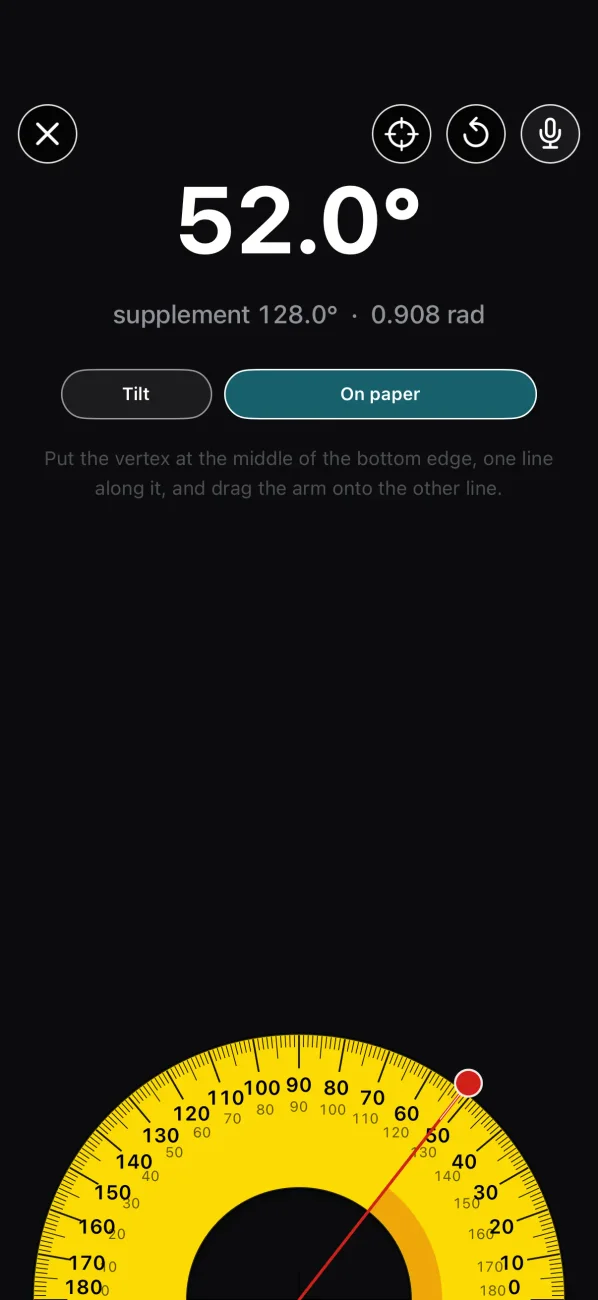
• Protractor: read an angle on paper at true size, between two surfaces by tilt, or on the iPhone Duo's hinge, with the supplement, the miter and the saw setting
• Spirit level with the original bubble, compass, tape, cutting board, haptics
MADE FOR iPHONE DUO
• Closed, every tool fits the outer screen around the camera; open, the big screen; half open, the calculator, level, compass, protractor and blueprints keep off the fold; the hinge itself is a protractor
iPhone and iPad, iCloud sync between your devices. No ads, no tracking, no account, no subscription.
What’s new
Version 2.0 · Oct 14, 2026
Scales HD 2.0 is a complete rebuild for today's iPhone, iPad and iPhone Duo.
• True physical size on every device, triangular scales with all four edges, US ↔ metric equivalents, 50 new scales
• CAD: draw to scale with walls, doors, furniture and dimensions; about 700 templates; PDF, SVG, DXF and DWG
• Room Scan: LiDAR rooms into plans, elevations and 3D models
• Blueprints: PDF drawing sets, measured and marked up at their scale
• Construction calculator in feet-inch-fraction and metric
• Notes with checklists, pictures, PDFs and sketch stickies
• Speak to any screen, understood on your device
• Protractor: angles on paper at true size, between two surfaces, or on the iPhone Duo's hinge
• Unit and scale converters, spirit level, compass, tape and board
• Made for iPhone Duo: closed, open and half open
• iCloud sync, illustrated guide, full iPad support
App privacy
What Marcelo Mejia Cobo declares on the App Store about how this app handles data.
-
Data not collected
The developer does not collect any data from this app.
Privacy practices may vary, for example with the features you use or your age.
Information
- Seller
- MARCELO MEJIA COBO
- Category
- Utilities
- Version
- 2.0
- Updated
- Oct 14, 2026
- Released
- Feb 11, 2011
- Size
- 7.0 MB
- Requires
- iOS 15.0 or later
- Age rating
- 4+
- Price
- $3.99
- Languages
- English
- Copyright
- © 2009-2026 MacDevStudio
You might also like
-
 ArchitectScalerScale ruler & drafting tools
-
 Mulch Calculator & CostMulch, Gravel & Soil Estimator
-
 TMT Rebar Steel calculatorTMT bar Steel Calculator
-
 Architects RulerFor designers too
-
 Scale Calculator EasyUtilities
-
 Rafterly: Rafter CalculatorRoof Pitch & Framing Angles
-
 Ruler with Caliper, ProtractorMeasure Angle, Level & Convert
-
 LunaScope - MagnifierDigital Magnifying Glass
-
 Mulching CalculatorUltimate landscaping companion
-
 PsychrometricsInteractive Chart & Calculator