Scan Base
Document Scanner & PDF Tool
Designed for iPhone, iPad, iPod touch
Free · In-app purchases
- Age rating4+
- CategoryProductivity
- DeveloperHAKTAN POLAT
- LanguagesEnglish
- Size104.7 MB
Links to the official App Store page
Download.org hosts no file of Scan Base. The button opens its official App Store page, published by HAKTAN POLAT. Listing last checked on Nov 20, 2026.
Screenshots

About
Scan Base is the fastest way to turn your paper documents into a searchable, organized digital library.
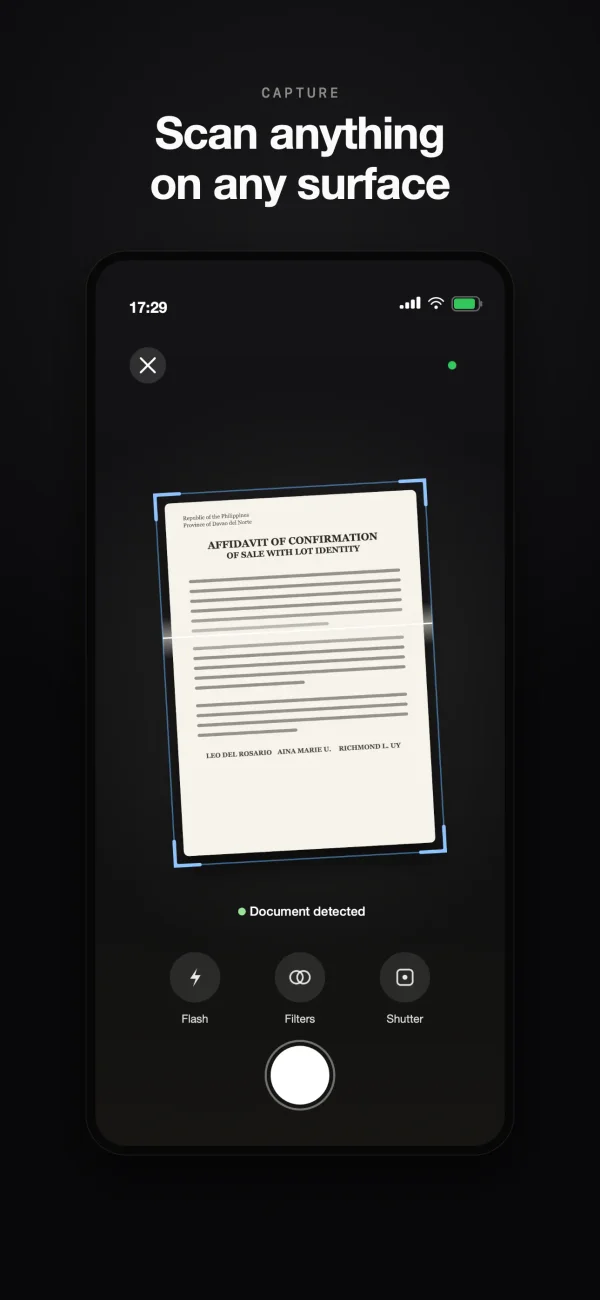
Snap a photo with your iPhone and Scan Base automatically detects edges, crops, and enhances the result so every scan looks clean. Save it to the cloud and access your documents from any of your devices.
KEY FEATURES
• Smart document scanner — automatic edge detection, multi-page captures, and crisp output.
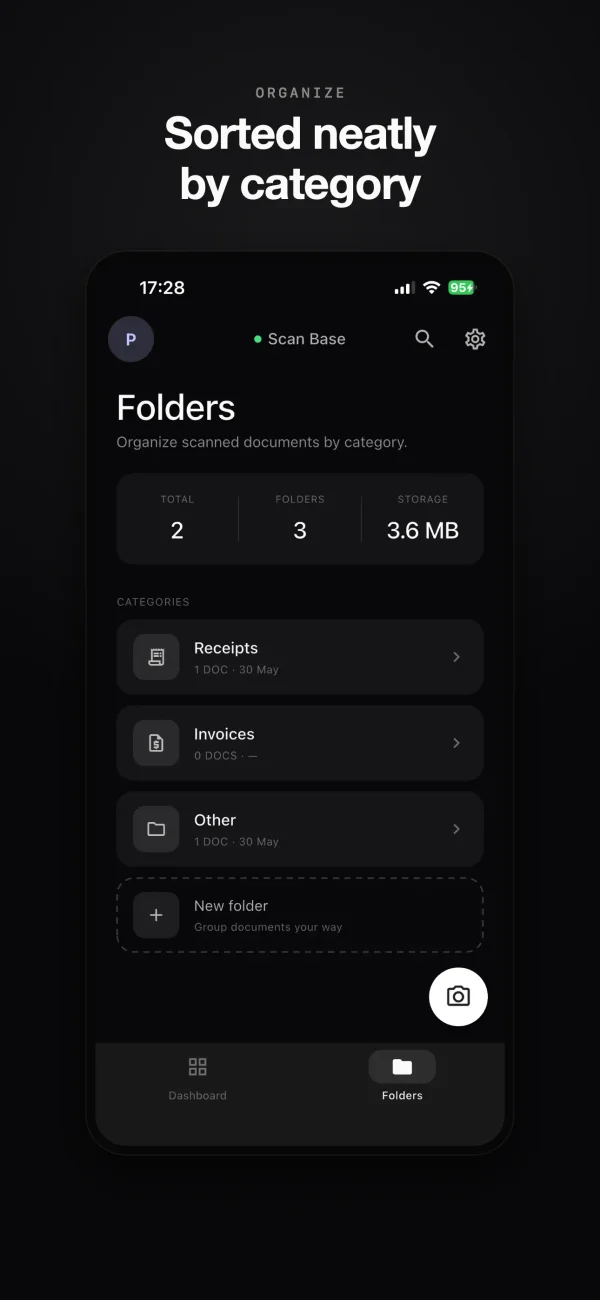
• Organize with categories — receipts, invoices, IDs, contracts, and custom folders.
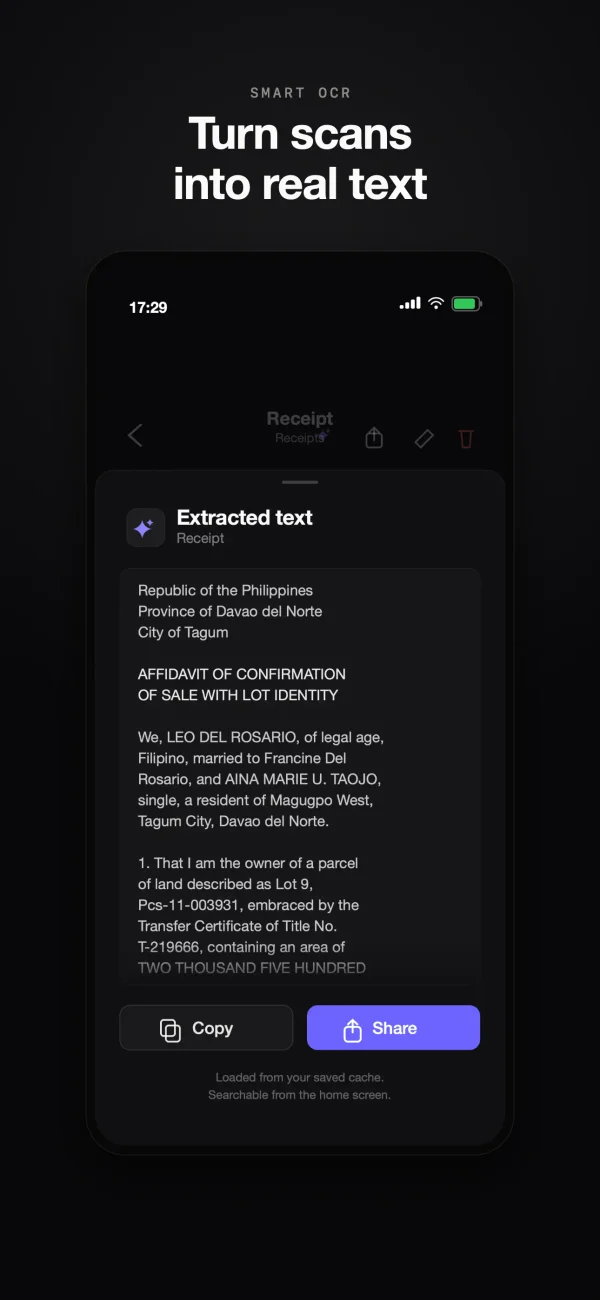
• On-device OCR — extract text from any scan so it becomes searchable. Find that receipt by what's printed on it, not just by file name. Your scan content never leaves your device for recognition.
• Cloud backup — sign in once and your documents follow you to every device.
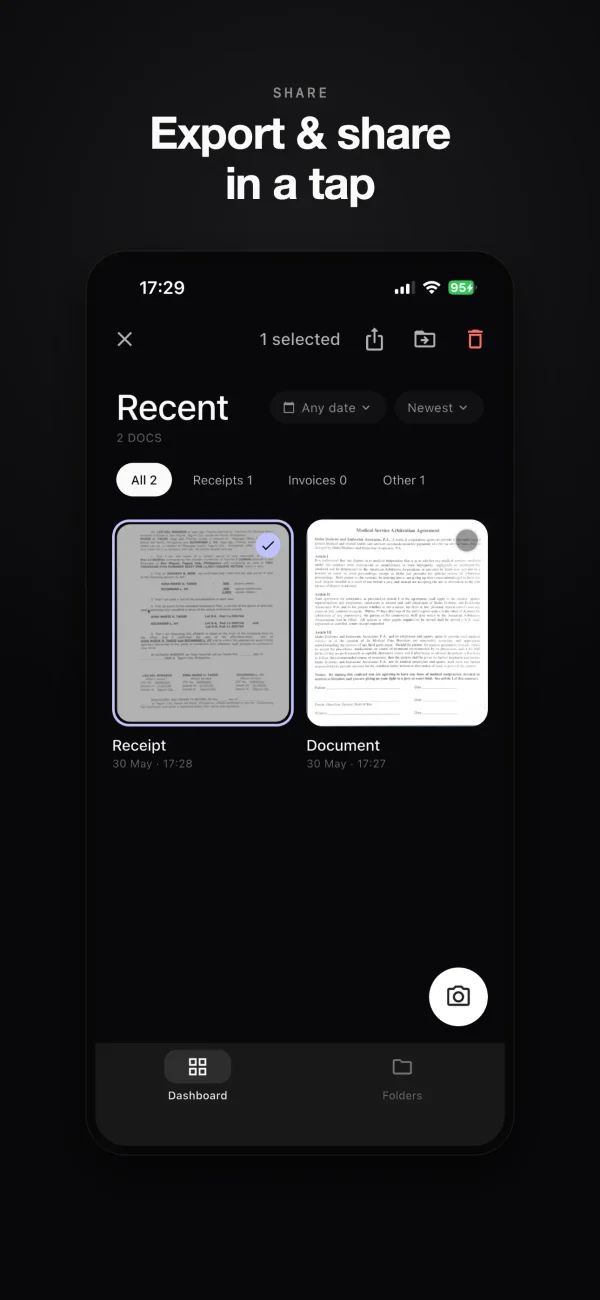
• Export your way — share as JPEG images for quick attachments, or generate a single PDF from multi-page scans.
• Built for privacy — biometric app lock keeps your library safe even when your phone is unlocked. Delete documents (or your entire account) anytime.
• Continue without an account — try the app right away in guest mode. Create an account whenever you're ready.
SCAN BASE PRO
Upgrade to Pro to unlock everything:
• Unlimited daily scans
• OCR text extraction on every document
• PDF export, including bulk export of multiple documents into one combined PDF
• Unlimited cloud backup
Subscription options:
• Pro Monthly — billed monthly, cancel anytime
• Pro Yearly — best value, billed once per year
Payment is charged to your Apple ID account at confirmation of purchase. Subscriptions auto-renew unless turned off in your Apple ID account settings at least 24 hours before the end of the current period. You can manage subscriptions and turn off auto-renewal at any time from Settings > Apple ID > Subscriptions.
Free users can scan one document per day, keep one document in the cloud, and export as JPEG.
Privacy Policy: https://babachip.github.io/scanbase-legal/
Terms of Use (EULA): https://www.apple.com/legal/internet-services/itunes/dev/stdeula/
Have feedback or need help? Open Settings > Send feedback inside the app.
What’s new
Version 1.0.1 · Jun 9, 2026
• New: Free users can now earn one extra document scan per day by watching a short rewarded ad.
• The free plan now keeps up to 2 documents in the cloud.
• Bug fixes and performance improvements.
App privacy
What HAKTAN POLAT declares on the App Store about how this app handles data.
-
Data used to track you
May be used to track you across apps and websites owned by other companies.
- Identifiers
-
Data linked to you
May be collected and linked to your identity.
- Identifiers
Privacy practices may vary, for example with the features you use or your age.
Information
- Seller
- HAKTAN POLAT
- Category
- Productivity
- Version
- 1.0.1
- Updated
- Jun 9, 2026
- Released
- Jun 3, 2026
- Size
- 104.7 MB
- Requires
- iOS 15.5 or later
- Age rating
- 4+
- Price
- Free
- In-app purchases
- Yes
- Languages
- English
- Copyright
- © 2026 Haktan Polat
You might also like
-
 Honest Scanner: PDF & OCRScan to PDF — No Watermark
-
 Scan PartnerScan, OCR & Auto-Export Docs
-
 Read More - Reading TrackerReading Habit Tracker
-
 Shift Scheduler: Smart RosterAutomate your staff roster
-
 Translator App : GlotTranslate voice, photo & text
-
 Shift management app!Productivity
-
 LoadStop DriverLoadStop Driver
-
 Scanner App for iPhoneImage, PNG & PDF Converter
-
 Radius MapRecord location and distance
-
 Paper: Writing App, NotesWrite a book novel poem script