
- Age rating4+
- CategoryProductivity
- DeveloperOlivier Barlier
- LanguagesEnglish+ 3 more
- Size2.3 MB
Links to the official App Store page
Download.org hosts no file of Scan to Me. The button opens its official App Store page, published by Olivier Barlier. Listing last checked on Nov 16, 2026.
Screenshots

About
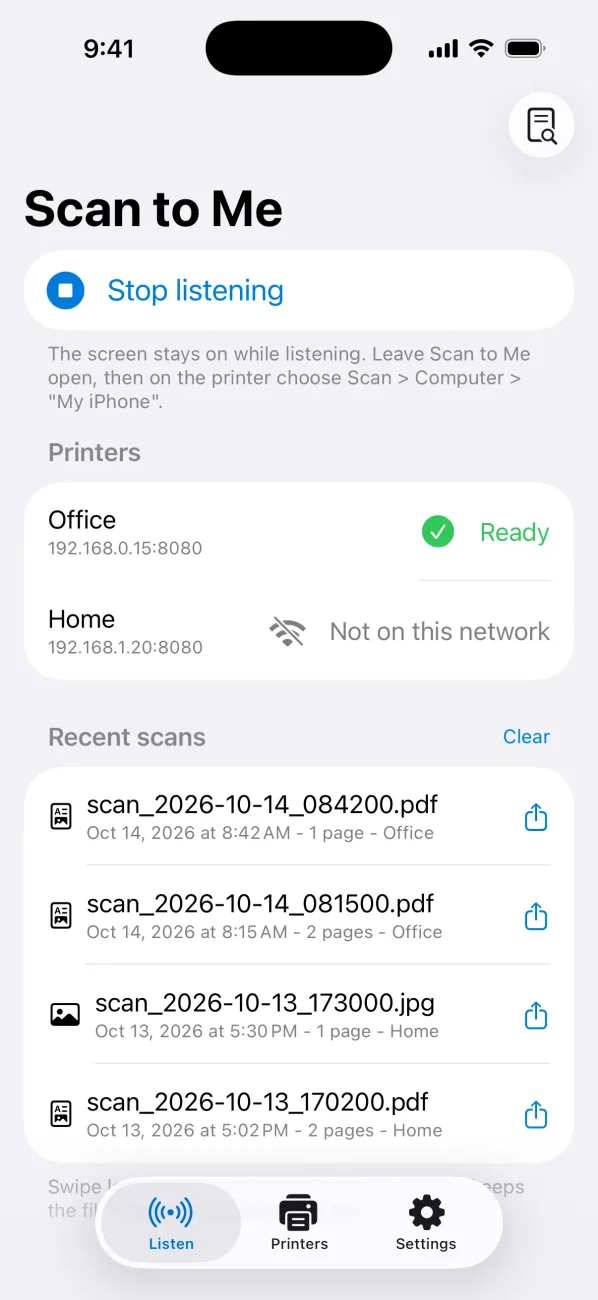
Scan to Me turns your iPhone or iPad into a destination for the Scan to Computer button of your network all-in-one printer.
Press Scan on the printer, choose Computer, pick your phone from the list, and the pages arrive over Wi-Fi a few seconds later, as a PDF or as JPEG images.
- Uses the Scan to Computer button on the printer's own panel: no cables, no cloud, no account.
- Multi-page PDFs, page by page from the glass or the whole stack from the document feeder.
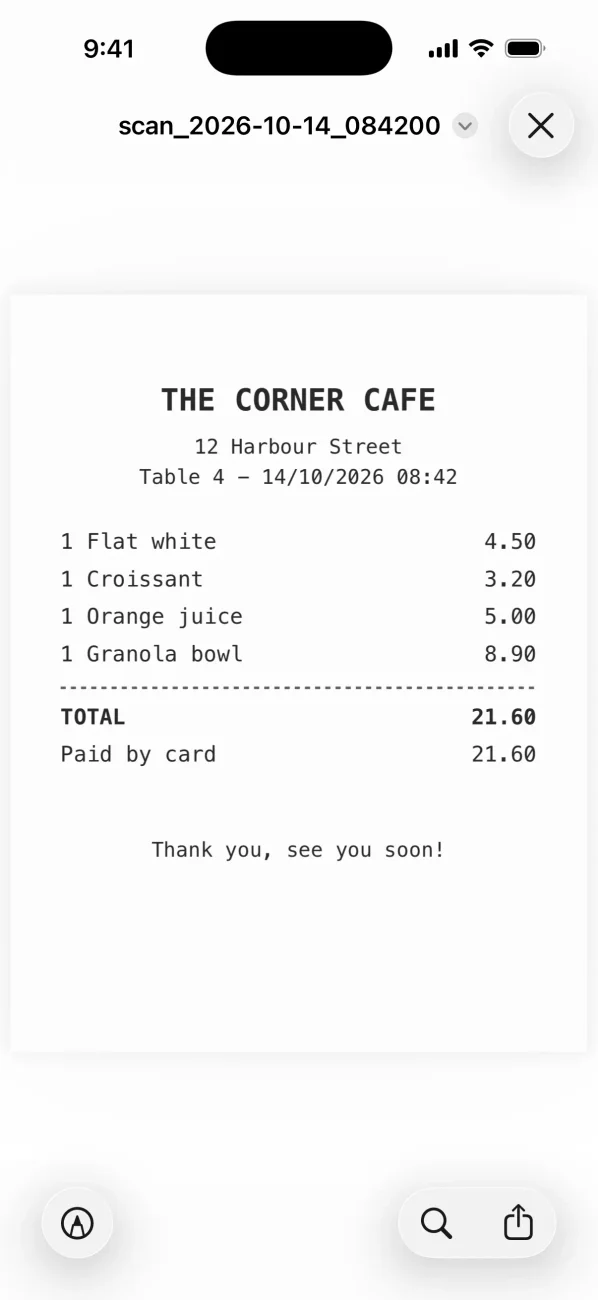
- Receipts, cards and photos are saved at their own size, not as a mostly empty page.
- Saves into the app's folder, any folder in Files, iCloud Drive or another file provider. JPEG scans can also go to Photos.
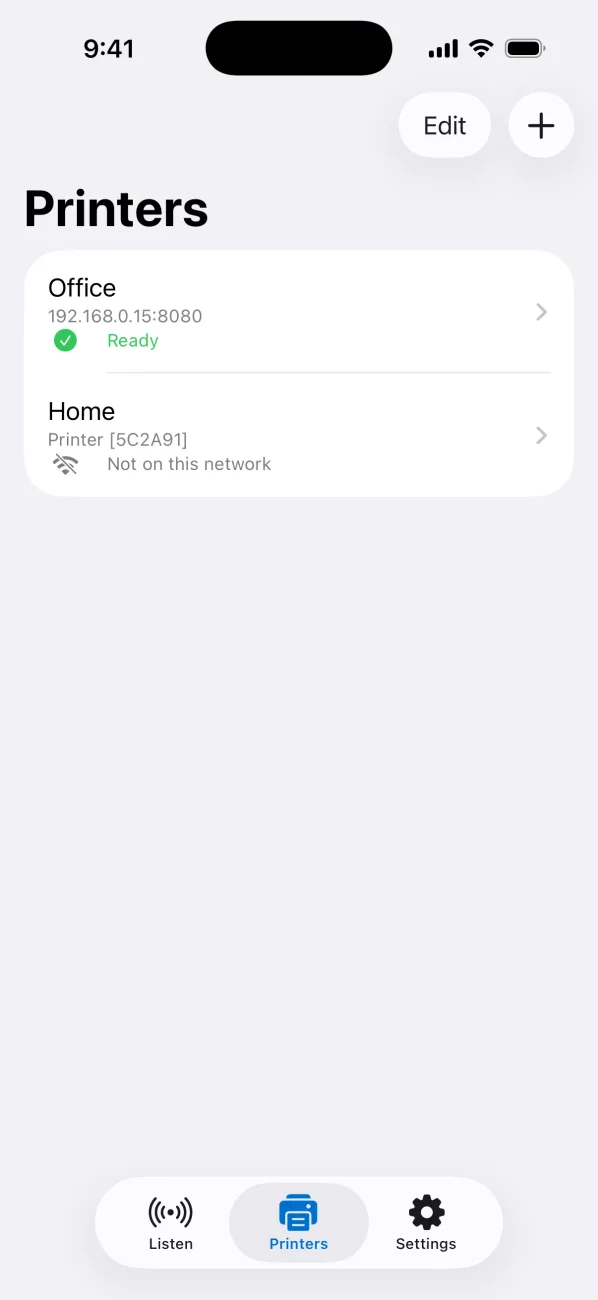
- Finds printers on your network automatically, or add one by IP address. Several printers at once.
- Follows the printer when its network address changes.
- Private by design: scans travel only between the printer and your device. Nothing is uploaded; no analytics, no tracking.
REQUIREMENTS
A network all-in-one printer with a Scan to Computer function, on the same Wi-Fi network as your device. The list of printers known to work is on our website; if yours is not listed, tell us and we will look into it.
Your phone appears on the printer while Scan to Me is open and listening: iOS does not let apps listen in the background.
Scan to Me is an independent app, not affiliated with any printer manufacturer.
App privacy
What Olivier Barlier declares on the App Store about how this app handles data.
-
Data not collected
The developer does not collect any data from this app.
Privacy practices may vary, for example with the features you use or your age.
Information
- Seller
- Olivier Barlier
- Category
- Productivity
- Version
- 1.2.1
- Updated
- Oct 14, 2026
- Released
- Oct 14, 2026
- Size
- 2.3 MB
- Requires
- iOS 17.0 or later
- Age rating
- 4+
- Price
- Free
- Languages
- English, French, Simplified Chinese, Spanish
- Copyright
- © 2026 Olivier Barlier
You might also like
-
 KindutyFamily care, organized
-
 OpenAirScanScan with any AirScan Scanner!
-
 Strimio: Movie & TV DiaryFilm journal & cinemas nearby
-
 OctoApp for OctoPrint/KlipperThe most advanced printing app
-
 Lodgify - Vacation Rental AppAll-in-one rental management
-
 All Email AccessEmail App for Gmail, Outlook
-
 Secure NotepadPrivate Notes with Password
-
 ClubsterConnecting Clubs and Members
-
 Visuary - The Smart Floor PlanScan it, Plan it, Estimate it
-
 Yubico Authenticator2FA with YubiKey