
ScanBoy - Document Scanner
PDF and OCR Your Docs
Designed for iPhone, iPad
Free · In-app purchases
- Age rating4+
- CategoryProductivity
- DeveloperDeadpan, LLC
- LanguagesEnglish
- Size13.0 MB
Links to the official App Store page
Download.org hosts no file of ScanBoy - Document Scanner. The button opens its official App Store page, published by Deadpan, LLC. Listing last checked on Nov 17, 2026.
Screenshots

About
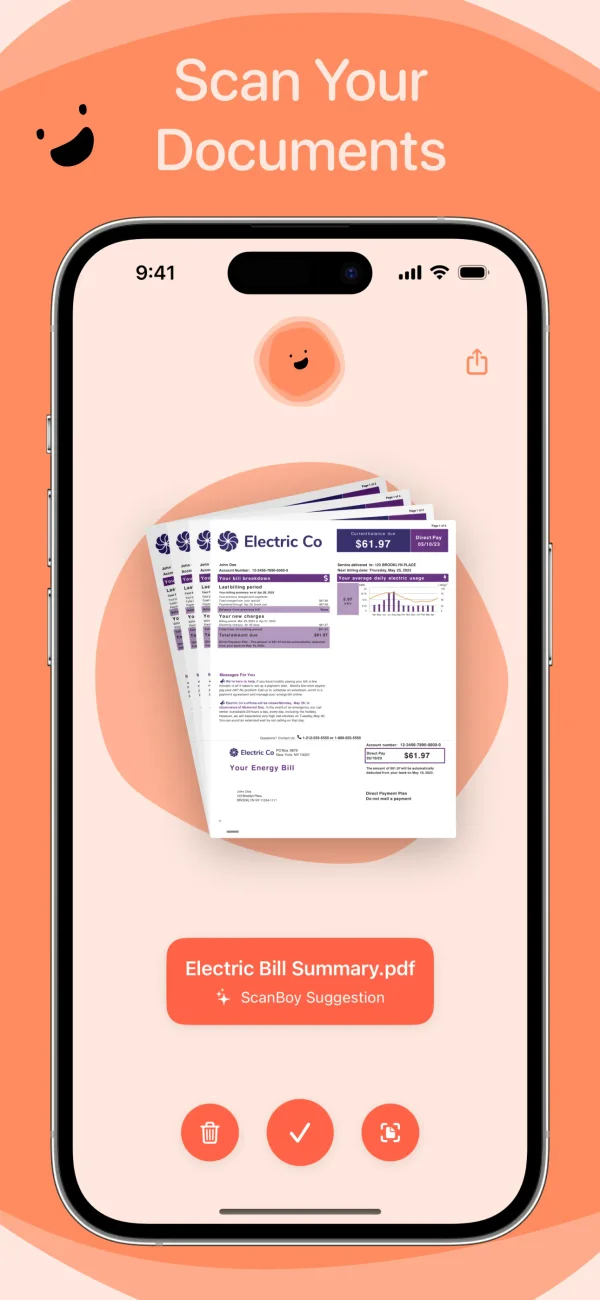
ScanBoy is the ultimate document scanning app that transforms your camera into a pocket-sized scanner! Say goodbye to clunky scanners and hello to convenience, speed, and a whole lot of fun. With ScanBoy, you can effortlessly convert your physical documents into high-quality PDFs with just a few taps.
Scan with Ease: Simply point your camera at any document, receipt, or note, and ScanBoy will work its magic, capturing every detail with precision. It's like having a scanner in your pocket, ready to capture important moments anytime, anywhere.
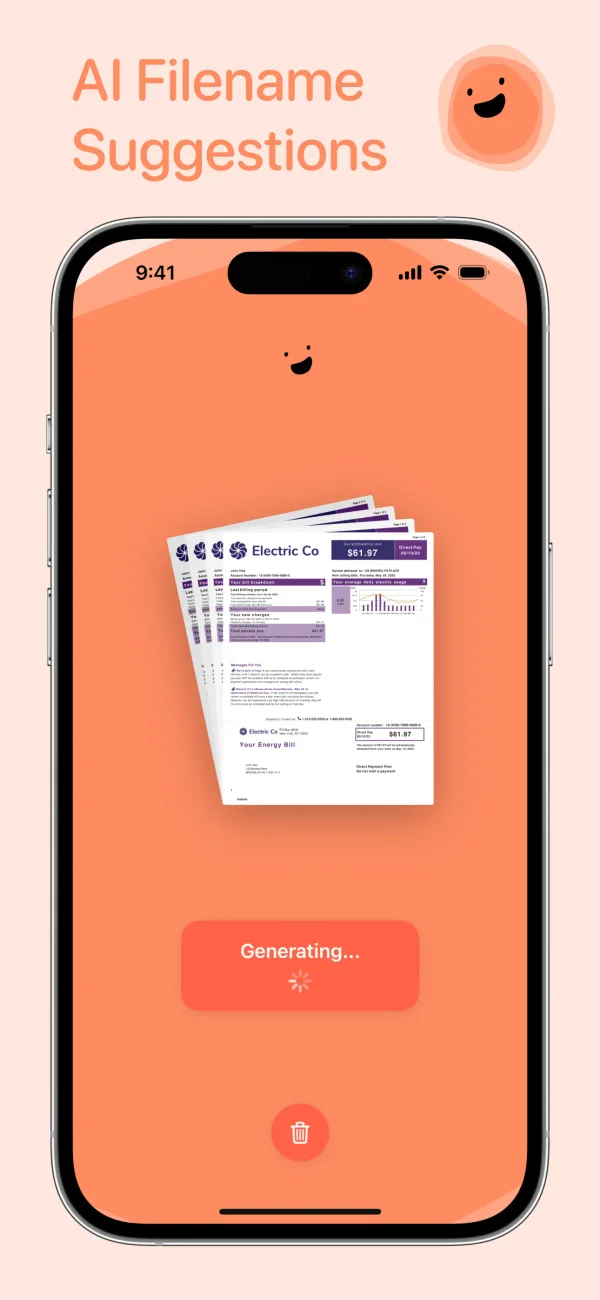
AI-Generated Filenames: Let ScanBoy take the guesswork out of naming your scanned files. Our cutting-edge AI technology analyzes the content of each document and generates smart, descriptive filenames. You'll never struggle to find the right file again!
OCR Magic: Say goodbye to manual typing! ScanBoy's built-in OCR (Optical Character Recognition) technology recognizes text within your scanned documents, making it easy to search, edit, and extract information. Whether it's a business card or a lengthy report, ScanBoy has got your back!
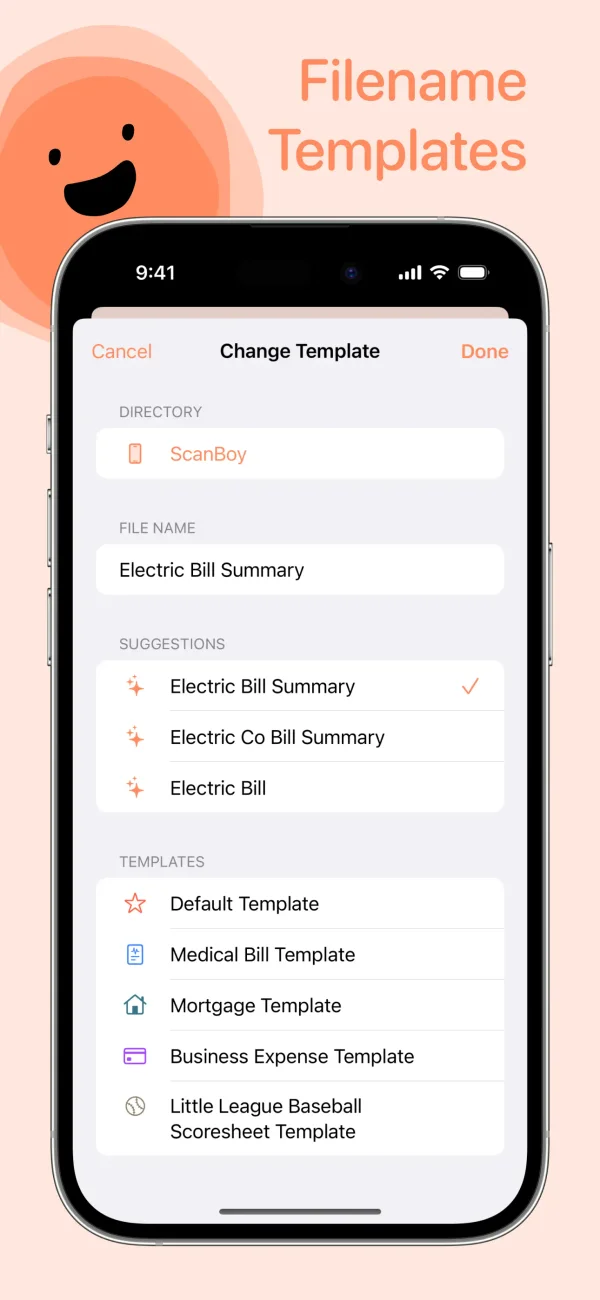
Filename Templates: Tired of manually typing out filenames for repetitive documents? Say hello to ScanBoy's brilliant Filename Templates feature! With this powerful tool, you can create easy, repeatable, and fully customizable filenames for those batches of documents that seem to never end.
Lightning-Fast Operation: We know you're busy, so ScanBoy is optimized for speed. From scanning to saving, everything happens in a blink of an eye. No more waiting around—get things done in a flash!
Easy File Saving: ScanBoy saves your documents directly to the Apple Files app. Use your iCloud storage for seamless document syncing between your Apple devices.
Themes Galore: Personalize your PDFs with ScanBoy's amazing themes. Choose from a range of vibrant colors and designs that match your style and make your documents pop. Who said scanning had to be boring?
Fun Design: Scanning doesn't have to be a mundane task. ScanBoy's delightful and playful design adds a touch of joy to your scanning experience. You'll find yourself smiling as you digitize your important papers!
So, why wait? Download ScanBoy today and say hello to a world where scanning is efficient, delightful, and just a little bit magical!
-------
Terms of Use: https://www.apple.com/legal/internet-services/itunes/dev/stdeula/
What’s new
Version 2026.1 · Oct 31, 2026
This version of ScanBoy brings the following:
+ Added support for iPhone Duo.
+ Refreshed scan controls with native toolbars for starting, sharing, finishing, and discarding scans.
! Improved document previews and filename layouts on iPhone and iPad.
! Refined animations and theme colors throughout the scan flow.
If you like ScanBoy, please write a review in the App Store!
App privacy
What Deadpan, LLC declares on the App Store about how this app handles data.
-
Data not linked to you
May be collected but is not linked to your identity.
- Purchases
- Identifiers
- Usage data
Privacy practices may vary, for example with the features you use or your age.
Information
- Seller
- Deadpan, LLC
- Category
- Productivity
- Version
- 2026.1
- Updated
- Oct 31, 2026
- Released
- Jun 17, 2023
- Size
- 13.0 MB
- Requires
- iOS 16.0 or later
- Age rating
- 4+
- Price
- Free
- In-app purchases
- Yes
- Languages
- English
- Copyright
- © 2026 Deadpan, LLC
You might also like
-
 CalculariumReactive Advanced Calculator
-
 Voice Memos: AI Note TakerTranscribe & Summarize Audio
-
 HotNotes - Good Schedules TakeTake Good Notes in your life
-
 Video SummarizerYouTube Summaries & Notes
-
 RecAI: AI Translator for VideoWatch Foreign Drama with AI
-
 Memento - Better RemindersThe simple, quick to-do list
-
 PDFConverter- Print to PDFConvert to PDF
-
 Photo Todo Lists - PhotodoManage tasks with image & text
-
 Simple Scan • Quick ScannerDocuments to PDF in seconds
-
 Streakly: Simple Habit TrackerVisual Routine & Streak Daily