- Age rating4+
- CategoryUtilities
- DeveloperGrow Labs LLC
- LanguagesGerman+ 8 more
- Size149.2 MB
Links to the official App Store page
Download.org hosts no file of ScanFile. The button opens its official App Store page, published by Grow Labs LLC. Listing last checked on Nov 10, 2026.
Screenshots

About
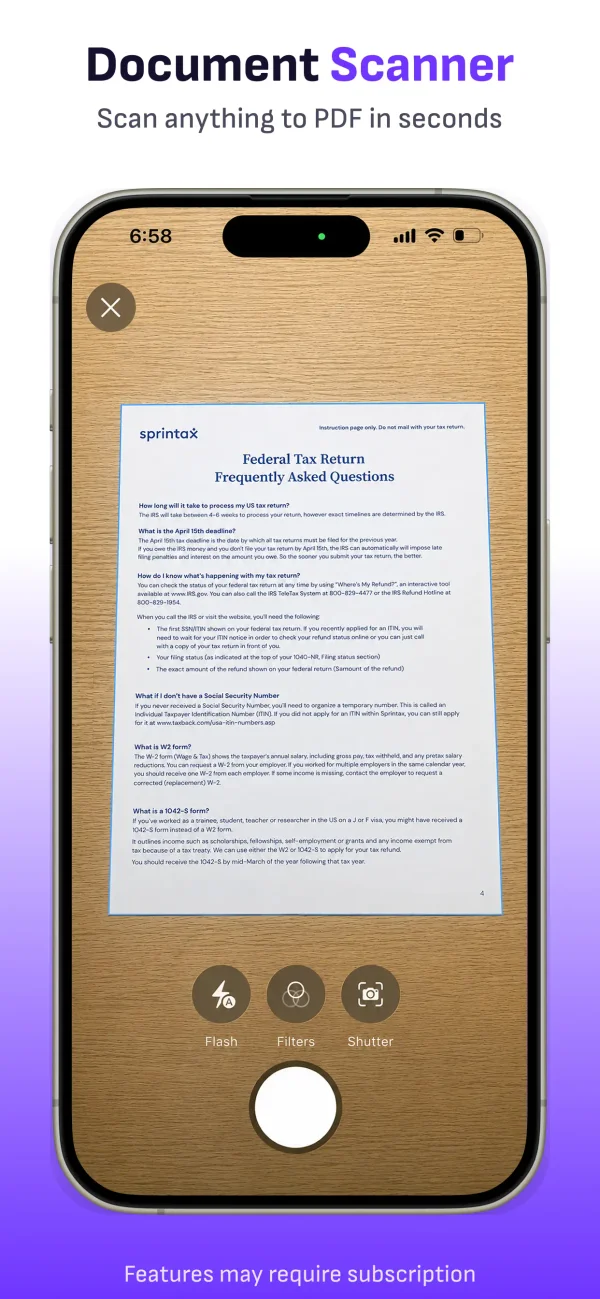
Your phone already has a camera. ScanFile turns it into a private PDF scanner you can trust with real paperwork.
Capture receipts, forms, contracts, notes, class handouts, invoices, IDs, and everyday documents in seconds. ScanFile saves everything in a clean local library on your iPhone or iPad, so you can find it, fix it, and export it when the moment matters.
Built for fast paper-to-PDF work:
• Scan paper into clean, readable PDFs
• Import photos and files as scan pages
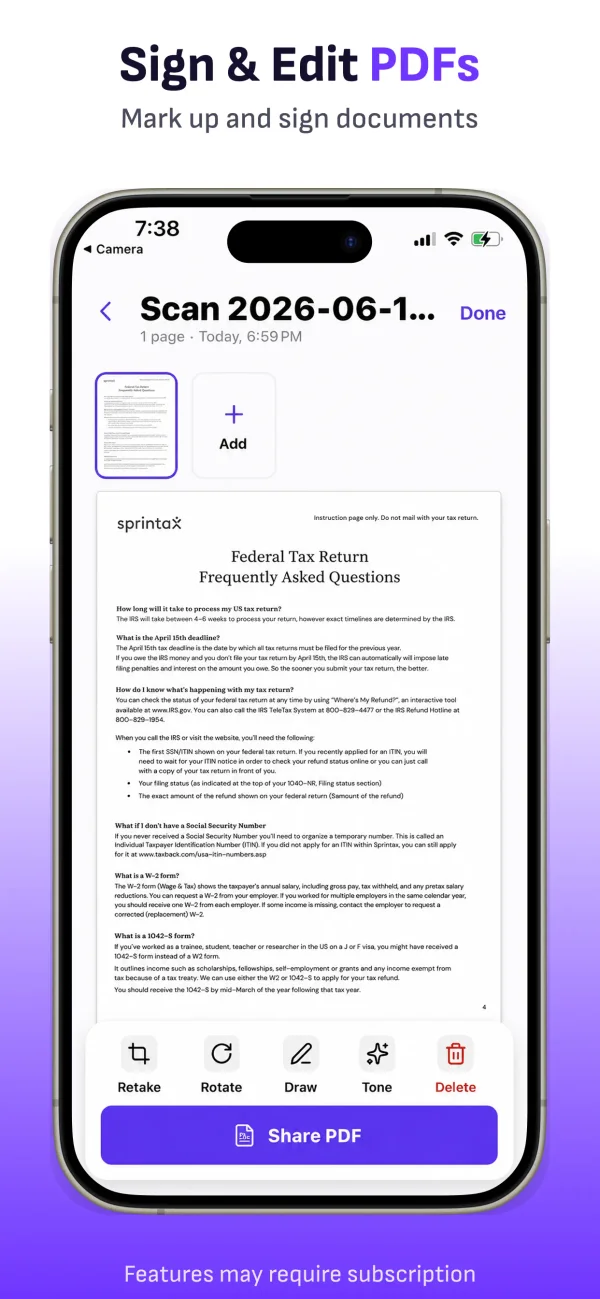
• Reorder, rotate, replace, add, or delete pages
• Apply document-friendly filters for cleaner text
• Keep saved scans organized in a local library
• Share PDFs through Files, Mail, AirDrop, Messages, and more
• Export without creating an account or uploading to ScanFile
Why people choose ScanFile:
• Private by design: documents stay on your device unless you share or export them
• Simple enough for receipts, powerful enough for multi-page documents
• No cloud workspace to manage
• No account required
• Made for the everyday paperwork you actually need to keep
Use ScanFile for expense records, signed forms, tax documents, homework, handwritten notes, meeting pages, client paperwork, insurance cards, travel documents, invoices, contracts, and personal records.
PDF export requires ScanFile Pro. Pro also unlocks unlimited saved documents. Pro Lifetime is a one-time purchase with no recurring bill. Existing subscriptions remain supported.
Scan it now. Keep it private. Share it when you choose.
Access to some of ScanFile's features may require a separate in-app purchase or subscription.
Terms of use: https://www.apple.com/legal/internet-services/itunes/dev/stdeula/
What’s new
Version 2.3.1 · Oct 24, 2026
• Fixed an issue that could stop PDF export after closing the Pro screen.
• Your selected export now continues after unlocking or restoring Pro.
• Improved reliability when retrying an export or switching documents.
App privacy
What Grow Labs LLC declares on the App Store about how this app handles data.
-
Data used to track you
May be used to track you across apps and websites owned by other companies.
- Purchases
- Identifiers
- Usage data
-
Data linked to you
May be collected and linked to your identity.
- Purchases
- Identifiers
- Usage data
Privacy practices may vary, for example with the features you use or your age.
Information
- Seller
- Grow Labs LLC
- Category
- Utilities
- Version
- 2.3.1
- Updated
- Oct 24, 2026
- Released
- Jun 24, 2026
- Size
- 149.2 MB
- Requires
- iOS 16.4 or later
- Age rating
- 4+
- In-app purchases
- Yes
- Languages
- German, English, French, Italian, Japanese, Korean, Portuguese, Spanish, Simplified Chinese
- Copyright
- © 2026 Grow Labs LLC
You might also like
-
 PocketScan Pro: PDF ScannerReal-size scans and copies
-
 DijkmanUtilities
-
 Downtime TerminatorUtilities
-
 SenCam: WebCam for PC and OBSUtilities
-
 Life in Weeks: Home WidgetsLife Calendar & Memento Mori
-
 Restropress POSMagniGeeks Technology PVT LTD.
-
 Chat AI Assistant Genius BotAsk Genie GPT4o Agent Chatbot
-
 Checklist Widget - Check ListTab Checklist Check To Do List
-
 SecureScan : Camera ScannerAll Documents & PDF Scanner
-
 EnergyPricing - StroomprijzenEPEX Prices & Solar Forecast