ScanFolio - Doc Scan & Editor
PDF Scanner, Sign & Fill Forms
Designed for iPhone, iPad
$1.99
- Age rating4+
- CategoryProductivity
- DeveloperSolueman Hussain
- LanguagesEnglish+ 16 more
- Size11.4 MB
Links to the official App Store page
Download.org hosts no file of ScanFolio - Doc Scan & Editor. The button opens its official App Store page, published by Solueman Hussain. Listing last checked on Nov 12, 2026.
Screenshots
About
Scan anything to a crisp PDF, sign it and find it again in seconds. ScanFolio turns your iPhone and iPad into a pocket document scanner with OCR, e-signatures, true redaction and smart organisation.
Contracts, receipts, invoices, forms, letters, study notes: capture them once and ScanFolio sorts them, suggests a name and makes every word searchable.
WHY PEOPLE LOVE SCANFOLIO
· Scan to PDF in seconds with automatic edge detection
· Sign and fill PDF forms without printing anything
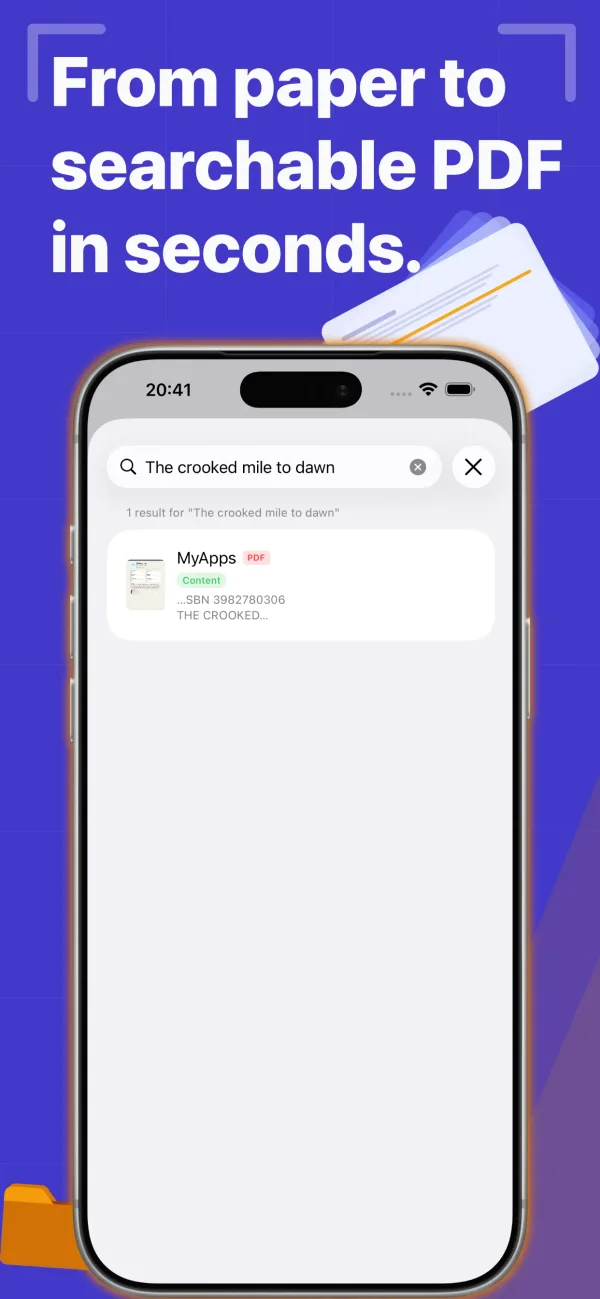
· Search the text inside every scan with built-in OCR
· Redact for real: hidden content is removed, not just covered
· Find documents from Spotlight, Siri and the Shortcuts app
SCAN & IMPORT
· Scan paper documents with automatic edge detection
· Convert photos to PDF right from the Photos app: tap Share, then "Convert to PDF"
· Scan QR codes and barcodes
· Import PDFs and keep them native or convert them into editable pages
· Drag and drop images or PDFs from Files, Safari, Mail and other apps
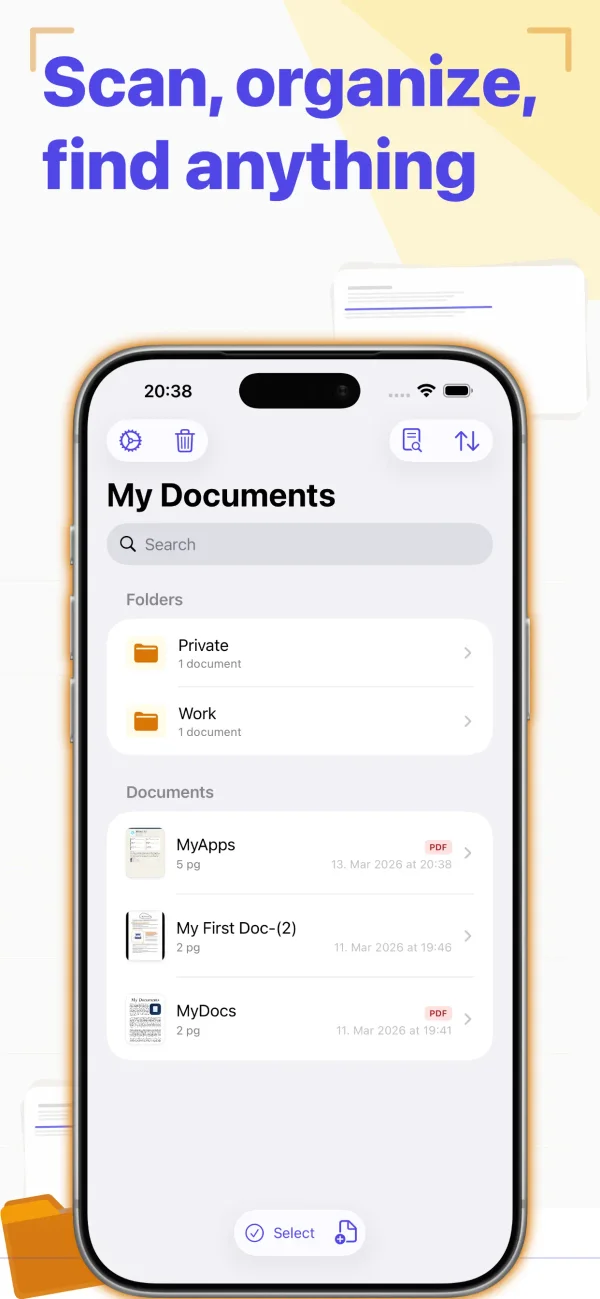
SMART ORGANISATION
· Receipts, business cards and general documents are sorted automatically
· Smart name suggestions based on content: document type, date and amount
· Folders and tags, with tag search across your library
· Merge files or split out individual pages
· Restore deleted documents for up to 30 days
SEARCH EVERYTHING
· Built-in OCR makes every scanned page searchable
· Recognise text in all your documents at once and choose the languages
· Your documents and the text inside your scans show up in Spotlight
· Use Siri or Shortcuts to scan, import from Photos or search your documents
EDIT & ANNOTATE
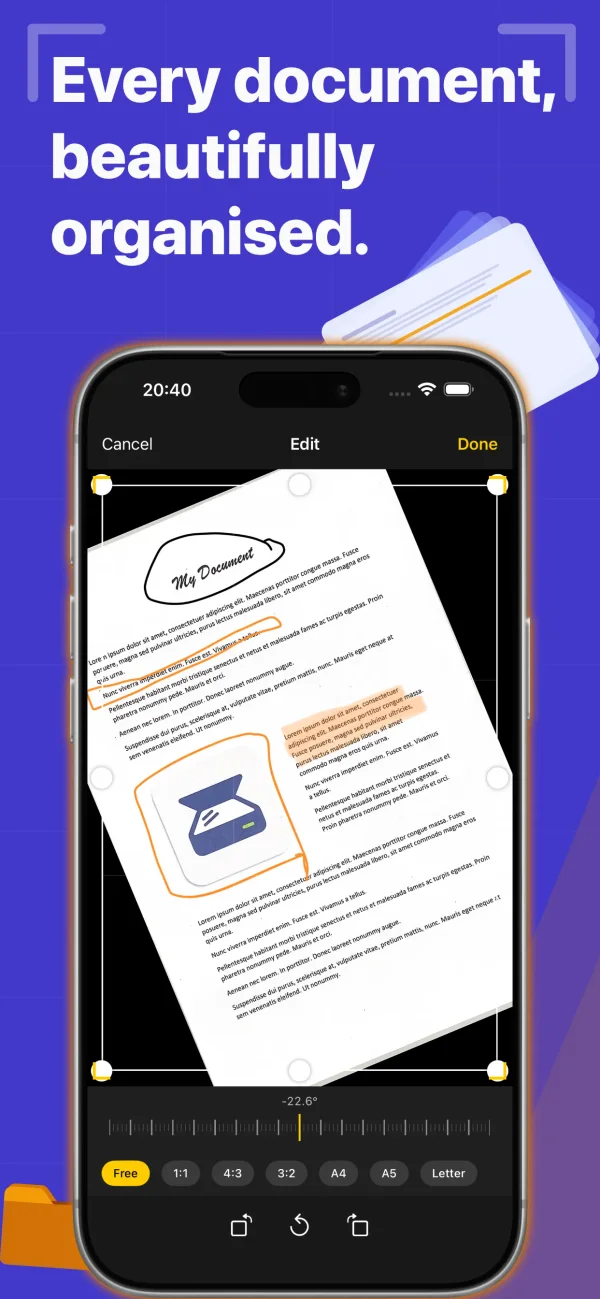
· Crop, rotate, reorder and enhance pages
· Highlight, underline, strikethrough and add text boxes
· Draw with Apple Pencil or your finger
SIGN, FILL & PROTECT
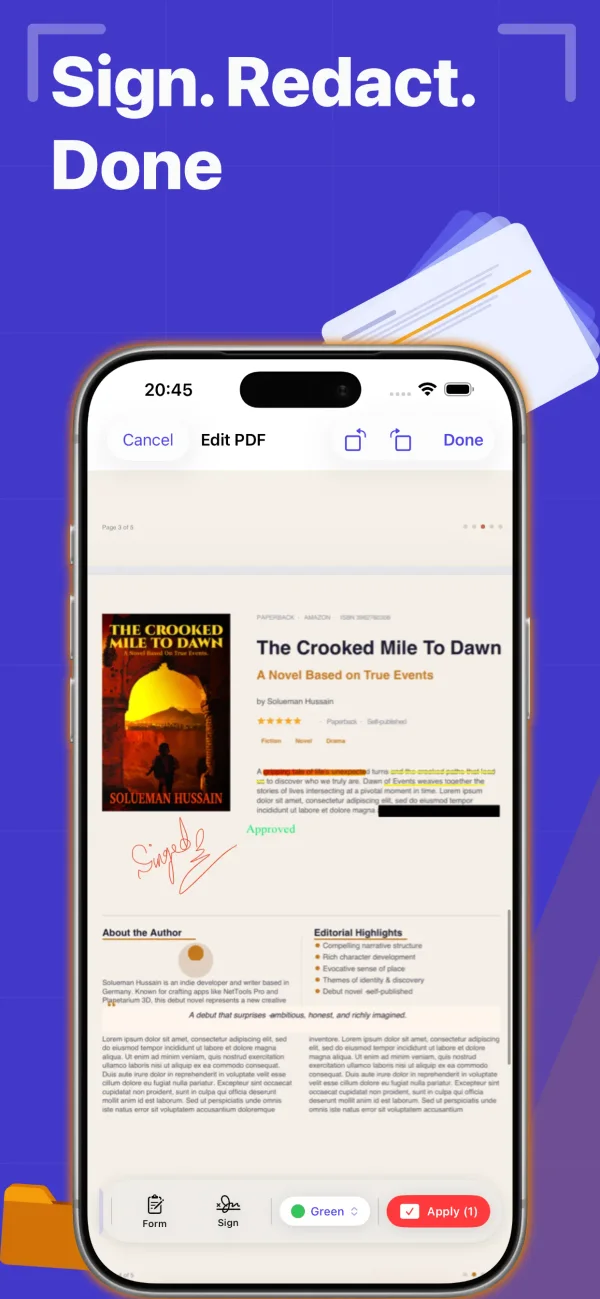
· Save your handwritten signature and place it on any page
· Fill PDF forms without printing, scanning or switching apps
· Permanently black out sensitive information with true redaction
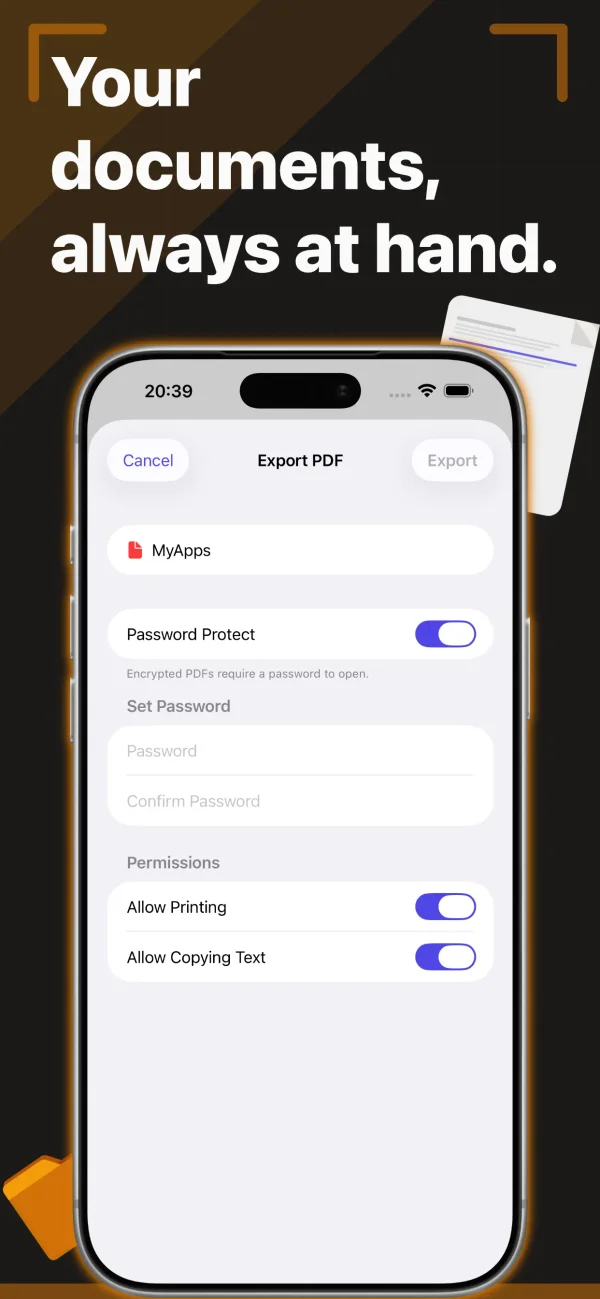
· Export PDFs with optional password protection and your own watermark
MADE FOR iPHONE, iPAD & MAC
· Keep your library in sync across your devices with iCloud
· Use Split View on iPad to read and work side by side
Download ScanFolio and turn today's paper pile into a searchable library.
What’s new
Version 26.4 · Oct 3, 2026
A big update: ScanFolio is now smarter, quicker to reach and easier to keep organised.
• Photos to PDF in one tap: select photos in the Photos app, tap Share and choose "Convert to PDF". The PDF is saved to your library, and you can save a copy to Files.
• Siri & Shortcuts: scan a document, import from Photos or search your documents by voice or in the Shortcuts app.
• Spotlight search: find your documents, and the text inside your scans, right from your Home Screen.
• Smart names: rename suggestions based on the document's content (type, date, amount).
• Auto-sorting: receipts, business cards and general documents are sorted automatically.
• Tags: organise documents with tags and search by tag in your library.
• Markup: highlight, add text boxes and redact. Redactions are permanently blacked out when saved.
• Watermarks: add your own text watermark with adjustable opacity when exporting a PDF.
• QR code and barcode scanner built in.
• Batch text recognition: recognise text in all your documents at once and choose which languages to recognise.
Improvements
• Password-protected PDFs now ask for the password instead of being skipped.
• Fixed photo imports.
• Improved VoiceOver support and translations.
• Stability, sync and performance improvements.
Enjoying ScanFolio? A quick rating on the App Store helps more people find it. Thank you!
App privacy
What Solueman Hussain declares on the App Store about how this app handles data.
-
Data not collected
The developer does not collect any data from this app.
Privacy practices may vary, for example with the features you use or your age.
Information
- Seller
- Solueman Hussain
- Category
- Productivity
- Version
- 26.4
- Updated
- Oct 3, 2026
- Released
- Nov 1, 2023
- Size
- 11.4 MB
- Requires
- iOS 17.6 or later
- Age rating
- 4+
- Price
- $1.99
- Languages
- English, Arabic, Dutch, Finnish, French, German, Hebrew, Italian, Japanese, Korean, Portuguese, Russian + 5 more
- Copyright
- © 2026 Solueman Hussain
You might also like
-
 Paperless Go for Paperless-ngxMobile paperless-ngx client
-
 TomoNow 2A focus timer feels different.
-
 Sermon MakerSermons & Devotionals Maker
-
 Unprocrastinator30s delay for mindful browsing
-
 AI Writer: Text & ContentPrivate on-device AI writing
-
 Hancom Office: Docs & PDFDocument Editor & PDF Viewer
-
 Motes - modern notesModern digital notebook
-
 Voice Teleprompter PROScript Reader & Cue Cards
-
 PDF To EPUB AppPDF To EPUB File Convertor
-
 Craft Web ClipperSave any website to Craft