Scanner: PDF Scan & OCR Text
PDF Editor, Sign & QR Reader
Designed for iPhone
Free · In-app purchases
- Age rating4+
- CategoryUtilities
- DeveloperLeander Maguetas
- LanguagesEnglish+ 16 more
- Size86.1 MB
Links to the official App Store page
Download.org hosts no file of Scanner: PDF Scan & OCR Text. The button opens its official App Store page, published by Leander Maguetas. Listing last checked on Nov 23, 2026.
Screenshots
About
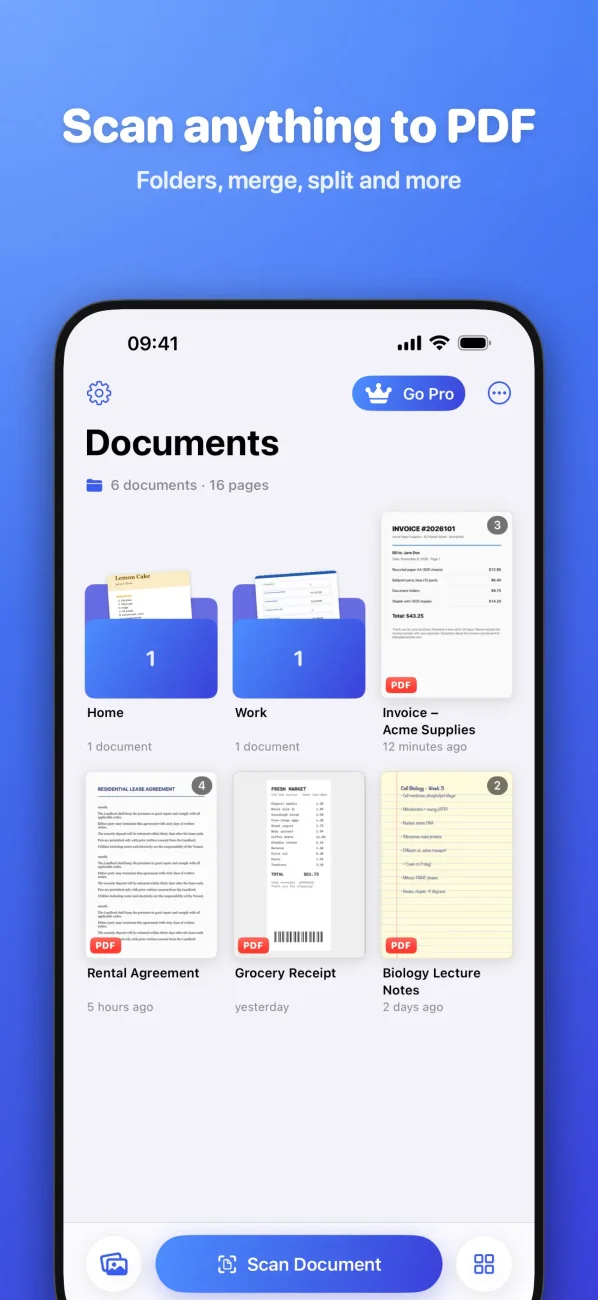
Scanner is a document scanner and PDF editor for iPhone. Scan paper, receipts, contracts, ID cards and notes, sign and fill in PDFs, read QR codes and keep everything organized in folders, with your files stored only on your device.
SCAN IN SECONDS
• Automatic edge detection finds, crops and straightens every page
• Scan multi-page documents in one go
• Import pages from Photos or PDFs and images from the Files app
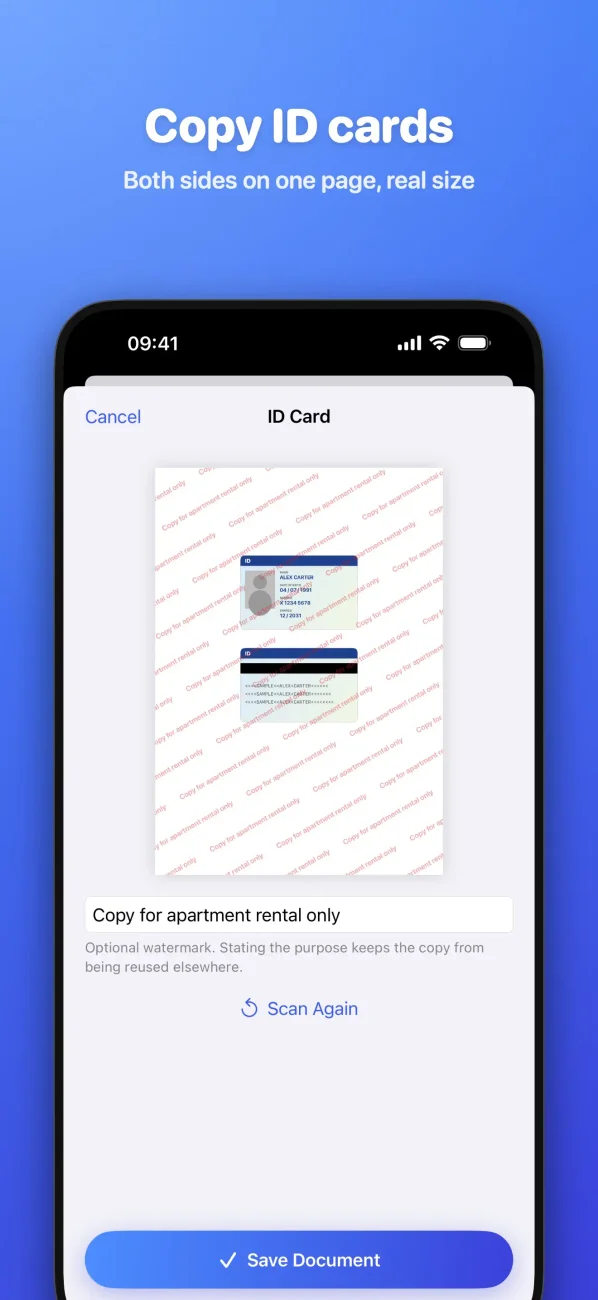
• ID card mode: front and back on one page at real size, with an optional watermark
SIGN AND EDIT PDFS
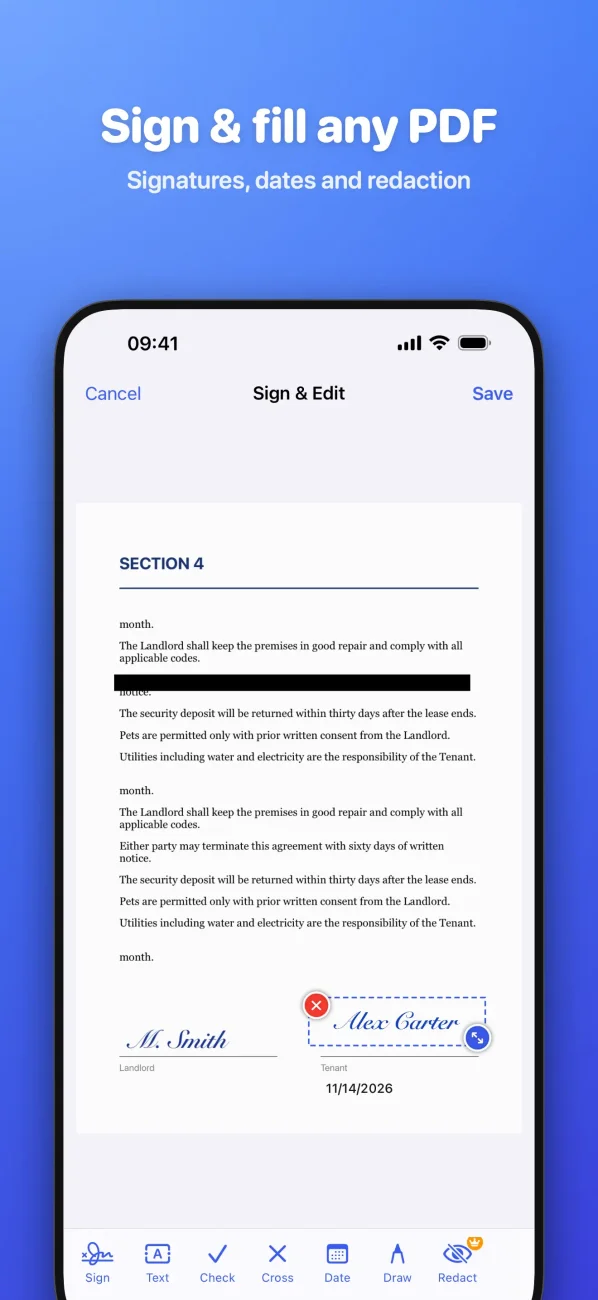
• Add your signature and save it for next time
• Fill in forms with text, check marks, crosses and dates
• Draw and highlight with Apple Pencil or your finger
• Redact: black out names, numbers and private details, or find a word and hide every place it appears
ORGANIZE
• Folders, with drag and drop
• Merge documents into one PDF
• Split documents and reorder pages
• Search your documents by name or by the words inside them
ENHANCE EVERY PAGE
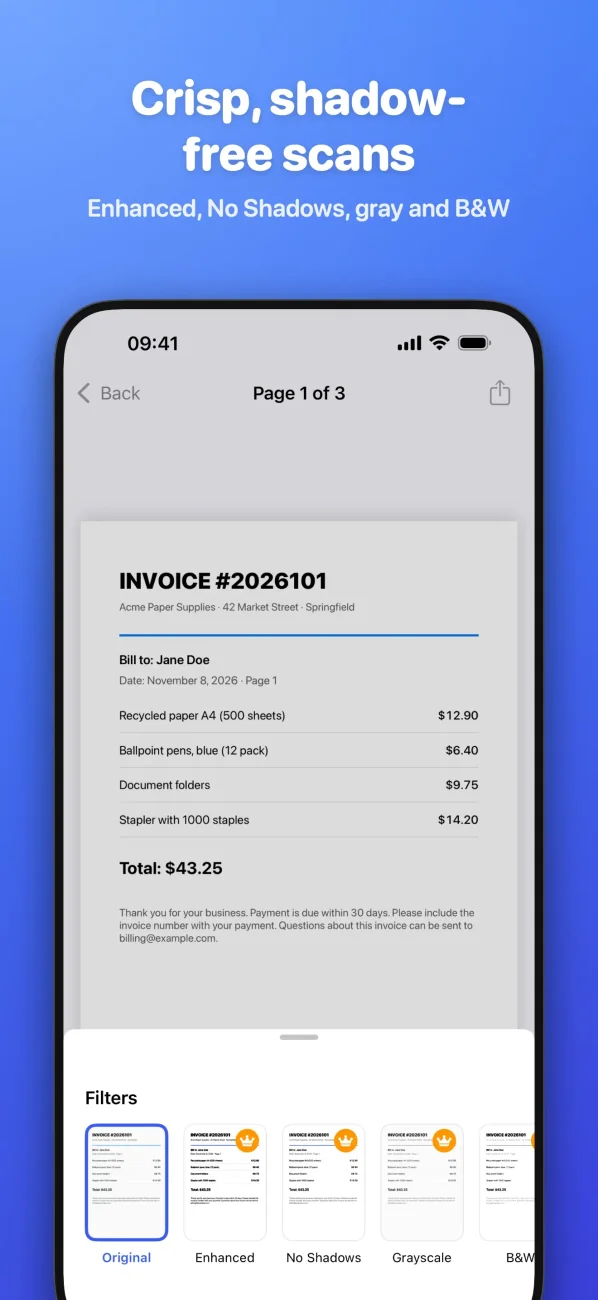
• Filters: Enhanced, No Shadows, Grayscale and Black & White
• "No Shadows" removes shadows and uneven light so the paper looks white
• Rotate pages and reorder them with a simple drag
FIND AND COPY TEXT (OCR)
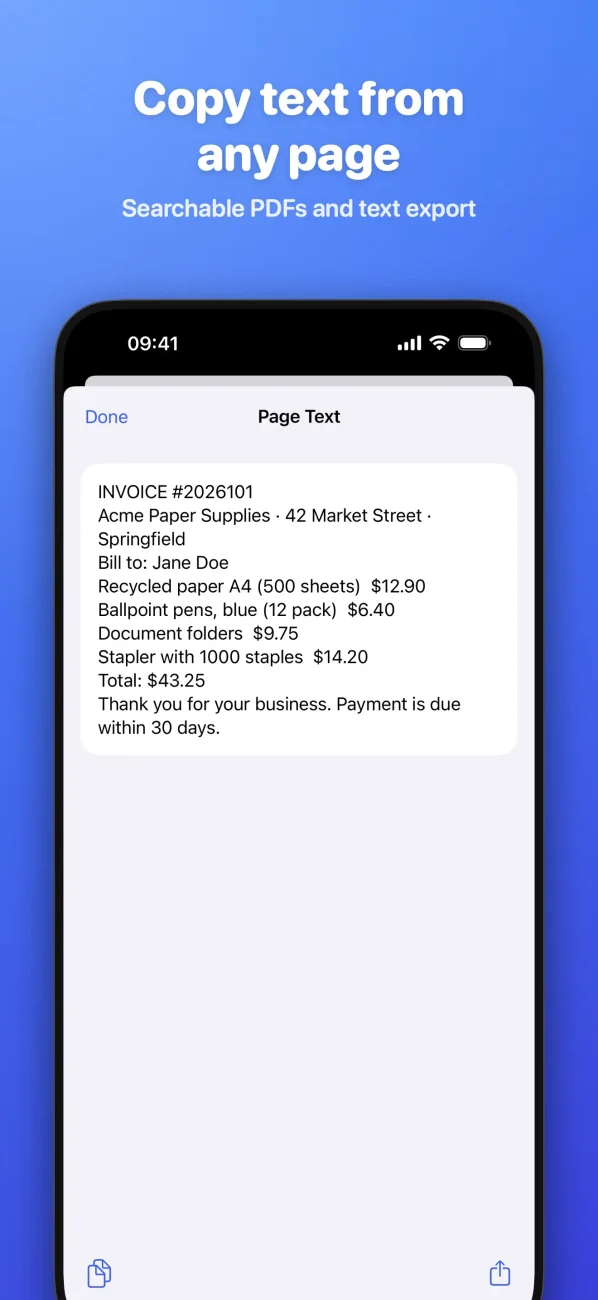
• Recognize the text on any page, then copy or share it
• Export searchable PDFs, so the text can be found and selected
SHARE ANYWHERE
• Export PDFs in Low, Medium or High quality, in Fit to Scan, A4 or US Letter size
• Protect PDFs with a password
• Share as images or plain text, print, or send by Mail, Messages and Files
HANDY TOOLS
• QR code and barcode reader, from the camera or from a photo
• Count objects in a photo, like coins, boxes or pills
• Measure distances with the camera
PRIVATE BY DESIGN
• Your documents stay on your device
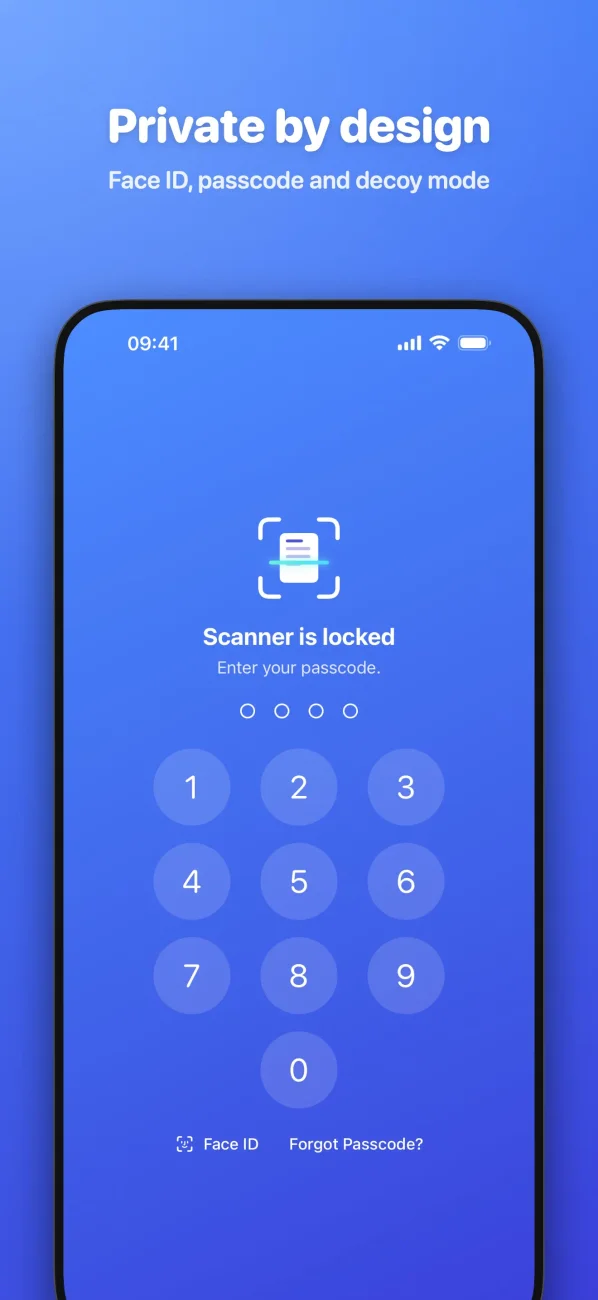
• Lock the app with Face ID, Touch ID or a passcode
• Decoy passcode: opens a separate, empty library if someone makes you unlock the app
Available in 17 languages.
SCANNER PRO
Upgrade to remove all ads and unlock every Pro tool: page filters, whole-document text extraction, image and text export, A4 and Letter pages, password-protected PDFs, redaction, object counting and the app lock. Choose a weekly, monthly or yearly subscription (the yearly plan may include a free trial) or a one-time lifetime purchase.
Payment is charged to your Apple Account at confirmation of purchase. Subscriptions renew automatically unless canceled at least 24 hours before the end of the current period, and your account is charged for renewal within 24 hours before the period ends. Manage or cancel anytime in your Apple Account settings. Any unused part of a free trial is forfeited when you purchase a subscription.
Terms of Use: https://www.apple.com/legal/internet-services/itunes/dev/stdeula/
Privacy Policy: https://docs.google.com/document/d/1vWw0oq7OUnScfEeaes3LHuW9UEx4jVobOprhVvvjuy8/edit?usp=sharing
What’s new
Version 3.1 · Nov 16, 2026
• Sign & Edit: add your signature, text, check marks and dates to any page, or draw freely
• Redact: black out names, numbers and other private information
• Folders: organize documents and drag them into folders
• Merge and split: combine documents or move pages to a new one
• Better export: searchable PDFs, password-protected PDFs and plain text
• New tools: QR & barcode reader, ID card copies, object counter and measure
• New "No Shadows" filter and import from the Files app
• New weekly Pro plan
App privacy
What Leander Maguetas declares on the App Store about how this app handles data.
-
Data used to track you
May be used to track you across apps and websites owned by other companies.
- Location
- Identifiers
- Usage data
-
Data not linked to you
May be collected but is not linked to your identity.
- Location
- Identifiers
- Usage data
- Diagnostics
Privacy practices may vary, for example with the features you use or your age.
Information
- Seller
- Leander Maguetas
- Category
- Utilities
- Version
- 3.1
- Updated
- Nov 16, 2026
- Released
- Jul 8, 2020
- Size
- 86.1 MB
- Requires
- iOS 17.0 or later
- Age rating
- 4+
- Price
- Free
- In-app purchases
- Yes
- Languages
- English, Arabic, Dutch, French, German, Hindi, Indonesian, Italian, Japanese, Korean, Polish, Portuguese + 5 more
- Copyright
- © 2026 LSM Games
You might also like
-
 Scanner: Scan To PDFScanner
-
 Express Scan:Fast PDF ScannerScan, organize & edit PDFs
-
 Easy Scan - Scan PDF & OCRScanner, Sign & Edit Docs
-
 CamDocScanner- Scan DocumentsCamScanner
-
 PDF Photos ‧PDF Converter, Image to PDF
-
 Lottery Ticket ScannerScan Powerball & Mega Millions
-
 PDF Scanner Pro ⊟Digitization your papers & ids
-
 FP Scanner-photo scantiny scanner,photos to pdf
-
 SwiftScan AI Document ScannerEdit & Sign Docs, PDF, OCR Fax
-
 Document PDF Scanner.Scan to PDF, OCR & Sign Docs