Scanner: PDF & Text Scan
Receipt scanner & spreadsheets
Designed for iPhone
Free · In-app purchases
- Age rating4+
- CategoryProductivity
- DeveloperRealtime Comms Ltd
- LanguagesEnglish
- Size9.1 MB
Links to the official App Store page
Download.org hosts no file of Scanner: PDF & Text Scan. The button opens its official App Store page, published by Realtime Comms Ltd. Listing last checked on Nov 16, 2026.
Screenshots

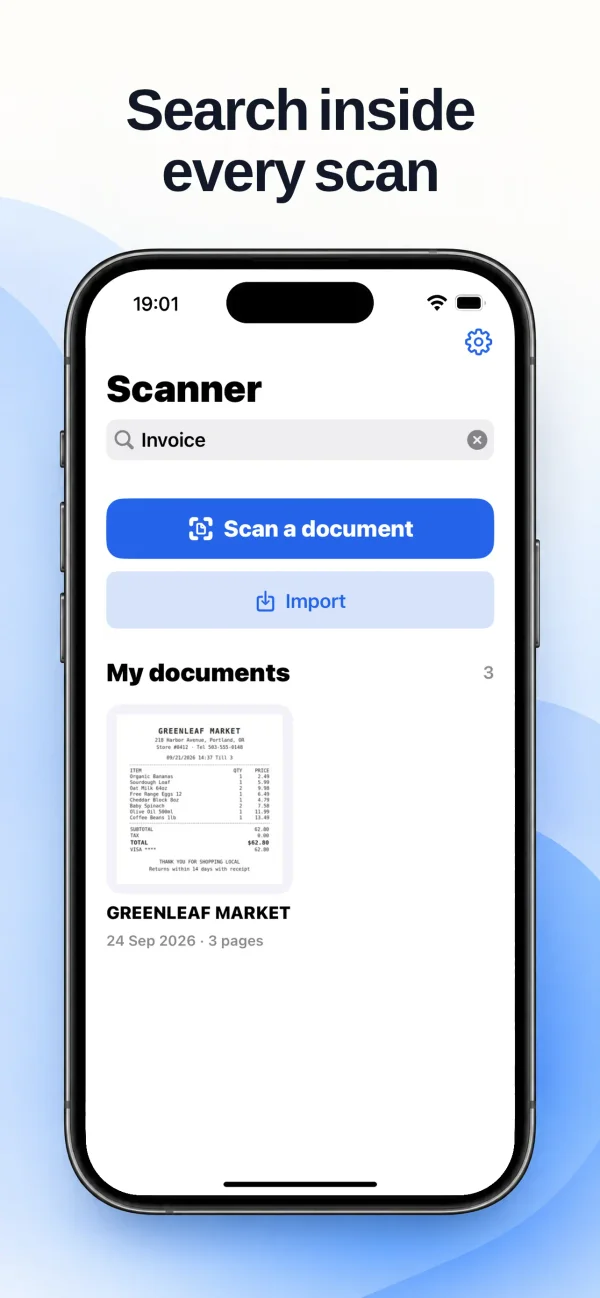
About
Scan any document to a clean PDF in seconds then do something useful with it.
Most scanner apps stop at a picture of your page. Scanner reads it. Pull the words out, turn a receipt or table into a real spreadsheet, or send the whole document to your AI assistant as one clean file.
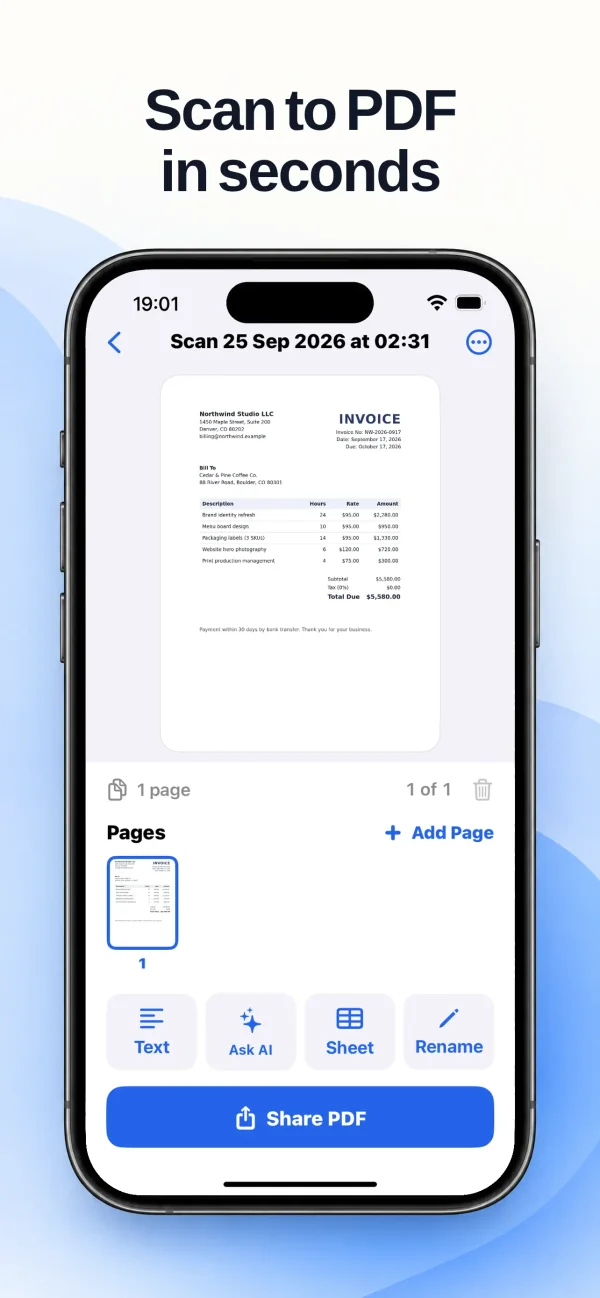
SCAN TO PDF, INSTANTLY
• Automatic edge detection, perspective correction and crisp pages
• Multi-page documents: reorder, delete or add pages any time
• Your PDF is made on your iPhone, instantly, even with no internet
• Import photos or existing PDFs too
• No watermarks, no account, no sign-up
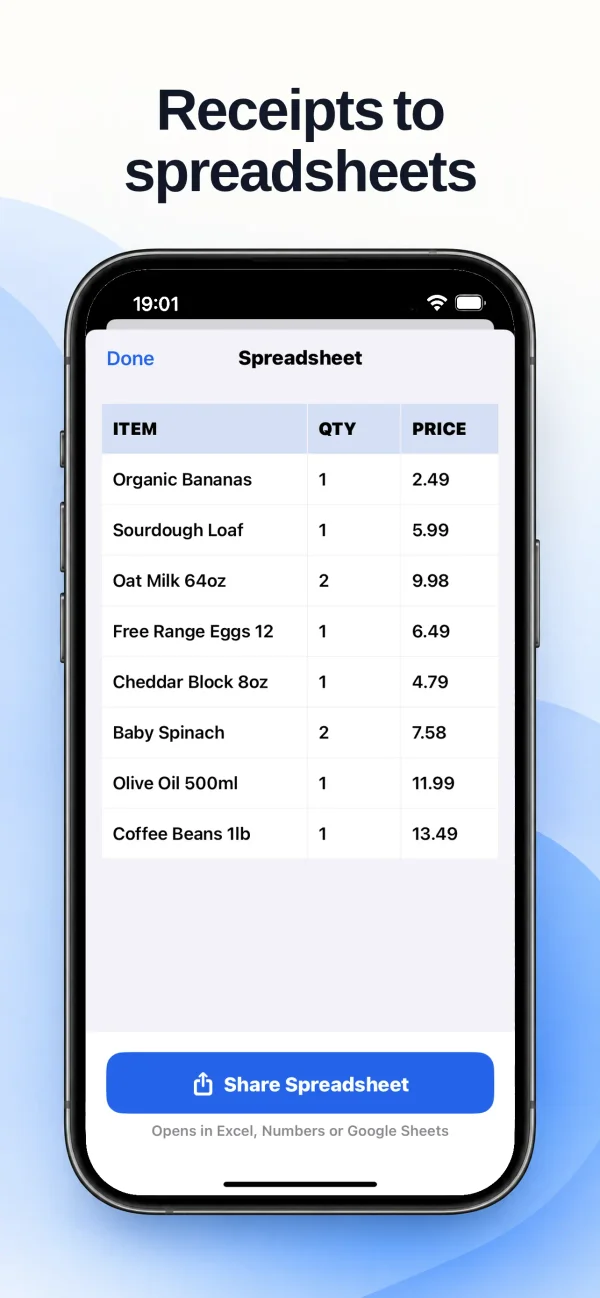
TURN RECEIPTS AND TABLES INTO A SPREADSHEET
Scan a receipt, invoice, price list, timetable or nutrition label, and the rows and columns come back as a proper spreadsheet file, each value in its own cell. It opens in Excel, Numbers or Google Sheets.
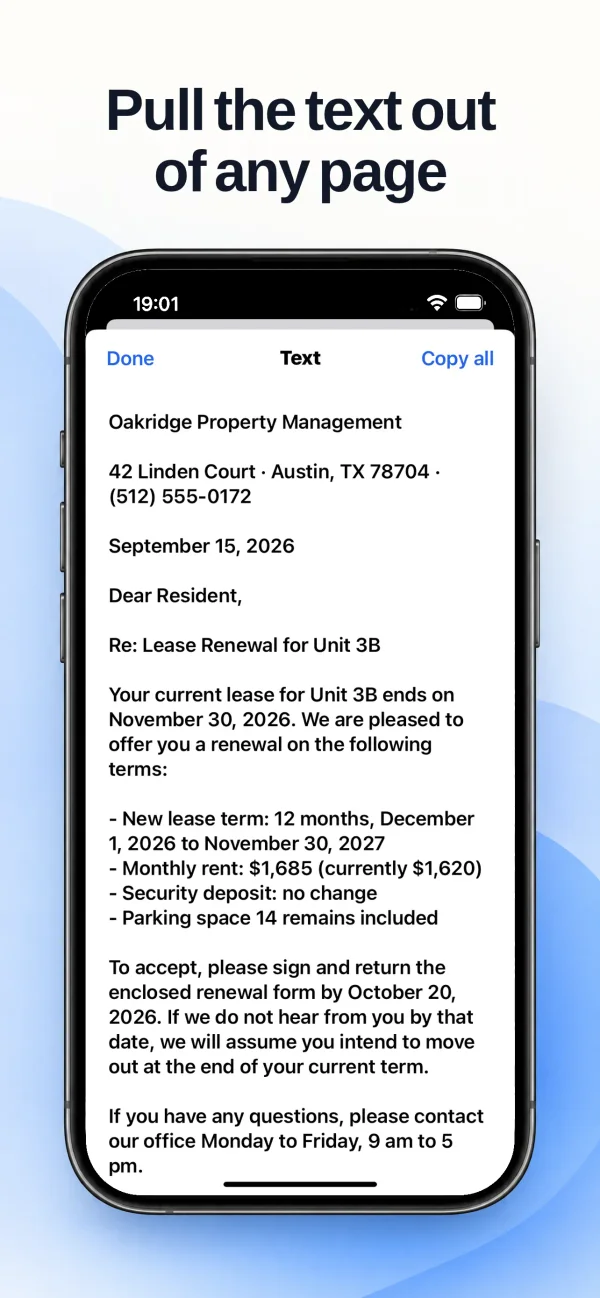
PULL THE TEXT OUT
Tap Text to get every word on the page, ready to copy. Headings, lists and labeled fields keep their structure instead of becoming one jumbled block. Once a document has been read, it's saved on your phone, so it opens instantly next time.
SEND IT TO AI, PROPERLY
One photo in a chat app only shows one page. Ask AI sends the entire document, every page, as a single clean file to ChatGPT, Claude or any app you choose. Then ask it to summarize a contract, check a bill or explain a letter.
HONEST WHEN IT CAN'T READ SOMETHING
If a word is smudged, folded or cut off, Scanner marks it [unclear] instead of guessing. You always know which parts to double-check.
FIND ANYTHING
Search your documents by title or by any word inside them.
PRIVATE BY DEFAULT
Your documents are stored only on your iPhone. When you use Text, Spreadsheet or Ask AI, the pages are sent securely to our server to be read, and the result comes back to you. No account, no tracking, no ads.
SCANNER PRO
Scanning and PDFs are free. Text, Spreadsheet and Ask AI are free for your first 10 documents; after that, Scanner Pro (weekly or yearly) unlocks them for up to 1,000 pages a month. Payment is charged to your Apple ID. Subscriptions renew automatically unless cancelled at least 24 hours before the end of the current period, and can be managed or cancelled in your account settings.
Terms of Use: https://www.apple.com/legal/internet-services/itunes/dev/stdeula/
Privacy Policy: https://scanning.app/privacy.html
App privacy
What Realtime Comms Ltd declares on the App Store about how this app handles data.
-
Data not linked to you
May be collected but is not linked to your identity.
- Purchases
- User content
- Identifiers
- Diagnostics
Privacy practices may vary, for example with the features you use or your age.
Information
- Seller
- Realtime Comms Ltd
- Category
- Productivity
- Version
- 1.0
- Updated
- Oct 19, 2026
- Released
- Oct 19, 2026
- Size
- 9.1 MB
- Requires
- iOS 16.0 or later
- Age rating
- 4+
- Price
- Free
- In-app purchases
- Yes
- Languages
- English
- Copyright
- © 2026 Realtime Comms Ltd
You might also like
-
 PMCS GuideProductivity
-
 ChatSol - AI Chatbot & AgentBuilt on ChatGPT 5 & Gemini
-
 PDF to Text ExtractorExtract Text from PDF & More
-
 AI Detector: Text ScannerCheck AI or Human Writing
-
 Highland ProA better screenwriting app
-
 Scan & Sign PDF ScannerScanner, PDF & Signature
-
 Day Countdown & Event CounterCount up days until or timer
-
 Kagi TranslateTravel Translation Companion
-
 Compress PDF reduce pdf sizePDF Compressor, Small pdf size
-
 PDF Compressor-Compress PDFReduce PDF Size & Keep Quality