Scanpaper: PDF Scanner & OCR
Photo to PDF, Sign & ID Scan
Designed for iPhone, iPod touch
Free · In-app purchases
- Age rating4+
- CategoryUtilities
- DeveloperArtmvstd SIA
- LanguagesEnglish+ 31 more
- Size51.9 MB
Links to the official App Store page
Download.org hosts no file of Scanpaper: PDF Scanner & OCR. The button opens its official App Store page, published by Artmvstd SIA. Listing last checked on Nov 22, 2026.
Screenshots
About
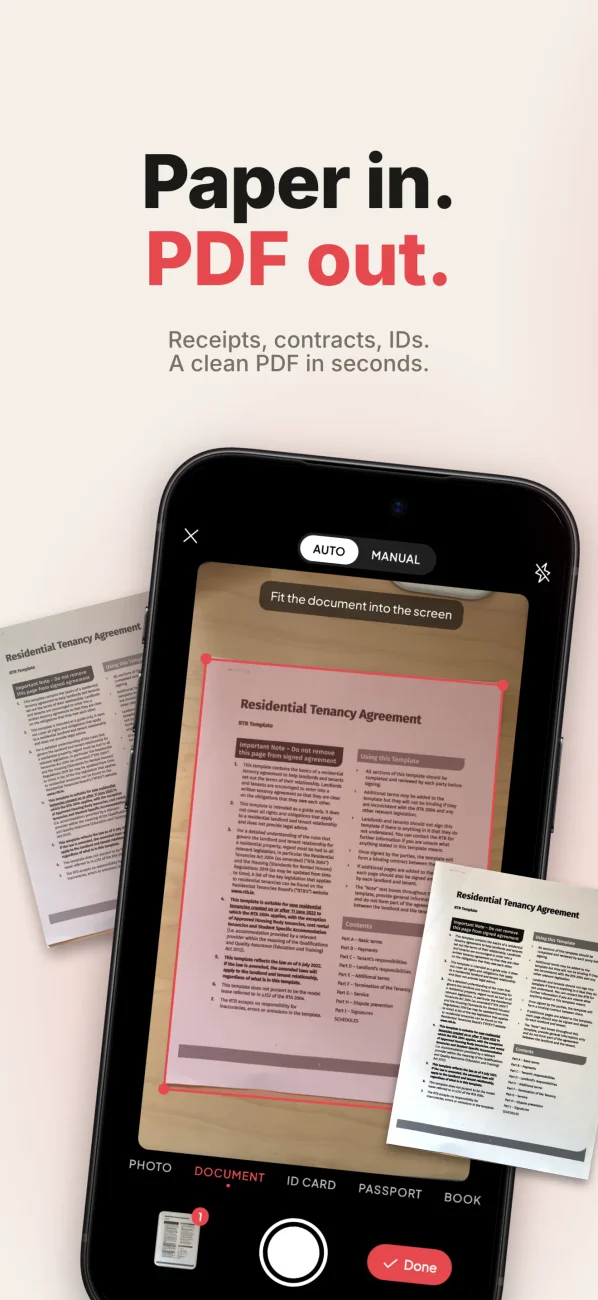
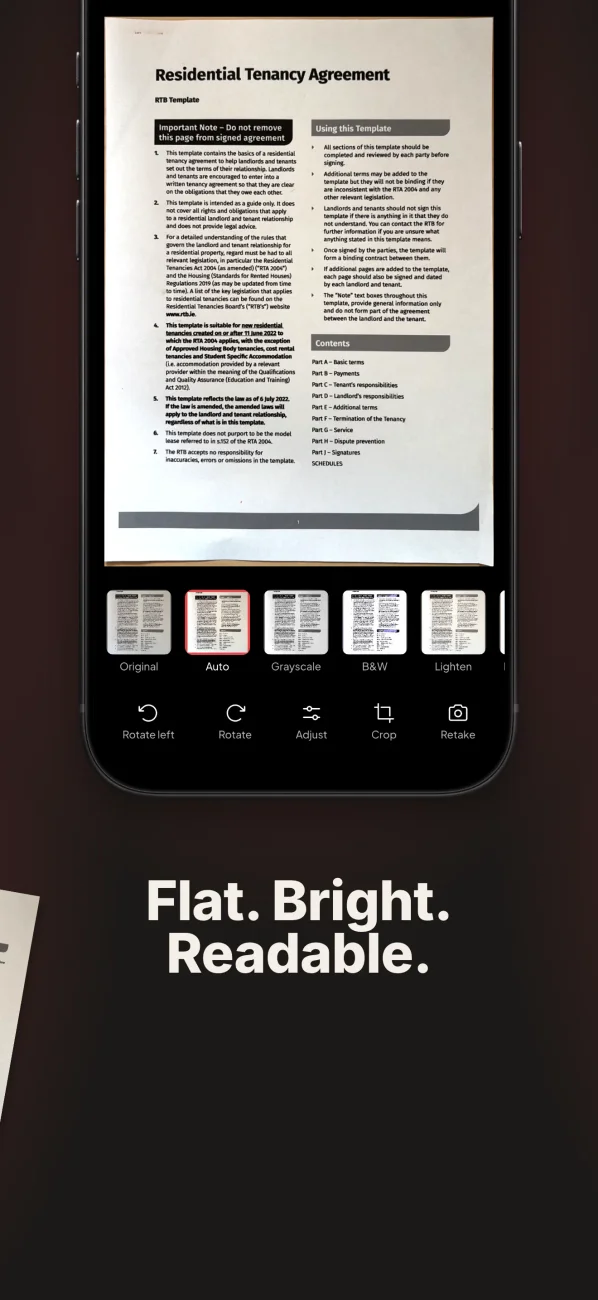
Scanpaper turns any paper into a clean, straight PDF in seconds. Point the camera at a receipt, contract, letter, whiteboard or ID card: the page is found and cropped live, the filter removes shadows, and the result is a sharp document you can sign, search and share.
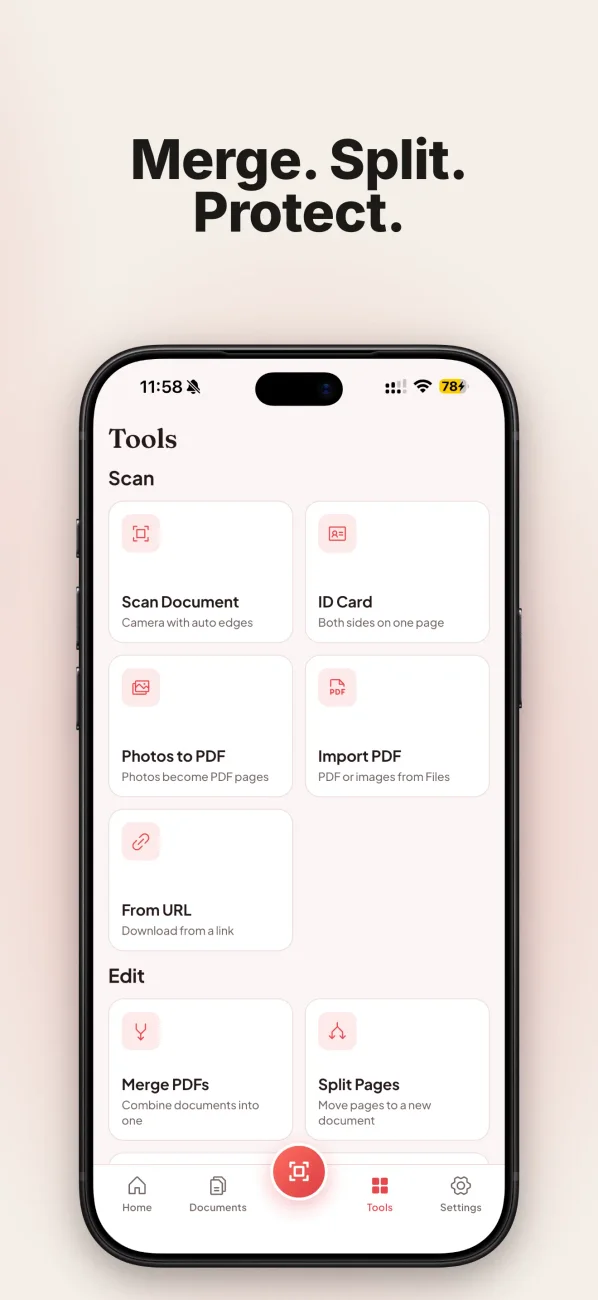
SCAN ANYTHING TO PDF
• Live edge detection and auto capture
• Multi-page scans in one go, pages reordered by drag
• Filters for documents, receipts, photos and books
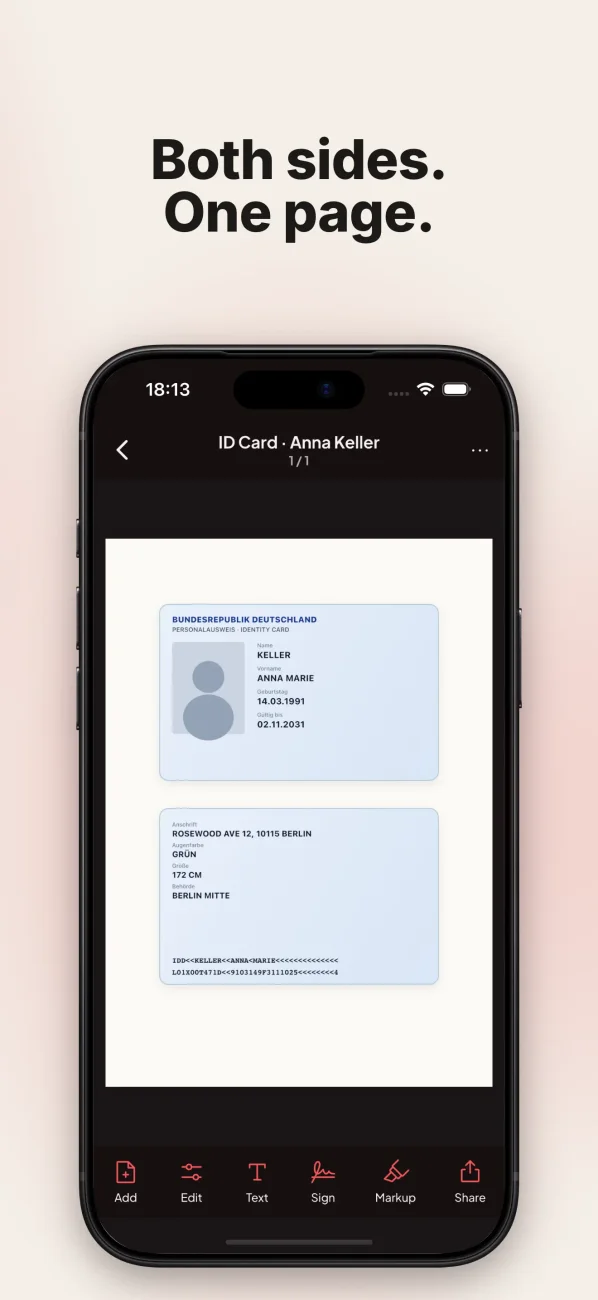
• ID card and passport modes: both sides on one page
• Import photos, files or a link and turn them into PDF
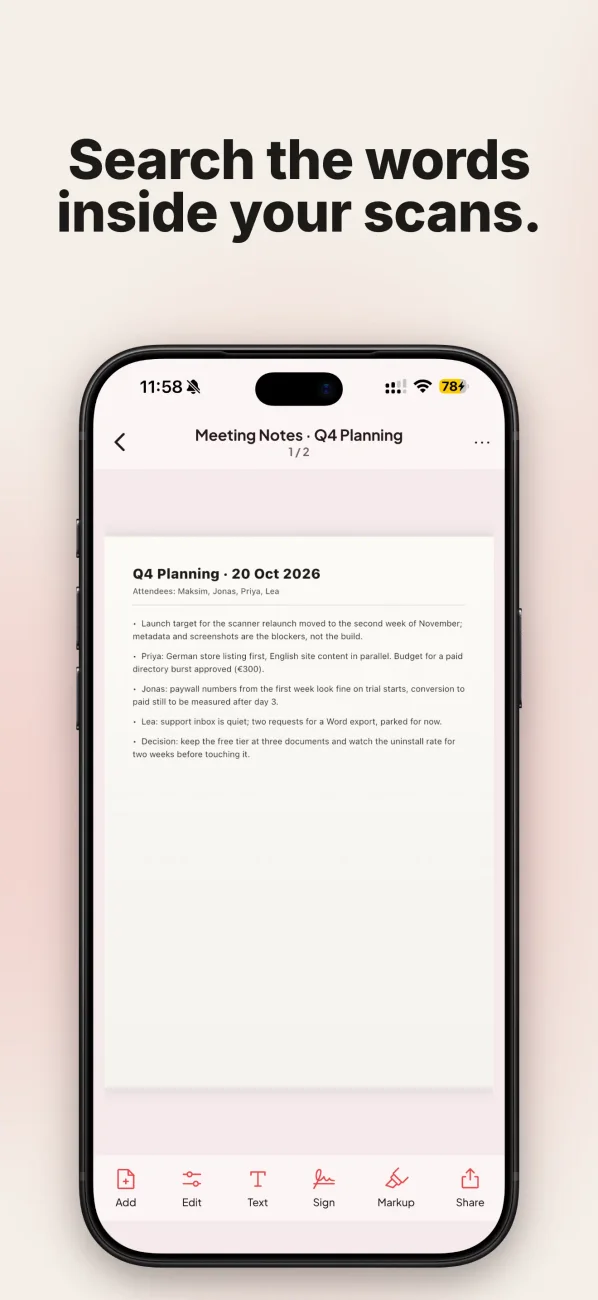
FIND THE WORDS INSIDE YOUR SCANS
• Text recognition (OCR) runs on your phone
• Search your library by name or by the text on the page
• Copy or export the recognised text
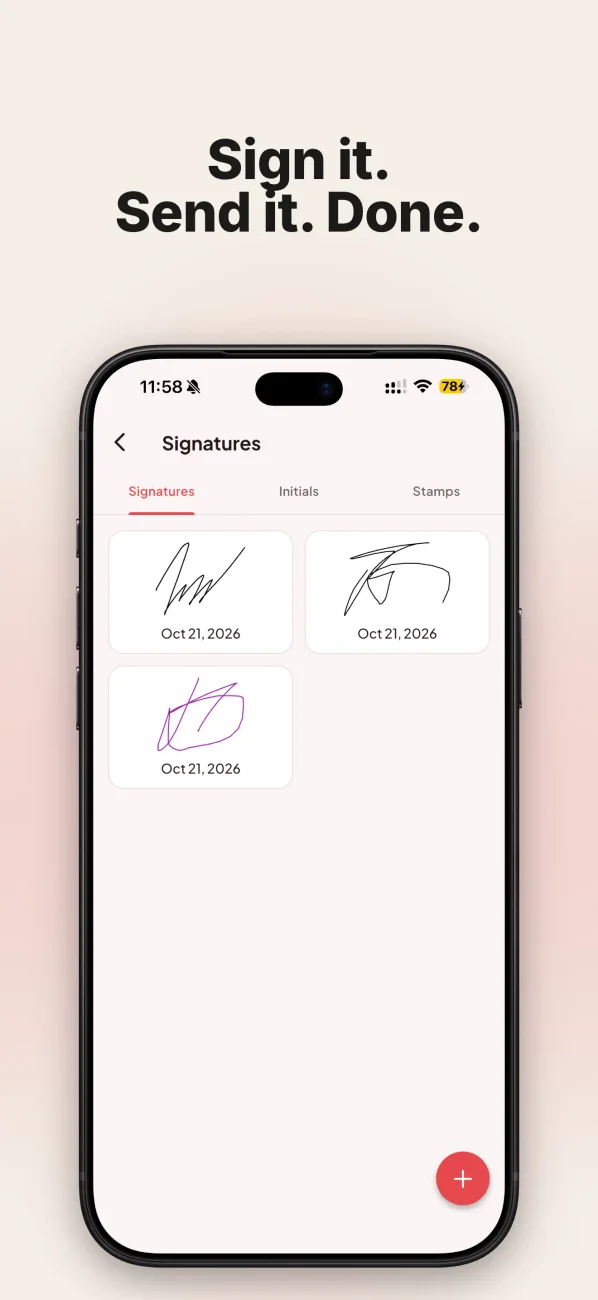
SIGN AND SEND
• Draw your signature once, place it on any page
• Add text, initials, stamps and markup
• Share as PDF, images or plain text, print, or save to Files
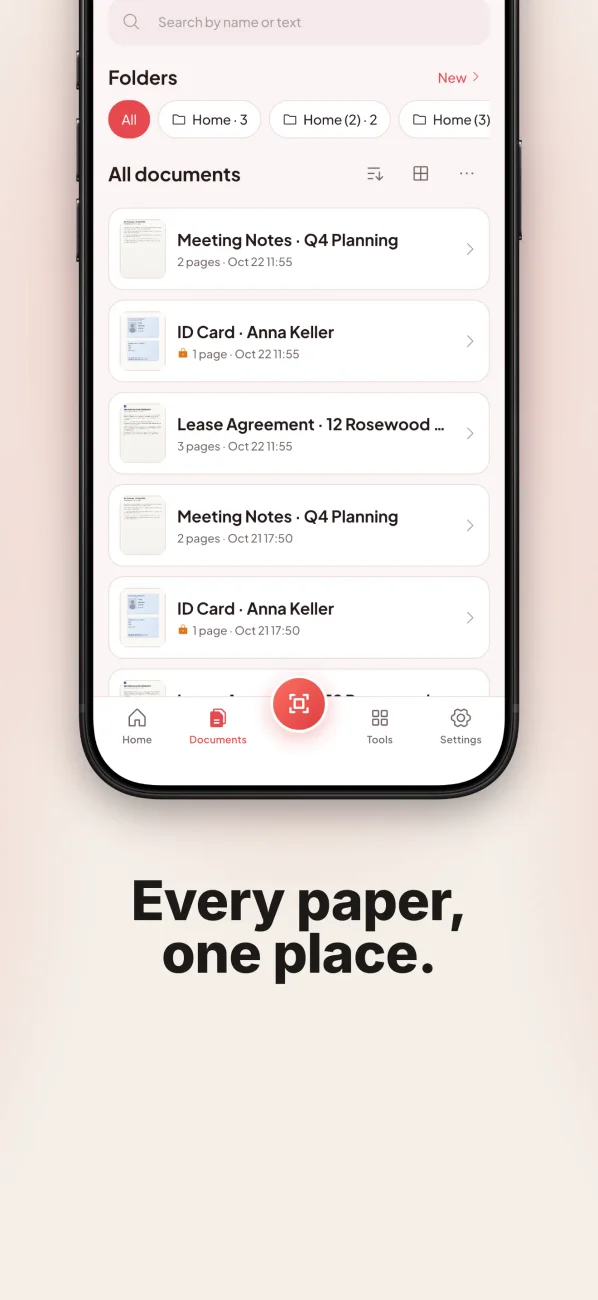
ORGANISE AND PROTECT
• Folders, search and sorting
• Merge PDFs, split pages, compress for email
• Password-protect a PDF and lock the app with Face ID or a PIN
PRIVATE BY DESIGN
No account. No cloud. Your scans never leave your phone unless you share them.
WHO IT'S FOR
Students submitting assignments, freelancers sending signed contracts, travellers keeping passport copies, anyone who wants paperwork out of the drawer and into their pocket.
Scanpaper Pro unlocks unlimited documents with no footer, High scan quality, text recognition and search, ID card, passport and book modes, PDF passwords, compression, watermarks and page numbers, app lock with Face ID, and unlimited signatures and stamps. Merge, split, folders, markup and sharing are free. A free trial is available.
If you opt to purchase a subscription, the fee is charged to your Apple ID account. Subscriptions renew automatically unless cancelled at least 24 hours before the end of the current period. Manage or cancel in your App Store account settings. Any unused portion of a free trial is forfeited when you purchase a subscription.
Terms of Use: https://artmvstd.com/terms/
Privacy Policy: https://artmvstd.com/privacy/
What’s new
Version 1.1.0 · Oct 24, 2026
Convert to PDF is now Scanpaper. New scanner with live edge detection and auto capture, ID card and passport modes, text search inside your scans, signatures, folders, merge and split, PDF passwords, app lock, and a fresh design.
App privacy
What Artmvstd SIA declares on the App Store about how this app handles data.
-
Data not linked to you
May be collected but is not linked to your identity.
- Identifiers
Privacy practices may vary, for example with the features you use or your age.
Information
- Seller
- Artmvstd SIA
- Category
- Utilities
- Version
- 1.1.0
- Updated
- Oct 24, 2026
- Released
- Aug 7, 2025
- Size
- 51.9 MB
- Requires
- iOS 15.5 or later
- Age rating
- 4+
- Price
- Free
- In-app purchases
- Yes
- Languages
- English, Arabic, Catalan, Croatian, Czech, Danish, Dutch, Finnish, French, German, Greek, Hebrew + 20 more
- Copyright
- © 2026 SIA Artmvstd
You might also like
-
 Cleanup Storage: Cleaner PhoneFree Up Space, Swipe Delete
-
 Translator AI - Translate NowVoice・Photo・Text Translation
-
 PDF Converter - Editor ViewerMulti format file to PDF
-
 PDF Document Scanner ConverterScan Any Doc & Convert to PDF
-
 AI Note SummarizeMeetings,Lectures,ToDo
-
 Audio to Text Converter +Easy Speech Transcription
-
 Sports Card Price ScannerValue Identifier Trading Guide
-
 PDF Converter&Editor - PDF ZenSmart PDF Converter & Editor
-
 Hidden Camera Finder: SpySenseFind Cameras & Device Detector