
Scenes Photo Frame
Your memories, always on view
Designed for iPhone, iPad
Free · In-app purchases
- Age rating4+
- CategoryPhoto & Video
- DeveloperTIMOTHY M HERDINA
- LanguagesEnglish
- Size5.1 MB
Links to the official App Store page
Download.org hosts no file of Scenes Photo Frame. The button opens its official App Store page, published by TIMOTHY M HERDINA. Listing last checked on Nov 21, 2026.
Screenshots


About
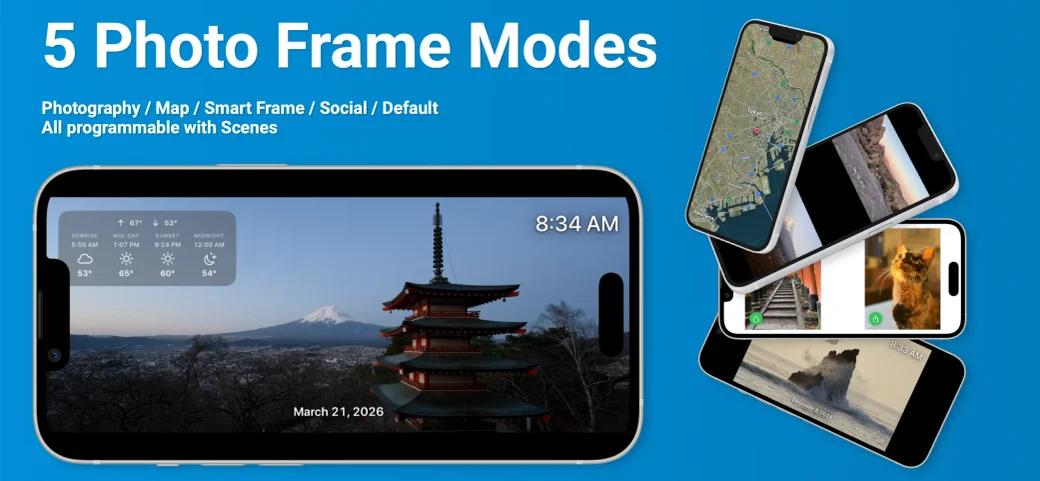
Give your device a day job — five distinct Frame Modes turn it into a beautiful, fully private photo frame. No accounts, no tracking, no subscription. Your photos never leave the device.
PhotoFrame is the perfect nightstand companion, kitchen display, or desk frame. Pick a mode, pick your albums, and you're done — or dive into the settings and tune every detail yourself.
FIVE FRAME MODES, EACH ITS OWN EXPERIENCE
◆ Default — A balanced, full-bleed slideshow with subtle transitions. The everyday frame.
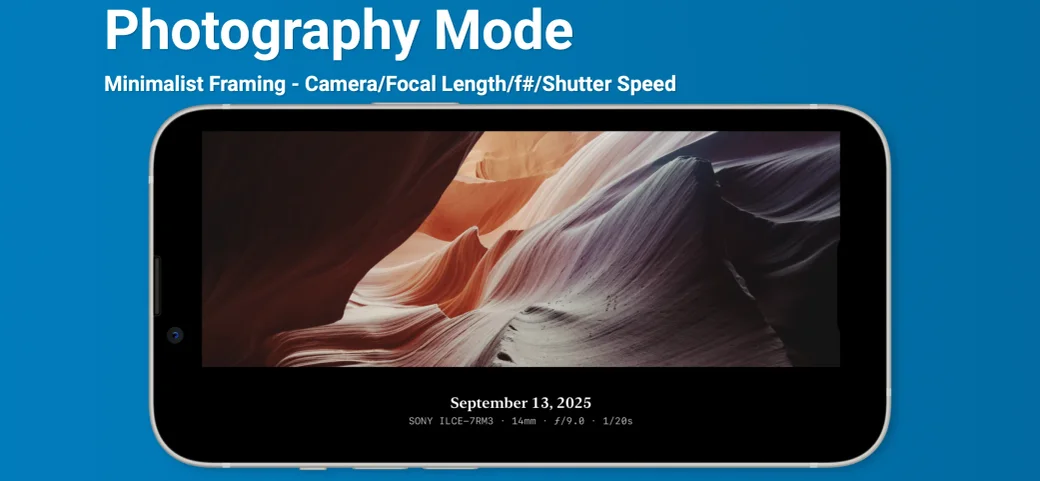
◆ Photography — A fine-art gallery look. Each photo gets a museum-style matte and EXIF details (camera, lens, aperture, shutter, ISO) sit alongside the shot. Built for a serious photo display.
◆ Social — A dual-photo split layout with a clean white border, styled like prints on a fridge. Perfect for casual snapshots, kids' photos, vacation rolls.
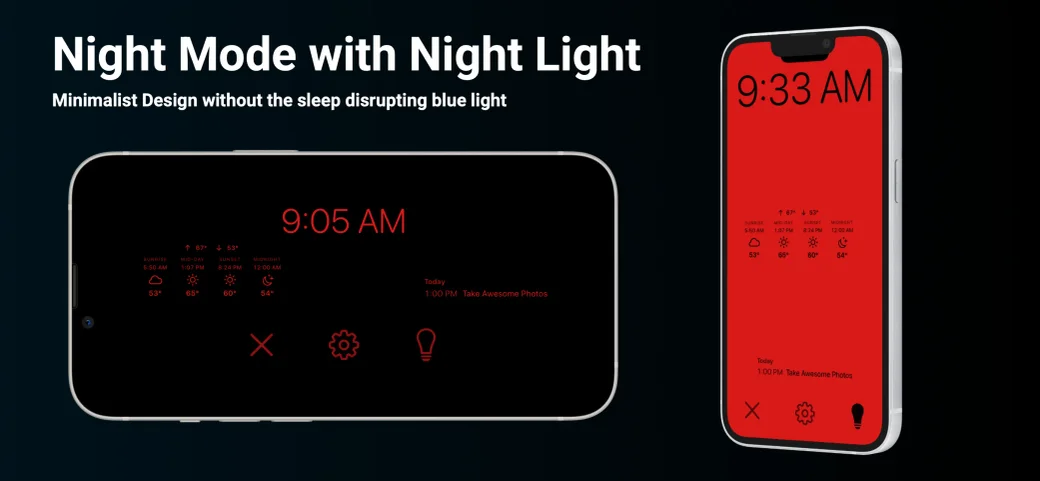
◆ Smart Frame — Weather, calendar and a clock stay visible at a glance over your photos. Turns it into a genuinely useful nightstand or kitchen display, not just a slideshow.
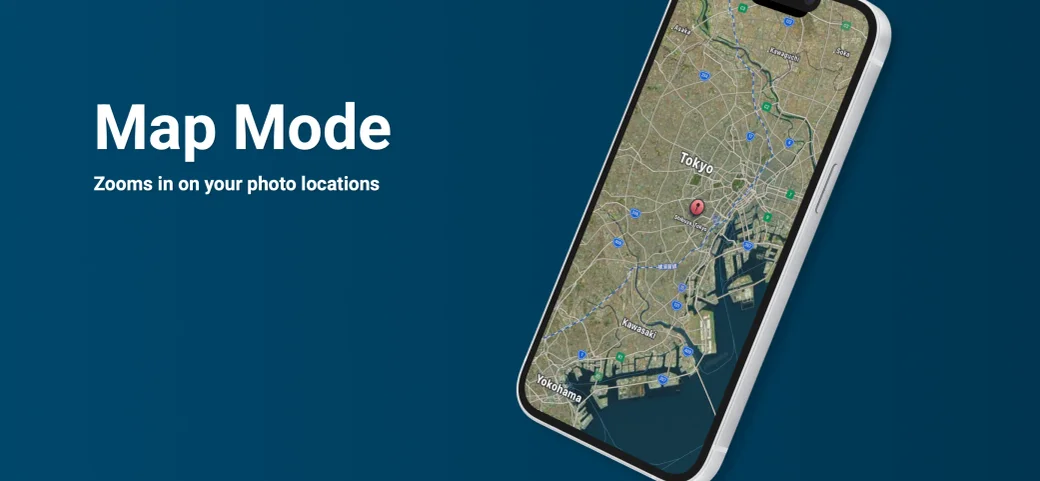
◆ Map — A cinematic globe-zoom intro for each photo and a mini-map overlay showing exactly where it was taken. A travel diary that plays itself.
Switch modes any time. Each one ships with curated transitions, layouts, mattes, overlays and timing — but every setting underneath is still yours to override.
EVERYTHING IS CUSTOMIZABLE
Supported Media: Photos, Live Photos, and Video
Pick any combination of albums, including Favorites, Recents, smart albums and Shared Albums
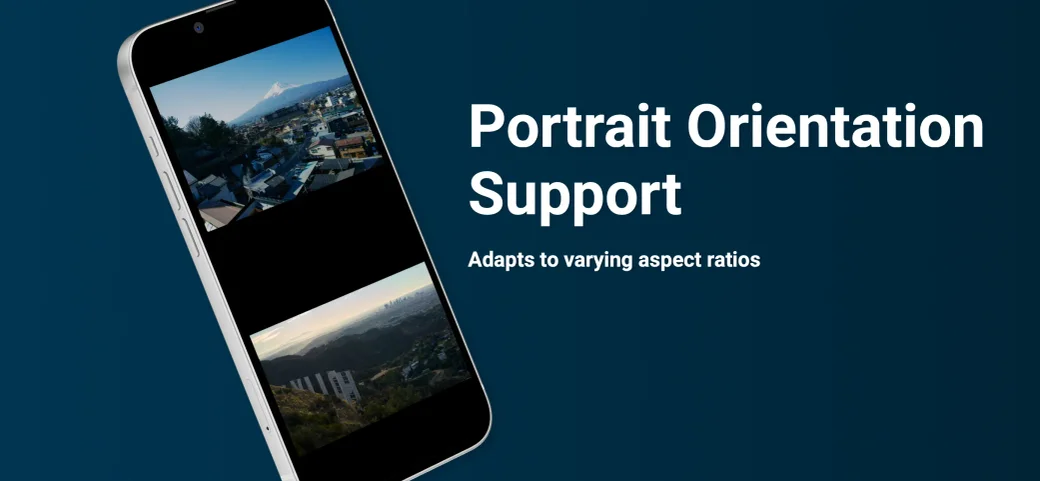
Adjust playback interval from 1 second to hours, with a separate dwell multiplier for portrait shots
Shuffle or play in order
Five transition styles: fade, cross dissolve, Ken Burns, slide, push
Matte styles: none, black, white, blurred photo, or auto-color matched to the image
Photo-info overlay with date, location, caption and album name — placed in any of six on-screen positions
Optional clock, weather and calendar widgets, each independently positionable
Date, orientation and smart filters (favorites only, "on this day", exclude screenshots / videos / Live Photos / hidden)
BUILT FOR ALWAYS-ON
Adaptive brightness clamps auto-brightness to your own min/max range so it never goes blinding or pitch black at night
Auto sleep/wake schedule by time of day — perfect for a nightstand frame that quiets down when you do
"Closer Look" pinch-to-zoom on any photo, snaps back when you release
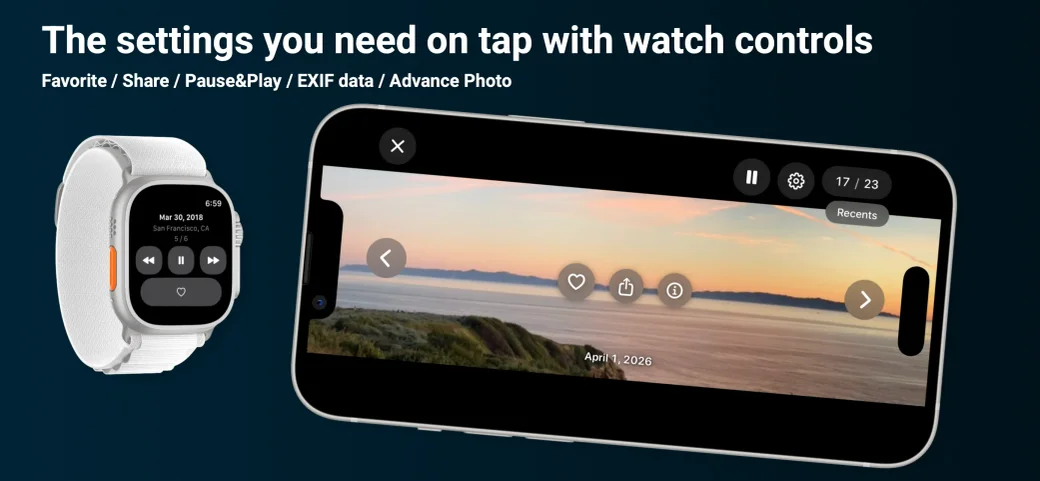
Configurable gestures: swipe to navigate, double-tap to pause, long-press to favorite, tap for the info HUD
Works in every orientation, on every screen size
Dark mode by default, with light and system options
Apple Watch companion for quick control
PRIVATE BY DESIGN
No accounts. No tracking. Your photos never leave the device.
Pay once. Yours forever.
EULA
https://www.apple.com/legal/internet-services/itunes/dev/stdeula/
What’s new
Version 1.0.1 · Jun 7, 2026
Added lock feature to restrict access to albums, favoriting, sharing, and settings
Added Current date to text overlay option
Upgraded the calendar widget with multiple new features
Updated album select screen
Fixed bug where you couldn’t select the Live Photos smart album
Fixed bug that had the Live Photo and Audio buttons conflict with widgets
Fixed bug where all elements in night mode where not rendering in red
App privacy
What TIMOTHY M HERDINA declares on the App Store about how this app handles data.
-
Data not collected
The developer does not collect any data from this app.
Privacy practices may vary, for example with the features you use or your age.
Information
- Seller
- TIMOTHY M HERDINA
- Category
- Photo & Video
- Version
- 1.0.1
- Updated
- Jun 7, 2026
- Released
- Jun 4, 2026
- Size
- 5.1 MB
- Requires
- iOS 17.0 or later
- Age rating
- 4+
- Price
- Free
- In-app purchases
- Yes
- Languages
- English
- Copyright
- © 2026 Timothy Herdina
You might also like
-
 Simple SlideShow - KNAKPhoto & Video
-
 GhalamPhotosDigital Frame and Photo Viewer
-
 Morpho: Face Swap AI PhotoAnime Filter, Cartoon & Art
-
 Luxa: Digital Photo FrameSlideshow, Clock & Calendar
-
 PicDock: Digital Photo FrameSlideshow & Bedside Clock
-
 Pad FrameGive Your iPad a New Purpose
-
 Digital Frame LitePhoto & Video
-
 ProVideo Camera SpencerManual Cinema LUTs
-
 LandscapePhotographyHelper ProSun Moon Milkyway Prediction
-
 PhotoPanel: Photo FrameSlideshows from shared albums