
Scheduley for Work
Schedules, shifts & time clock
Designed for iPhone, iPod touch
Free
- Age rating4+
- CategoryBusiness
- DeveloperWaveflow LLC
- LanguagesEnglish
- Size57.7 MB
Links to the official App Store page
Download.org hosts no file of Scheduley for Work. The button opens its official App Store page, published by Waveflow LLC. Listing last checked on Nov 23, 2026.
Screenshots

About
Scheduley is the all-in-one workforce app for hourly teams. Whether you're picking up shifts, requesting time off, or clocking in for the day, Scheduley keeps your work schedule and your team in sync — right from your phone.
Built for employees of businesses that use Scheduley, the app gives you instant access to everything you need to manage your work week.
— SEE YOUR SCHEDULE —
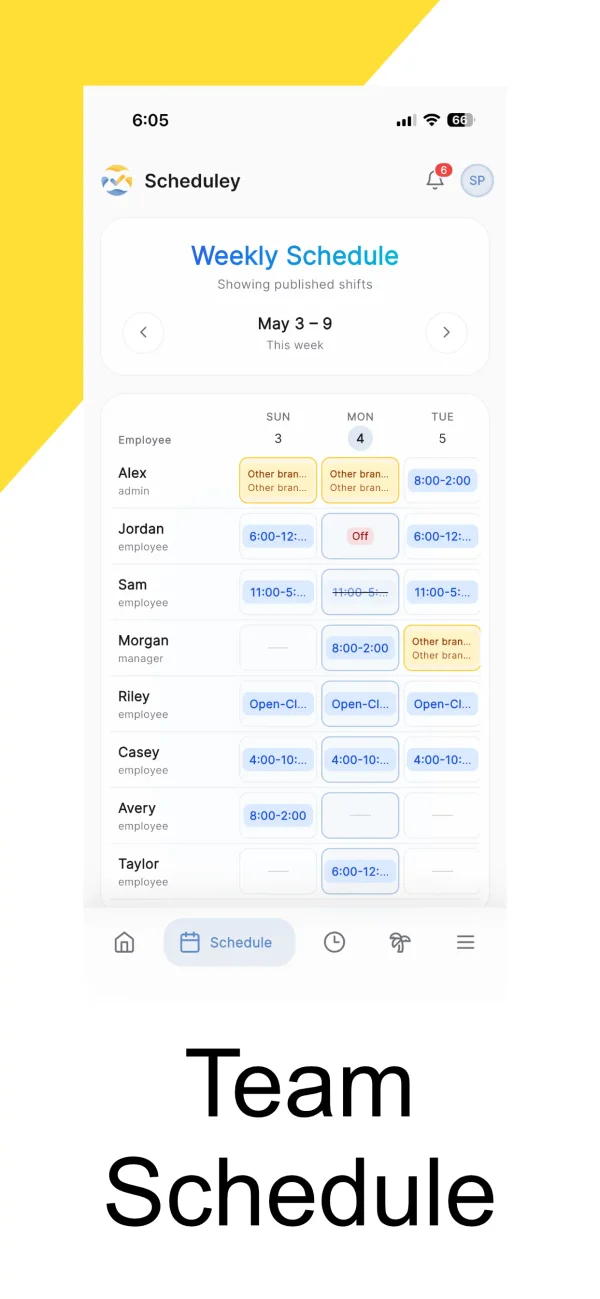
View your upcoming shifts in a clean weekly grid. Tap any shift for details on times, location, branch, role, and notes. Switch between branches if you work at more than one location. Schedules update live the moment your manager publishes changes — no refresh needed.
— CLOCK IN & OUT —
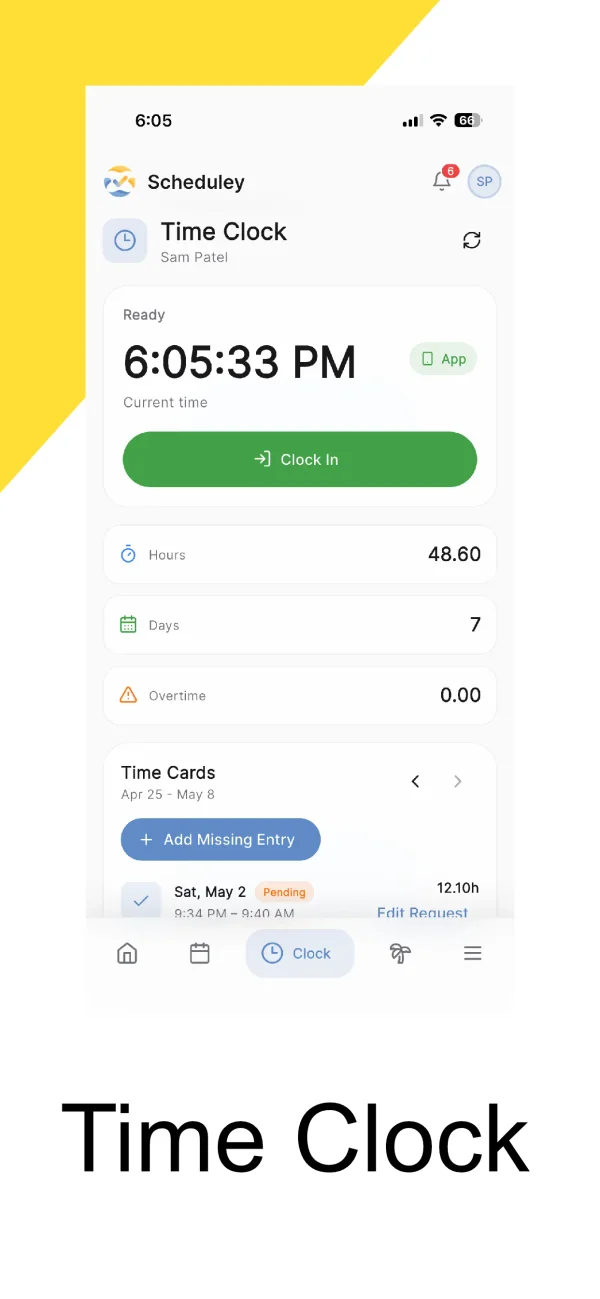
Start and end your shift with a single tap. Scheduley supports GPS-verified clock-ins for companies that use geofencing, so you can confirm you're at the right location automatically. Review your time card history, see total hours worked, and never wonder if a punch went through.
— REQUEST TIME OFF —
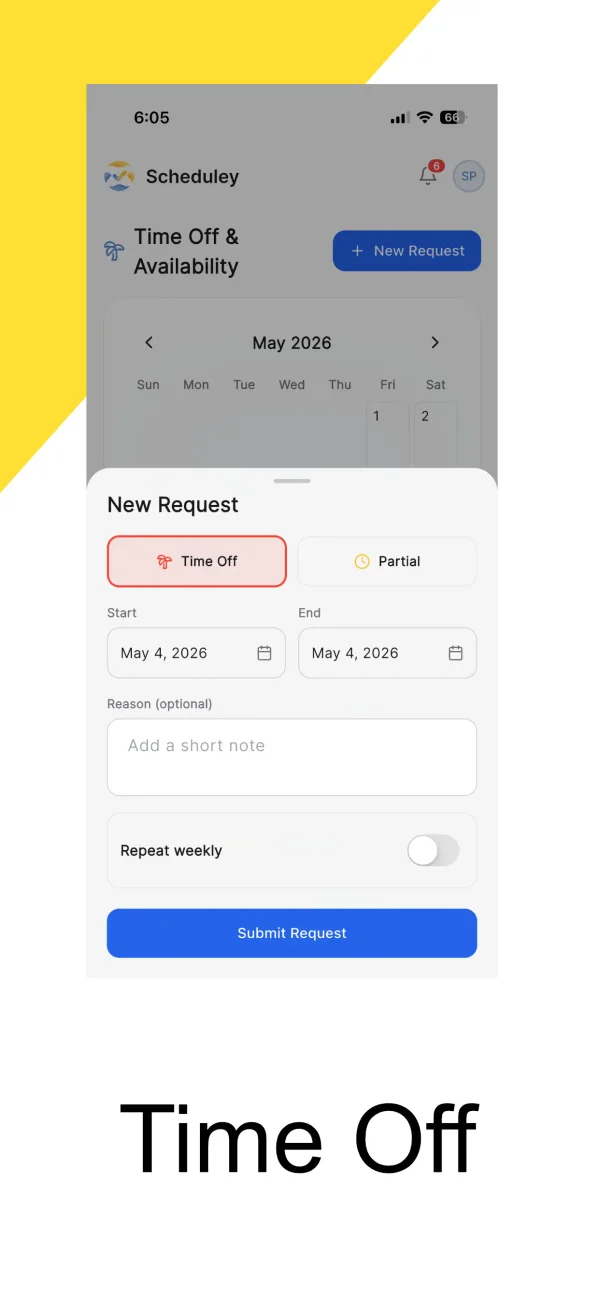
Submit time-off requests in seconds with an interactive calendar. Track approval status in real time, see how many days you've used, and view active and upcoming requests at a glance. Get notified the moment your manager approves or denies a request.
— SWAP & PICK UP SHIFTS —
Need someone to cover your shift? Post a shift swap, browse open shifts, and request changes — all from your phone. Managers approve from their end and everyone stays on the same page.
— TEAM CONTACTS —
Quickly call or text coworkers and managers without leaving the app. Perfect for last-minute coverage or quick questions before a shift.
— ANNOUNCEMENTS & SURVEYS —
Stay informed with company announcements that appear right when you open the app. Respond to manager surveys to share availability, feedback, or anything else your team needs.
— SMART NOTIFICATIONS —
Get push notifications for new shifts, schedule changes, time-off decisions, swap requests, clock-out reminders, overtime alerts, and announcements. Customize what you receive in notification preferences — turn off the noise, keep the essentials.
— PROFILE & ONBOARDING —
Keep your profile and required information up to date so you're always ready to work. Upload a profile photo, complete onboarding fields your employer requires, and review your role and branch assignments.
— DELIVERY MODE —
If your company uses deliveries, start a delivery from the time clock while you're clocked in. Scheduley records your route and miles until you end the delivery or clock out, so your manager can see live deliveries and reimburse your mileage. Location is used only while a delivery is on.
— DESIGNED FOR HOURLY WORK —
Light and dark mode, large tap targets, glanceable widgets, and a fast, modern interface tuned for the realities of shift work. Whether you're a barista, nurse, retail associate, restaurant server, or warehouse team lead — Scheduley fits.
IMPORTANT: Scheduley is an employee-facing app. To use it, your employer must already use Scheduley as their workforce management platform. You'll receive an invitation email or access code from your manager to get started.
Questions? Contact support@schedulely.app or visit https://schedulely.app
What’s new
Version 2.1.8 · Nov 16, 2026
Pay periods on the time clock now match the website. After the daylight saving change, the app could show the period starting a day early. Semimonthly pay periods are now supported too.
App privacy
What Waveflow LLC declares on the App Store about how this app handles data.
-
Data linked to you
May be collected and linked to your identity.
- Location
- Contact info
- Identifiers
Privacy practices may vary, for example with the features you use or your age.
Information
- Seller
- Waveflow LLC
- Category
- Business
- Version
- 2.1.8
- Updated
- Nov 16, 2026
- Released
- May 6, 2026
- Size
- 57.7 MB
- Requires
- iOS 15.0 or later
- Age rating
- 4+
- Price
- Free
- Languages
- English
- Copyright
- © 2026 Carson Miller
You might also like
-
 MorganizeLife More Organized
-
 eHungry ManagerBusiness
-
 ScheduleySchedule Your Life
-
 SEICU Mobile BankingFinance
-
 My Ross Vet: Student PortalManage Your Account Anywhere
-
 Connection CU MobileFinance
-
 Patriot Connect AppFinance
-
 The Bank of Commerce MobileFinance
-
 Beehive FCU MobileFinance
-
 BetterCalendarBetterCalendar - Simply Better