- Age rating4+
- CategoryMusic
- DeveloperAndrew Scott
- LanguagesEnglish
- Size7.3 MB
Links to the official App Store page
Download.org hosts no file of Scouter Synth. The button opens its official App Store page, published by Andrew Scott. Listing last checked on Nov 15, 2026.
Screenshots


About
ScouterSynth is a music tracker built like a handheld console. Eight tracks, a D-pad, two buttons, and no menus — every operation is a chord you can play with your thumbs.
WRITE
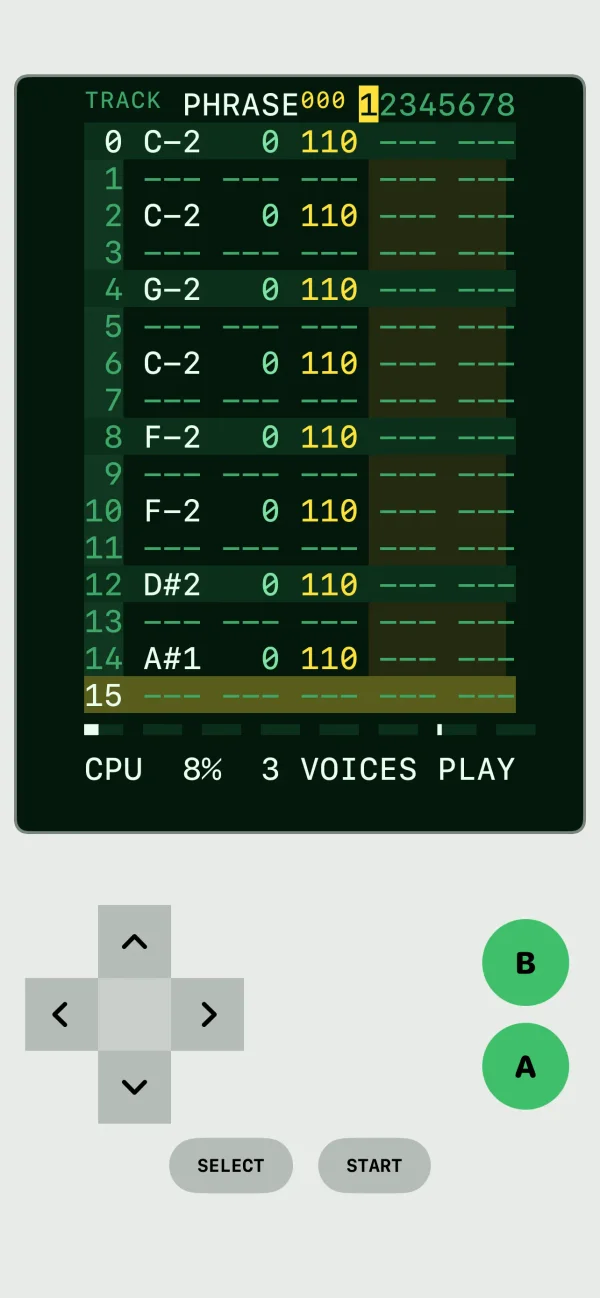
Phrases of sixteen rows, chains of phrases, and a song made of chains. Write a bassline once and place it four times with different transposes; change it later and every one of those places changes with it. Phrases can be shorter than sixteen rows, so six-eight is as easy as four-four.
SOUND
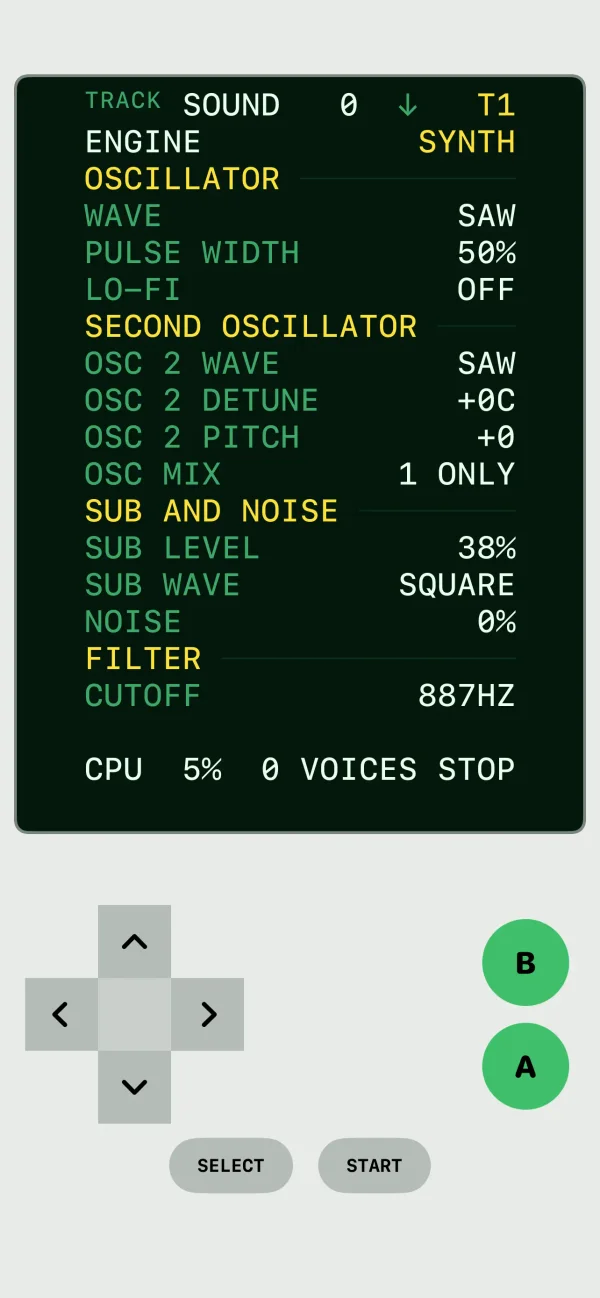
A synth voice per track — saw, pulse with PWM, triangle and sine, through a resonant filter and an envelope — or a sample, played whole or sliced. Wavetables for the sounds a plain oscillator cannot make. Per-tick tables for automation that runs faster than a row.
SAMPLE
Import from anywhere on your phone, or record straight into a slot from the microphone. MP3, AAC, M4A, AIFF and WAV are all converted on the way in. Whatever you choose is copied into your project, so a saved song carries its audio with it.
MIX
Ten lanes on one screen — eight tracks and two send buses — with level, pan, mute and solo, and three effect slots on each: filter, bitcrush and a tempo-synced delay. Watch the desk as a set of numbers or as ten live traces.
PLAY
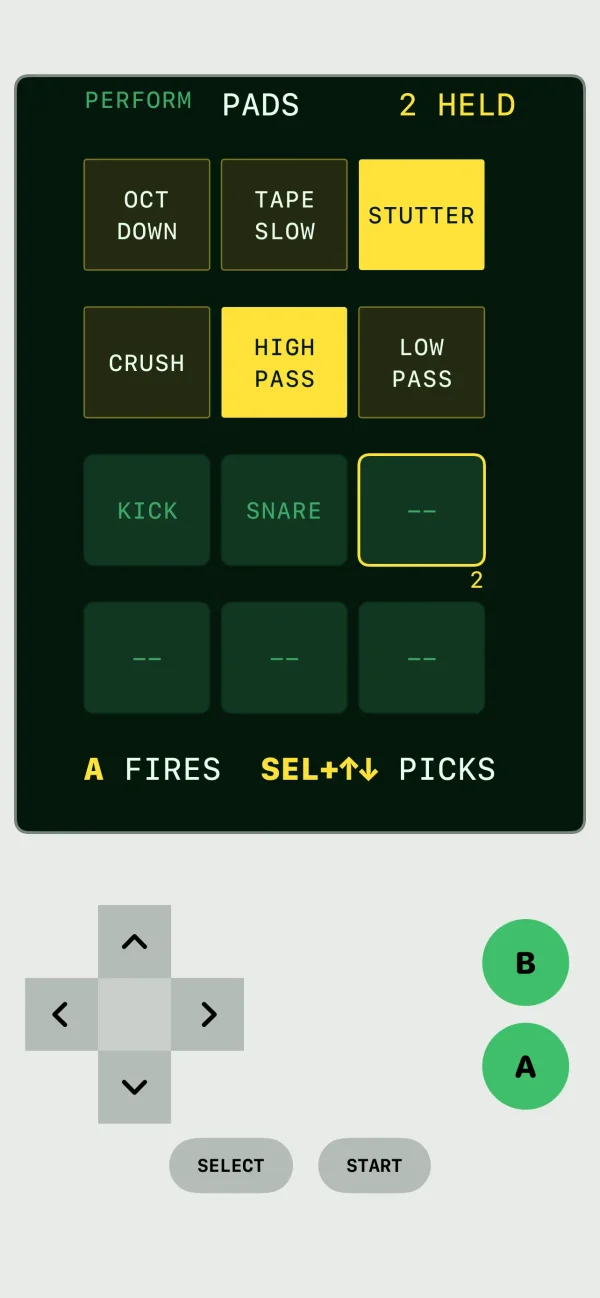
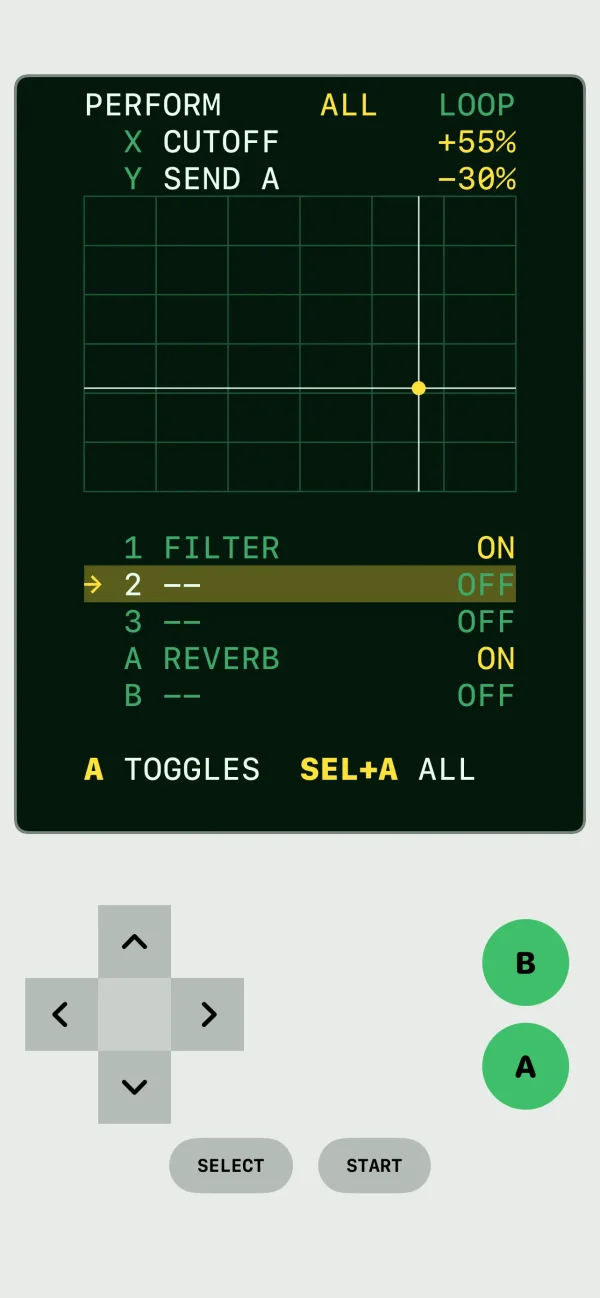
A performance pad wires any two parameters to an X and a Y axis and moves every track at once. A grid of twelve pads holds six punch-in effects — an octave down, tape slow, a stutter, a bitcrush, a high pass and a low pass — held rather than latched, so nothing can be left on by accident, and six one-shot samples to fire over the top.
SEE
A radar sweep that reads the mix by frequency, a scope on the output, and six palettes to put it all in.
INTEGRATE
MIDI in and out with clock. A Bluetooth game controller, mapped button by button to whatever pad you own. Export the whole arrangement to a WAV. Songs, samples and exports all sit in the Files app where you can reach them.
No accounts. No subscriptions. No network. The manual is inside the app — press SELECT and B on any screen.
What’s new
Version 1.1 · Oct 20, 2026
- Added a new playlist mode for chaining together multiple songs
- Create new lock screen widgets to display a "fingerprint" of your song
- Improved sample editing
- Added a new Theme editor - deeply personalize the app to your visual preferences
App privacy
What Andrew Scott declares on the App Store about how this app handles data.
-
Data not collected
The developer does not collect any data from this app.
Privacy practices may vary, for example with the features you use or your age.
Information
- Seller
- Andrew Scott
- Category
- Music
- Version
- 1.1
- Updated
- Oct 20, 2026
- Released
- Sep 24, 2026
- Size
- 7.3 MB
- Requires
- iOS 17.0 or later
- Age rating
- 4+
- Price
- Free
- Languages
- English
- Copyright
- © Drowned Coast Software
You might also like
-
 Arch Carrier Instrument LabDraw shapes. Play their sound.
-
 Deck LitePick a plugin. Plug in. Play.
-
 Sampledex DAWDigital Audio Station
-
 Sound With BonesDraw a physical instrument
-
 Bytebeat: Make Music with CodeWrite a formula, hear music
-
 Spreadsheets SynthAcid bass synth + sequencer
-
 BrusmaskinPocket groovebox & sampler
-
 SL Radio MiniAUv3 Radio Effect Plug-in
-
 VoltageControlEurorack controller in the DAW
-
 Loop Breaker - Glow MachineMusic