Screen Limit: App Blocker
Focus, Study & Digital Detox
Designed for iPhone, iPad
Free · In-app purchases
- Age rating4+
- CategoryProductivity
- Developerhaikuo sun
- LanguagesEnglish+ 1 more
- Size5.3 MB
Links to the official App Store page
Download.org hosts no file of Screen Limit: App Blocker. The button opens its official App Store page, published by haikuo sun. Listing last checked on Nov 18, 2026.
Screenshots

About
Set the rules before distraction wins.
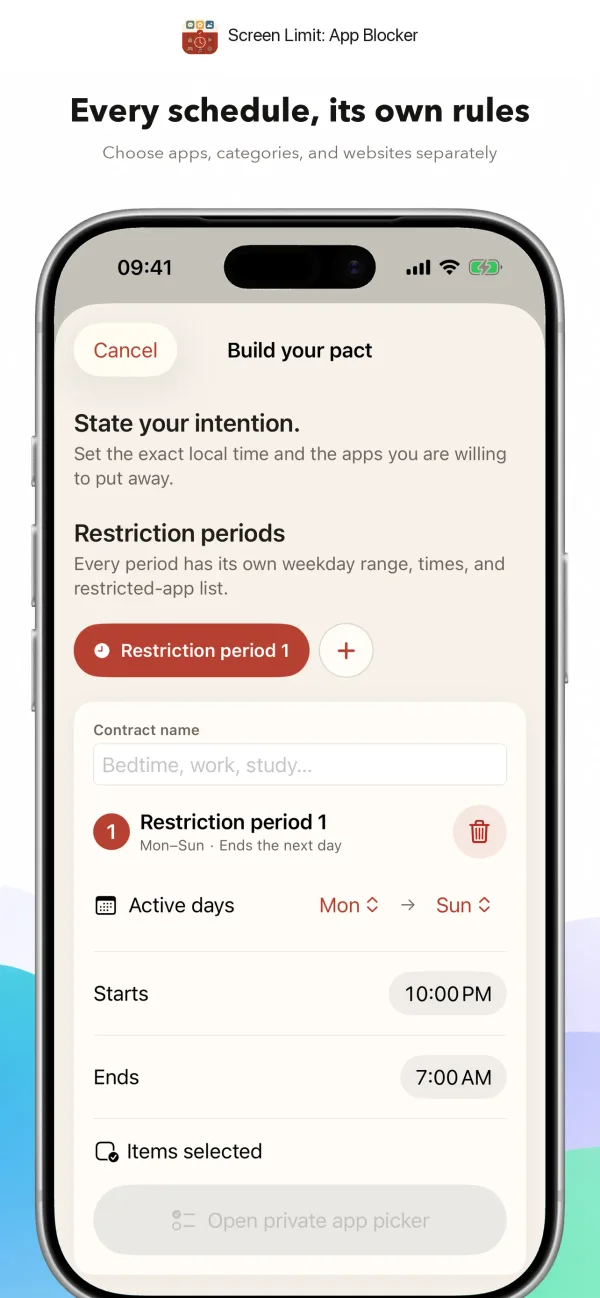
Screen Limit: App Blocker schedules restrictions with Apple’s Screen Time framework. Make one commitment for bedtime, study, work, or family time: choose the days and hours, then select the apps, categories, or websites to restrict. When a focus period starts, iPhone applies the block automatically.
Why is it harder to switch off on impulse?
Your rules are signed as a commitment. Overriding one uses an exemption, turning each unlock into a conscious choice instead of another automatic scroll.
What you can do:
• Add separate focus periods for different parts of your day
• Give every period its own name, weekdays, start time, end time, and restricted apps
• Block selected apps, app categories, and websites on schedule
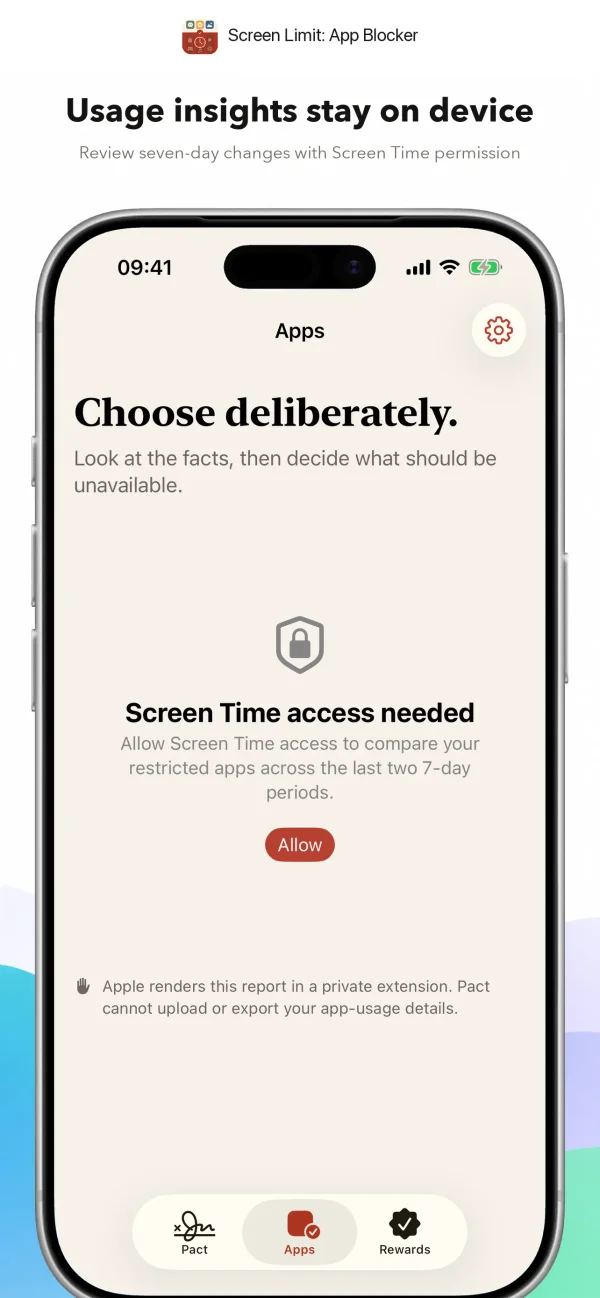
• Review seven-day changes in restricted-app usage on your iPhone
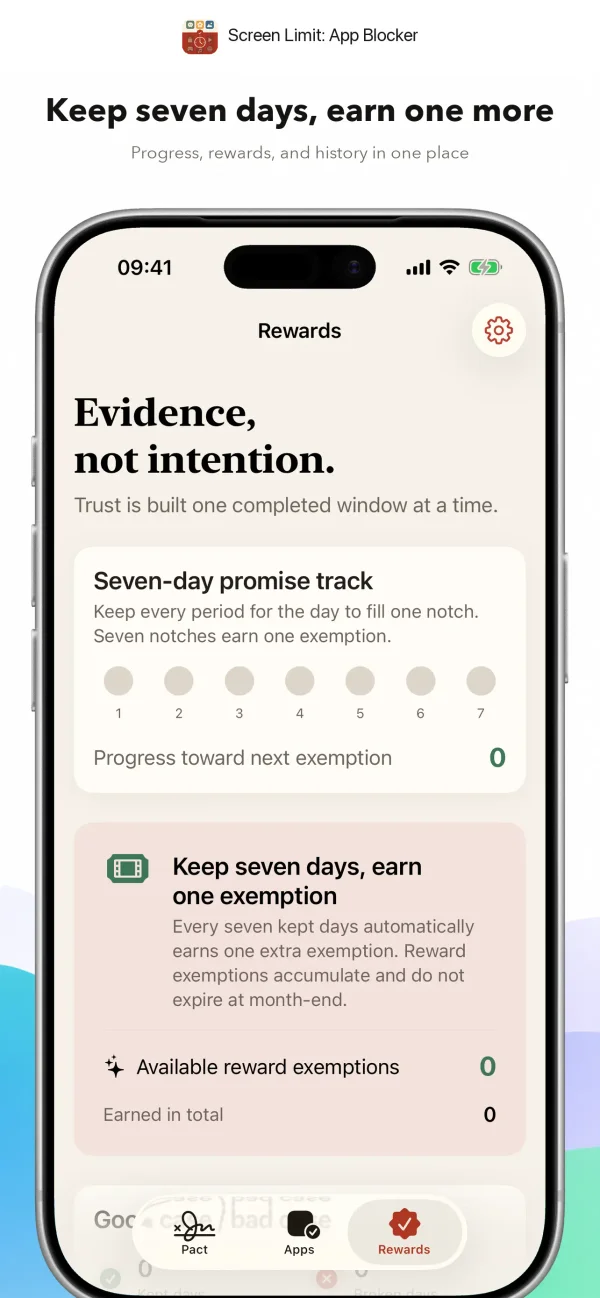
• Keep your commitment for seven consecutive days to earn an extra exemption
• Use four standard exemptions each calendar month; when they run out, blocks stay active until the scheduled period ends
• Optionally pause schedules on public holidays
Free and Pro
The free plan includes one independently configured focus period. Pro unlocks up to eight focus periods inside the same commitment and is available as a monthly subscription or one-time lifetime purchase. Available plans and local prices are shown before purchase. Purchases can be restored in the app.
Private by design
Your schedules, restriction selections, and commitment history stay on your device and in the app’s shared App Group. Screen Limit: App Blocker requires no account and includes no ads or third-party tracking.
Terms of Use (Apple Standard EULA)
https://www.apple.com/legal/internet-services/itunes/dev/stdeula/
What’s new
Version 1.0.4 · Sep 9, 2026
Redesigned the Pro upgrade screen to make monthly subscription and lifetime purchase options clearer.
Improved larger-text layouts and the messages and retry experience when a purchase option is unavailable.
App privacy
What haikuo sun declares on the App Store about how this app handles data.
-
Data not collected
The developer does not collect any data from this app.
Privacy practices may vary, for example with the features you use or your age.
Information
- Seller
- haikuo sun
- Category
- Productivity
- Version
- 1.0.4
- Updated
- Sep 9, 2026
- Released
- Aug 3, 2026
- Size
- 5.3 MB
- Requires
- iOS 18.0 or later
- Age rating
- 4+
- Price
- Free
- In-app purchases
- Yes
- Languages
- English, Simplified Chinese
- Copyright
- © 2026 Haikuo Sun
You might also like
-
 Roam: App BlockerBlock apps by location
-
 SunPause: App Limit & BlockerReduce screen time & scrolling
-
 HOLDe: App BlockerNo Ignore Limit. Stay focused
-
 Truce: App Blocker for TwoStop doomscrolling, together
-
 AppNap - Autopilot App BlockerApps need naps, too
-
 Capy Limit: App BlockerScreen Time Control & Focus
-
 Solund: Alarm & App BlockerWalk to unlock. Stop scrolling
-
 App-limitSet your own app time limits
-
 Conquer - Block AppsSelf Discipline, Goals, Dreams
-
 LionBlock: App BlockerScreen Time Limit & Focus