
Screen Time Blocker – Strict
Lock Apps, Unlock With Effort
Designed for iPhone
Free · In-app purchases
- Age rating4+
- CategoryProductivity
- DeveloperMIN SEOK KIM
- LanguagesEnglish
- Size24.3 MB
Links to the official App Store page
Download.org hosts no file of Screen Time Blocker – Strict. The button opens its official App Store page, published by MIN SEOK KIM. Listing last checked on Nov 26, 2026.
Screenshots

About
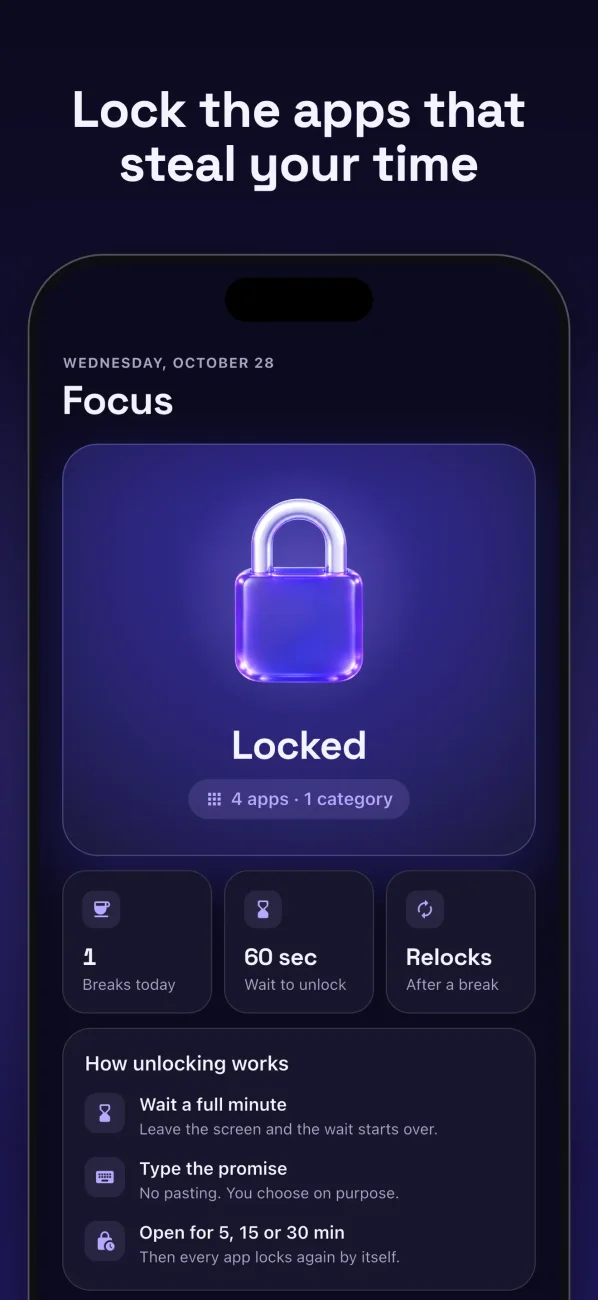
Lock the apps that steal your time, and make unlocking take real effort.
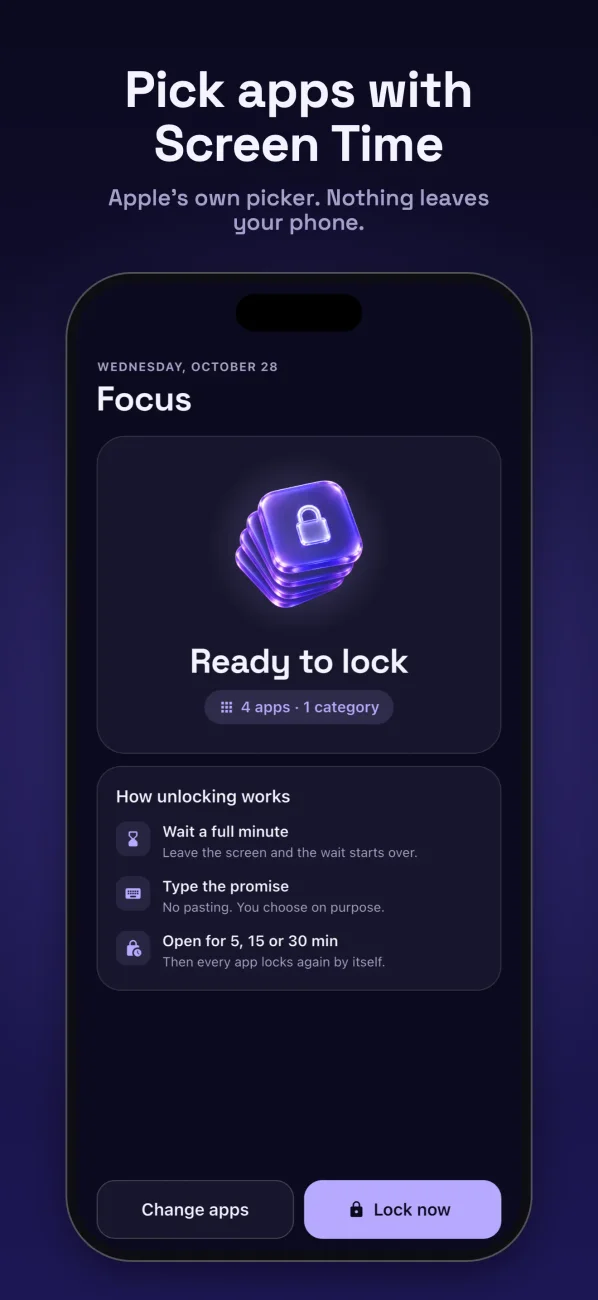
Pick apps with Apple's Screen Time. To open one, wait 60 seconds and type a short promise.
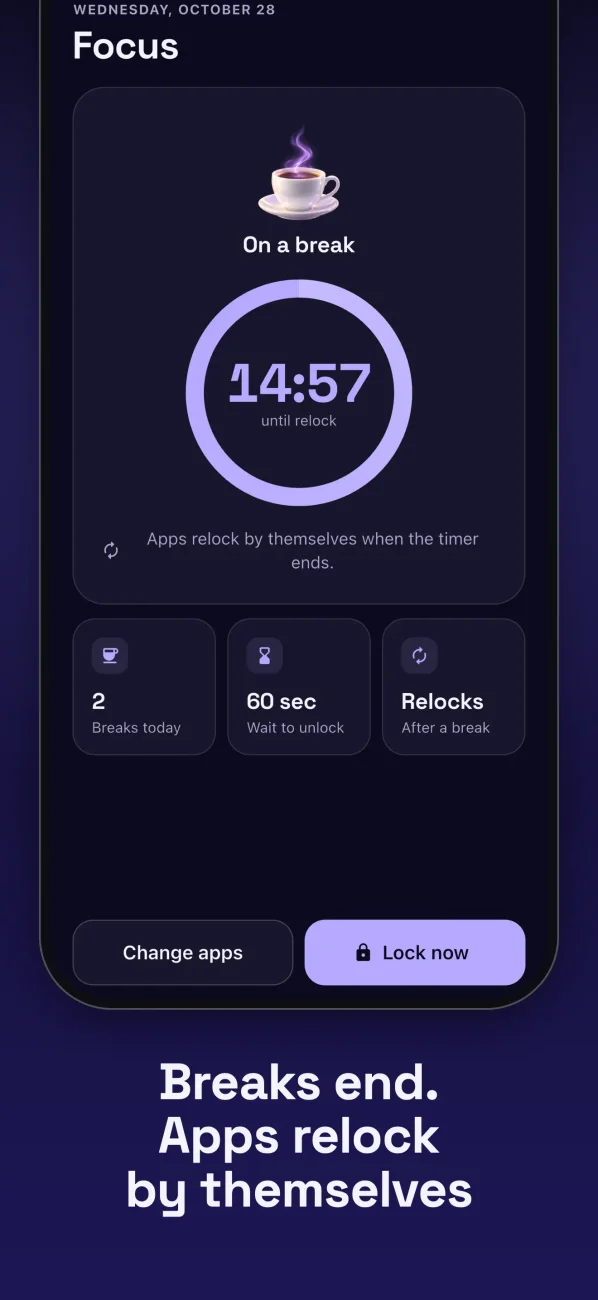
Breaks end on time: when your 5, 15 or 30 minutes are up, the apps lock again by themselves.
HOW IT WORKS
• Choose apps or whole categories with Apple's Screen Time picker.
• Turn the lock on. Locked apps show Apple's Screen Time shield.
• Need a break? Start an unlock, wait out the 60-second pause, then type the promise.
• Pick 5, 15 or 30 minutes. When time is up, the lock comes back automatically, even if this app is closed.
PRIVATE BY DESIGN
• Uses Apple's Screen Time API with your own approval, on your own device.
• Your app choices stay on your iPhone. No account, no server, no ads.
SUBSCRIPTION
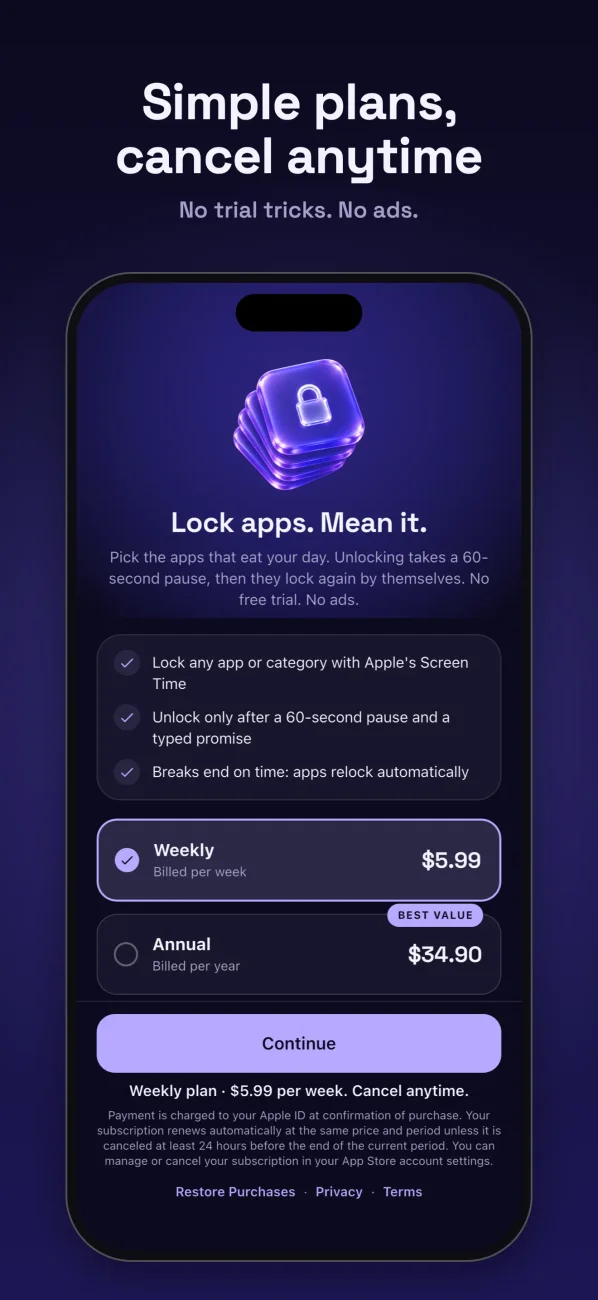
Screen Time Blocker is a subscription app with weekly and annual plans. There is no trial period. Payment is charged to your Apple ID at confirmation of purchase. The subscription renews automatically unless it is canceled at least 24 hours before the end of the current period. Manage or cancel anytime in your App Store account settings.
Privacy Policy: https://fod-team-org.github.io/app-legal/screen-time-blocker/privacy/
Terms of Use: https://fod-team-org.github.io/app-legal/screen-time-blocker/terms/
What’s new
Version 0.2.0 · Nov 25, 2026
A new start: three short screens now show how Screen Blocker works (lock your apps, a 60-second pause to unlock, automatic relock after a break) before you choose a plan. Locking, unlocking and relocking work exactly as before.
Fixed an issue that could stop purchases from completing on iPad.
App privacy
What MIN SEOK KIM declares on the App Store about how this app handles data.
-
Data not collected
The developer does not collect any data from this app.
Privacy practices may vary, for example with the features you use or your age.
Information
- Seller
- MIN SEOK KIM
- Category
- Productivity
- Version
- 0.2.0
- Updated
- Nov 25, 2026
- Released
- Nov 9, 2026
- Size
- 24.3 MB
- Requires
- iOS 16.0 or later
- Age rating
- 4+
- Price
- Free
- In-app purchases
- Yes
- Languages
- English
- Copyright
- © 2026 FOD Team
You might also like
-
 Screen Time Blocker - OtamaApp Blocker & ADHD Focus,Timer
-
 LOXNApp blocking - simple & strict
-
 QuitScroll: Strict App BlockerStop Doomscrolling. No Excuses
-
 Serene: App & Website BlockerScreen Time, Focus & Detox
-
 App Blocker & Focus - ReclaimScreen Time Control & Timer
-
 Reclaim: Screen Time BlockerApp Lock, Focus & Daily Limits
-
 CallCoach: Honest Life CoachDaily Calls & Habit Tracker
-
 PawLock: Screen Time BlockerApp Lock, Focus & Pomodoro
-
 TimeOut - Block Apps & FocusADHD App Block & Focus Helper
-
 Foki: App BlockerLimit Screen Time & Focus