Screen Time - Break Check
Habit Timers, No App Blocking
Designed for iPhone, iPad
Free · In-app purchases
- Age rating4+
- CategoryProductivity
- DeveloperCodeWerm LLC
- LanguagesEnglish+ 43 more
- Size32.3 MB
Links to the official App Store page
Download.org hosts no file of Screen Time - Break Check. The button opens its official App Store page, published by CodeWerm LLC. Listing last checked on Nov 14, 2026.
Screenshots
About
Blocking apps sound good in theory. In practice, you turn them off the moment they get in the way, and then feel worse about it.
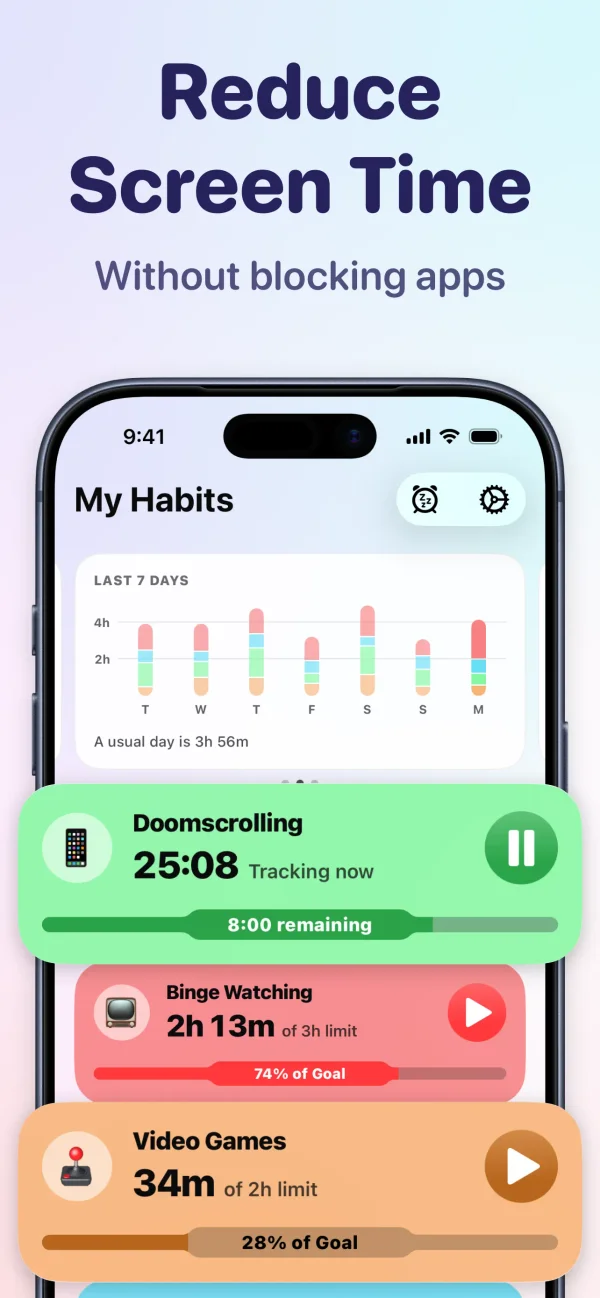
Break Check brings your screen time down without blocking a thing. You see how long you have been going, get a nudge when your time is up, and decide what happens next. No locked screens, no workarounds, no shame spiral.
TRACK ANY HABIT, NOT JUST SCREEN TIME
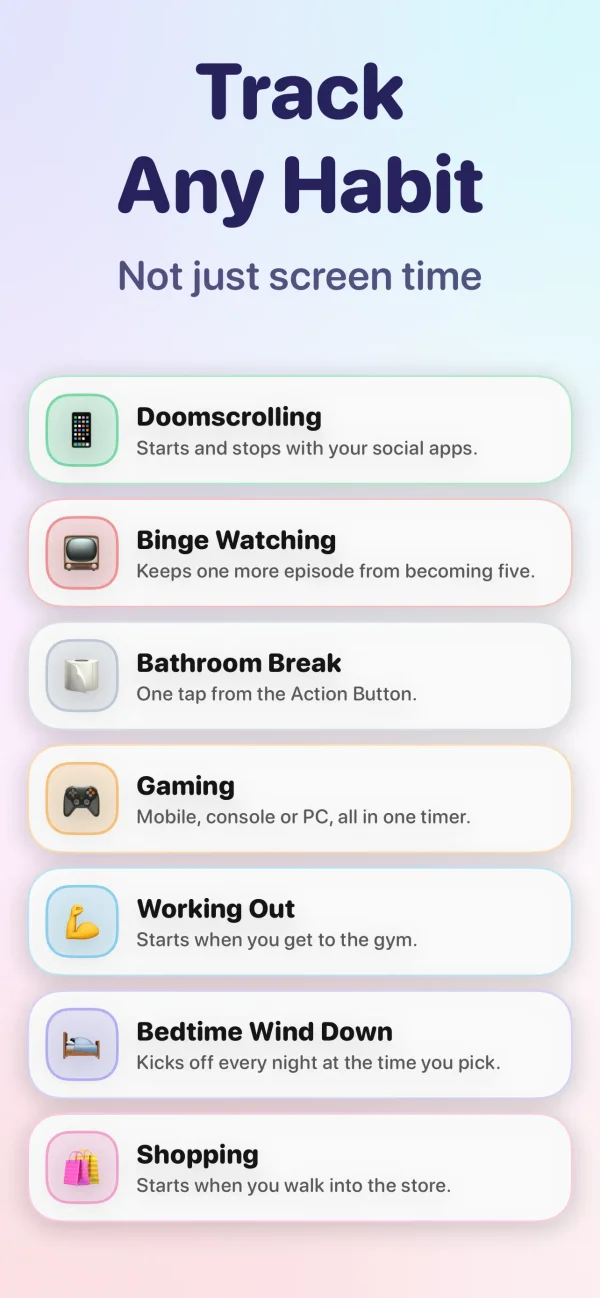
Doomscrolling, binge watching, gaming, the gym, shopping, reading, a bathroom break that got away from you. If you can start it and stop it, you can put it on a timer.
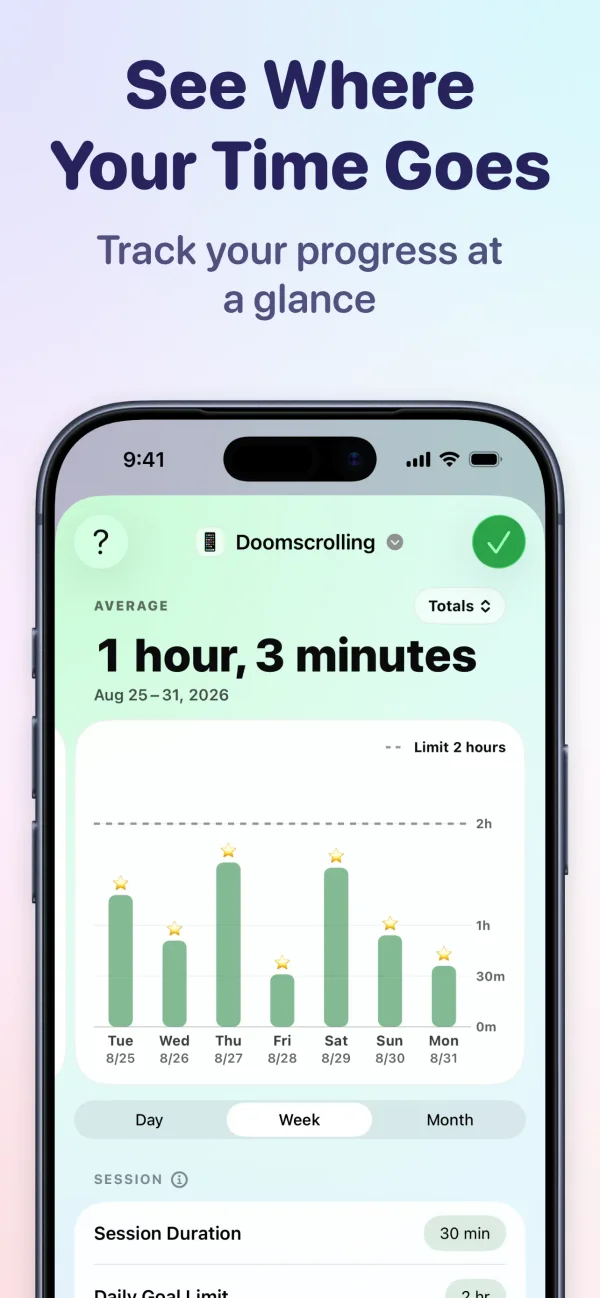
SET A DAILY GOAL
Give a habit a daily limit. Stay under it and the day counts as a win. Every day you meet your goal adds to your streak.
NO HARD CUTOFFS
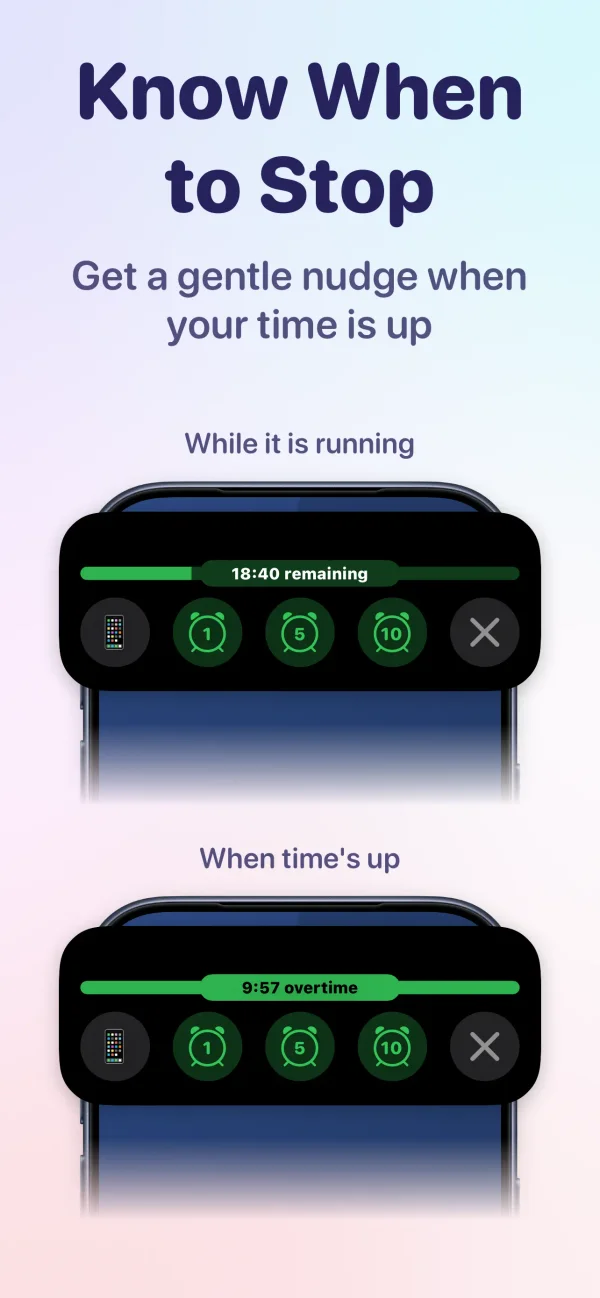
When your time is up you get a gentle notification and the timer keeps counting, so you always know where you stand. Need longer? Add a few minutes with one tap.
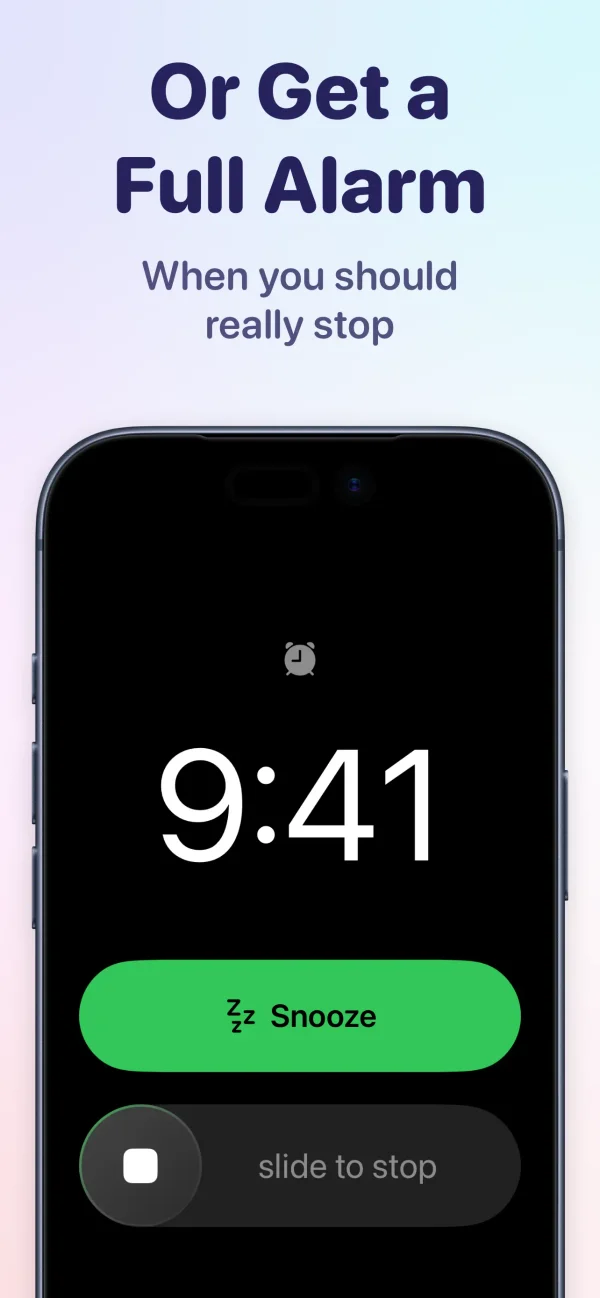
OR A REAL ALARM
For a habit that needs a firmer stop, end the session with a full alarm instead. It gets through silent mode and Focus.
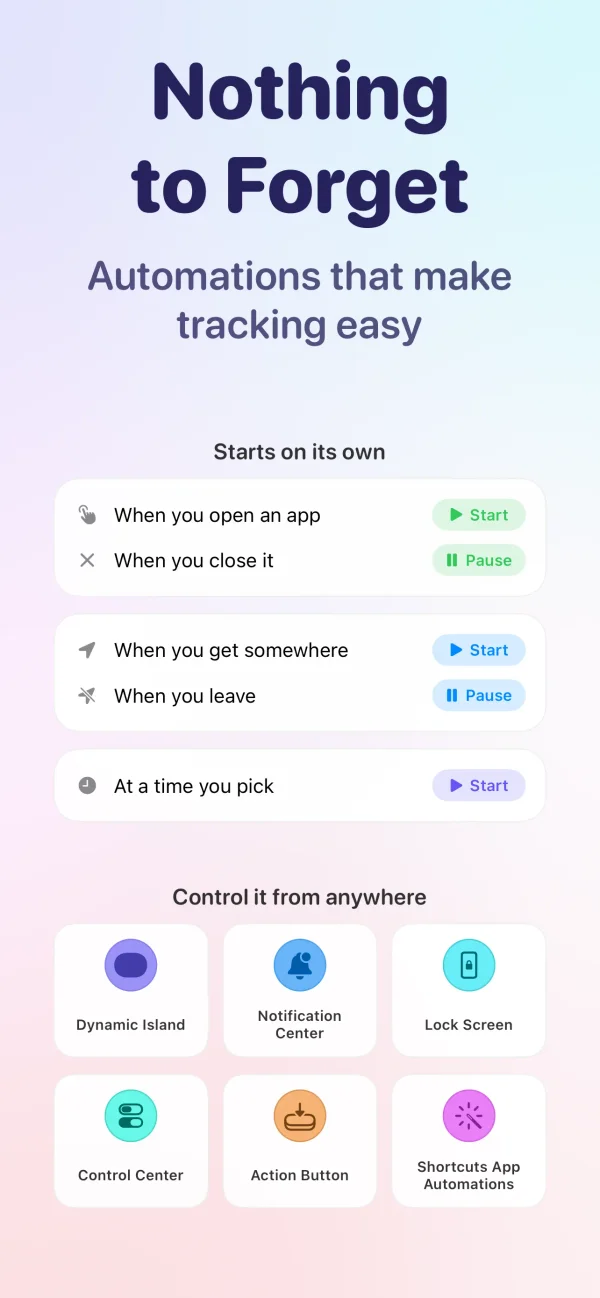
NOTHING TO FORGET
Timers can start and stop on their own: when you open an app, when you arrive somewhere, or at a time you pick each night. Your social apps can run their own timer. The gym one starts when you walk in. Setup takes about a minute.
CONTROL IT FROM ANYWHERE
A running timer sits in your Dynamic Island, Notification Center and Lock Screen, so you can check it or pause it without opening anything. Start one from Control Center, your Action Button, or a Home Screen widget.
SEE WHERE YOUR TIME GOES
Watch each day add up, spot your patterns, and see how close you are to your goal. Your time is kept as real sessions rather than one daily total, so you can find the hour you did not know you were spending.
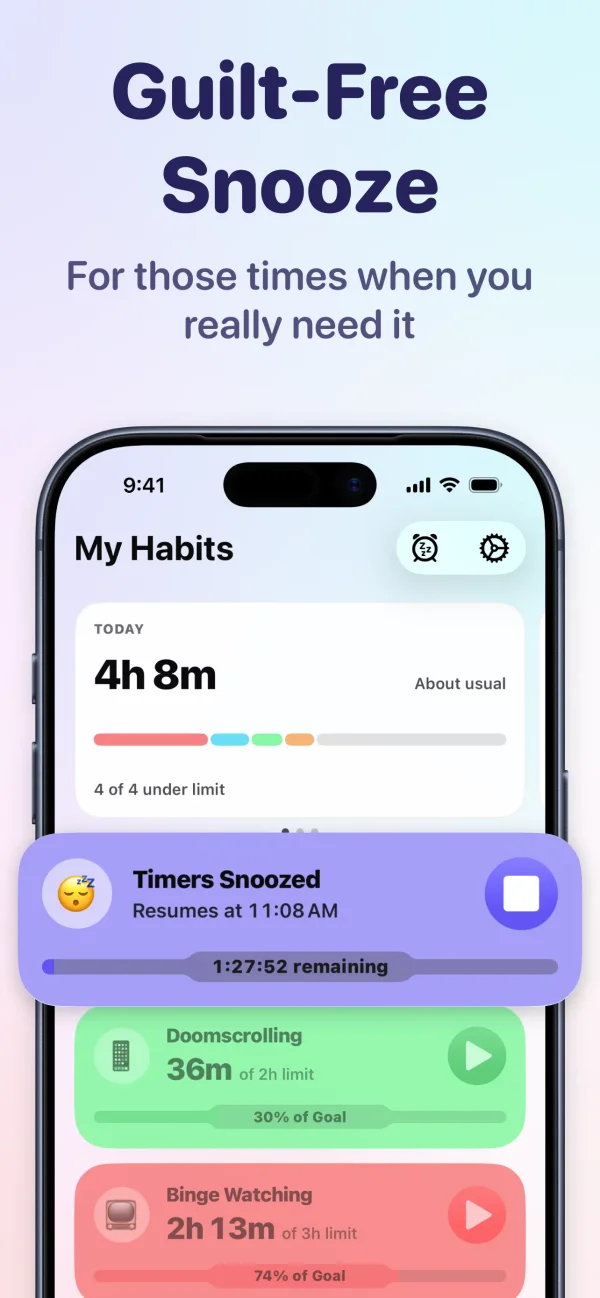
LIFE HAPPENS
Waiting at the doctor? Long train ride? Some phone time should not count. Snooze every timer at once and take a guilt free break. No streak broken, no pressure.
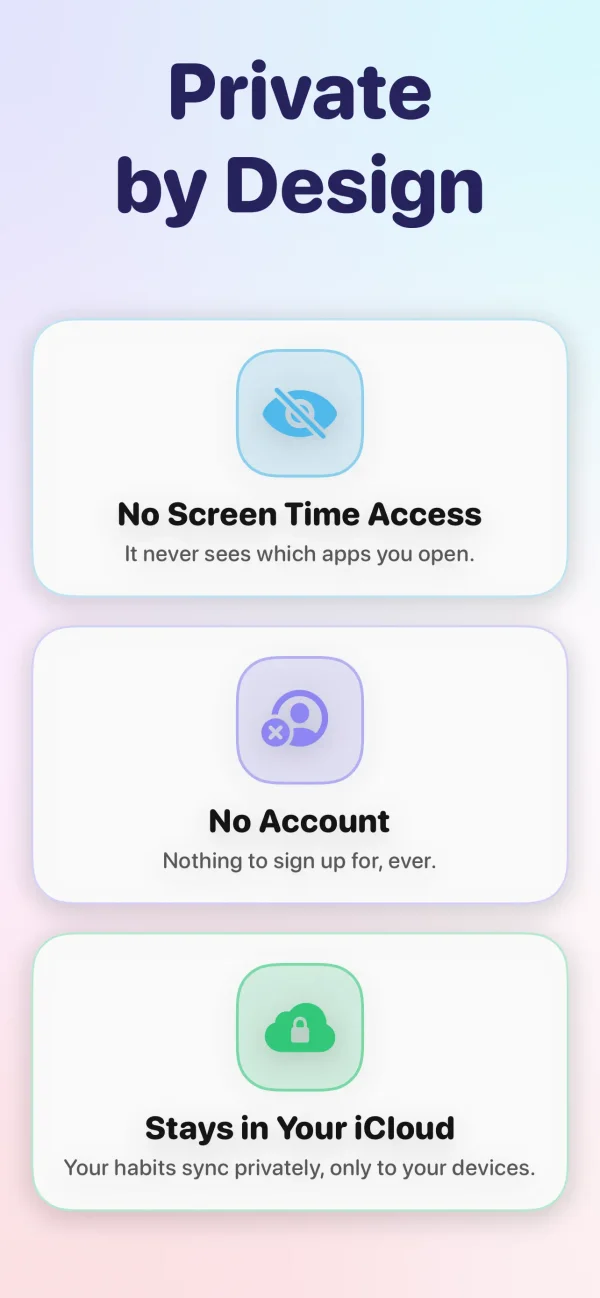
PRIVATE BY DESIGN
No account. Nothing to sign up for, ever. Break Check never asks for Screen Time access and never sees which apps you open, only the timers you start. Your habits sync through your own iCloud and are never collected or sold.
YOUR FIRST TIMER IS ALWAYS FREE
Not a trial. Track one habit for as long as you like, at no cost. Unlimited adds the rest: a timer for every habit, full alarm alerts, and the button that snoozes them all. Monthly, yearly, or a one-time purchase that is yours forever.
Privacy Policy: https://codewerm.com/breakcheck/privacy-policy
Terms of Use: https://www.apple.com/legal/internet-services/itunes/dev/stdeula/
What’s new
Version 2.1 · Sep 7, 2026
- New summary of today's time at the top of your habits
- Improved user tutorials for new users
- Streaks and daily totals no longer shift when you travel across time zones
- Every habit setting now explains what it does
- More reliable Live Activities
- Now fully translated into 47 languages, widgets and Lock Screen included
- Various fixes and improvements
App privacy
What CodeWerm LLC declares on the App Store about how this app handles data.
-
Data not linked to you
May be collected but is not linked to your identity.
- Purchases
- Identifiers
- Usage data
Privacy practices may vary, for example with the features you use or your age.
Information
- Seller
- CodeWerm LLC
- Category
- Productivity
- Version
- 2.1
- Updated
- Sep 7, 2026
- Released
- Mar 20, 2025
- Size
- 32.3 MB
- Requires
- iOS 17.0 or later
- Age rating
- 4+
- Price
- Free
- In-app purchases
- Yes
- Languages
- English, Arabic, Bengali, Catalan, Croatian, Czech, Danish, Dutch, Finnish, French, German, Greek + 32 more
- Copyright
- © 2025 CodeWerm LLC
You might also like
-
 IdeaVault - Store Goals, IdeasNotes, Goal Tracking & Planner
-
 Wisme | Build Habits TogetherInvite Accountability Buddy
-
 ADHD Structure Planner: SimpleAI Assistant for Daily Tasks
-
 Hubican: Habit & Goal TrackerHabits Tracker & Daily Routine
-
 Habit Tracker & Goal PlannerDaily Routine, Streaks, Focus
-
 Habit Tracker - HabitNoonDaily Planner , Streaks , Adhd
-
 Later - Set IntentionsTodos, Ideas, and Goals
-
 Screen Time Control: PausiApp Blocker & Smart Breaks
-
 ClearDay - Easy daily plannerSchedule your day with ease
-
 Habit Dice: Daily HabitsYour Fun Productivity Pet