
Screen Time – Slackn't
Focus Timer & App Blocker
Designed for iPhone, iPad, Mac
Free · In-app purchases
- Age rating4+
- CategoryProductivity
- DeveloperChristopher Recinos Lemus
- LanguagesEnglish+ 8 more
- Size13.2 MB
Links to the official App Store page
Download.org hosts no file of Screen Time – Slackn't. The button opens its official App Store page, published by Christopher Recinos Lemus. Listing last checked on Nov 16, 2026.
Screenshots
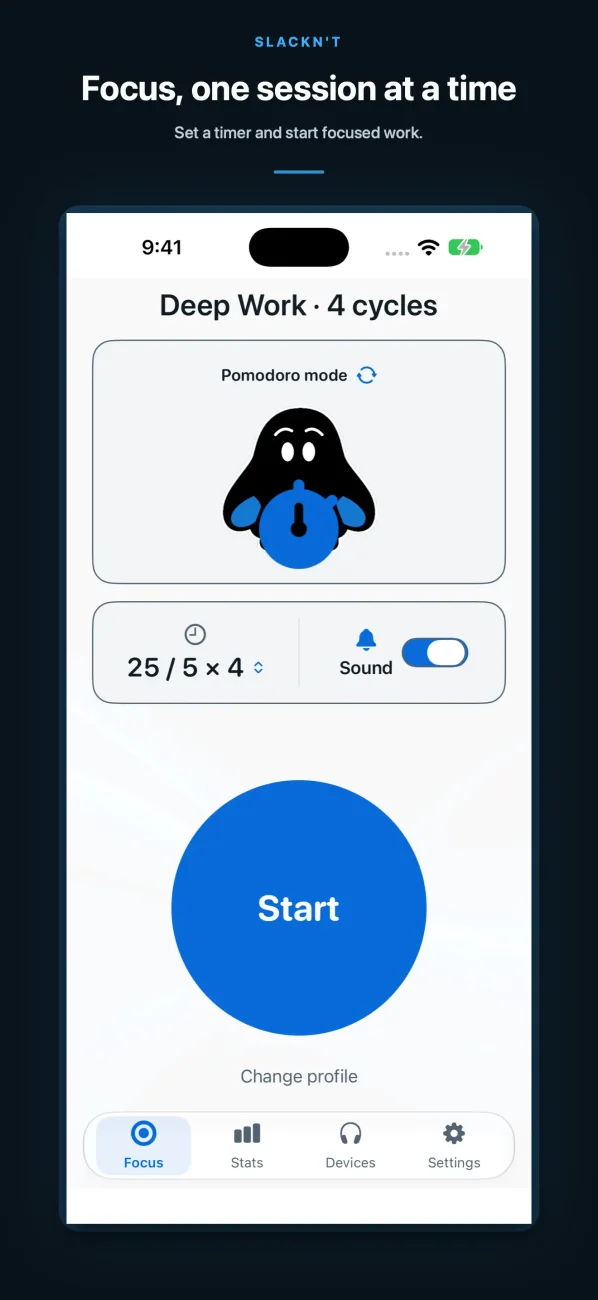

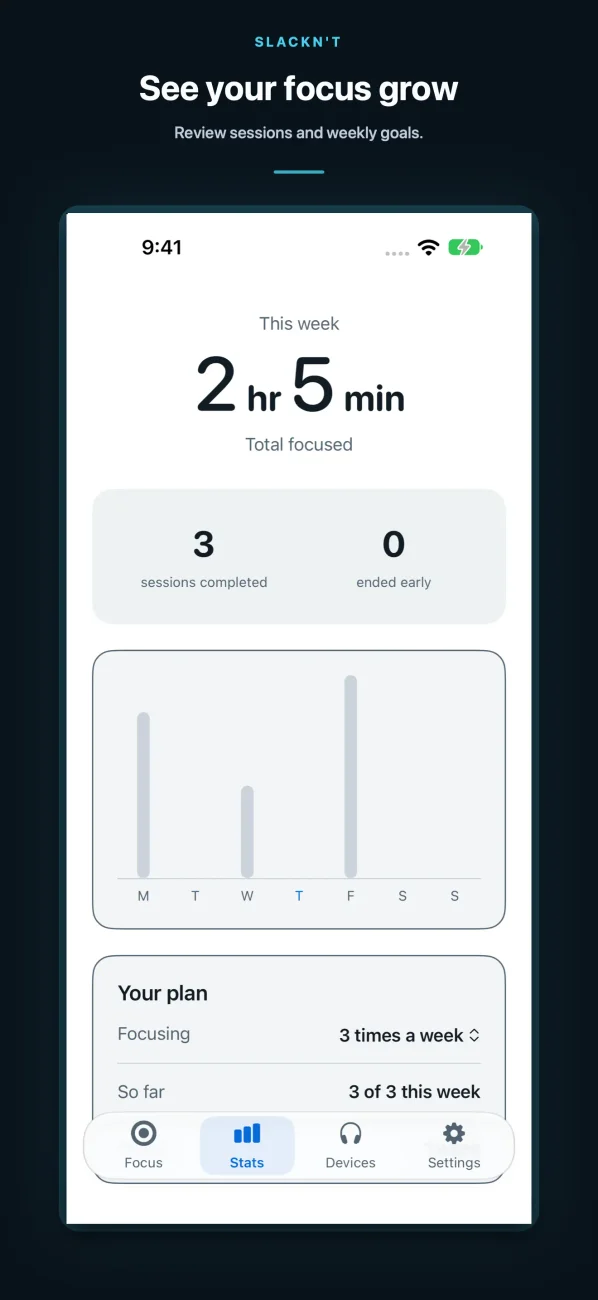
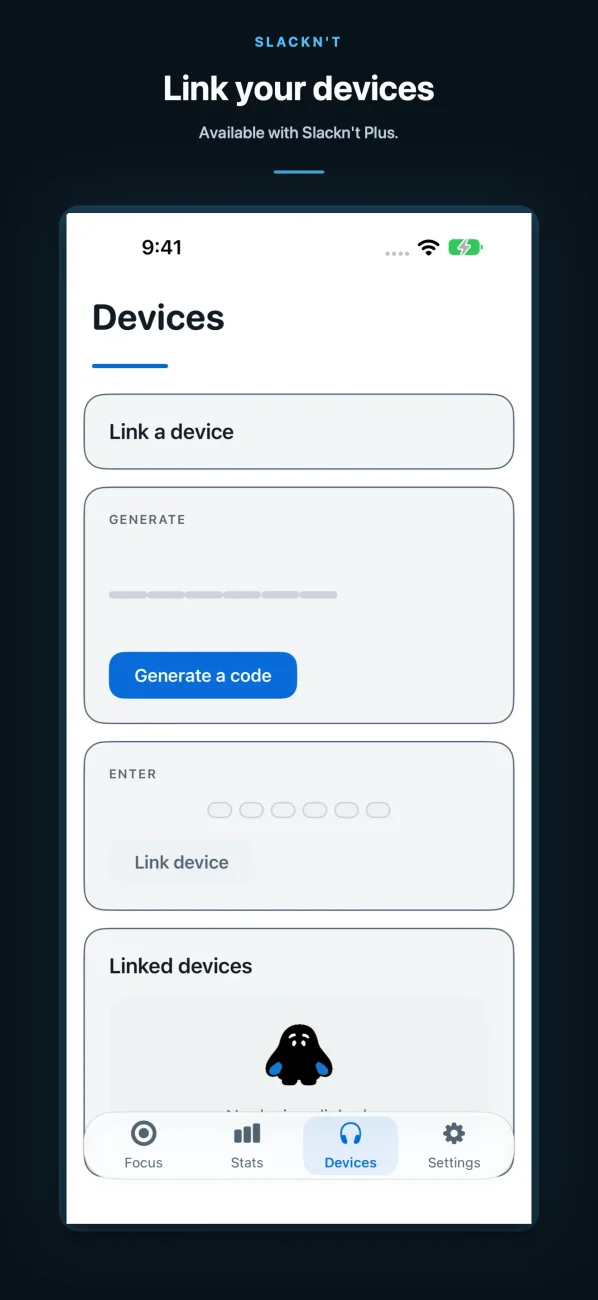
About
Make it easier to put your phone down when you need to focus. Slackn't lets you choose distracting apps to block with Apple Screen Time, then run a continuous timer or Pomodoro work-and-break intervals.
Build a routine that fits your day:
• Block only the apps and categories you select.
• Save profiles for work, study, and sleep, and schedule them to start automatically.
• Follow your timer with Home Screen and Lock Screen widgets.
• Review your focus history and set a weekly plan.
• Choose timer sounds and gentle reminders.
• Optionally link Apple devices to coordinate sessions. App selections stay on each device.
A three-day trial of all features begins with your first activation. It does not start a subscription or charge you automatically. After the trial, a monthly subscription or lifetime purchase is required to start new sessions. Prices and any eligible subscription offer are shown before you buy. Restore Purchases is available in Settings.
An urgent exit stays available. No ads. No required account.
Privacy: https://cremaxin.evinstein.chatgpt.site/privacy
Terms: https://www.apple.com/legal/internet-services/itunes/dev/stdeula/
What’s new
Version 1.4 · Sep 25, 2026
Getting started is clearer: large illustrations, a focus-goal question, instant tips, and a weekly-plan preview guide your setup. The Plus screen now explains the app’s 3-day no-card trial separately from App Store purchase options. Choose Azure, Green, Violet, or Coral in Settings. We also improved small-screen layouts and transitions for Reduce Motion.
App privacy
What Christopher Recinos Lemus declares on the App Store about how this app handles data.
-
Data linked to you
May be collected and linked to your identity.
- Purchases
- User content
- Identifiers
- Usage data
Privacy practices may vary, for example with the features you use or your age.
Information
- Seller
- Christopher Recinos Lemus
- Category
- Productivity
- Version
- 1.4
- Updated
- Sep 25, 2026
- Released
- Aug 17, 2026
- Size
- 13.2 MB
- Requires
- iOS 17.0 or later
- Age rating
- 4+
- Price
- Free
- In-app purchases
- Yes
- Languages
- English, Dutch, French, German, Italian, Polish, Portuguese, Simplified Chinese, Spanish
- Copyright
- © 2026 Cremaxin
You might also like
-
 Home LogbookHome Maintenance Made Simple
-
 AirFocus - Flight Focus TimerDeepFocus Timer
-
 XLocker - Screen Time ControlSecure Apps,Privacy Protection
-
 Paraphrase: Rewording ToolRephrase text in seconds
-
 Digital Planner for iPadHourly, Daily, Weekly Calendar
-
 Forest: Focus for ProductivityPomodoro Timer, ADHD & Study
-
 Google Tasks: Get Things DonePlan, Organize & Schedule Work