Screenshot Mockup Maker
Templates & Device Frame
Designed for iPhone, iPad, iPod touch
In-app purchases
- Age rating4+
- CategoryUtilities
- Developer官华 黄
- LanguagesEnglish+ 2 more
- Size52.3 MB
Links to the official App Store page
Download.org hosts no file of Screenshot Mockup Maker. The button opens its official App Store page, published by 官华 黄. Listing last checked on Nov 22, 2026.
Screenshots
About
Still struggling to manually resize screenshots for app store submissions?
This prototyping tool includes templates for all devices that conform to the official app store size standards. It supports one-click batch export of materials in multiple sizes, easily meeting review requirements.
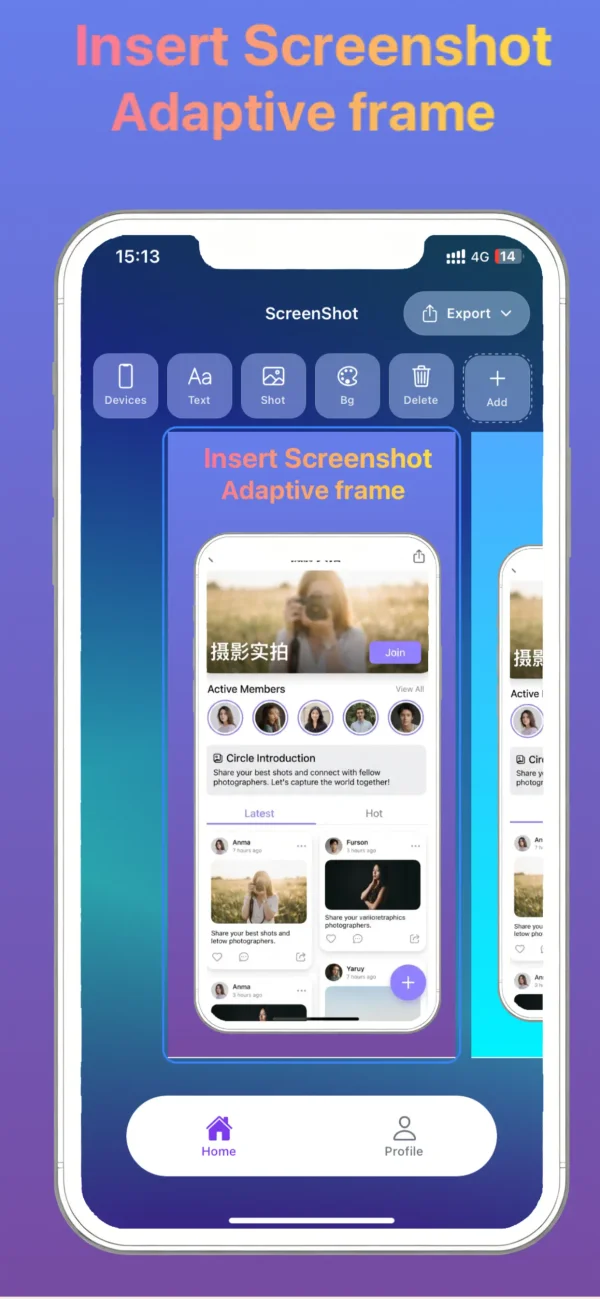
You can freely upload screenshots, customize solid color or image backgrounds, and add various font styles. Templates can be copied, deleted, and easily managed.
No professional design skills required. Even beginners can create beautiful, app store-compliant screenshots in minutes, significantly improving workflow efficiency. It's an essential productivity tool for mobile developers and operations teams.
● Device Frame Styles
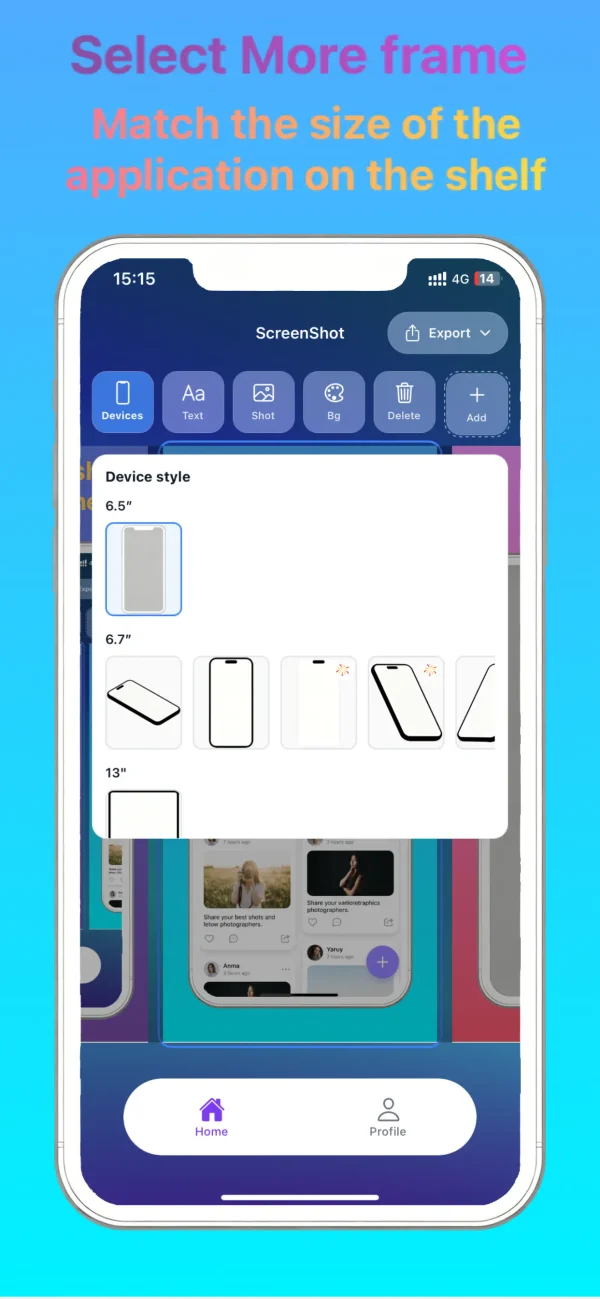
Choose from a library of iPhone and iPad device frames. Apply a frame style to wrap your in-app screenshot with realistic bezels, shadows, and rounded corners.
● Screenshot Upload
Upload images from your photo library. The app detects the device screen region and maps your screenshot inside the selected frame automatically.
● Text & Titles
Add marketing headlines with full typography controls — font family, weight, size, letter spacing, line height, alignment, decoration, and color.
● Background Customization
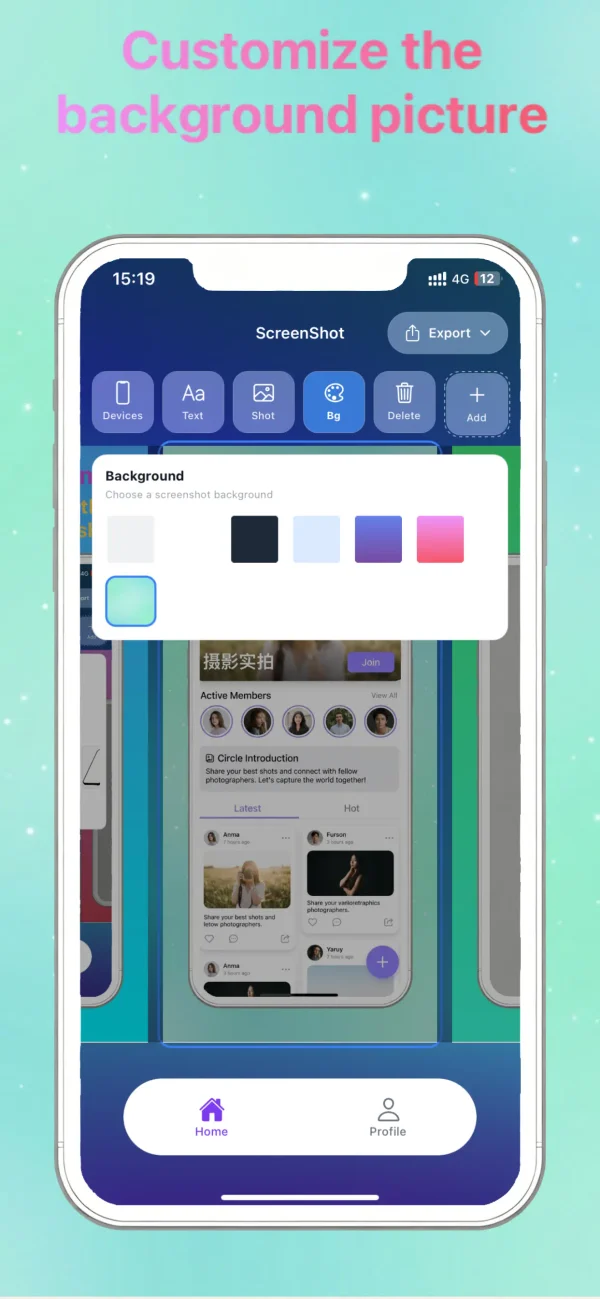
Pick preset backgrounds or upload a custom image to set the visual tone behind your device mockup.
● Cross-Screen Templates
Multi-page templates support elements that span two screenshots (e.g. a phone mockup crossing the boundary between screenshot 1 and 2). Edit once, preview everywhere.
●HD Export
Export individual template pages or all pages at once. Choose the target App Store device size (5.5″ through 6.9″ iPhone, iPad Pro 13″) and save directly to your photo library.
●[Automatic Renewal VIP Package Details]
--Subscription Period: 1 month (continuous monthly subscription), 12 months (continuous annual subscription)
--Subscription Price: Monthly subscription is $2.99 per month, annual subscription is $6.99 per year;
--Payment: Payment is made through the user's iTunes account upon confirmation of purchase.
--Cancellation of Renewal: To cancel your subscription, please manually turn off the automatic renewal function in your iTunes/Apple ID settings at least 24 hours before the current subscription period expires.
--Renewal: Your Apple iTunes account will be charged within 24 hours prior to the expiration date. Upon successful payment, the subscription period will be extended by one subscription period. --Subscriptions can be managed by the user, and automatic renewal can be turned off in the user's account settings after purchase.
●Term of use:
https://www.guanhua.site/term/
●Privacy Policy:
https://www.guanhua.site/privacy-en/
What’s new
Version 1.3.1 · Jun 26, 2026
Bug fixes and stability improvements.
App privacy
What 官华 黄 declares on the App Store about how this app handles data.
-
Data not linked to you
May be collected but is not linked to your identity.
- Purchases
- User content
- Identifiers
- Usage data
- Diagnostics
Privacy practices may vary, for example with the features you use or your age.
Information
- Seller
- 官华 黄
- Category
- Utilities
- Version
- 1.3.1
- Updated
- Jun 26, 2026
- Released
- Jun 18, 2026
- Size
- 52.3 MB
- Requires
- iOS 15.1 or later
- Age rating
- 4+
- In-app purchases
- Yes
- Languages
- English, Simplified Chinese, Traditional Chinese
- Copyright
- © 2026 Screen Shot
You might also like
-
 App截图生成器 - 一键导出应用尺寸Utilities
-
 AI Hidden Camera Dedect | SafeScan for suspicious devices
-
 Inspectrai: Car Damage ScannerAI Vehicle Inspection App
-
 JBD TrackerGPS Tracking
-
 FileBox - File Manager, VaultZIP, Video, Music, Comics, CBZ
-
 iFrame - Frame ScreenshotsFrame screenshots & videos
-
 Video Frame Grabber: ClipgrabVideo to Photo, Photo frame
-
 Audio Editor&clip convert MP3voice plus ,Audio, Format MP4
-
 Full Screen for SafariVideo and Image in Full Screen
-
 Contacts Backup - Easy ExportTransfer, Restore Contact Fast