
- Age rating4+
- CategoryProductivity
- DeveloperJoep Bruin
- LanguagesDutch+ 1 more
- Size4.7 MB
Links to the official App Store page
Download.org hosts no file of ScreenTimeGuard. The button opens its official App Store page, published by Joep Bruin. Listing last checked on Nov 20, 2026.
Screenshots






About
ScreenTimeGuard is a calm, minimal screen-time app for people who want fewer impulse opens. It is built around three ideas most blockers get wrong.
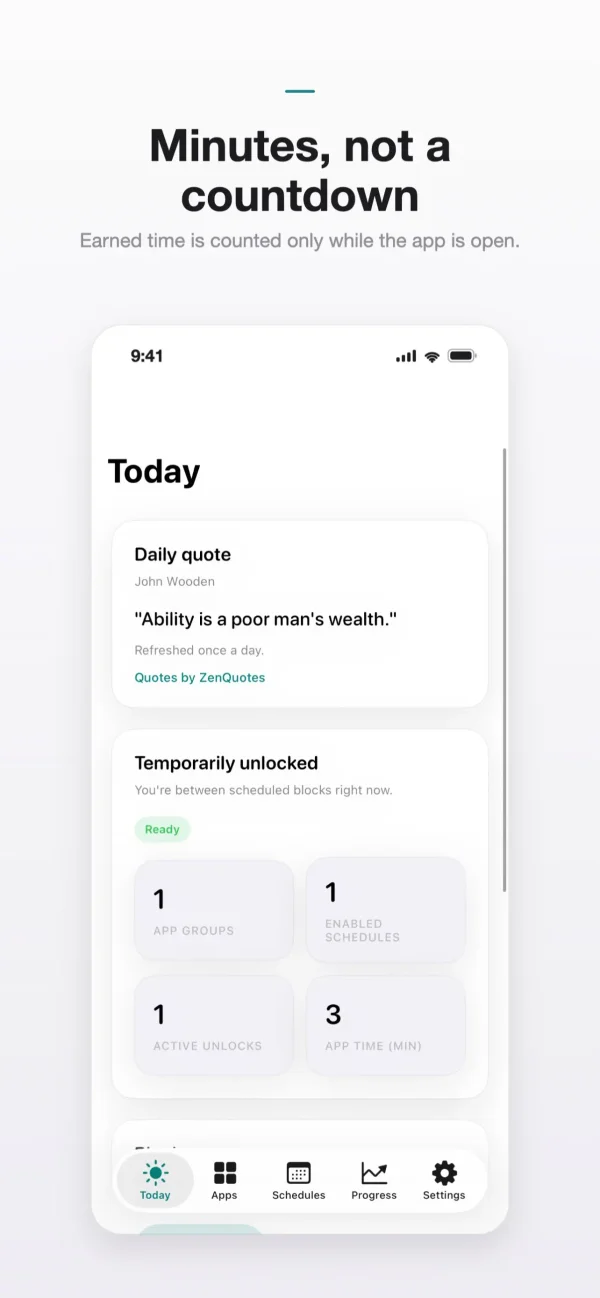
You earn a budget of real app time.
Most blockers start a countdown the moment you unlock, and the timer keeps running while your phone sits in your pocket. ScreenTimeGuard grants a usage budget instead: 1, 3, 5, or 10 minutes of actual app time, counted only while a blocked app is open. Reply to the message, put the phone down, come back later. One allowance can be spread across several openings until it is spent.
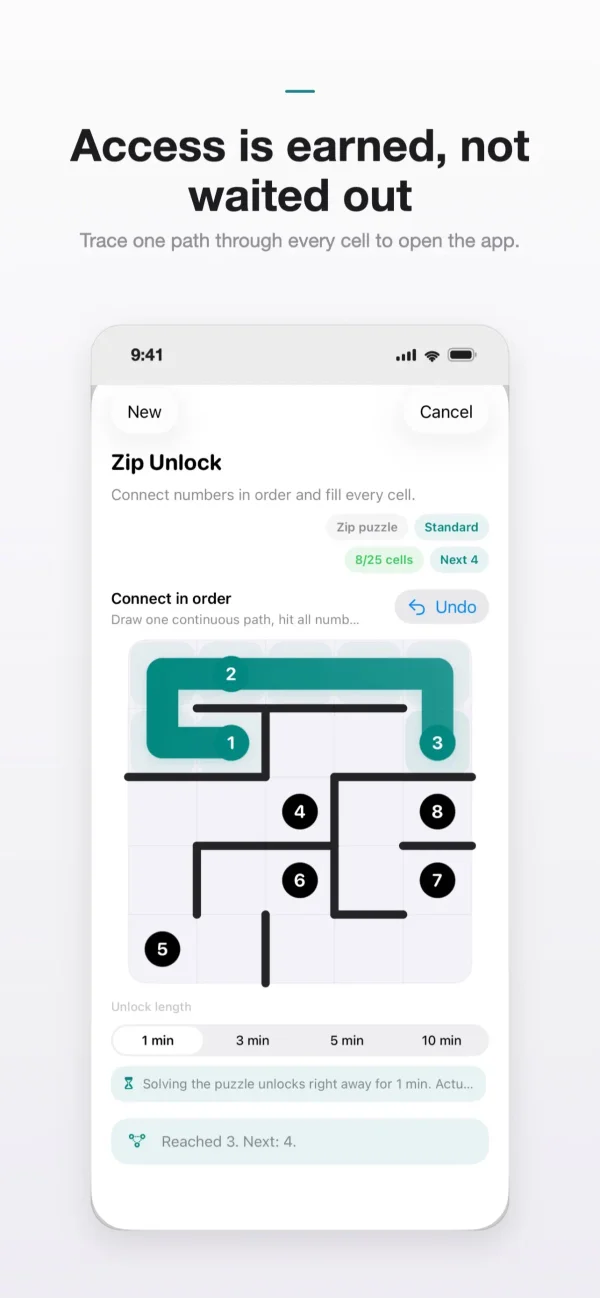
Access is earned, not waited out.
The signature unlock is a zip puzzle: draw one continuous line through every cell of a grid, passing numbered checkpoints in order. It asks for a moment of real attention — enough to interrupt autopilot, never enough to punish a genuine need. If you prefer arithmetic, switch to a math challenge instead. Both come in three difficulty levels.
Your data stays yours.
No account. No sign-up. No backend. No analytics or tracking SDKs. Your app groups, schedules, unlock history, and insights are stored on your device, never on a server of ours. Your groups, schedules, and preferences are also backed up to your own iCloud account so a reinstall or a new iPhone does not cost you your setup — we cannot read that copy, and your unlock history and insights are left out of it entirely. The app makes exactly one kind of network request: fetching the attributed daily quote on the dashboard, once a day. Without a connection, everything still works.
Around those three ideas, an explicit rule system:
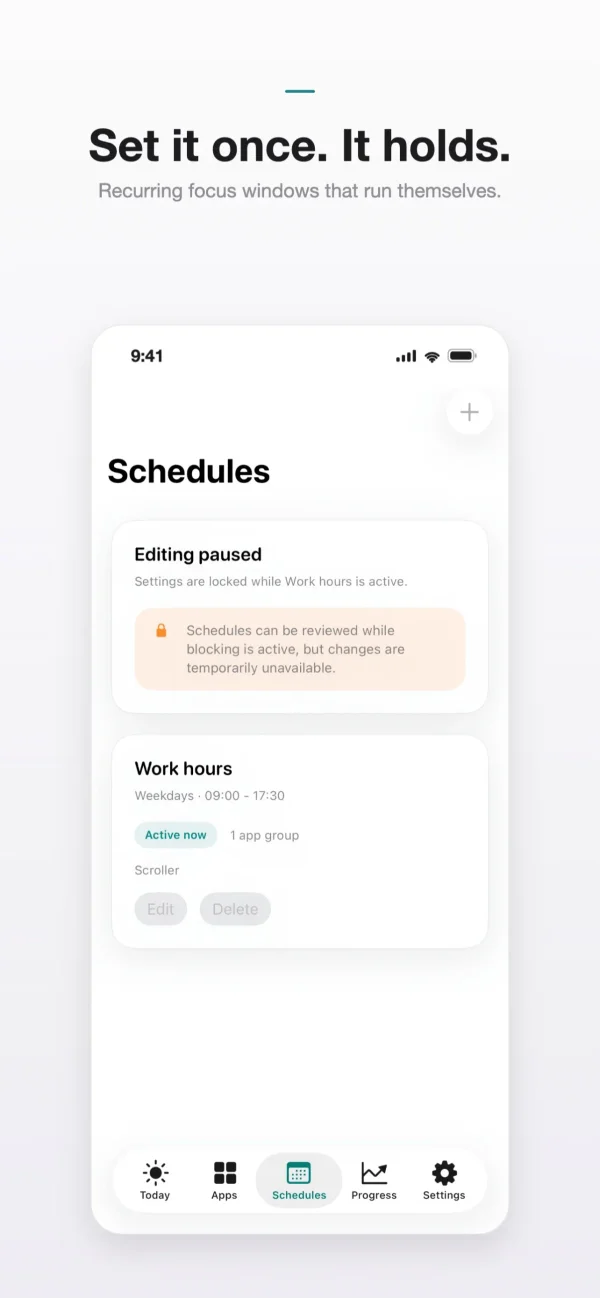
- Recurring schedules block selected app groups during work, study, sleep, or any routine that matters to you.
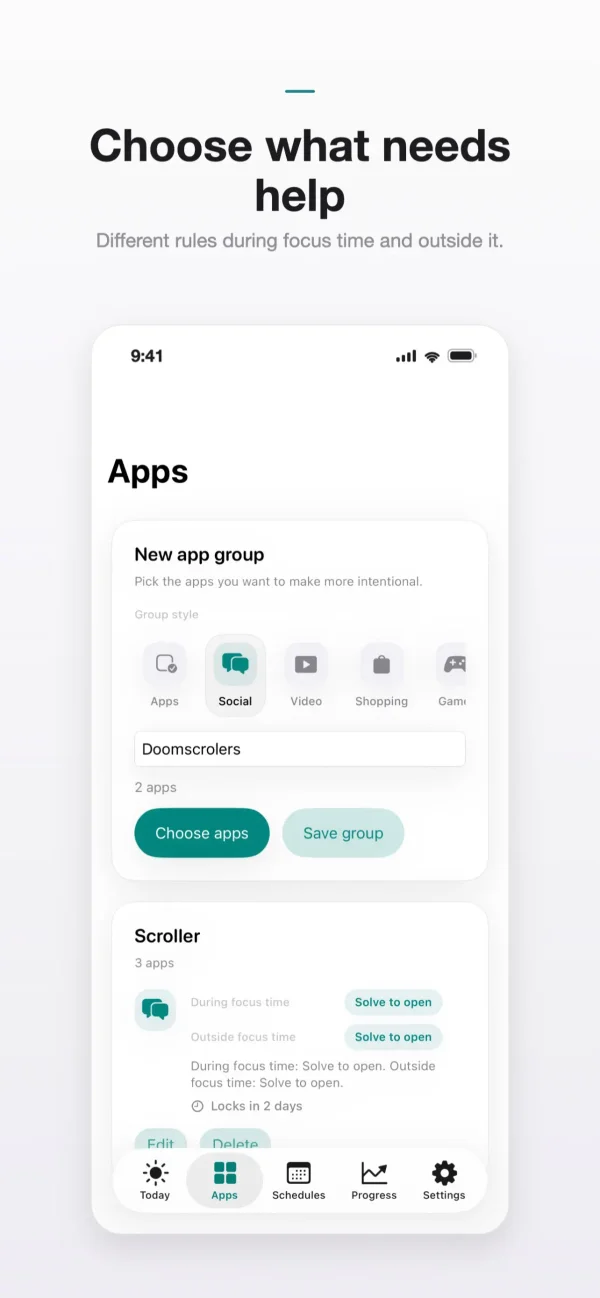
- During scheduled hours, each group is either fully blocked or set to solve-to-open.
- Outside the schedule, leave apps free, or require a challenge and a time budget for every visit.
- Block Now starts an immediate block, for a fixed duration or until you end it.
- Emergency unlock stays available during a full block, with deliberate friction: an optional reason, a cooldown between uses, and an optional daily limit. Every use is recorded in your history.
- Insights stay on the device: unlock attempts, emergency unlocks, and protected time.
ScreenTimeGuard is built on Apple's Screen Time technology, using only Apple frameworks. Free for up to 3 apps.
ScreenTimeGuard Premium is an auto-renewable subscription billed yearly, unlocking unlimited apps, whole app categories, and website blocking. Payment is charged to your Apple ID at confirmation of purchase. It renews automatically unless auto-renew is turned off at least 24 hours before the end of the current period. Manage or cancel in Settings > Apple ID > Subscriptions.
Terms of Use (EULA): https://www.apple.com/legal/internet-services/itunes/dev/stdeula/
Privacy Policy: https://joepbruin-hue.github.io/screentimeguard-privacy/
Friction here is intentional, never punitive. Pause the impulse, then choose.
What’s new
Version 1.0.2 · Oct 14, 2026
If your iPhone is running a version of iOS older than 26.5, ScreenTimeGuard now lets you know. The next version of the app needs iOS 26.5 or later, so update iOS to keep receiving new features and fixes.
App privacy
What Joep Bruin declares on the App Store about how this app handles data.
-
Data not collected
The developer does not collect any data from this app.
Privacy practices may vary, for example with the features you use or your age.
Information
- Seller
- Joep Bruin
- Category
- Productivity
- Version
- 1.0.2
- Updated
- Oct 14, 2026
- Released
- Aug 24, 2026
- Size
- 4.7 MB
- Requires
- iOS 17.0 or later
- Age rating
- 4+
- In-app purchases
- Yes
- Languages
- Dutch, English
- Copyright
- © 2026 Joep Bruin
You might also like
-
 Evolve: Screen Time BlockerBlock Apps. Hold to Unlock.
-
 Alibi - AI Screen Time ControlAI-powered App Blocker
-
 WhyOpen: Screen TimeApp Blocker & Focus Timer
-
 Kaizen: Focus & Study TimerApp Blocker & Habit Tracker
-
 Scrollbye: App BlockerBlock apps Get your time back.
-
 unhookd - Screen Time ControlApp Blocker, Focus & Wellness
-
 Hush - Reduce Screen TimeLess distraction, more focus
-
 Elqi - The Dopamine AppTrack & Regulate Dopamine
-
 EventsPass LeadGenProductivity
-
 PiPYube - Video Ad BlockerPicture in Picture Play Video