
ScreenVault
AI Screenshot Organization
Designed for iPhone, iPad
Free · In-app purchases
- Age rating9+
- CategoryProductivity
- DeveloperWolfram Wacker
- LanguagesEnglish
- Size5.1 MB
Links to the official App Store page
Download.org hosts no file of ScreenVault. The button opens its official App Store page, published by Wolfram Wacker. Listing last checked on Nov 17, 2026.
Screenshots



About
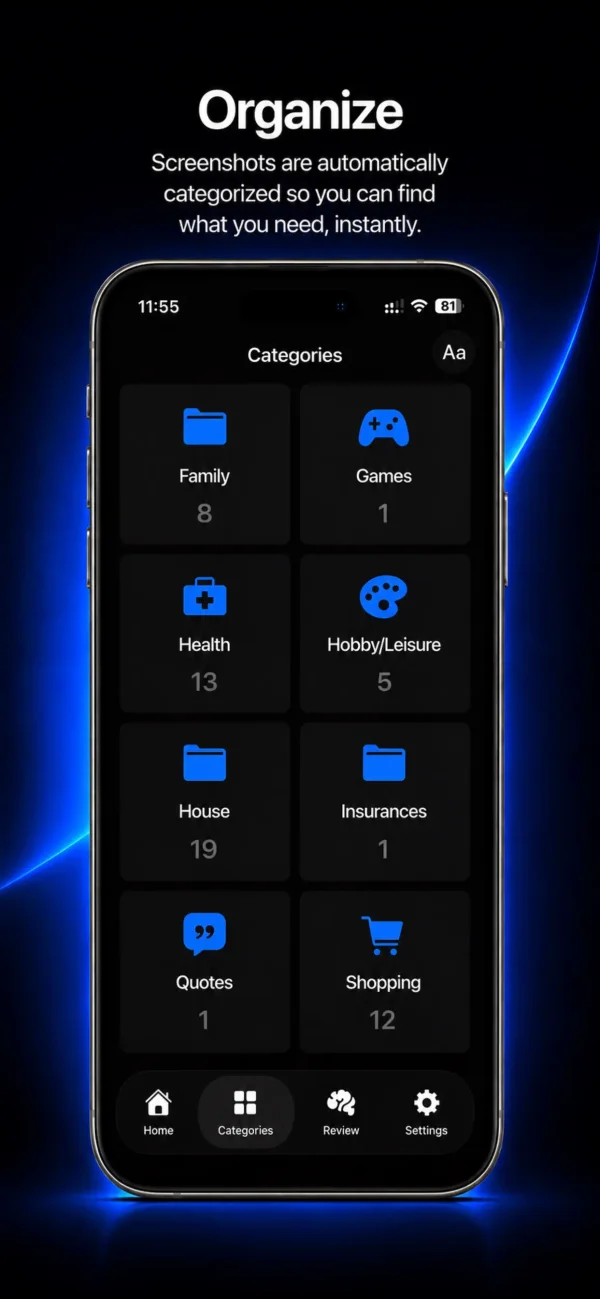
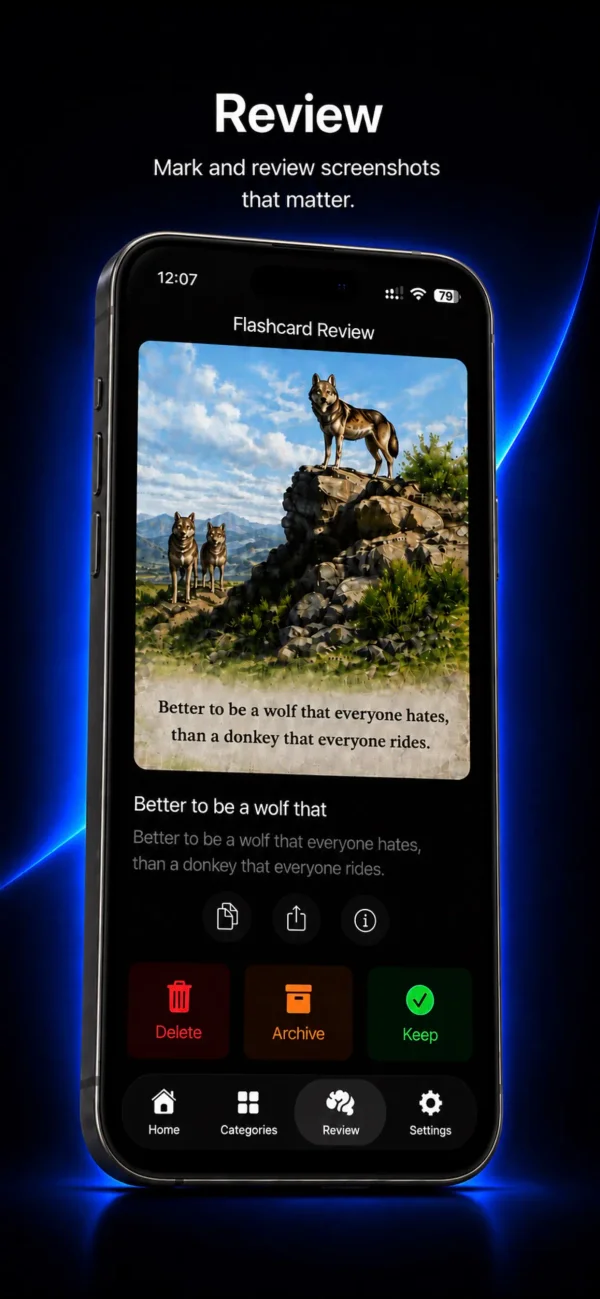
ScreenVault helps you turn a cluttered screenshot library into an organized, searchable personal archive. The app scans your screenshots, extracts text with on-device OCR and organizes them into useful categories such as recipes, shopping, travel, bills, health, ideas, events and more. You can search by extracted text, title or tags, review important screenshots as flashcards, archive items you want to keep out of the main feed and clean up screenshots safely when they are no longer needed.
ScreenVault is designed with privacy in mind. Screenshot analysis happens on your device and your screenshots and extracted text stay private!
ScreenVault Pro unlocks advanced workflow tools for larger screenshot libraries, including unlimited flashcards, custom titles, tags, custom categories, advanced filters, saved smart filters, batch actions, batch tag and title edits and bulk cleanup tools.
Key Features:
• Automatically import screenshots from your photos library
• Extracts readable text from screenshots with OCR
• Organizes screenshots into smart categories
• Search by extracted text, screenshot title or tags
• Manually change categories when needed
• Mark important screenshots as flashcards for review
• Archive screenshots without deleting them
• Delete screenshots from ScreenVault or photos
• Export and share original screenshots
• Privacy-focused on-device processing
ScreenVault Pro:
• Unlimited flashcards
• Custom screenshot titles
• Tags
• Custom categories
• Advanced filters by category, tag and date
• Saved smart filters for frequently used filter combinations
• Batch archive, delete and category changes
• Batch tag edits
• Batch title prefix and suffix edits
• Bulk cleanup tools, including deleting all items in the Deleted tab
What’s new
Version 4.8 · Oct 18, 2026
Optimized for iPhone Duo to make the most of the full display.
App privacy
What Wolfram Wacker declares on the App Store about how this app handles data.
-
Data not collected
The developer does not collect any data from this app.
Privacy practices may vary, for example with the features you use or your age.
Information
- Seller
- Wolfram Wacker
- Category
- Productivity
- Version
- 4.8
- Updated
- Oct 18, 2026
- Released
- Mar 19, 2026
- Size
- 5.1 MB
- Requires
- iOS 18.1 or later
- Age rating
- 9+
- Price
- Free
- In-app purchases
- Yes
- Languages
- English
- Copyright
- © 2025-2026 wwb-apps.ai
You might also like
-
 Possibility HUBProductivity
-
 Timber Cruiser: Log CalculatorBoard Feet, Plots & Inventory
-
 AskFirst: Appointment PrepQuestions, Notes & Red Flags
-
 Prod: Idea Capture AppNever lose a thought again.
-
 Screen Time Control - VowBlock Apps & Cut Distractions
-
 CureX: Adult Content BlockerBlock nut & Stay Focused
-
 Easy Duplicate Contact ManagerBackup & Delete My Contacts
-
 GeekCleanProductivity
-
 Calculator Box:All-in-one clac100+features and easy to use
-
 To Do List: TaskerProStay organized and productive!