
Scrible Extension
Save, annotate, tag articles
Designed for iPhone, iPad, Mac, iPod touch
Free
- Age rating4+
- CategoryProductivity
- DeveloperScrible, Inc.
- LanguagesEnglish
- Size1.8 MB
Links to the official App Store page
Download.org hosts no file of Scrible Extension. The button opens its official App Store page, published by Scrible, Inc. Listing last checked on Nov 15, 2026.
Screenshots

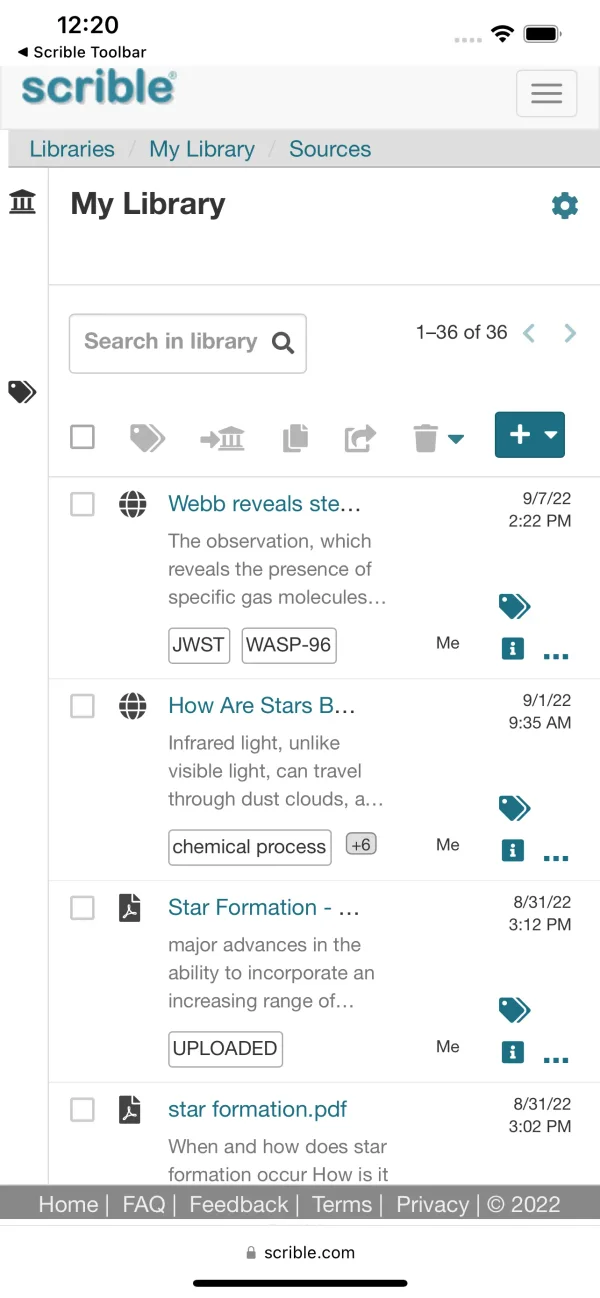
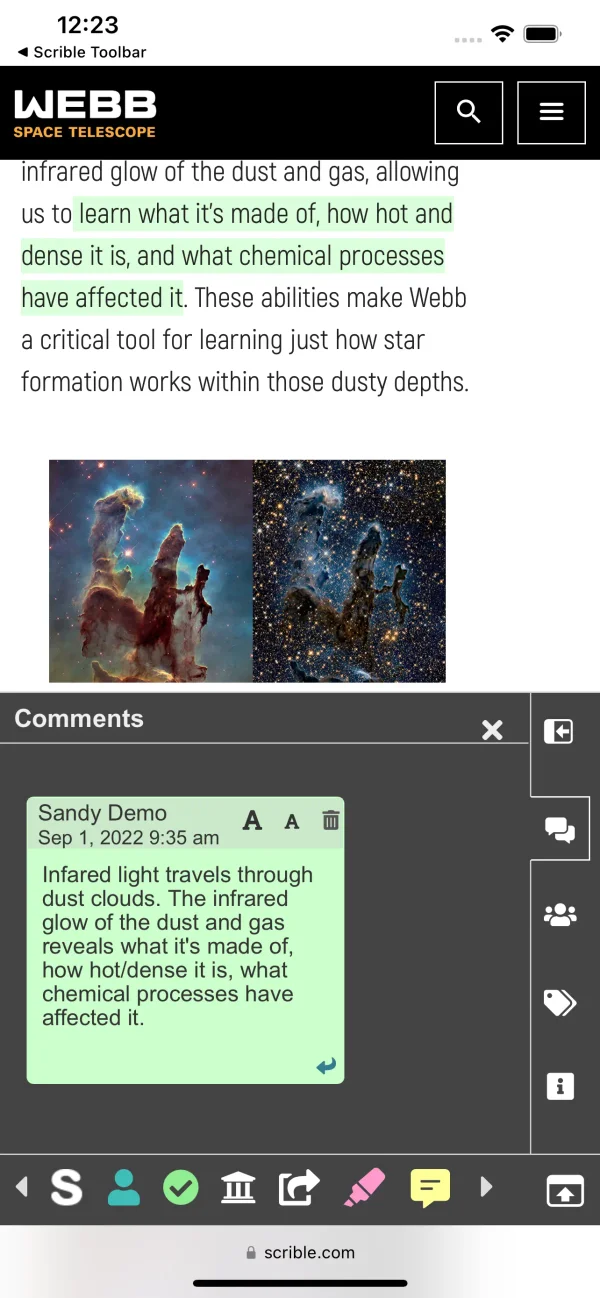
About
SCRIBLE ACCOUNT
This Scrible Extension App accompanies and must be used with a Scrible account. Sign up for a free Scrible account at https://www.scrible.com
SCRIBLE OVERVIEW
• Scrible is the most advanced research and writing platform ever built.
• Historically, you had to manage multiple tools through the research and writing workflow. Scrible consolidates these tools, streamlining and centralizing the process of curating, annotating, citing and writing all in one place.
• Scrible integrates with Google Docs and Microsoft Word to support writing.
• Scrible is great for anyone curating, reading and researching online.
• Scrible is particularly useful for students, educators and researchers.
THIS EXTENSION APP
• This Scrible Extension App adds the Scrible Extension to the Safari Web browser.
• While reading or researching online, click the extension button in Safari to launch Scrible and load the Scrible Toolbar and Sidebar on the article. That lets you:
• Save webpages, PDFs and database articles instantly
• Highlight key facts and passages while reading
• Add comments to capture your thoughts
• Tag articles to organize your research
• If you later revisit a webpage you previously annotated, the Scrible Extension will automatically load your annotations on it. This feature can be disabled/enabled.
SCRIBLE LIBRARY
• Your articles are saved in My Library in your Scrible account, where you can:
• Browse, sort, filter and full-text search them
• Organize them using categorical tags
• You can also curate information into My Library by:
• Opening a PDF from your desktop or Google Drive
• Uploading PDFs and other docs from your desktop
• Adding bookmarks and importing them from your browser
SCRIBLE FOR EDUCATION
In our free Edu Plan, K12 students and educators can also:
• Capture citations automagically
• Create bibliographies with 1 click
• Use read aloud, dictionary and translation features for text assistance and comprehension
• Use Class Libraries to quickly and easily share a set of texts
• Do more with Scrible Writer, Scrible’s word processor add-on for Google Docs and add-in for Microsoft Word. Learn more here: https://scrible.com/writing-tools
Scrible supports teaching and learning across content areas (e.g., ELA, social studies, science, foreign language), programs (e.g., AP, IB), support areas (e.g., SPED, ELL), project types (e.g., science fair, National History Day) and initiatives (e.g., personalized learning, project-based learning, writing across the curriculum). Learn more at https://www.scrible.com/edu
HELP
Have questions? Email us at help@scrible.com or visit us at https://www.scrible.com/help
— Team Scrible
What’s new
Version 1.7 · Oct 8, 2025
Bug fixes and other improvements.
App privacy
What Scrible, Inc. declares on the App Store about how this app handles data.
-
Data not collected
The developer does not collect any data from this app.
Privacy practices may vary, for example with the features you use or your age.
Information
- Seller
- Scrible, Inc.
- Category
- Productivity
- Version
- 1.7
- Updated
- Oct 8, 2025
- Released
- Dec 6, 2022
- Size
- 1.8 MB
- Requires
- iOS 15.0 or later
- Age rating
- 4+
- Price
- Free
- Languages
- English
- Copyright
- © 2025 Scrible, Inc.
You might also like
-
 LetServeService Learning Made Easy
-
 Web Extensions - Browser ToolsClean Tabs & Ads for Safari
-
 PhotoLink widgetYour Own Web & Photo Widgets
-
 Briefy - AI summary on SafariYour AI knowledge assistant
-
 WikiTree Browser ExtensionProductivity
-
 ScreenKing-Safari ExtensionAll in one,Adblock, UserScript
-
 Magic Launcher WidgetsWidgets, Launchers, AI Toolkit
-
 SingleFile for SafariSave web pages faithfully
-
 Anybox - Bookmark & Read LaterSave and Organize Links
-
 Glasp: AI Summary & HighlightRead later: videos, PDFs & web