Scripture Memory: Your Text
Paste from the Bible you use
Designed for iPhone, iPad
- Age rating4+
- CategoryReference
- DeveloperJinwan Kim
- LanguagesTraditional Chinese+ 6 more
- Size5.1 MB
Links to the official App Store page
Download.org hosts no file of Scripture Memory: Your Text. The button opens its official App Store page, published by Jinwan Kim. Listing last checked on Nov 10, 2026.
Screenshots
About
Every memory app carries its own Bible. This one carries none.
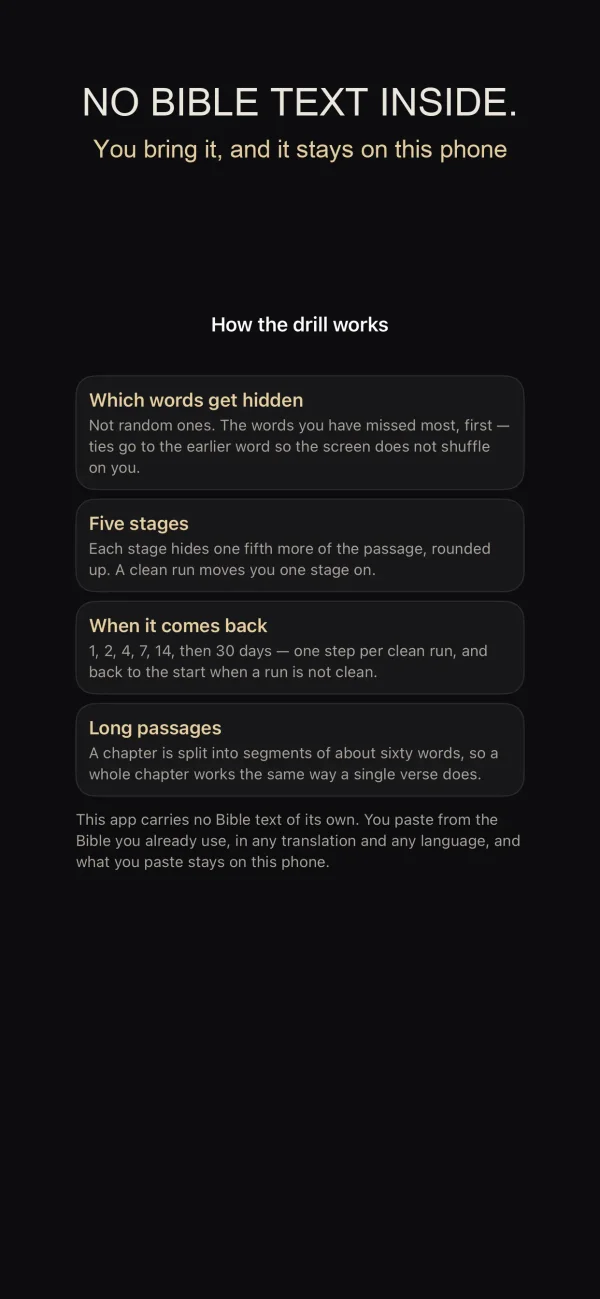
That sounds like less, and it is the whole point. If the translation you memorize in is missing from an app, or locked behind a subscription, that app is closed to you no matter how good the drill is. Here you paste the passage in yourself, from your own translation, and the drill works on exactly those words.
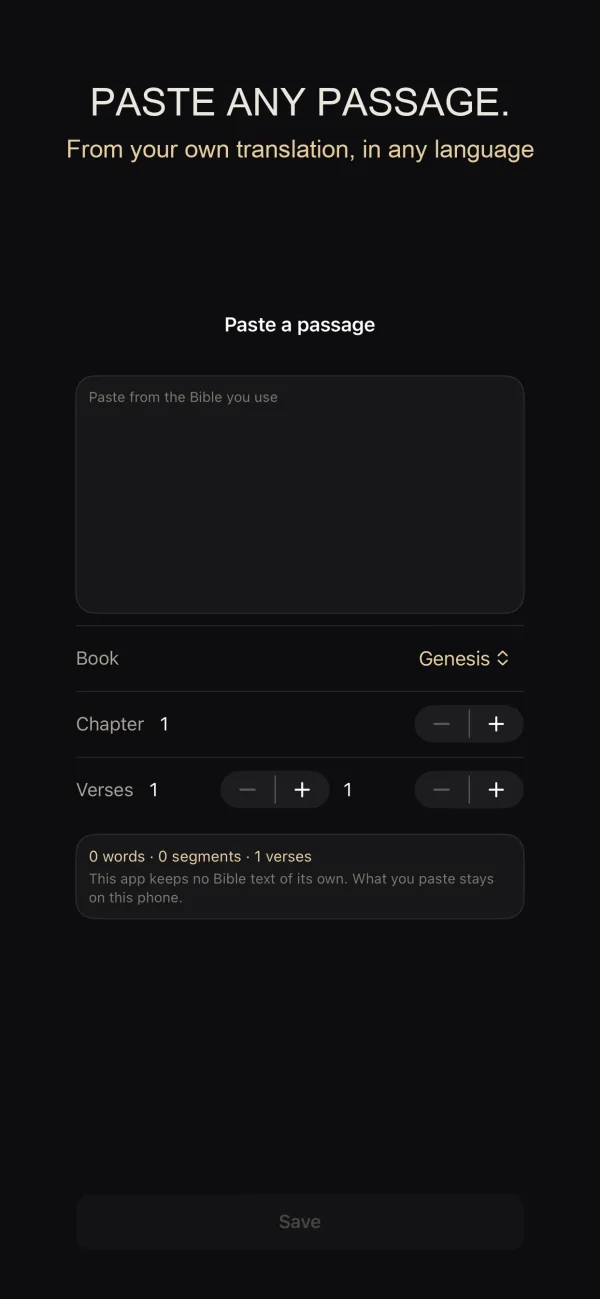
Paste any passage.
Copy a verse, a paragraph, or a whole chapter out of whatever Bible you use — printed, or the app already on your phone — and paste it in. Pick the book, chapter and verses from a table of all 66 books, so a reference that does not exist cannot be entered. Nothing is downloaded and nothing is looked up.
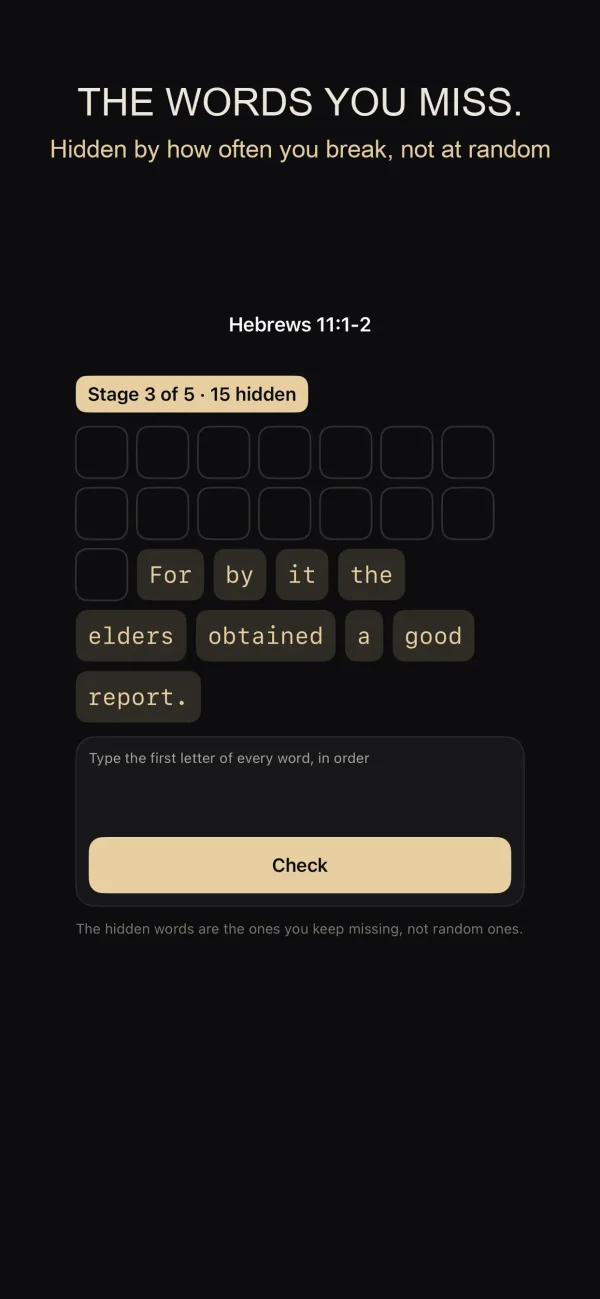
The words you miss.
Every drill records each word separately: how many times you were asked for it, and how many times it broke. The hidden words are chosen from that record, hardest first, with ties going to the earlier word so the screen does not shuffle on you. Most apps hide words at random or in order; the difference shows up around the fourth or fifth pass, when you keep landing on the same five words.
Five stages, and a clean run moves you on.
Each stage hides one fifth more of the passage. Finish a stage without a single miss and you move up and the passage comes back later: 1, 2, 4, 7, 14, then 30 days. Miss one and the interval goes back to the start — not as a punishment, just as an honest reading of where you are.
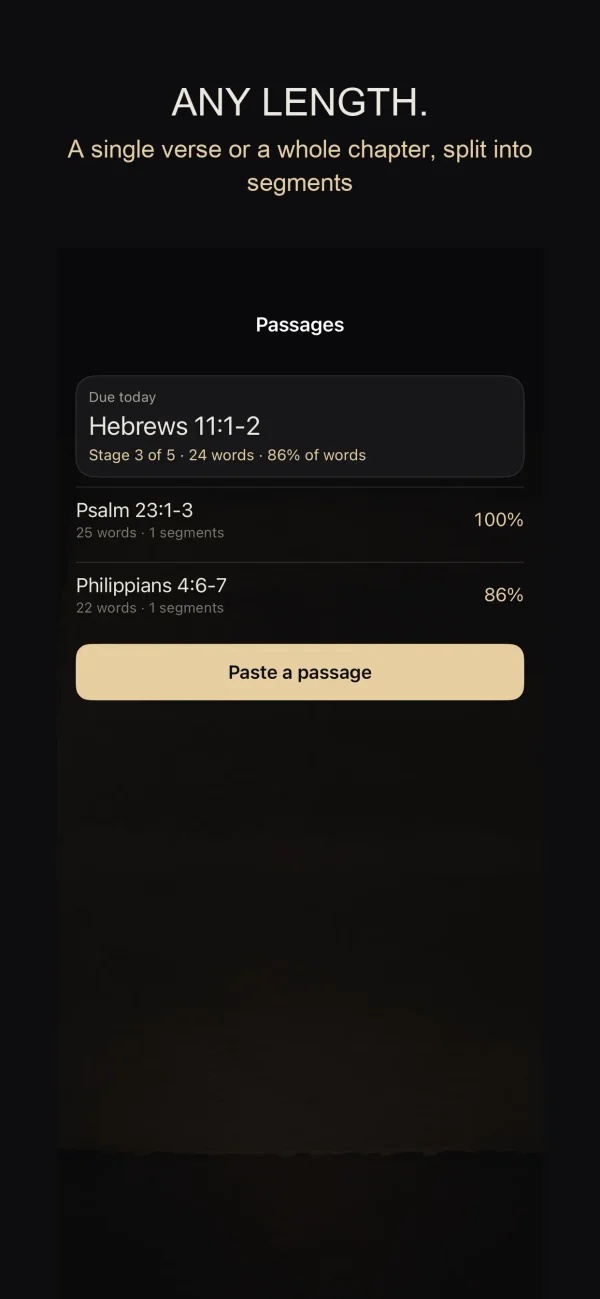
Any length.
A chapter is split into segments of about sixty words, so a long passage works the same way a single verse does. Nothing here is built for one verse at a time.
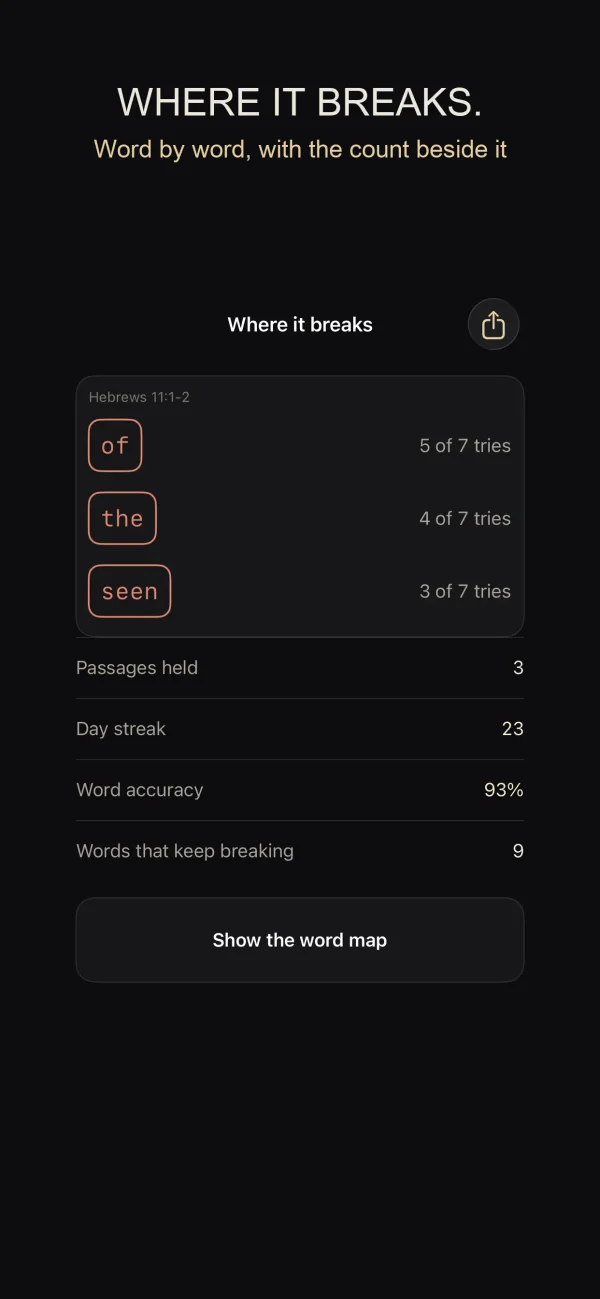
Where it breaks, in a list.
The words that keep failing are listed with the count beside them: five of seven tries, four of seven. That list is what you take back into the drill.
No account. No sign-in. No server.
Everything is on this phone, including the text you pasted. It is never uploaded, and it is never put into the card you share — that card carries the reference and the numbers, nothing else.
Languages: English, 한국어, 日本語, 繁體中文, Deutsch, Français, Español
App privacy
What Jinwan Kim declares on the App Store about how this app handles data.
-
Data not linked to you
May be collected but is not linked to your identity.
- Location
- Identifiers
- Usage data
Privacy practices may vary, for example with the features you use or your age.
Information
- Seller
- Jinwan Kim
- Category
- Reference
- Version
- 1.0
- Updated
- Sep 10, 2026
- Released
- Sep 10, 2026
- Size
- 5.1 MB
- Requires
- iOS 17.0 or later
- Age rating
- 4+
- Languages
- Traditional Chinese, German, Japanese, French, English, Spanish, Korean
- Copyright
- © Kein Chronicle
You might also like
-
 Memorize It: Scripture MemoryBible verses & poems by heart
-
 Versmemo: Bible Verse MemoryVerses by Heart, Together
-
 Memorize The Bible: VersesScripture memory, daily recall
-
 Engrave: Scripture MemoryMemorize Scripture, one verse
-
 ReciteWellBible Verse Memorization
-
 LiveTheWordSpeak & Memorize Scripture
-
 Daily VersumScripture memory daily
-
 Vanishing VerseBible verse memory game
-
 Luna lerntEducation
-
 OneNineteen: Scripture MemoryDaily Bible Verse Recitation