
- Age rating4+
- CategoryProductivity
- DeveloperScriven
- LanguagesEnglish
- Size2.6 MB
Links to the official App Store page
Download.org hosts no file of Scriven Key. The button opens its official App Store page, published by Scriven. Listing last checked on Nov 18, 2026.
Screenshots
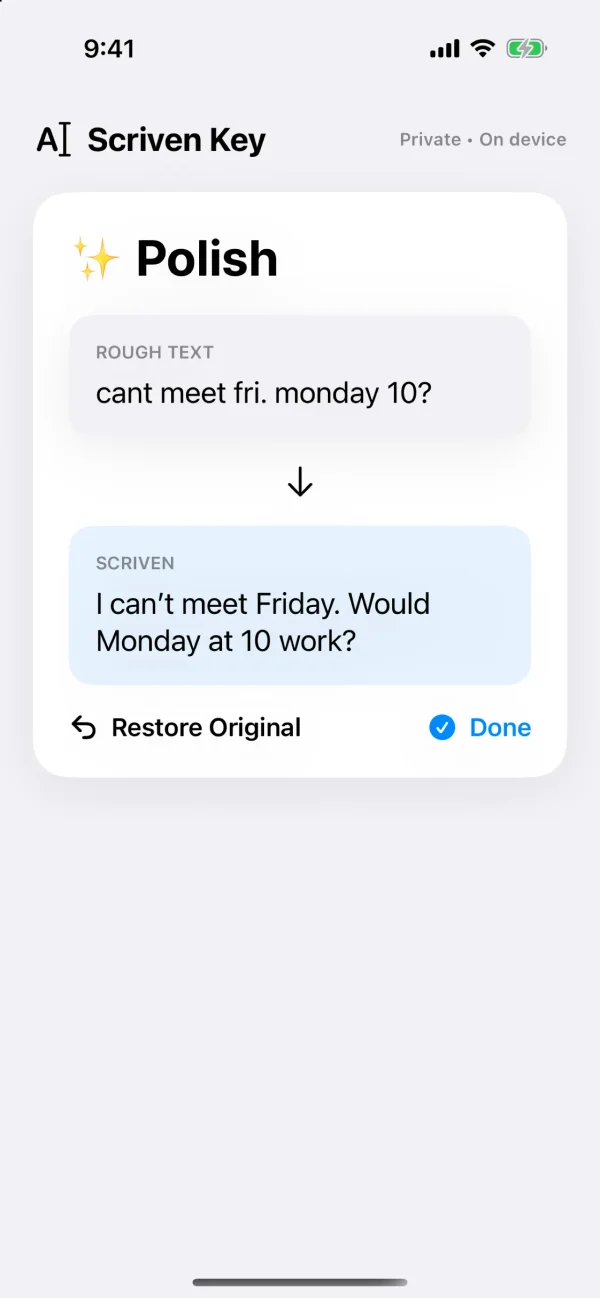
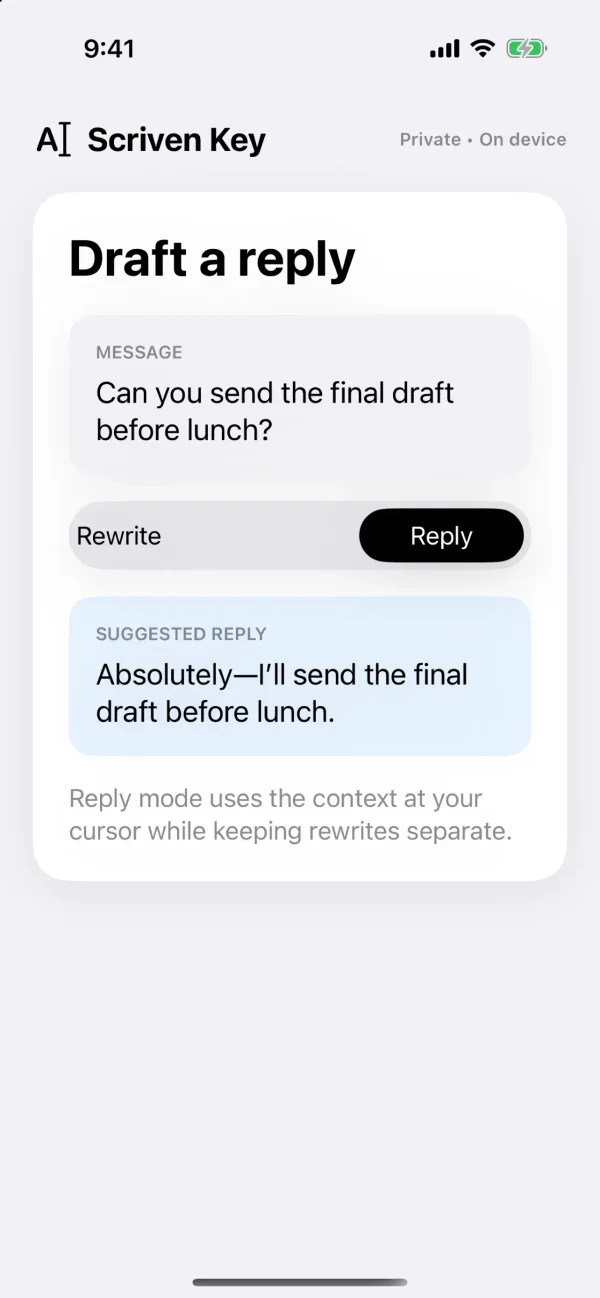
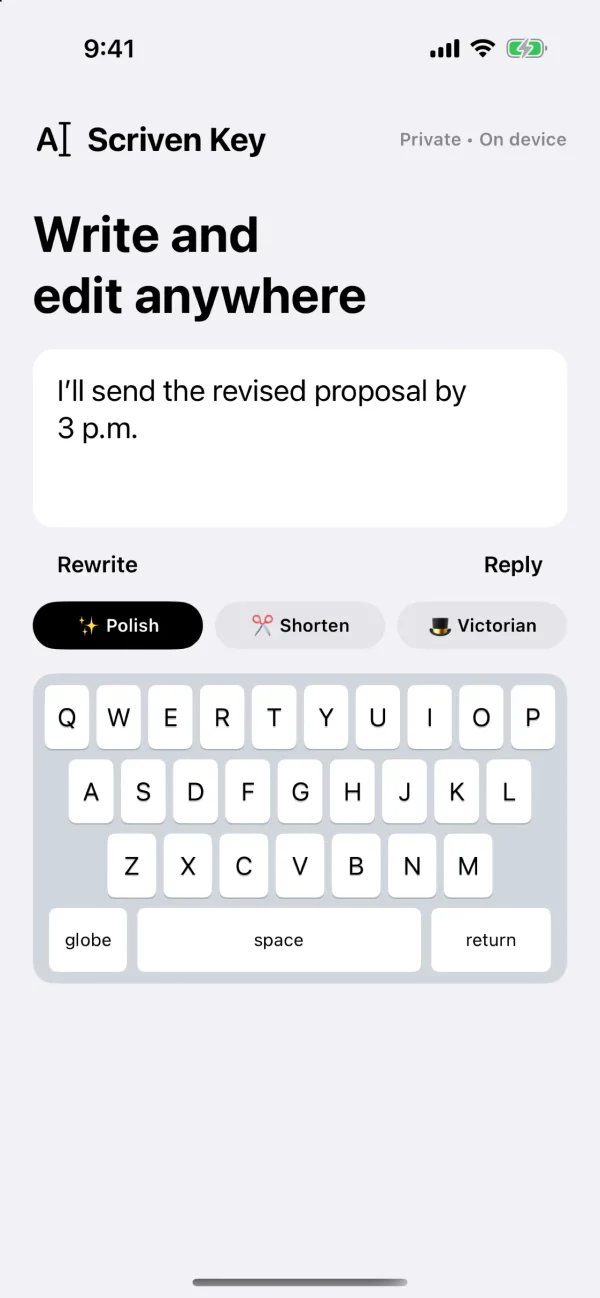


About
Type less. Write better.
Scriven Key is an intelligent writing keyboard that turns rough notes, fragments, abbreviations, and shorthand into clear, natural prose. Write quickly without worrying about capitalization, punctuation, or perfect phrasing, then let Scriven make your message ready to send.
POLISH YOUR WRITING
Convert compressed thoughts into concise professional communication. Scriven corrects spelling and grammar, improves clarity and flow, and preserves your intended meaning—including names, dates, times, requests, uncertainty, and responsibility.
CHOOSE THE RIGHT STYLE
• Polish creates clear, natural professional prose.
• Condense removes filler without dropping important details.
• Expand turns shorthand into complete prose.
• Warm, Formal, Playful, Victorian, and Emoji change the tone without changing the message.
• Sarcasm, Absurd, Pun, Anti-Joke, Kid Logic, and Fake Text turn context into concise internet-native humor.
Actions are arranged in swipeable 3×3 pages so more useful choices stay within reach.
DRAFT OR CONTINUE
When no text is selected, Scriven uses the context before your cursor to predict a useful reply or continuation. In an empty reply field, Scriven can use copied messages or on-device text recognition from a copied screenshot. Choose Quick Reply, Agree, Decline, Ask, Buy Time, Empathize, Make a Plan, Make It Funny, or Change Subject. An optional temporary tray combines up to three copied items for conversational context. Select text whenever you want to transform existing writing.
PLAY WITHOUT LEAVING
Open the Games panel and swipe through focused quick games including Pong, Breakout, Merge Tiles, Four in a Row, Chess with an on-device opponent, verified context-aware AI Trivia, Blocks, 4×4 Mini Sudoku, Minesweeper, Coin Call, and lighter classics. Games respond with animation, haptics, combos, scores, and clear round outcomes. Use Surprise to choose a game at random and insert results directly into the conversation. If a rewrite is not right, restore your original text with one tap.
PRIVATE BY DESIGN
Scriven uses Apple's on-device Foundation Models and Vision text recognition. Your writing, copied text, and copied screenshots used for reply context are processed on your iPhone. Full Access is required only so the keyboard can read the system clipboard. The context tray lasts only for the keyboard-extension session, obvious copied verification codes are ignored, and Scriven does not store or transmit clipboard contents. Scriven has no account, backend, cloud storage, analytics SDK, or network-based AI service.
Scriven requires an Apple Intelligence-compatible iPhone with Apple Intelligence enabled.
App privacy
What Scriven declares on the App Store about how this app handles data.
-
Data not collected
The developer does not collect any data from this app.
Privacy practices may vary, for example with the features you use or your age.
Information
- Seller
- Scriven, Inc.
- Category
- Productivity
- Version
- 1.0
- Updated
- Aug 21, 2026
- Released
- Aug 21, 2026
- Size
- 2.6 MB
- Requires
- iOS 26.0 or later
- Age rating
- 4+
- Price
- Free
- Languages
- English
- Copyright
- © 2026 Scriven, Inc.
You might also like
-
 LusoChat - AI Open ModelsSmart AI assistant & chatbot
-
 DFA SCADAProductivity
-
 Save Button AppProductivity
-
 Echo: Voice Recorder & MemosAudio Notes & Speech to Text
-
 White noise mixer: Focus soundWhite noise mixer: Focus sound
-
 DinglyRemind you of meetings early
-
 Habit HeatmapYet another habit tracker
-
 YouWoAI - AI NoteTakerAI Notes, Transcribe, quiz
-
 JustType AI KeyboardSmart-Fast-Accurate-Translate
-
 Compass - Local AIOn-device AI assistant.