ScrollTax: Earn Screen Time
Stop Doomscrolling App Blocker
Designed for iPhone
Free · In-app purchases
- Age rating4+
- CategoryProductivity
- DeveloperMarasy Phi
- LanguagesEnglish
- Size76.2 MB
Links to the official App Store page
Download.org hosts no file of ScrollTax: Earn Screen Time. The button opens its official App Store page, published by Marasy Phi. Listing last checked on Nov 27, 2026.
Screenshots
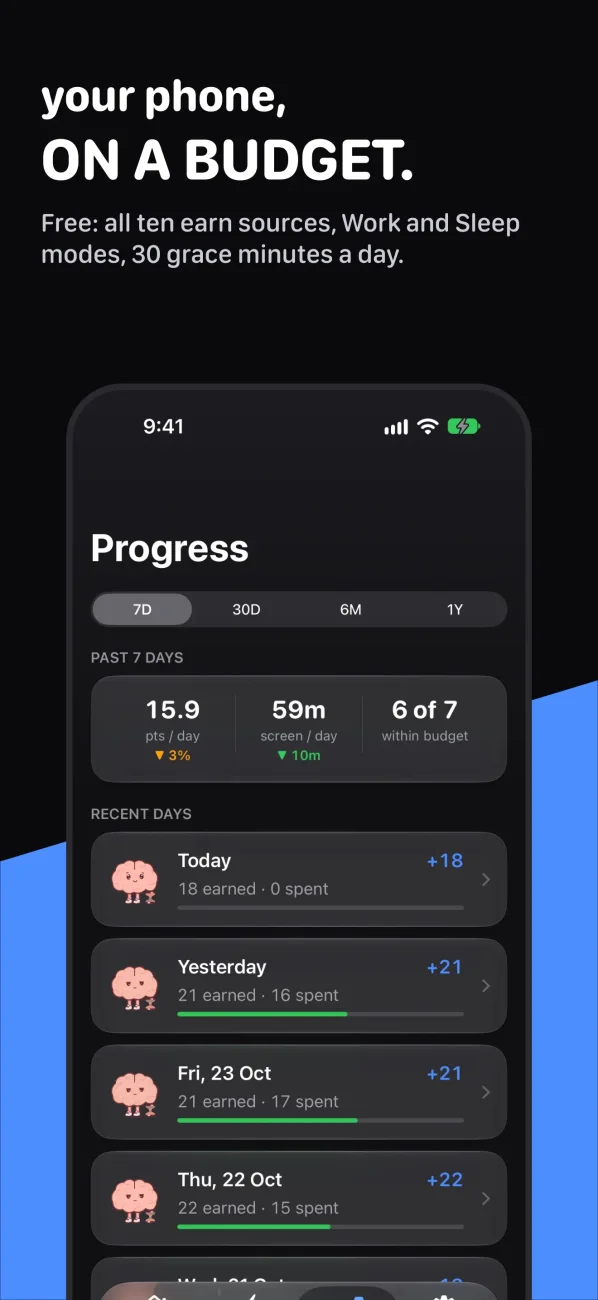
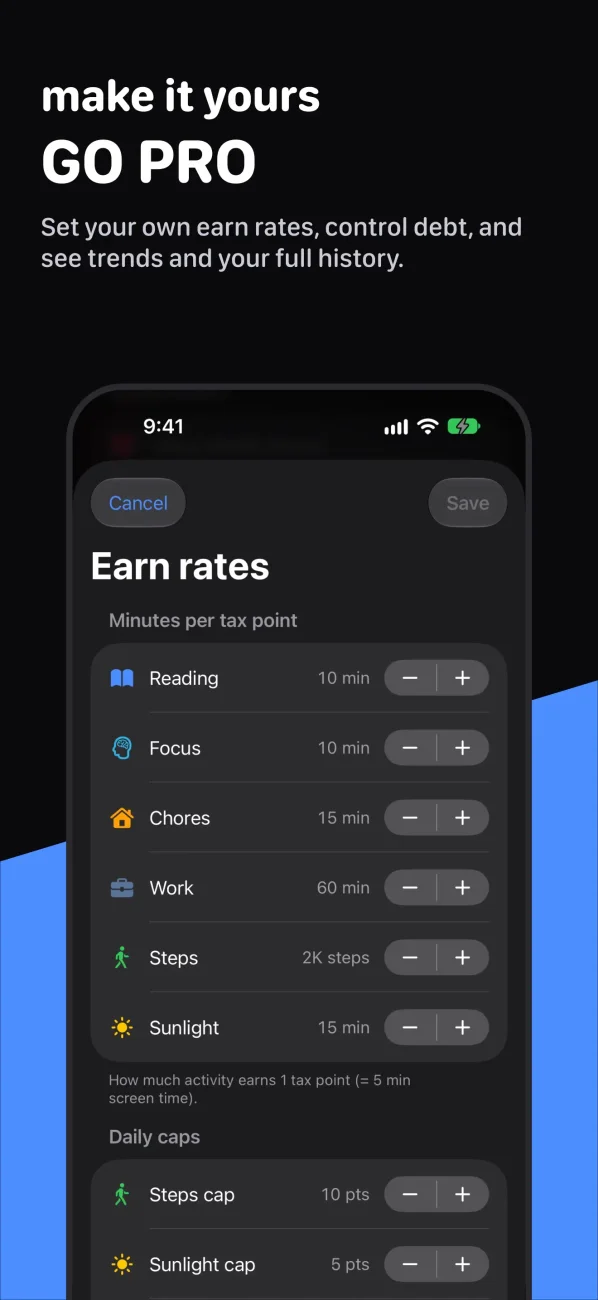
About
Most app blockers run on a schedule. ScrollTax runs on a budget.
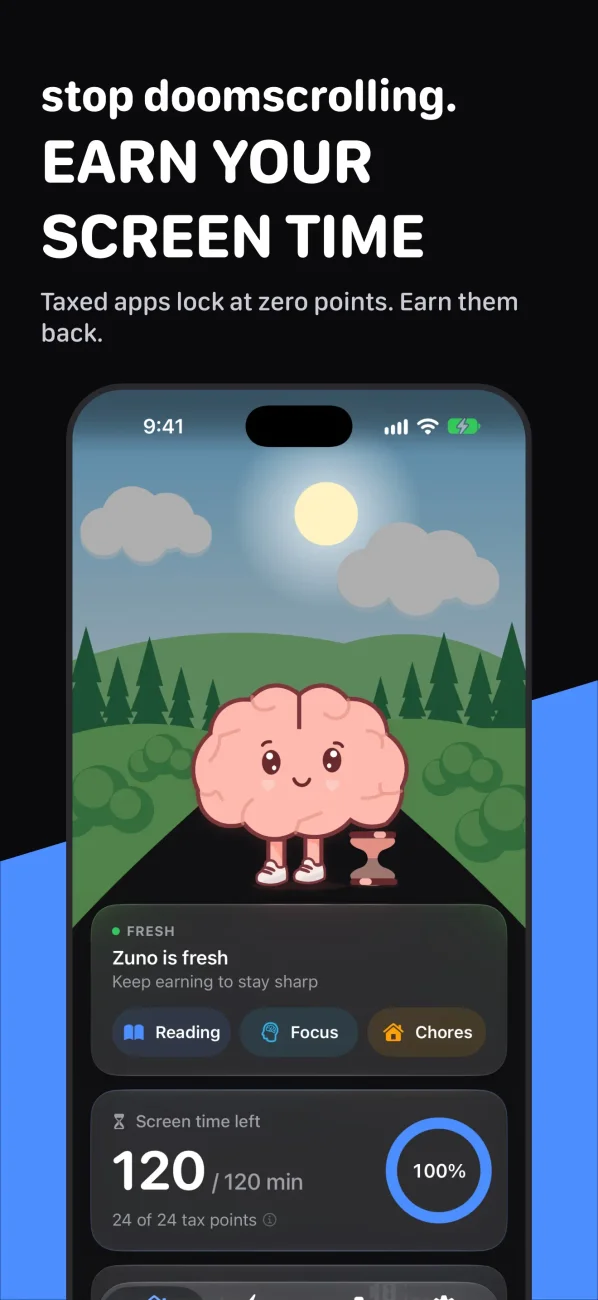
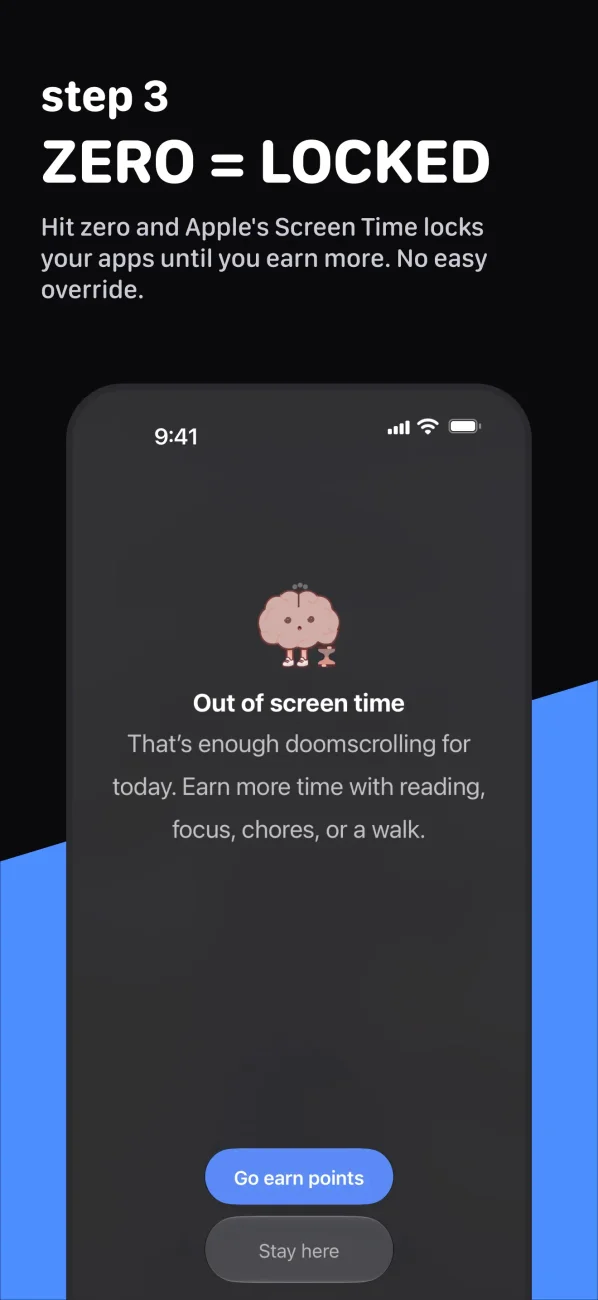
Every 5 minutes in a taxed app costs 1 point, all day, every day. Earn points back by reading, walking, working out, sleeping and more. Hit zero and your apps lock until you earn more.
WHY SCROLLTAX
· Willpower not required. Blockers you can snooze get snoozed. ScrollTax gives you a budget instead, so the decision is already made.
· Scroll without the guilt. Every minute on your phone is one you already earned with a walk, a chapter or a good night's sleep.
· No schedules to set or cheat. The tax is always on, so there's no unblocked window to binge in, and nothing to reconfigure when your day changes.
· Habits you actually want. Reading, steps, workouts, sunlight and sleep become the way you pay for your phone, so they happen every day.
· Tomorrow remembers today. Go over budget and the overage carries into tomorrow as debt. No more "fresh start" binges.
· A lock that holds. ScrollTax uses Apple's own Screen Time enforcement. No dismiss button, no three-tap override.
Your phone, on a budget.
HOW IT WORKS
1. Pick your apps.
Choose the apps to tax with the iOS Screen Time picker: social media, games, news, browsers, anything.
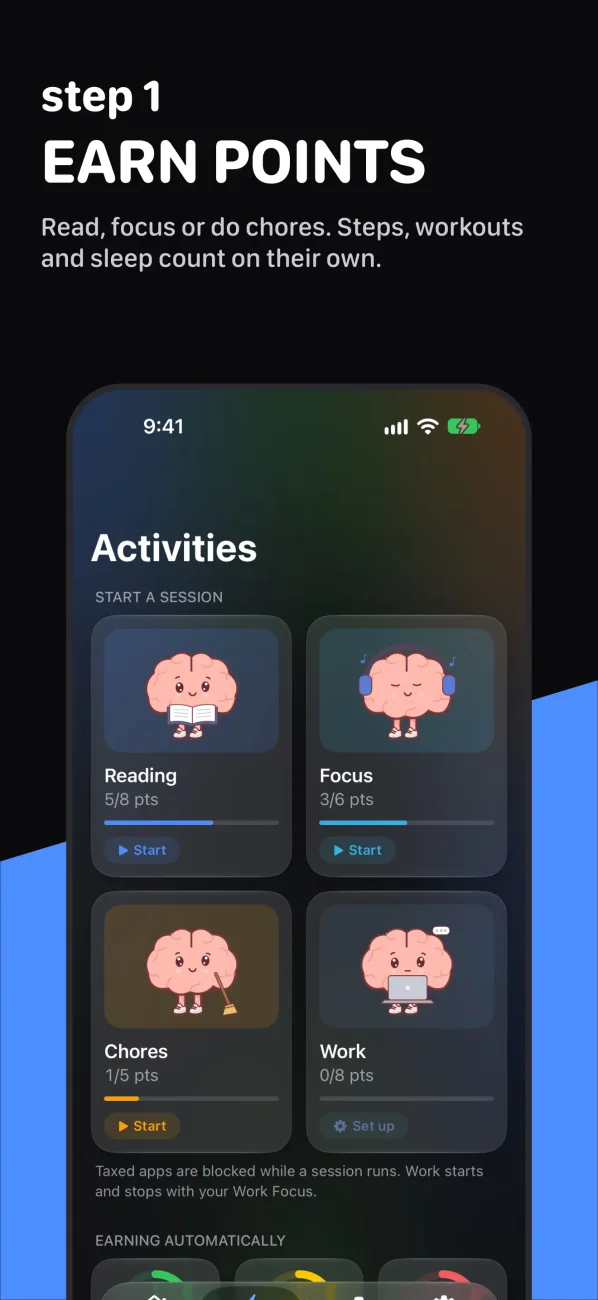
2. Earn tax points.
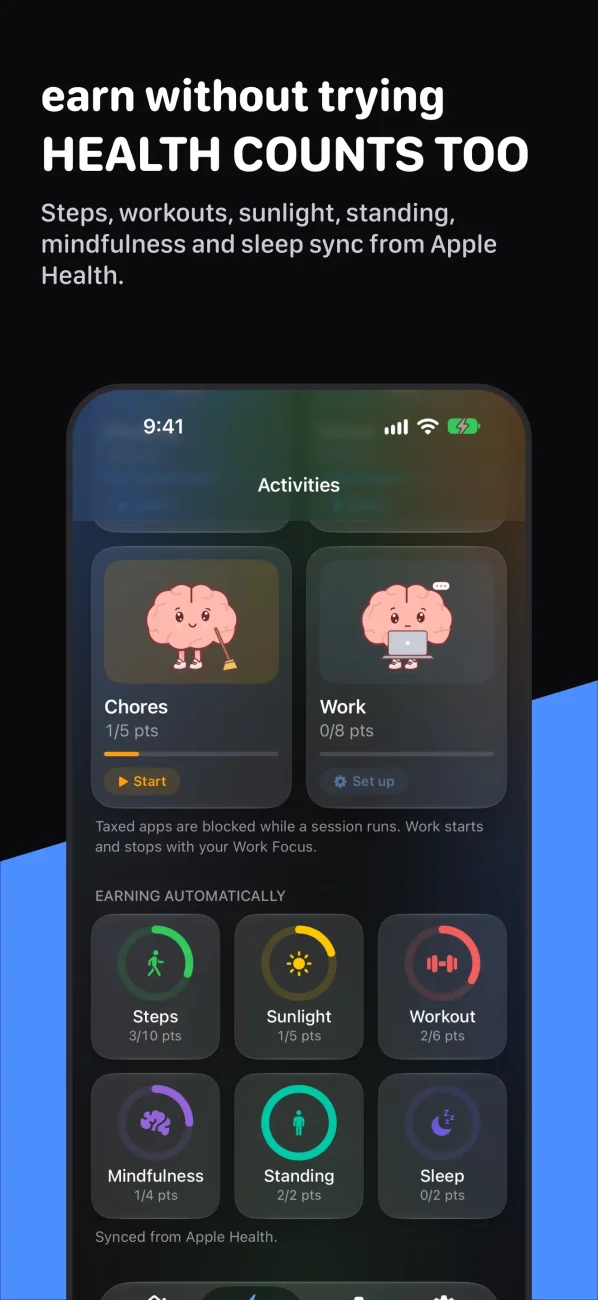
· Reading — 10 min = 1 point
· Focus — 10 min = 1 point
· Chores — 15 min = 1 point
· Work — 60 min = 1 point, tracked by your iPhone Work Focus
· Steps — 2,000 steps = 1 point
· Workout — 15 min = 1 point
· Mindfulness — 10 min = 1 point
· Standing — 3 hours = 1 point
· Sunlight — 15 min outside = 1 point (Apple Watch)
· Sleep — 7+ hours = 2 points, from Apple Health or your Sleep Focus
Each source has a daily cap, so no single habit can buy the whole day.
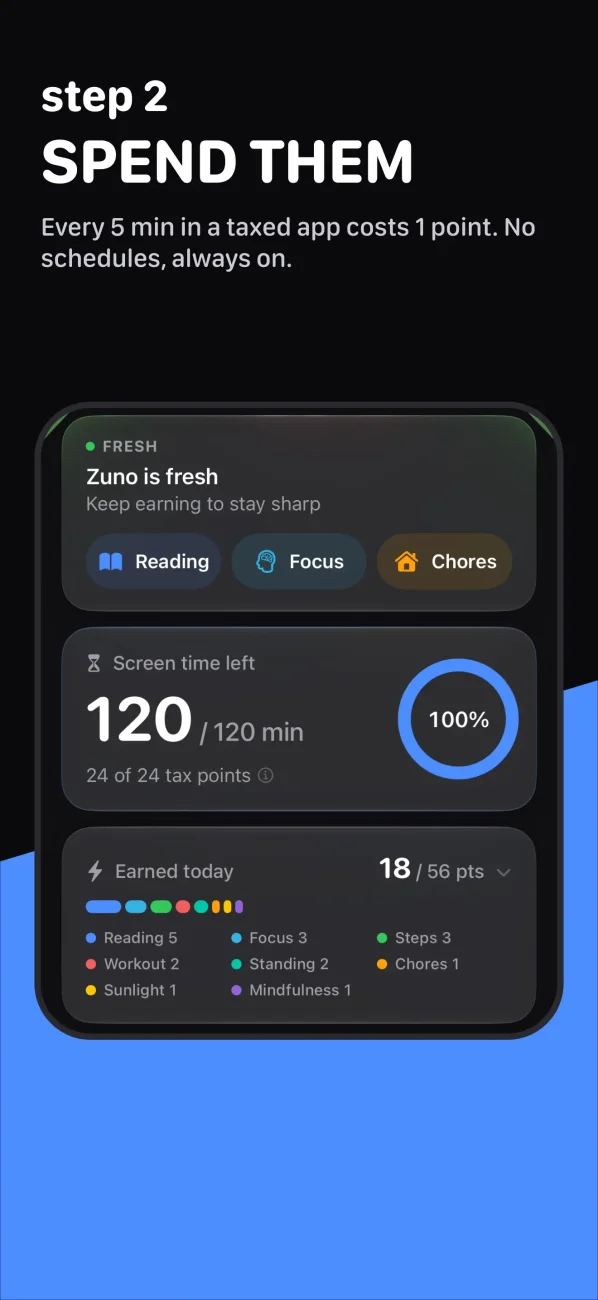
3. Spend your budget.
1 point = 5 minutes in your taxed apps, counted automatically in the background. You also get 30 free grace minutes every day. Hit zero and your apps lock on their own.
MEET ZUNŌ
A little brain that lives on your Home screen. Its mood follows your balance: bright when you're earning, frazzled when you're scrolling. Poke it, pet it, keep it happy. Prefer a quieter look? Switch to Classic.
SESSIONS THAT LOCK
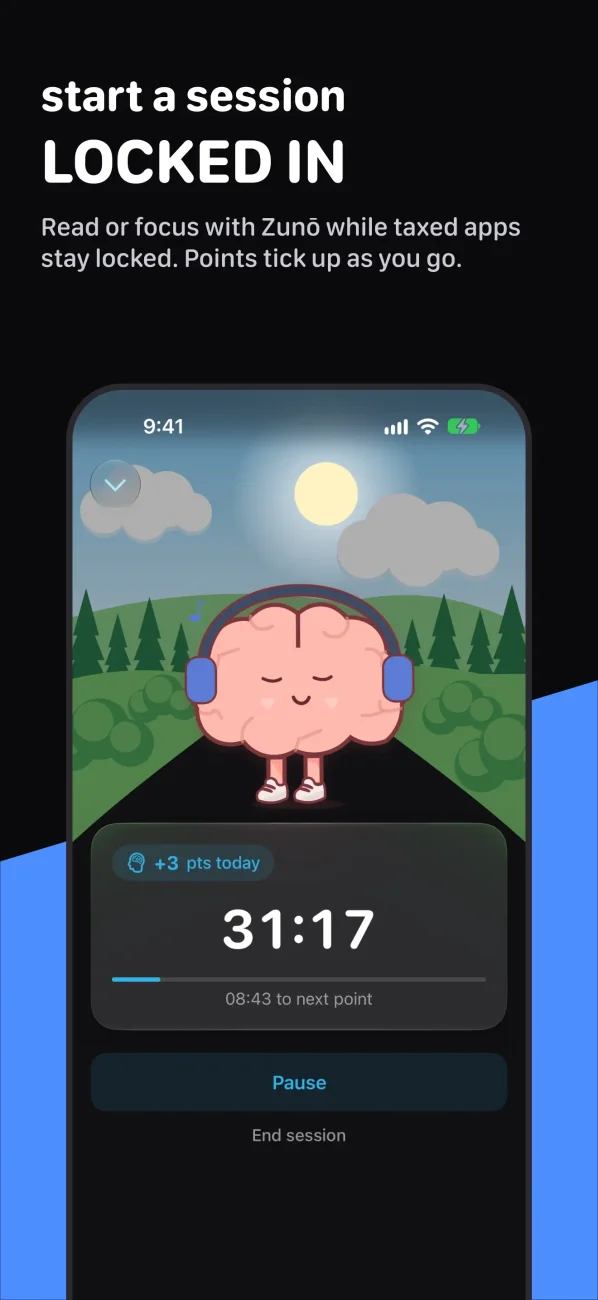
Start a Reading, Focus or Chores session and your taxed apps stay locked until you finish. Forgot to stop? The session ends on its own at midnight or after 4 hours.
WORK MODE AND SLEEP MODE
Add ScrollTax to your iPhone Work or Sleep Focus. While the Focus is on, your taxed apps stay locked and the time counts as work or sleep. When it turns off, they reopen.
FOR REAL EMERGENCIES
One emergency unlock a day gives you 5 minutes when you truly need it. Want no way out? Turn on Hard mode and remove it.
YOUR DATA STAYS YOURS
ScrollTax never sees which apps you open or what you view. No account. No ads. Your history syncs through your own iCloud.
FREE
· All ten earn sources
· Work mode and Sleep mode
· 30 grace minutes per day
· 1 emergency unlock per day
· Debt carryover — overage rolls to tomorrow
· Live Activity and widgets
· Hard mode — remove the emergency unlock
· Alternate app icons, including seasonal ones
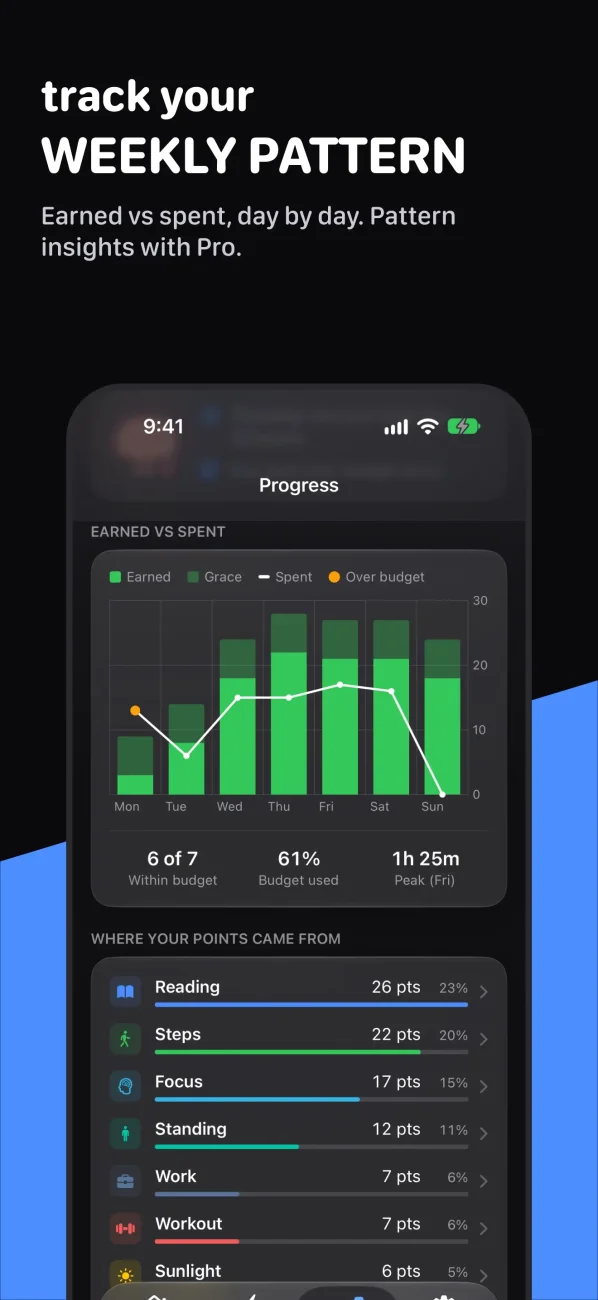
· Your last 7 days of progress
SCROLLTAX PRO
· Custom earn rates and grace
· Debt controls
· Trends, patterns and your full history
ScrollTax. Your phone, on a budget.
Legal:
EULA: https://www.apple.com/legal/internet-services/itunes/dev/stdeula/
Privacy Policy: https://scrolltax.hipporasy.dev/privacy
Terms: https://scrolltax.hipporasy.dev/terms
What’s new
Version 2.0.6 · Nov 26, 2026
ScrollTax 2.0.6
+ Fixed debt that kept growing after you removed every app from Blocked apps. With no apps blocked, nothing is taxed, and leftover debt is cleared.
+ More accurate tax when iOS reports screen time late.
+ The Home header no longer shows content scrolling under the status bar.
App privacy
What Marasy Phi declares on the App Store about how this app handles data.
-
Data not linked to you
May be collected but is not linked to your identity.
- Usage data
- Diagnostics
Privacy practices may vary, for example with the features you use or your age.
Information
- Seller
- Marasy Phi
- Category
- Productivity
- Version
- 2.0.6
- Updated
- Nov 26, 2026
- Released
- Mar 26, 2026
- Size
- 76.2 MB
- Requires
- iOS 18.0 or later
- Age rating
- 4+
- Price
- Free
- In-app purchases
- Yes
- Languages
- English
- Copyright
- © Marasy Phi
You might also like
-
 Koia: Earn Your Screen TimeHabit Tracker, App Blocker
-
 Merite: Earn Screen TimeComplete tasks to unlock apps
-
 LockedIn: Earn Screen TimeHabittracker & Focus
-
 Blocus: Earn Screen TimeApp Blocker & Focus Timer
-
 BlockRot: Screen Time ControlFinish Tasks, Earn Screen Time
-
 Achieve! Earn Your Screen TimeBlock Apps & Set App Limits
-
 Unglue: Screen Time FriendApp Blocker & Habit Tracker
-
 Unrot: Earn your Screen TimeComplete habits, then scroll
-
 PushUp App Blocker - PushBlockPush up to earn screen time
-
 Freedom: Screen Time ControlBlock Apps. Stay Focused.