
Scrub: On-Device Redaction
Redact photos & PDFs on device
Designed for iPhone
Free · In-app purchases
- Age rating4+
- CategoryUtilities
- DeveloperSTEVEN DAVID DIAS ALEXANDER
- LanguagesEnglish
- Size28.6 MB
Links to the official App Store page
Download.org hosts no file of Scrub: On-Device Redaction. The button opens its official App Store page, published by STEVEN DAVID DIAS ALEXANDER. Listing last checked on Nov 18, 2026.
Screenshots


About
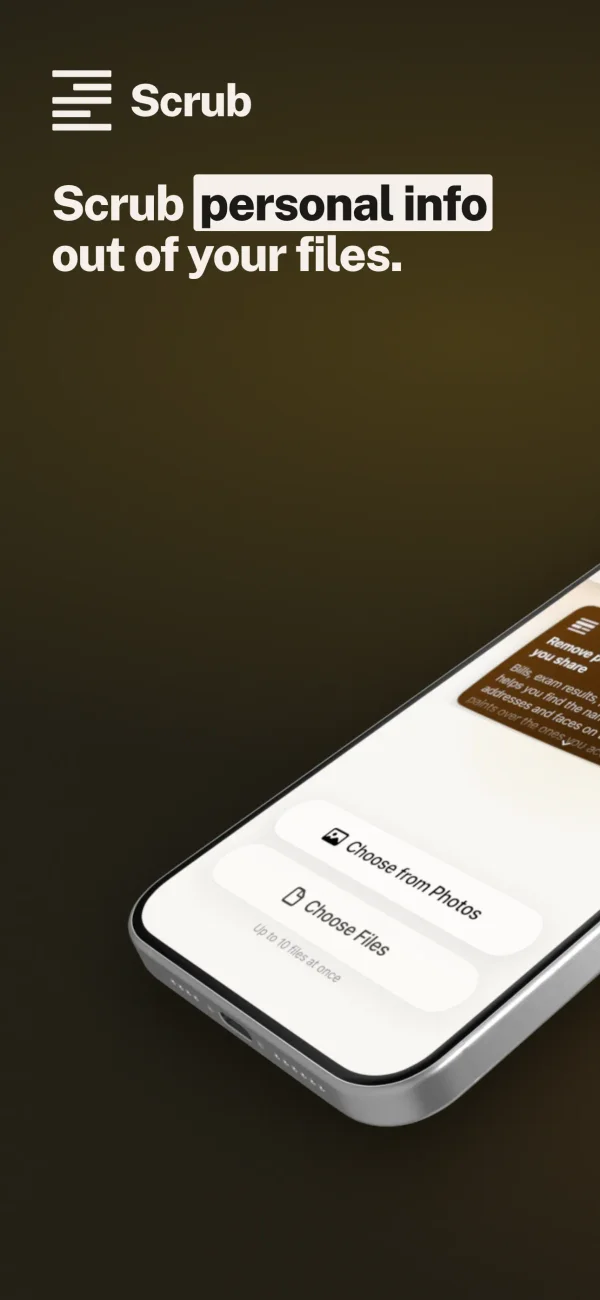
Scrub finds and removes personal information from your photos and PDFs, entirely on your iPhone, so you can safely share files with cloud AI tools, support agents, or anyone else.
Nothing ever leaves your device. There is no upload, no account, no sign-in and no telemetry. Detection and redaction both run on the phone, so there's nothing to leak, sell, or subpoena.
REAL REDACTION, NOT A BLACK RECTANGLE
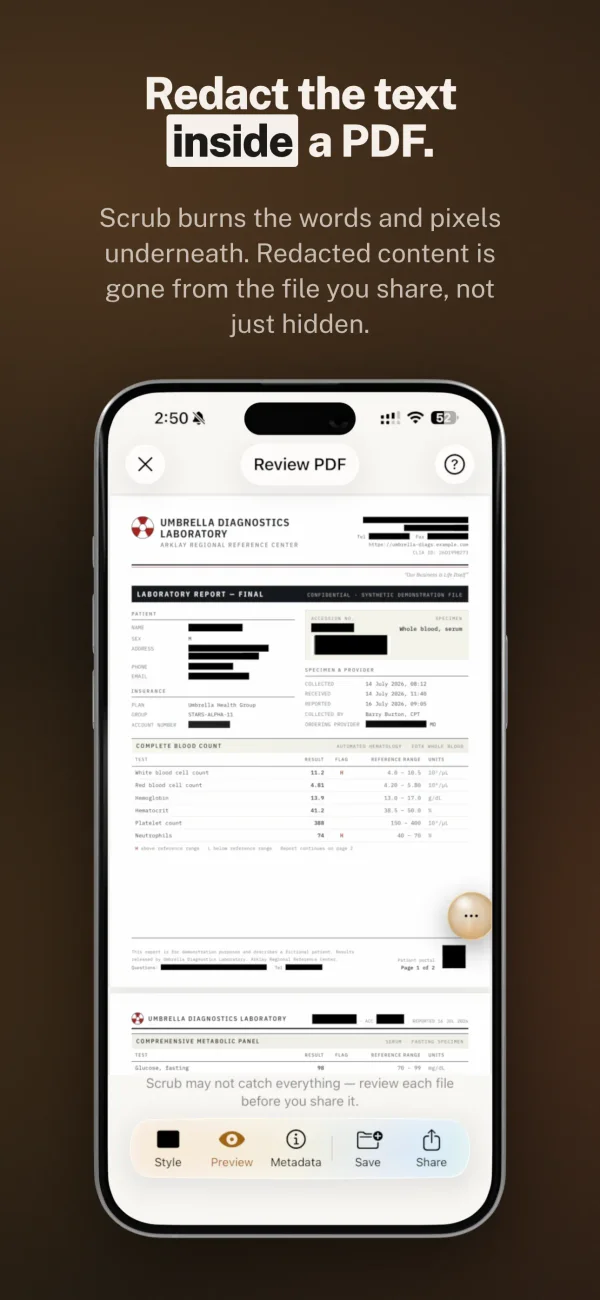
Most "redaction" just draws a box on top of the data, and anyone can copy the data out or peel the box off later. Scrub destroys the pixels underneath. Once you save, the hidden text, face, or barcode is gone for good and can't be recovered from the new file.
Choose your style:
• Solid bars: a clean, true pixel burn
• Blur: a Gaussian blur over the region
• Pixelate: mosaic it out
WHAT IT DETECTS
• Names and street addresses, found automatically by on-device AI and never uploaded
• Emails, phone numbers, card and account numbers, read by on-device OCR
• Faces
• Barcodes and QR codes
• Region-specific identifiers for the US, Canada, the UK, Australia, and New Zealand: national and tax IDs, postal codes, and more, chosen automatically by your device region
• Your own custom terms: add a nickname, employer, or account label for extra certainty on top of automatic detection
YOU'RE IN CONTROL
Detections appear as red boxes right on the image. Tap to review each one, add anything Scrub missed, remove anything you want to keep, then redact. Scrub never touches the original file; it always saves a new "-scrubbed" copy.
• Pinch to zoom, drag to pan
• Double-tap to add a detection by hand
• Accept all or review one by one
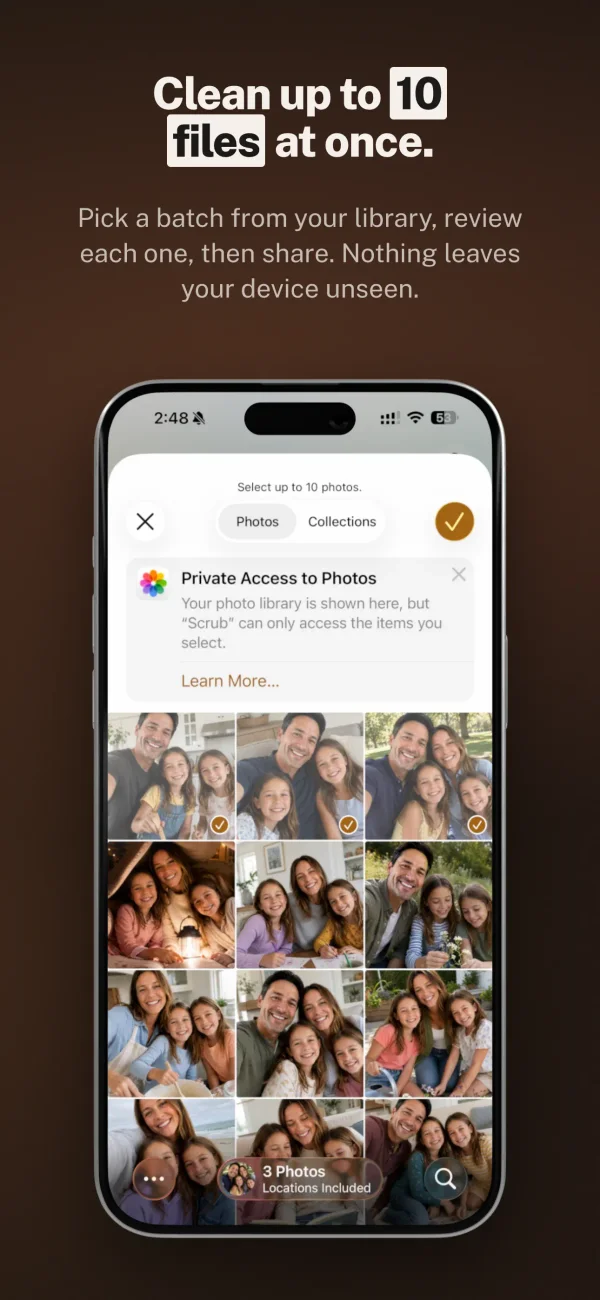
• Batch up to 10 files in a single pass
METADATA, GONE TOO
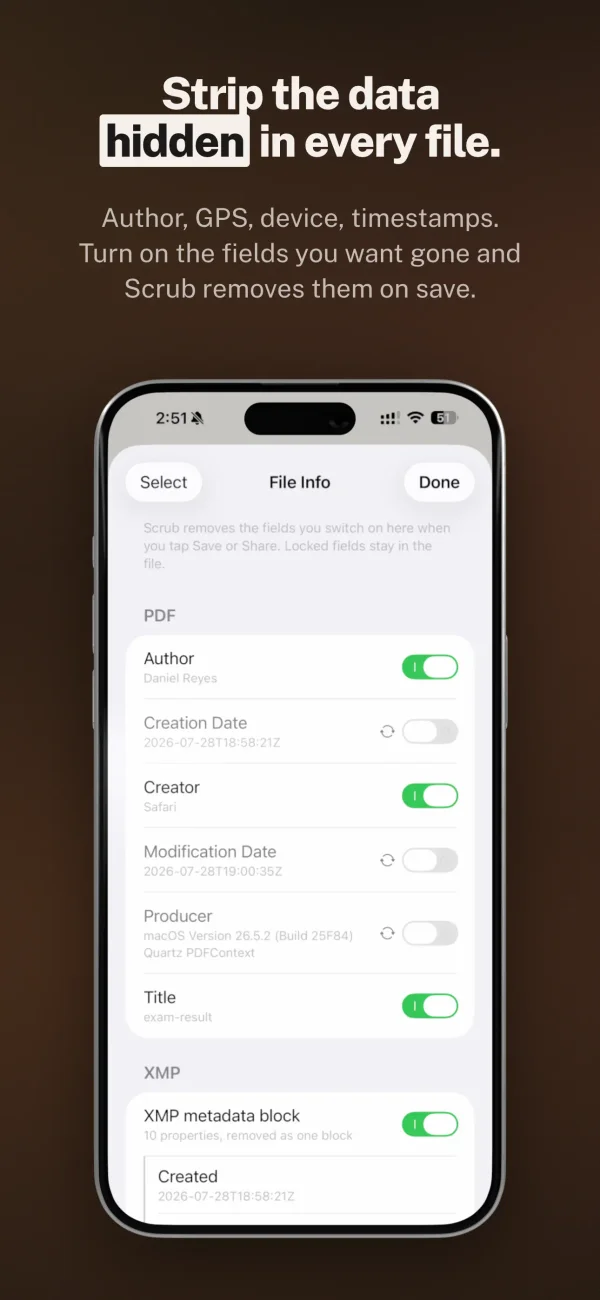
Photos carry hidden EXIF data: GPS location, device, timestamps. PDFs carry author and app metadata. Scrub strips it from the output, irreversibly.
PRIVACY BY DESIGN
You can only really trust a privacy claim if the app never phones home, so Scrub doesn't. No analytics, no telemetry, no crash reporters. Your custom terms list stays on your device, where you can see it and delete it at any time. We have nothing to hand over, because we never collect anything.
SUBSCRIPTION
Scrub is free to use, with 3 saved files every 7 days. Scrub Unlimited removes that limit, so you can redact and save as many photos and PDFs as you like.
• Scrub Unlimited (Monthly): US$3.99 per month
• Scrub Unlimited (Annual): US$34.99 per year
Prices are in USD and may vary by region. Payment is charged to your Apple Account at purchase. A subscription renews automatically unless canceled at least 24 hours before the end of the current period; you can manage or cancel it anytime in your Apple Account settings. There is no free trial.
Privacy Policy: https://scrub.software/privacy.html
Terms of Use (EULA): https://www.apple.com/legal/internet-services/itunes/dev/stdeula/
Requires iPhone running iOS 26 or later.
Questions or feedback: support@scrub.software
What’s new
Version 1.1.5 · Aug 20, 2026
- A PDF can carry other whole files tucked inside it, and each one keeps its own record of who made it, when, and with what. File Info now lists every attached file with its name, type and size, so nothing travels along with your document without you knowing about it. Saving removes those files from your scrubbed copy, along with the markers that point at them. If an attachment is one the document itself relies on, such as the data behind an electronic invoice, Scrub tells you before you save.
- Scrub now reads a PDF's XMP metadata and shows it in the File Info sheet. A PDF keeps its details in two places: the document properties most apps display, and an XMP block. That block usually repeats the same identity data and adds tracking IDs and edit history: the author, the software that produced the file, document and instance IDs, and on some files location and rights fields. Scrub lists every property from the block next to the rows that were already there, so you can see what a document carries before you share it. The block can only be handled as a whole, so Scrub gives it one switch with its properties listed underneath.
- Updated interface, with a new menu you can move around the screen.
App privacy
What STEVEN DAVID DIAS ALEXANDER declares on the App Store about how this app handles data.
-
Data not collected
The developer does not collect any data from this app.
Privacy practices may vary, for example with the features you use or your age.
Information
- Seller
- STEVEN DAVID DIAS ALEXANDER
- Category
- Utilities
- Version
- 1.1.5
- Updated
- Aug 20, 2026
- Released
- Jul 16, 2026
- Size
- 28.6 MB
- Requires
- iOS 26.0 or later
- Age rating
- 4+
- Price
- Free
- In-app purchases
- Yes
- Languages
- English
- Copyright
- © 2026 Scrub
You might also like
-
 PrivateCopy: AI PrivacyRedact Photos, PDFs & Text
-
 GazeVaultFor Your Eyes Only
-
 RedactPDF – Secure RedactionRemove sensitive text
-
 Metadata Cleaner: EXIF RemoverRemove AI Label, GPS Location
-
 Coast: Macros & TrackpadBuild your own controller
-
 ShareWipe: Privacy CleanerOn-device privacy before share
-
 PixplyBluetooth Board Controller
-
 TelescopureThe simplest web browser.
-
 Phone Doctor - Device TesterDevice Monitor & Diagnostics
-
 Redact Photo: Censor & BlurMask info, resize & to PDF