Scrubb: Metadata Remover
Strip photo & video metadata
Designed for iPhone, iPad, Mac
Free · In-app purchases
- Age rating4+
- CategoryPhoto & Video
- DeveloperSerious Business Software LLC
- LanguagesEnglish+ 12 more
- Size7.5 MB
Links to the official App Store page
Download.org hosts no file of Scrubb: Metadata Remover. The button opens its official App Store page, published by Serious Business Software LLC. Listing last checked on Nov 23, 2026.
Screenshots


About
Your photos are telling on you.
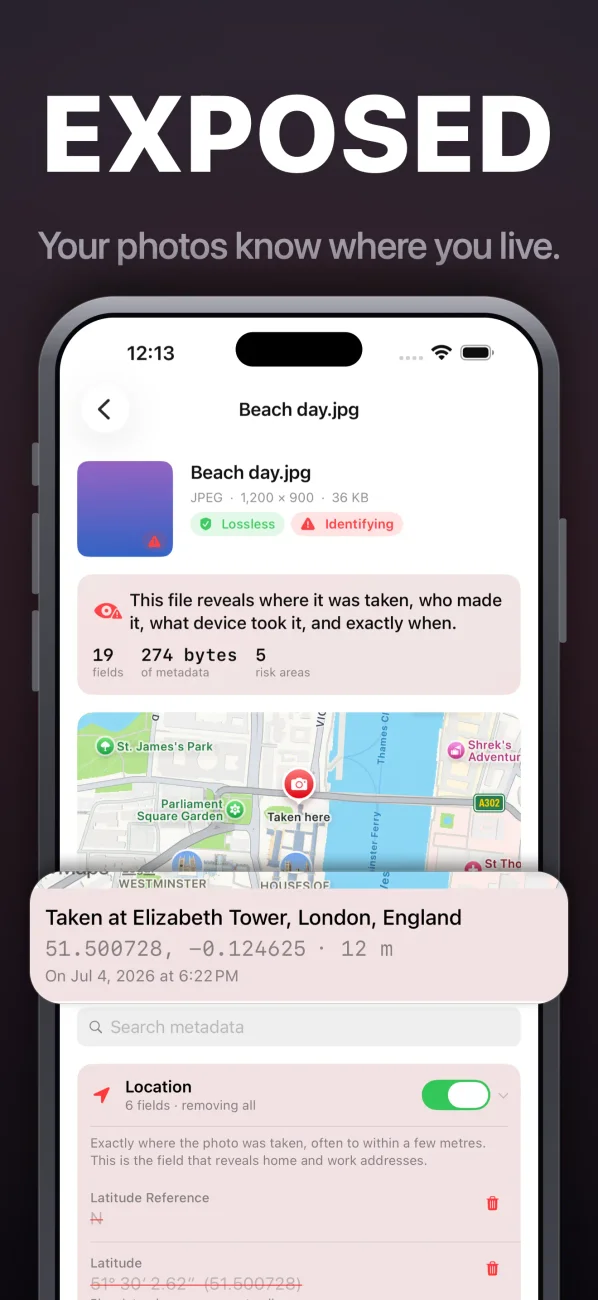
Every picture your phone takes carries hidden data: the exact GPS coordinates, down to a few metres. The date and time to the second. Your camera's serial number, which ties every photo you have ever posted back to the same device. Sometimes a thumbnail of the original shot, still showing what you cropped out. Your videos carry it too, which almost nobody realises.
You cannot see any of it. The person you send the photo to can.
Scrubb shows you exactly what is hidden inside a photo or video, then removes it without touching the picture itself.
SEE IT BEFORE YOU SEND IT
Open any photo and Scrubb lays out everything inside: location on a map, device and lens, timestamps, author and copyright fields, editing history, embedded previews. Each field is labelled in plain language, with a note on what it actually gives away. The inspector is free forever.
YOUR PIXELS ARE NEVER TOUCHED
Most metadata removers re-compress your photo. You get a smaller file, softer detail, and a JPEG where you had a HEIC.
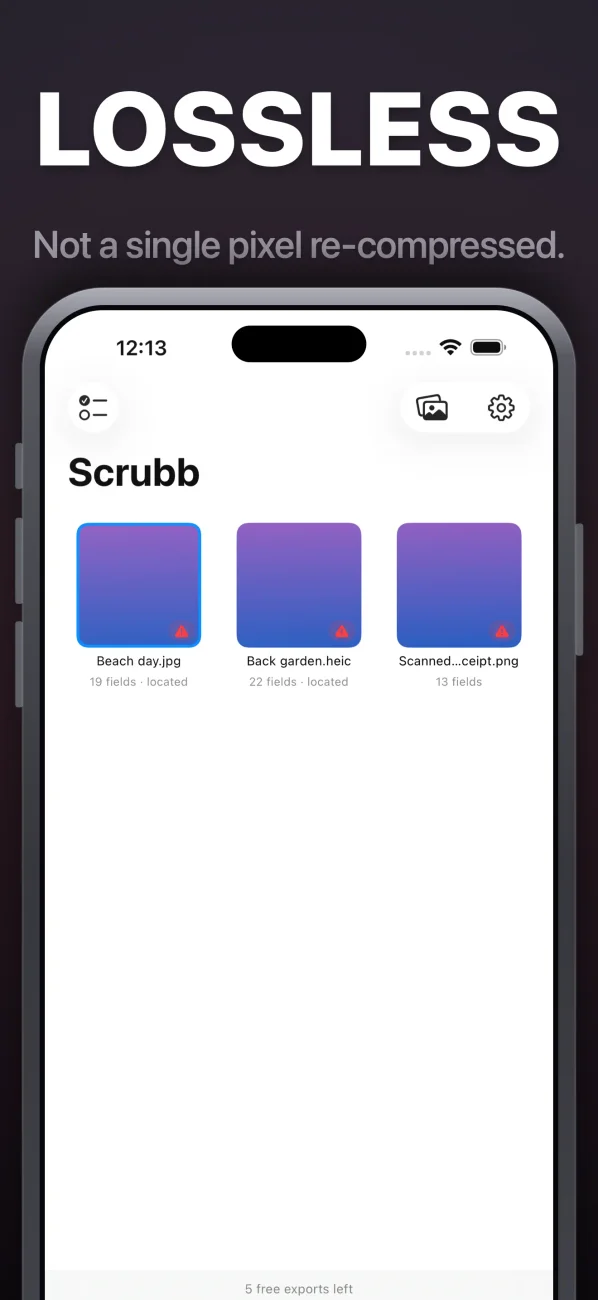
Scrubb does not do that. It rewrites the container around your image and copies the compressed picture across untouched, so a cleaned photo is byte-for-byte identical where it counts and keeps its original format. This works on JPEG, PNG, HEIC, WebP, GIF, and QuickTime video.
EVERY FILE IS CHECKED BEFORE YOU SEE IT
Removing metadata is easy. Removing it correctly is not, and a tool that quietly fails is worse than no tool at all.
So Scrubb reads back every file it writes. The image must still decode. It must match the original's dimensions. Its pixels must hash identically. And none of the fields you asked to remove may still be present, cross-checked against the system's own image parser. A file that fails any of these is deleted, not handed to you.
NOTHING IS EVER UPLOADED
Free online metadata removers need you to upload the file first: the very file you are trying to strip identifying data out of, handed to a stranger's server.
Scrubb has no server to upload to. No account, no analytics. Every byte is processed on your Mac, iPhone or iPad. The only thing that ever touches the network is turning a coordinate into a place name for the map you are already looking at.
YOUR ORIGINALS STAY WHERE THEY ARE
Cleaning always writes a new file. Replacing an original is possible, but it is a separate choice behind its own confirmation, and even then Scrubb writes and verifies the replacement before it touches anything.
Camera RAW files are refused outright. Their layouts are proprietary and a bad edit destroys a negative you cannot recreate, so Scrubb exports a cleaned JPEG or HEIC instead and leaves the negative alone.
SELECTIVE OR ALL AT ONCE
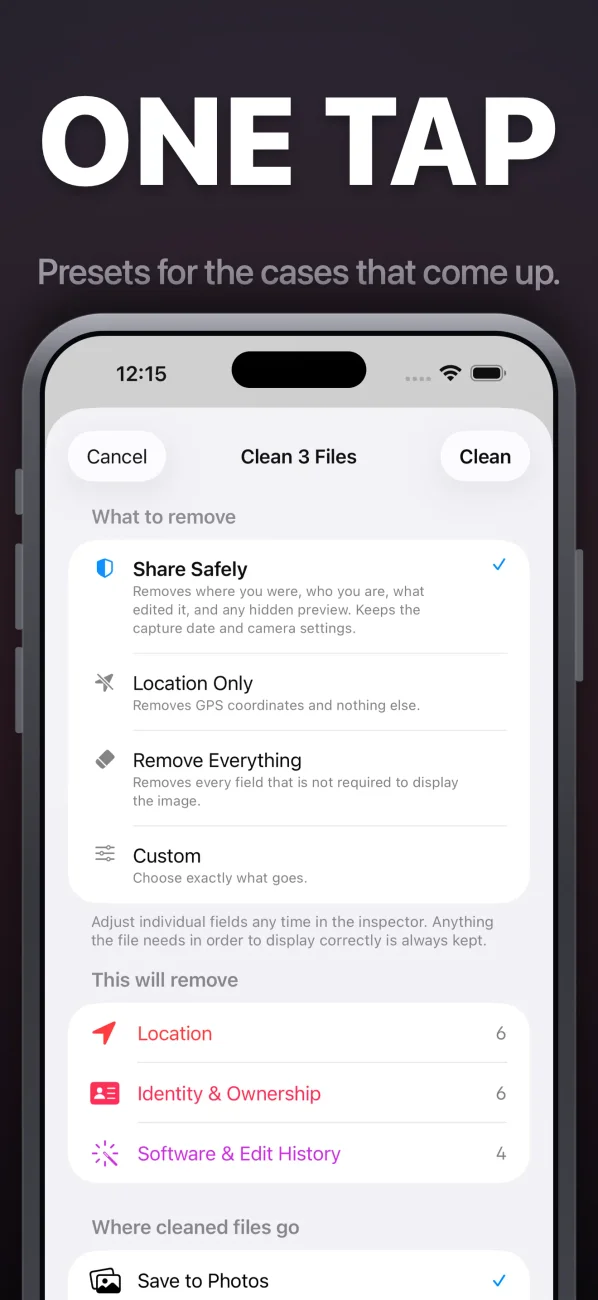
Remove everything. Remove only the location. Or open the inspector and switch individual fields on and off. Presets cover the common cases; the inspector covers the rest. Clean one photo or a few hundred in a single pass.
PDFS REMEMBER WHAT YOU DELETED
A PDF can carry the author's name, the app and computer that made it, the names of everyone who commented on it, and photos with their own GPS data. Many PDFs also keep every earlier save inside the file, so text you deleted before sending is still there for anyone who looks.
Scrubb shows all of it, including each earlier version and the text that was removed. With Scrubb Pro, it rebuilds the PDF with that data and every old version gone, then checks that each page still looks exactly the same.
ONE PAYMENT
The inspector is free forever. The first five photo and video exports are free and full-strength: Scrubb will never strip only some of your metadata to push you towards paying.
After that, one purchase unlocks unlimited exports and PDF cleaning on Mac, iPhone and iPad. Not a subscription. Not now, not later.
What’s new
Version 1.2 · Nov 20, 2026
Scrubb now opens PDFs.
See who wrote a PDF, which app and computer made it, who commented on it, and the earlier versions hidden inside the file, including text that was deleted before it was sent. Viewing is free.
With Scrubb Pro, Scrubb removes all of it: document details, comment names and dates, photo data inside the PDF, and every earlier version. Each cleaned PDF is checked page by page to make sure it still looks exactly the same.
Already own Scrubb Pro? PDF cleaning is included.
App privacy
What Serious Business Software LLC declares on the App Store about how this app handles data.
-
Data not collected
The developer does not collect any data from this app.
Privacy practices may vary, for example with the features you use or your age.
Information
- Seller
- Serious Business Software LLC
- Category
- Photo & Video
- Version
- 1.2
- Updated
- Nov 20, 2026
- Released
- Sep 8, 2026
- Size
- 7.5 MB
- Requires
- iOS 26.5 or later
- Age rating
- 4+
- Price
- Free
- In-app purchases
- Yes
- Languages
- English, French, German, Hindi, Indonesian, Italian, Japanese, Korean, Portuguese, Russian, Simplified Chinese, Spanish + 1 more
- Copyright
- © 2026 Serious Business Software LLC
You might also like
-
 ExifGoneRemove private photo metadata
-
 Cut SilenceTrim silent gaps from audio
-
 ProVideo Camera SpencerManual Cinema LUTs
-
 GetGMV: UGC Video MakerPromo & marketing ad creator
-
 C2PA Cleaner: AI Meta RemoverRemove C2PA, EXIF, XMP, GPS
-
 LUT Designer: Color GradingVideo Looks & Filters
-
 EXIF Metadata Studio: EditorPhoto Data Viewer & Remover
-
 Movie Maker - PixMotionAI Video Maker - Making Videos
-
 AI Video Generator: VidezPhoto to Video & Image Creator
-
 ProShotDSLR Camera: ProRAW & ProRes