SDS Remote
Program & control SDS scanners
Designed for iPhone, iPad
Free · In-app purchases
- Age rating4+
- CategoryUtilities
- Developermobiadroit, llc
- LanguagesEnglish
- Size28.3 MB
Links to the official App Store page
Download.org hosts no file of SDS Remote. The button opens its official App Store page, published by mobiadroit, llc. Listing last checked on Nov 24, 2026.
Screenshots



About
SDS Remote is remote control for the Uniden SDS200 (network) and SDS150 (Bluetooth) on iPhone and iPad, and on Apple silicon Macs, and programming for the SDS100, SDS150 and SDS200.
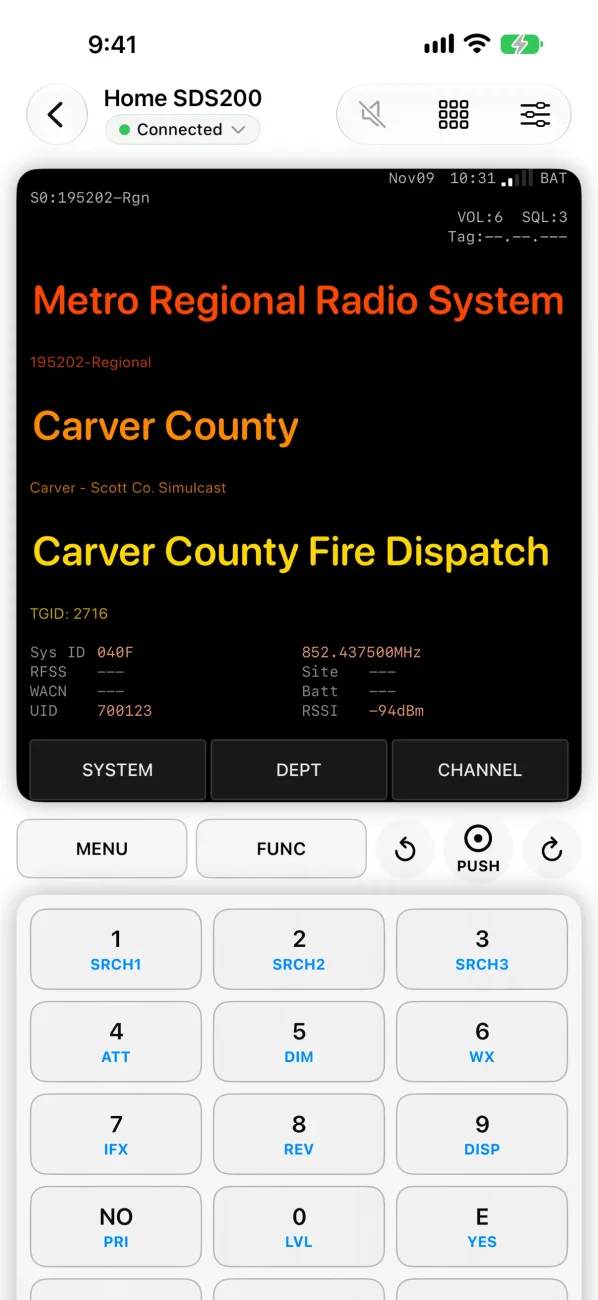
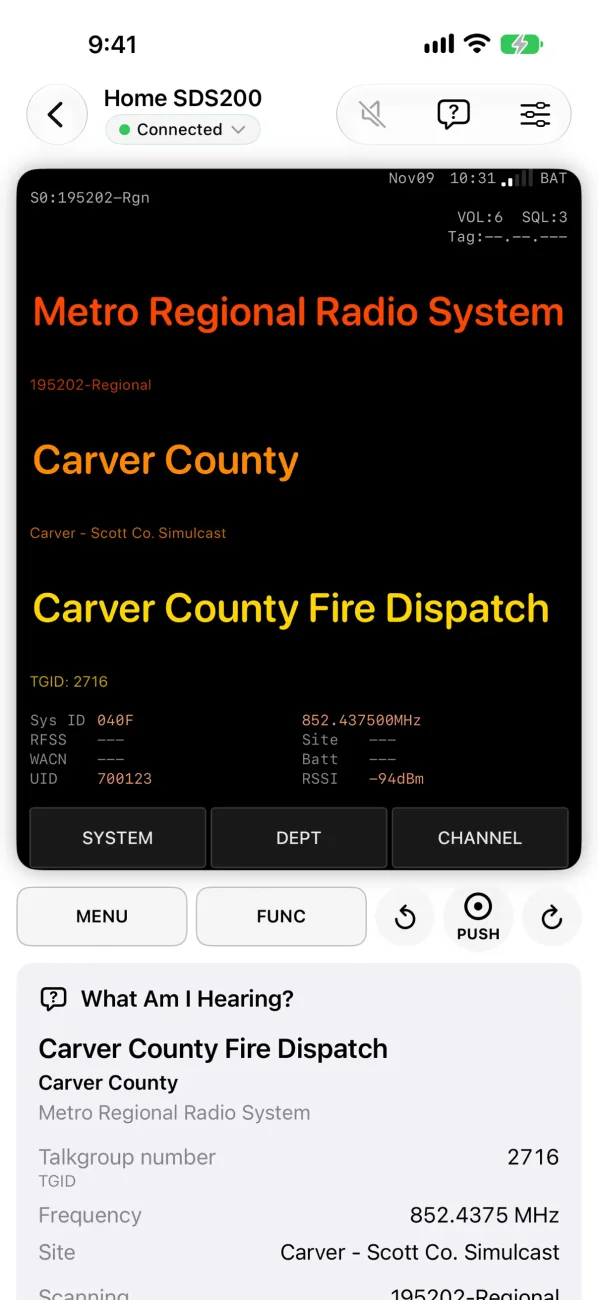
See the live scanner display—system, department, channel, frequency and signal—while you work the keypad, volume and squelch from another room. Your scanner stays where it is. You don't have to.
PROGRAM YOUR SCANNER
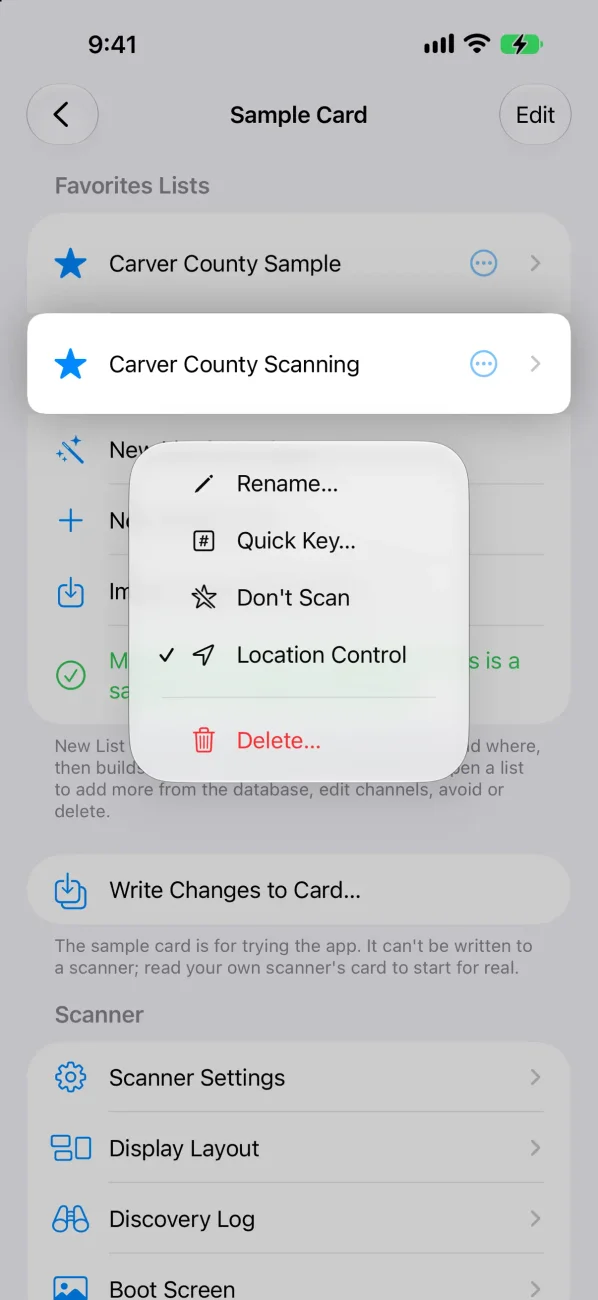
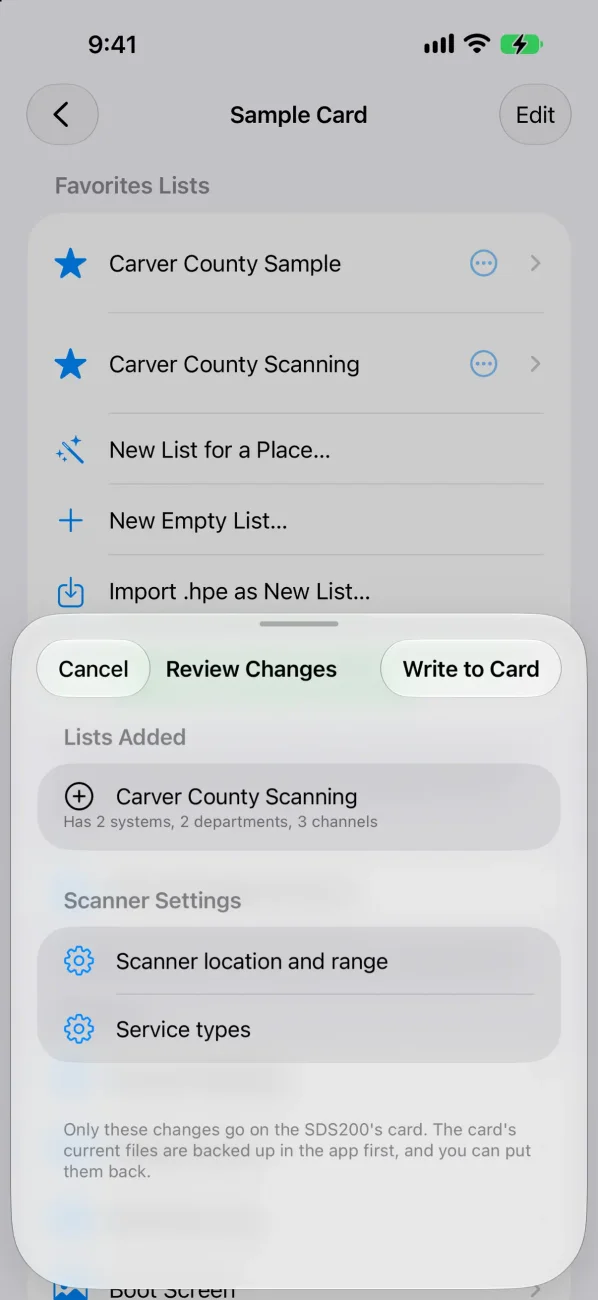
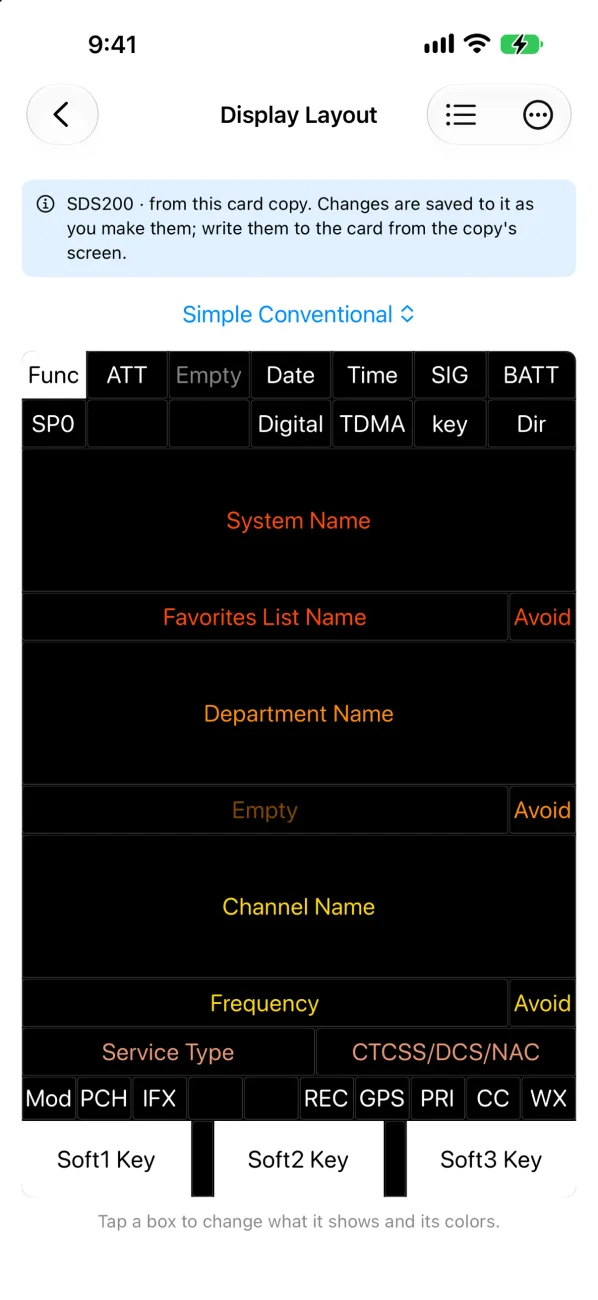
Build a favorites list for your area from the Uniden Database or RadioReference, review it, and write it to the scanner's microSD card. Edit lists, departments and channels, set scanner options, and change the boot screen and display layout. Every write is backed up first and checked after. No PC needed. Try it free with the sample card. Programming works with the SDS100, SDS150 and SDS200.
THREE WAYS TO CONNECT
• SDS200 over Ethernet, on your network
• SDS150 over Bluetooth, no network needed
• Through a hub: leave one device at home with your scanners and connect to it from your other devices, including on cellular
FREE
• Live display mirroring of one scanner
• Save scanners by name, host and port, with iCloud sync across your Apple devices
• The sample card, New List for a Place, and the Uniden Database
• Help with search, and a guide to setting up your scanner
PRO FEATURES
• Remote keypad, volume and squelch control
• Live audio streaming from the scanner to your device
• Programming your own scanner: read its card, edit lists and settings, and write them back
• Listen through a hub—the one setup where scanner audio reaches you on cellular, over your own VPN or a port forward on your router
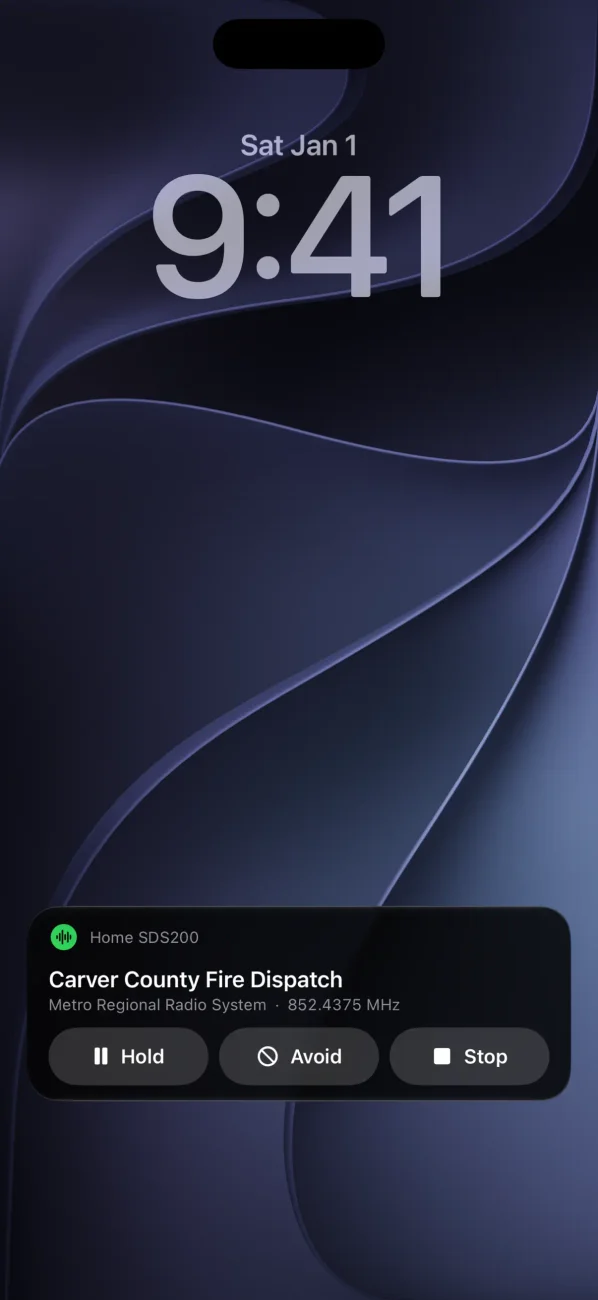
• Now Playing on the Lock Screen and in Control Center, a Live Activity with Hold, Avoid and Stop, and Siri and Shortcuts
• CarPlay: browse favorites, hold a channel and flip Quick Keys from the car
• Choose how scanner audio shares with your music: take over, or mix and duck it while the scanner talks
• Multi-View: monitor up to four scanners in a 2×2 layout
• Transmission logging with search, optional recordings and on-device captions
• Web Remote: drive your scanners from a browser on your network
• Display Layout editor for the radio's own screen
• Elgato Stream Deck control on iPad
• Unlimited scanners
IN THE CAR
Mix and Duck keeps your music playing and turns it down while the scanner talks. Boost lifts quiet traffic over road noise, and Keep Display Awake stops the screen dimming on a dash mount.
Built for listeners who already run a scanner on the desk—and want the same view and control from the couch, the shop, the car, or anywhere else.
PRIVACY BY DESIGN
We run no servers and your scanner traffic never passes through us. A hub is simply a second copy of this app on a device you own, talking directly to your other devices over a connection secured by a pairing code. Transmission logs, recordings and card copies stay on your device, and captions are produced on-device—no audio is ever uploaded. A RadioReference sign-in stays in your device's Keychain. Purchases are handled through your Apple ID.
REQUIREMENTS
To control a scanner: a Uniden SDS200 connected by Ethernet to your network, or a Uniden SDS150 paired over Bluetooth. The SDS100 has no wireless or network connection, so it is programming only. Programming (SDS100, SDS150 or SDS200) needs the scanner in USB mass-storage mode or a microSD card reader. RadioReference features need your own RadioReference Premium account. Listening away from home also needs a second device left at home running SDS Remote as a hub, with Pro on both, and a way in to your own network—a VPN, or a port forward on your router. We run no relay.
Pro is optional. Subscribe monthly or yearly with a free trial, or buy it once and keep it—the one-time purchase includes all 1.x updates, is charged once, and does not renew. Subscriptions renew unless canceled at least 24 hours before the end of the current period in your Apple ID settings.
What’s new
Version 1.6.4 · Nov 22, 2026
UI Improvements
Bug fixes
App privacy
What mobiadroit, llc declares on the App Store about how this app handles data.
-
Data not collected
The developer does not collect any data from this app.
Privacy practices may vary, for example with the features you use or your age.
Information
- Seller
- MOBIADROIT L. L. C.
- Category
- Utilities
- Version
- 1.6.4
- Updated
- Nov 22, 2026
- Released
- Jul 26, 2026
- Size
- 28.3 MB
- Requires
- iOS 26.0 or later
- Age rating
- 4+
- Price
- Free
- In-app purchases
- Yes
- Languages
- English
- Copyright
- © 2026 mobiadroit, llc
You might also like
-
 U/AWAREUniden SDS150 Companion app
-
 Radio IDUtilities
-
 MSeven - M17Amateur Radio M17 Access
-
 Handi-Talky CommanderAll-in-one HAM radio app
-
 FT Control for YAESUFTdx-101,dx-10, -710 supported
-
 ShackPilot: Ham Radio RemoteCAT, FT8, JS8, SSTV, RTTY & CW
-
 Packet CommanderTerminal for Packet Radio
-
 Spectral Bands: SDR ClientRTL-SDR & WebSDR Signal Client
-
 RepeaterPhoneConnect to ham radio repeaters
-
 HamQRG: Ham Radio RepeatersAmateur frequencies and map