Yoi-Lockscreen Calendar Widget
Notes, Planner & Countdown
Designed for iPhone
Free · In-app purchases
- Age rating4+
- CategoryProductivity
- DeveloperKien Quyet Vu
- LanguagesEnglish+ 40 more
- Size110.4 MB
Links to the official App Store page
Download.org hosts no file of Yoi-Lockscreen Calendar Widget. The button opens its official App Store page, published by Kien Quyet Vu. Listing last checked on Nov 25, 2026.
Screenshots


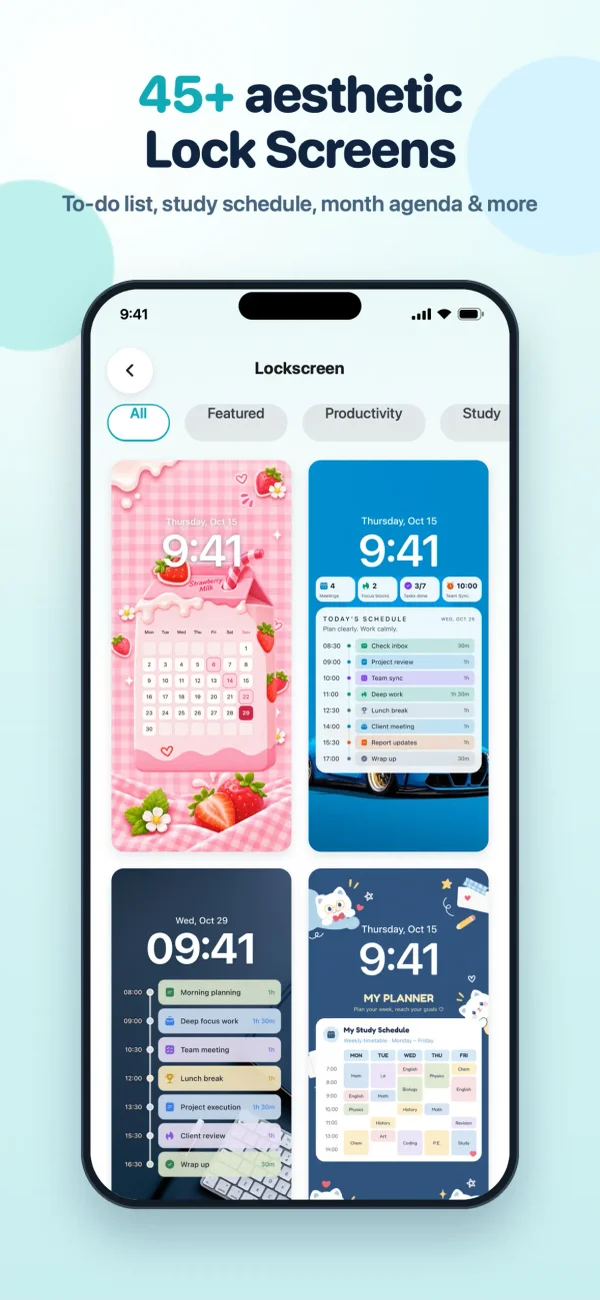
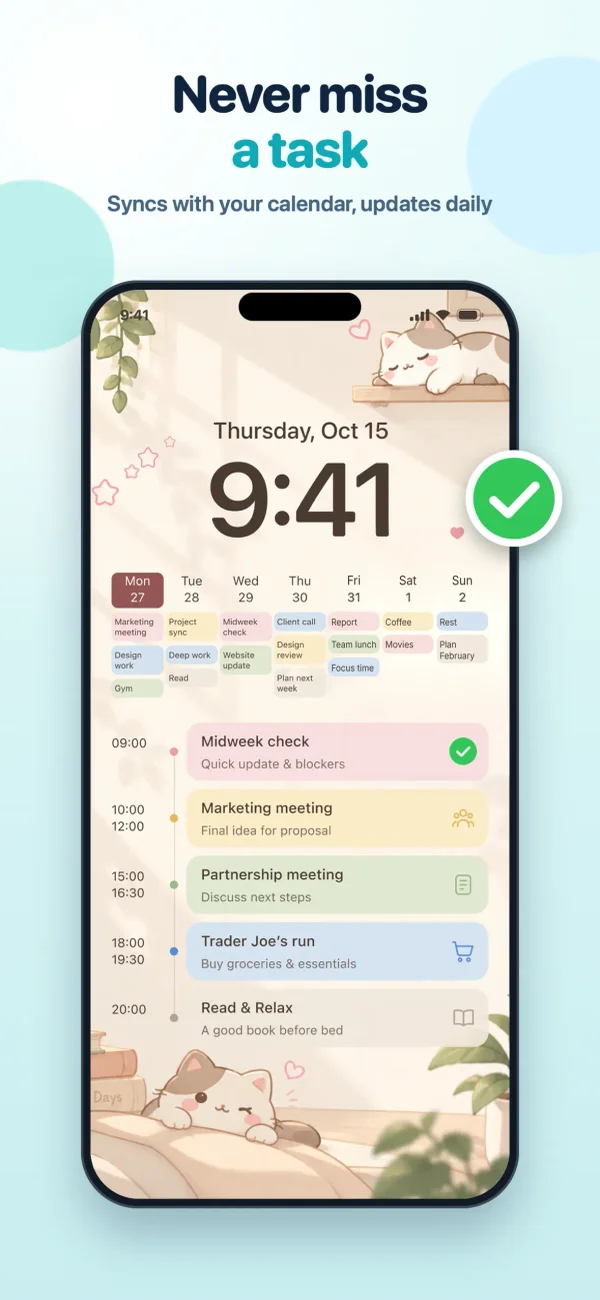
About
Wake up, glance at your iPhone, and see your daily, weekly, or monthly planner. Know what needs your attention, check your priorities, and take action right from your Lock Screen, so no important deadline gets missed. Try a beautiful and efficient task manager with Yoi - Lockscreen Calendar & Widget.
Spend less time checking your schedule, more time getting things done, and make every glance at your phone count.
No more opening your calendar over and over just to remember what's next. From morning meetings and work deadlines to family events and personal goals, everything you need to plan your day is right there when you pick up your phone.
* Show all calendars on your Lock Screen
Your day is full of things to remember. Why keep your schedule hidden inside an app?
Yoi brings your calendar directly onto your Lock Screen, turning the wallpaper you see every day into a convenient space for planning.
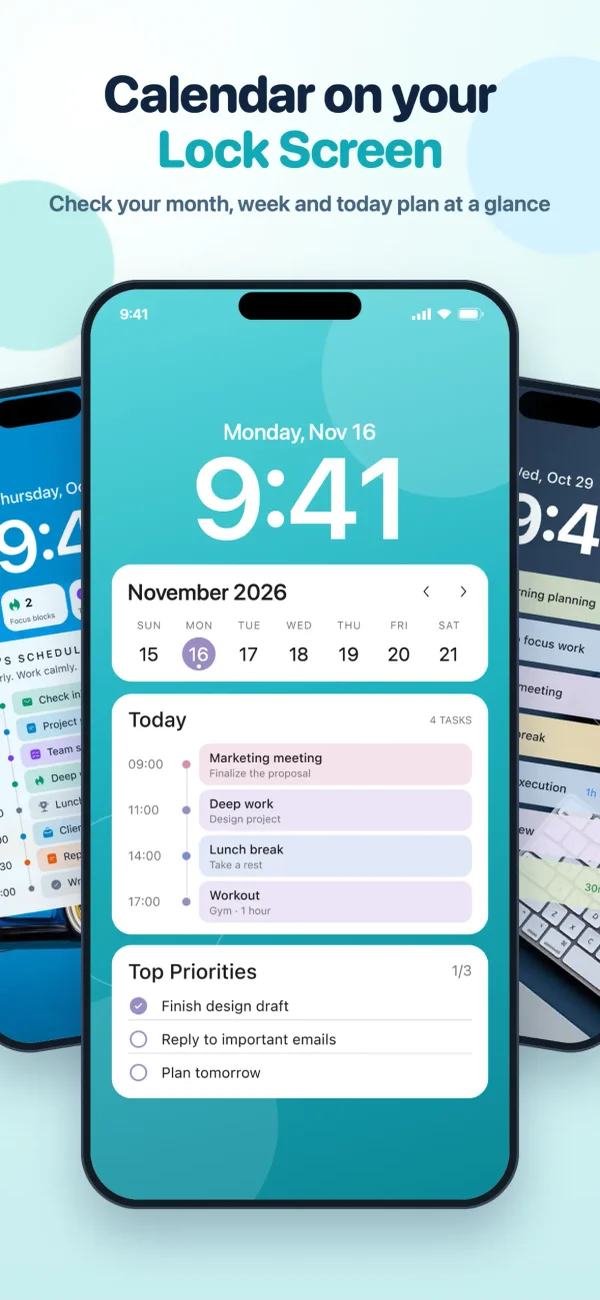
Here's what you can display on your Lock Screen:
- Monthly calendar with various styles
- Beautiful weekly schedule
- Today's timeline, agenda, and class timetable
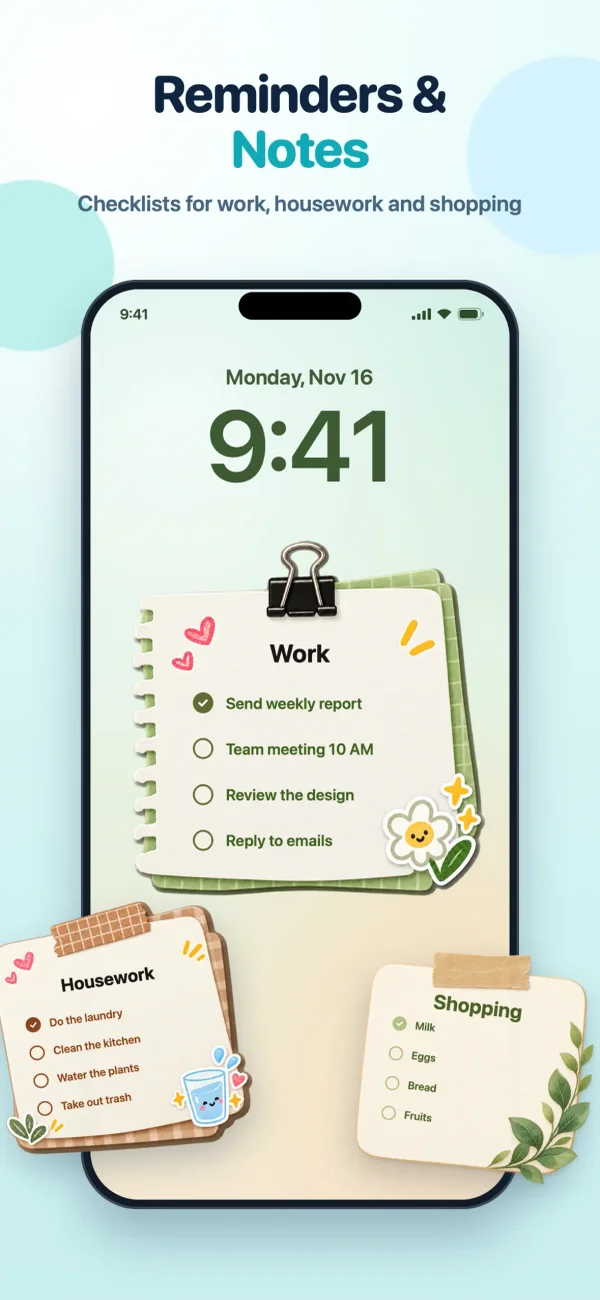
- To-do lists, top priorities, and beautiful notes
- Day overview: focus sessions, meetings, and breaks
- Current and upcoming tasks - update their status right from your Lock Screen
- Focus timer
- Events synced from your phone's calendars, updated daily
Customize your Lock Screen calendar with different layouts, fonts, colors, sizes, and positions to create a design that fits your day and your style.
A small change to your wallpaper can make planning your day feel a whole lot easier.
* Extra tools to help you manage everything
Your calendar is at the heart of Yoi, but a few extra tools can help you manage everything around it.
- Live Activities: Stay informed about supported ongoing activities with timely updates.
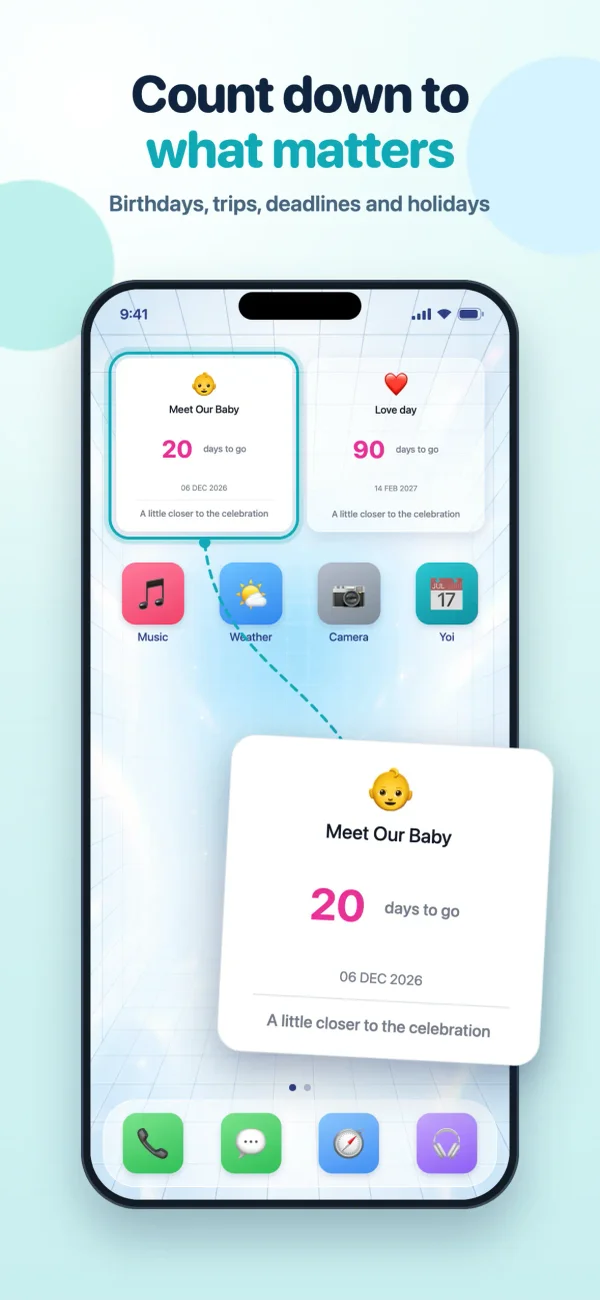
- Countdown Widgets: Keep birthdays, holidays, trips, and special occasions in sight.
- Events & Reminders: Create appointments and reminders with alerts for the important things you need to remember.
- To-Do Lists: Organize everyday tasks and check them off as you go.
- Habit Tracker: Follow your daily routines and track your progress over time.
- Home Screen Widgets: Keep useful calendar information within reach on your Home Screen, too.
Together, these little tools help you plan ahead, follow your routines, and make room for what matters.
* A better view of life, a smarter way to manage tasks
You don't need to fill every minute to make the most of your time. Sometimes, all it takes is a clearer view of what's ahead.
With Yoi, your Lock Screen becomes a daily reminder of where you need to be, what you want to accomplish, and the moments you don't want to miss.
Start your morning with Yoi - Lockscreen Calendar & Widget. Move through your day with fewer distractions. End it knowing you've kept the important things in sight.
* Subscription information
Yoi - Lockscreen Calendar & Widget offers optional auto-renewable subscriptions and a one-time lifetime purchase to unlock premium features. Eligible subscription plans may include a free trial.
- Payment will be charged to your Apple Account at confirmation of purchase.
- Subscriptions automatically renew unless auto-renew is turned off at least 24 hours before the end of the current period.
- Your account will be charged for renewal within 24 hours before the end of the current period.
- You can manage or cancel your subscriptions in your App Store account settings after purchase.
- Any unused portion of a free trial period, if offered, will be forfeited when you purchase a subscription.
Terms of Use: https://sites.google.com/view/term-service-sea-calendar/home
Privacy Policy: https://sites.google.com/view/privacy-sea-calendar/home
What’s new
Version 1.0.6 · Nov 24, 2026
Your Lock Screen just got a whole lot smarter
1. Auto-updating Lock Screen calendar Set it up once with Apple Shortcuts and your wallpaper refreshes on its own. New events and reminders appear automatically.
2. New styles & full customization More calendar layouts, new fonts, glass and flat looks, plus full control over color, size and position.
3. Photo backgrounds that change with you Use your own photo, or pick an album and get a fresh background each time your wallpaper updates.
4. Countdown widgets Count down to birthdays, trips and big days, right on your Home Screen and Lock Screen.
5. Habits & To-do lists Build better routines and keep your tasks in check, all in one place.
6. Live Activities Follow your next event in real time, without opening the app.
7. Plus performance improvements and bug fixes for a smoother experience.
App privacy
What Kien Quyet Vu declares on the App Store about how this app handles data.
-
Data used to track you
May be used to track you across apps and websites owned by other companies.
- Identifiers
- Usage data
- Diagnostics
-
Data not linked to you
May be collected but is not linked to your identity.
- Identifiers
- Usage data
- Diagnostics
Privacy practices may vary, for example with the features you use or your age.
Information
- Seller
- Kien Quyet Vu
- Category
- Productivity
- Version
- 1.0.6
- Updated
- Nov 24, 2026
- Released
- Jul 24, 2026
- Size
- 110.4 MB
- Requires
- iOS 16.4 or later
- Age rating
- 4+
- Price
- Free
- In-app purchases
- Yes
- Languages
- English, Arabic, Bulgarian, Czech, Danish, Dutch, Filipino, Finnish, French, German, Greek, Gujarati + 29 more
- Copyright
- © KIENQUYETDEV
You might also like
-
 Keyboard Themes - Fonts, EmojiThemes, Fonts, Emojis & More
-
 Alarm Clock Challenge: Wake UpWake Up with Alarm Challenges
-
 AppLock - FingerprintPrivate Locker for Your Apps
-
 Colorush: Coloring GamePhoto to art, paint & draw
-
 Fonts & Emoji Keyboard: FotoAICustomize Themes & Symbols
-
 Katseye Kpop keyboard- StickerKey-Stickers Typing Experience
-
 Coloring Pop – Make Photo Artartwork - fun, & colorful
-
 Charging Animation & ThemesCharge, Themes & Widgets
-
 SoundClear: Water EjectWater Eject & Sound Tools
-
 Smart Coin ScannerCoin Value & Identifier