- Age rating4+
- CategoryNavigation
- DeveloperJonas Hedberg
- LanguagesEnglish+ 11 more
- Size5.0 MB
Links to the official App Store page
Download.org hosts no file of Sea Velocity. The button opens its official App Store page, published by Jonas Hedberg. Listing last checked on Nov 18, 2026.
Screenshots

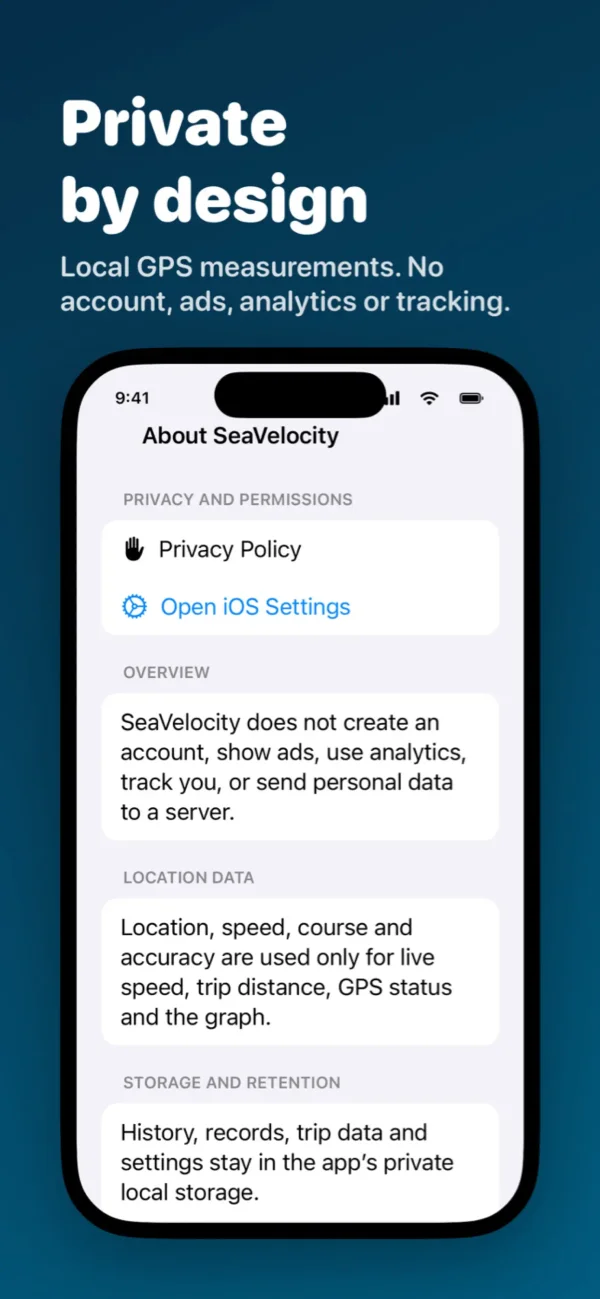
About
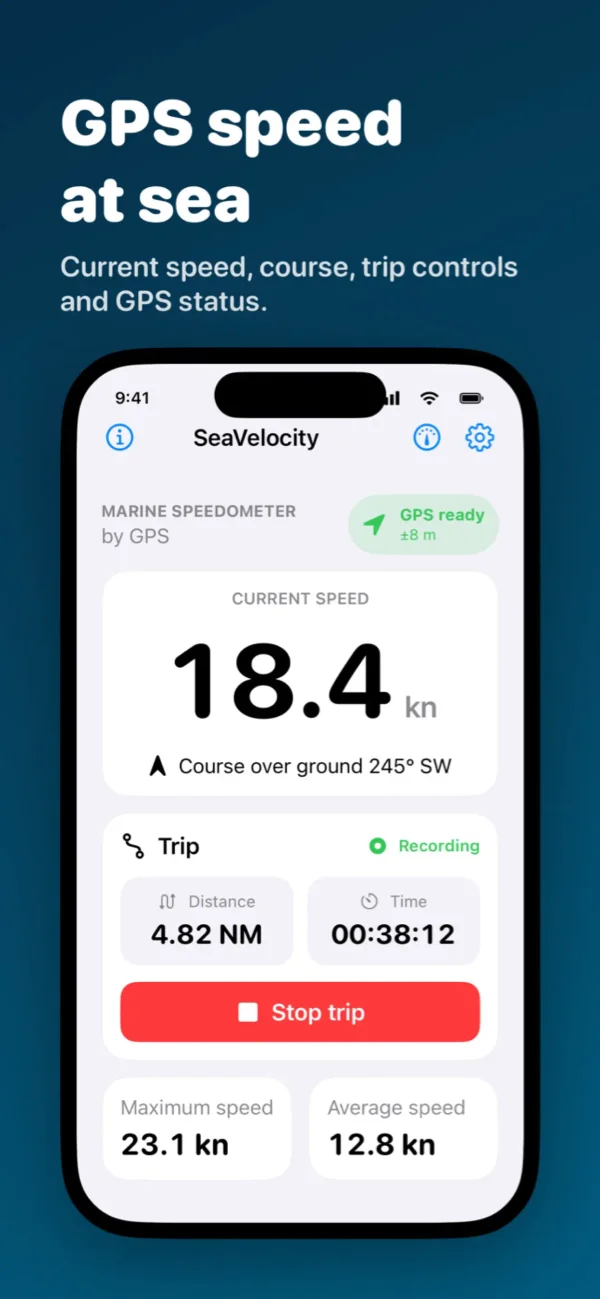
SeaVelocity is a privacy-focused marine speedometer for iPhone that uses Core Location and GPS to measure speed and course over ground in real time. It is designed for motorboats, sailboats, kayaks and other activities on the water.
SPEED AND GPS
• Large, easy-to-read current speed display
• Units: knots, km/h, m/s and mph
• Maximum recorded speed
• Time-weighted average speed
• Course over ground in degrees and compass direction
• GPS status for permission, Precise Location, measurement freshness and accuracy
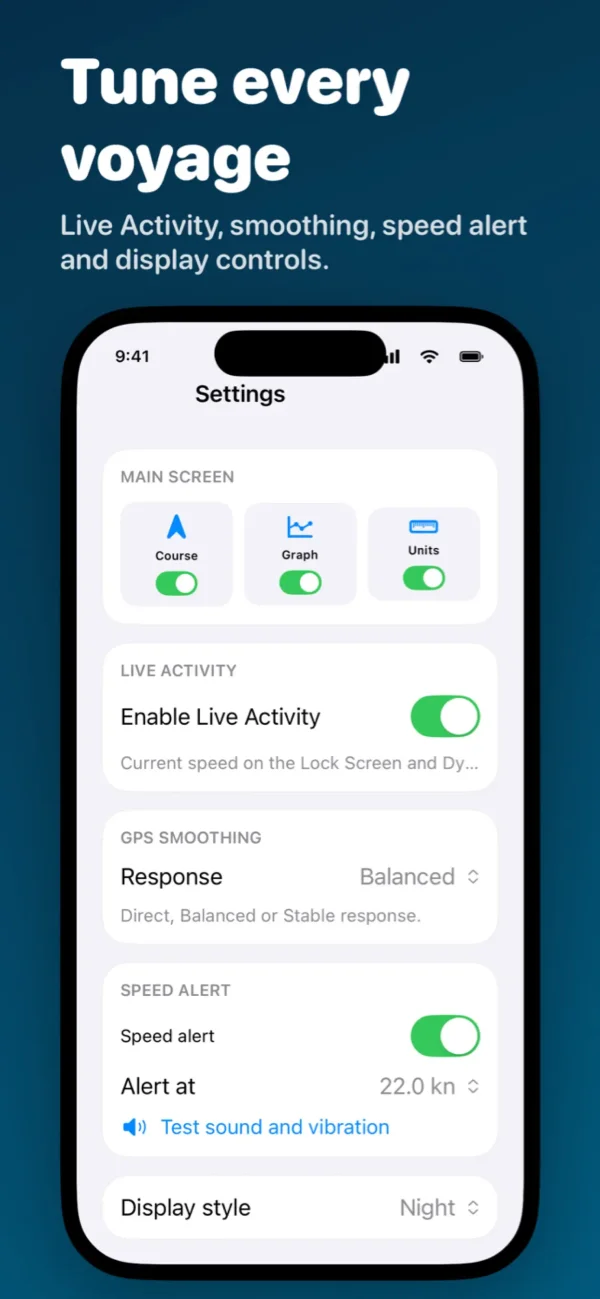
• GPS smoothing in Direct, Balanced and Stable modes
TRIPS
• Start and stop a trip
• Recording, paused and stopped trip states
• GPS-based distance
• Active trip time
• Distance in nautical miles, miles or kilometres according to the selected unit
• A current and valid GPS measurement is required before a trip can start
• Active trip state, distance and time are stored locally
• An active trip can continue after reopening the app
• Trips are measured in the foreground and continue in the background only while Live Activity is active
HISTORY
• Rolling speed graph for the latest 60 minutes
• Reference line for the app’s calculated average speed
• Dedicated historical graph page
• Option to display the graph directly on the main screen
• History is stored locally on the device
CUSTOMISABLE MAIN SCREEN
COCKPIT MODE
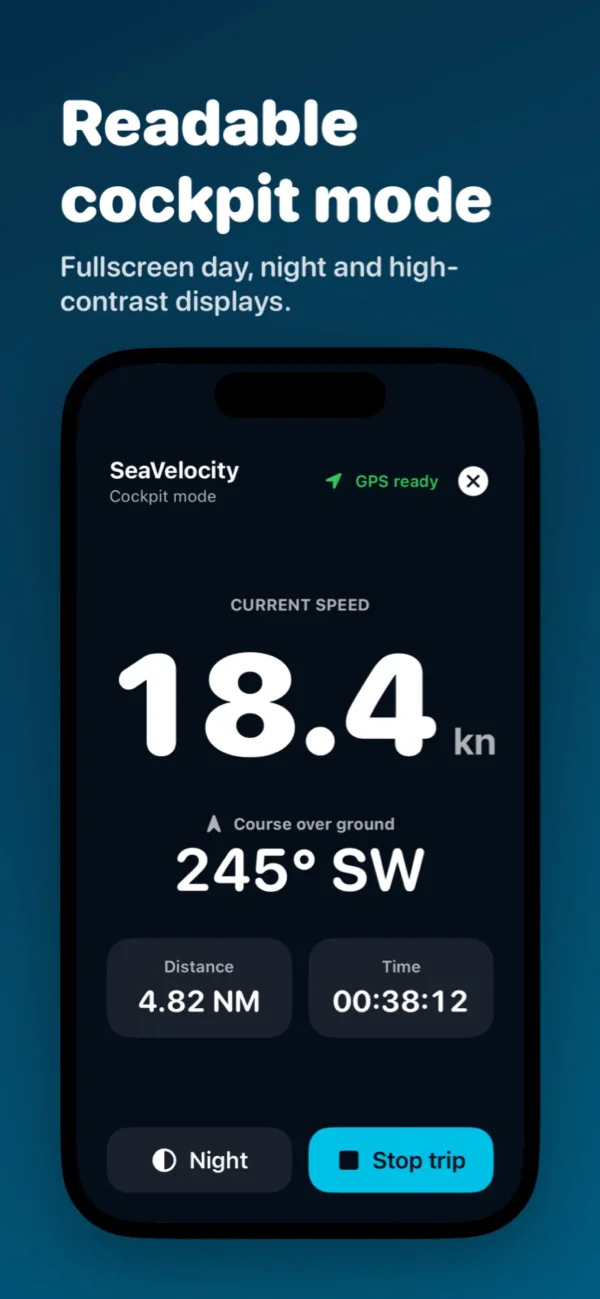
Cockpit Mode provides a clear full-screen display for use on board.
• Portrait and landscape layouts
• Extra-large speed figures
• Current course
• GPS status
• Trip distance and trip time
• Start or stop a trip directly from Cockpit Mode
• Day theme
• Night theme
• High Contrast theme
• Keeps the display awake while Cockpit Mode is open
SPEED ALERT
• Optional speed alert
• Adjustable threshold in the selected speed unit
• Test button for sound and vibration
• Sound and haptic feedback when speed crosses the threshold upwards
• Hysteresis reduces repeated alerts when speed remains close to the threshold
• Speed alerts operate while the app is open and active
LIVE ACTIVITY
Live Activity displays only:
• Current speed
• Selected speed unit
Updates are performed locally without a server, push notifications or a network connection. Stale speed is replaced by a dash after approximately eight seconds without a new valid GPS measurement.
While Live Activity is active, GPS may continue in the background to keep current speed updated. This may increase battery use. When Live Activity ends or is dismissed, the app returns to normal foreground measurement.
GPS PERMISSION AND ACCURACY
SeaVelocity displays clear status when:
• Location Services are off
• Location permission has not been granted
• Location permission is denied or restricted
• Precise Location is off
• The app is waiting for a GPS measurement
• GPS reception is weak
• GPS is available
• GPS is ready for accurate measurement
The status indicator can open the appropriate action to grant permission, request full accuracy or open iOS Settings.
iOS does not provide a public API for displaying the number of satellites in use. Status is therefore based on Core Location permission, accuracy and measurement freshness.
ACCESSIBILITY AND LANGUAGES
• Light and Dark system appearance
• Dynamic Type
• VoiceOver-optimised labels
• Localised numbers and units
PRIVACY
SeaVelocity requires no account and includes:
• No advertising
• No purchases or subscriptions
• No analytics
• No tracking
• No third-party SDKs
• No transmission of location, speed, course or trip data
The following may be stored locally in the app’s private storage:
• Selected speed unit
• Main-screen display preferences
• GPS smoothing mode
• Speed-alert status and threshold
• Cockpit theme
• Maximum speed
• Average speed
• 60-minute history
• Active trip status, distance and time
The app includes an on-device Privacy Policy and a shortcut to iOS location settings.
App privacy
What Jonas Hedberg declares on the App Store about how this app handles data.
-
Data not collected
The developer does not collect any data from this app.
Privacy practices may vary, for example with the features you use or your age.
Information
- Seller
- Jonas Hedberg
- Category
- Navigation
- Version
- 1.3
- Updated
- Aug 12, 2026
- Released
- Aug 12, 2026
- Size
- 5.0 MB
- Requires
- iOS 17.0 or later
- Age rating
- 4+
- Price
- Free
- Languages
- English, Danish, Faeroese, Finnish, French, German, Icelandic, Italian, Norwegian Bokmål, Norwegian Nynorsk, Spanish, Swedish
- Copyright
- © 2026 Jonas Hedberg
You might also like
-
 Boat Speed in KnotsMarine GPS speedometer
-
 Anchor Alarm: Boat WatchDrift Alerts & GPS Watch
-
 UferzoneLakes, Shore Zones & Speed
-
 Elcano NavigatorMarine Charts & Logbook
-
 CluckAlarm: Train & Bus AlertGPS Wake-Up Alarm for Commutes
-
 Marine NavigationNavigation
-
 Rhumb: Sea Charts & Boat GPSMarine map & navigation aid
-
 Piri Reis: Marine Charts GPSBoat navigation & anchor alarm
-
 TrajectProTraject speed control system.
-
 Ciro.Map: City PlatformSmart city & AI roadmap