
Second Brain TokKong
Private Local LLM AI Assistant
Designed for iPhone, iPad, Mac
Free · In-app purchases
- Age rating4+
- CategoryBusiness
- DeveloperBingjun Li
- LanguagesEnglish+ 7 more
- Size1.7 GB
Links to the official App Store page
Download.org hosts no file of Second Brain TokKong. The button opens its official App Store page, published by Bingjun Li. Listing last checked on Nov 24, 2026.
Screenshots


About
Stuck on a 14-hour flight? Bad hotel WiFi again? No problem.
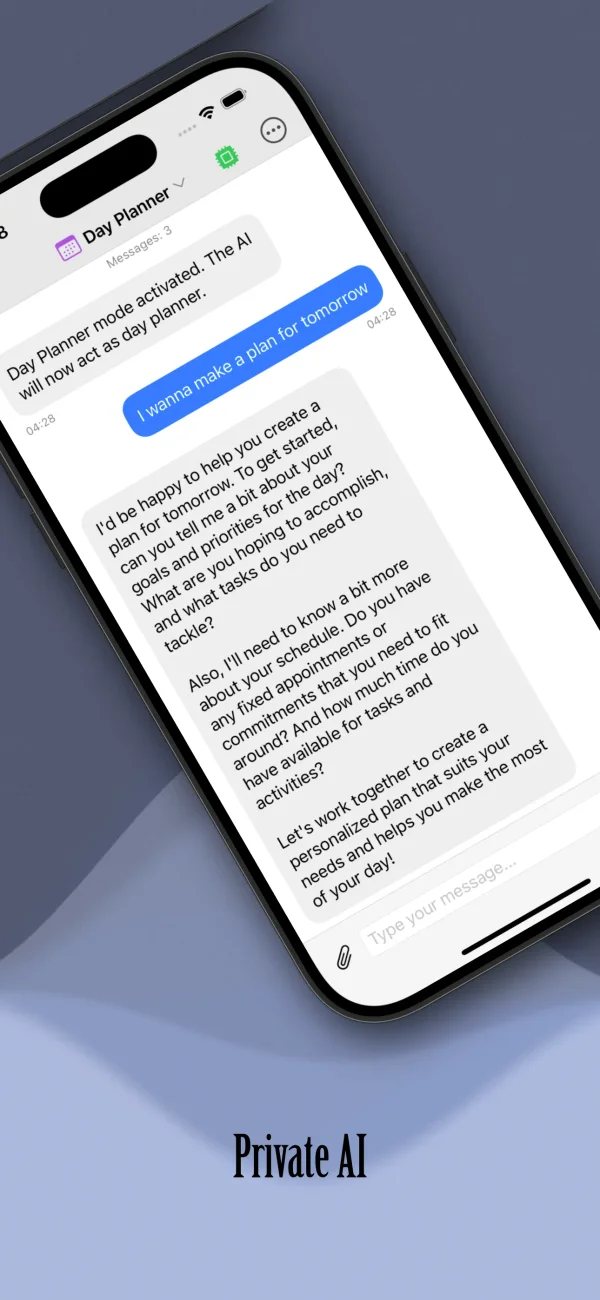
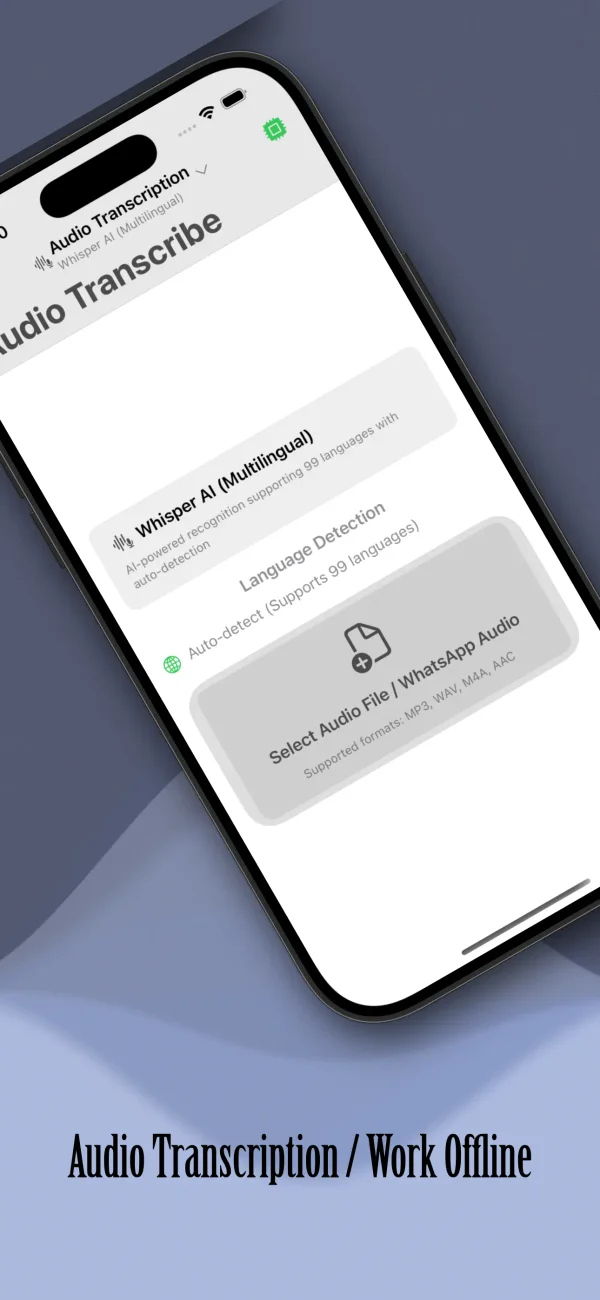
TokKong turns your voice into text anywhere in the world - no internet required. Powered by Whisper AI and on-device LLM, everything happens right on your iPhone or Mac. Your recordings never leave your device. Ever.
WHAT MAKES TOKKONG DIFFERENT
Most transcription apps send your audio to the cloud. We don't. Not a single byte. Whether you're recording a confidential meeting, a private memo, or that million-dollar idea at 3am - it stays between you and your phone.
FEATURES YOU'LL ACTUALLY USE
Talk & Transcribe
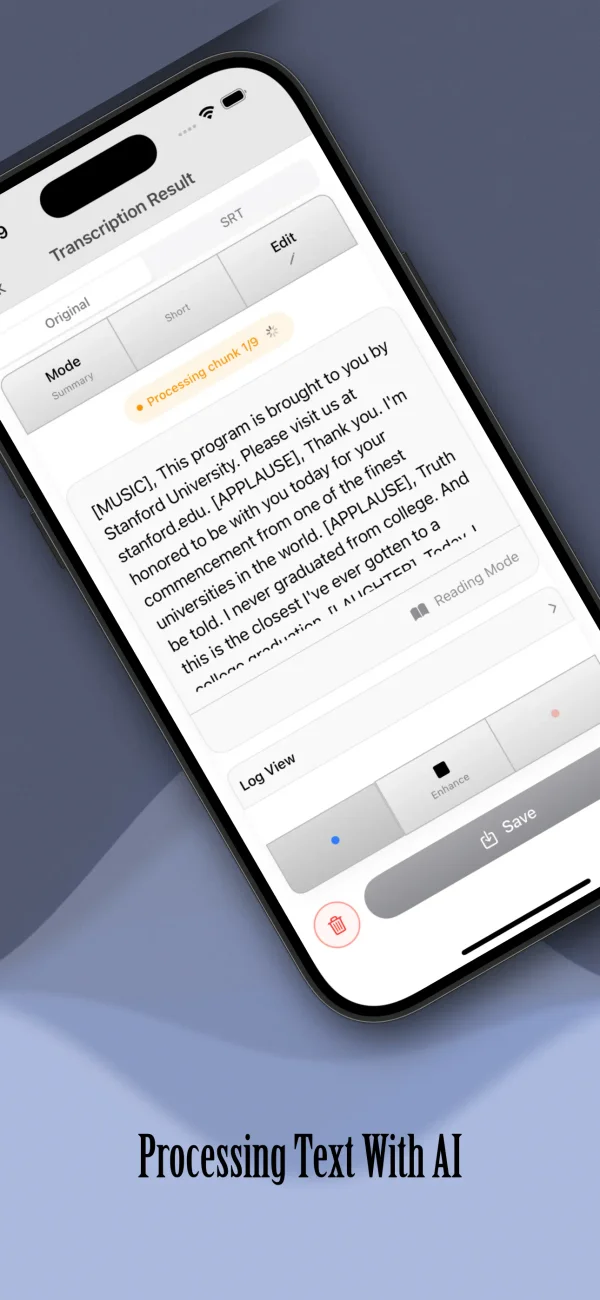
Hit record. Speak. Get text. It really is that simple. Works for meetings, lectures, interviews, voice memos, or that long voicemail you don't want to listen to. Export to SRT subtitles when you need them.
Drop In Any Audio
Got a voice message? Audio file? Video with speech? Drop it in, get text out. WhatsApp, iMessage, whatever - if it has voice, we'll transcribe it.
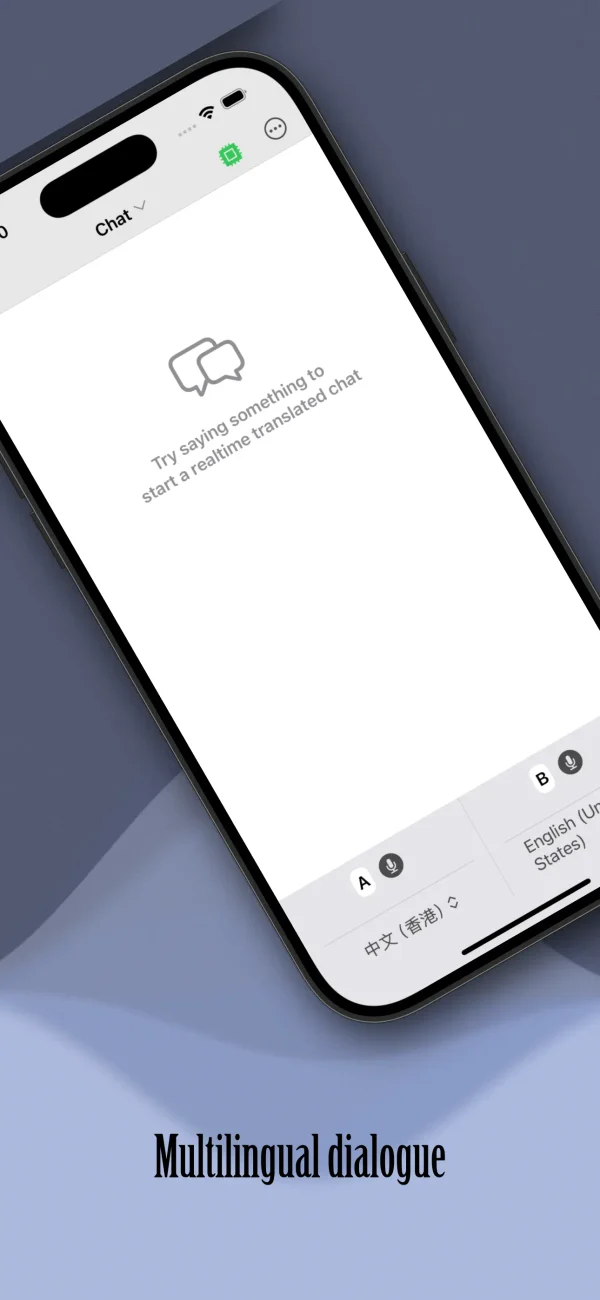
Translation That Works Offline
Yes, really. Translate speech between major languages without hunting for WiFi. Perfect for international trips.
AI That Polishes Your Words
Messy transcript? Our on-device AI cleans it up - punctuation, formatting, grammar. Your words, but better.
Custom Prompts - Your Voice, Any Format
This is where it gets wild. Create your own AI prompts and transform voice into ANY text format:
FOR DEVELOPERS (Vibe Coding)
Speak your logic, get actual code. "Create a Python function that sorts a list" - done. Set up prompts for code snippets, terminal commands, SQL queries, API requests, even git commits. It's like pair programming with your voice.
FOR BUSINESS PROS
Turn rambling voice notes into polished output:
- Meeting thoughts → formatted action items
- Quick ideas → professional email drafts
- Client calls → CRM-ready notes
- Brainstorms → organized project briefs
FOR CREATORS
Raw ideas → social posts, script outlines, show notes. Whatever format you need, just speak and let your custom prompt handle the rest.
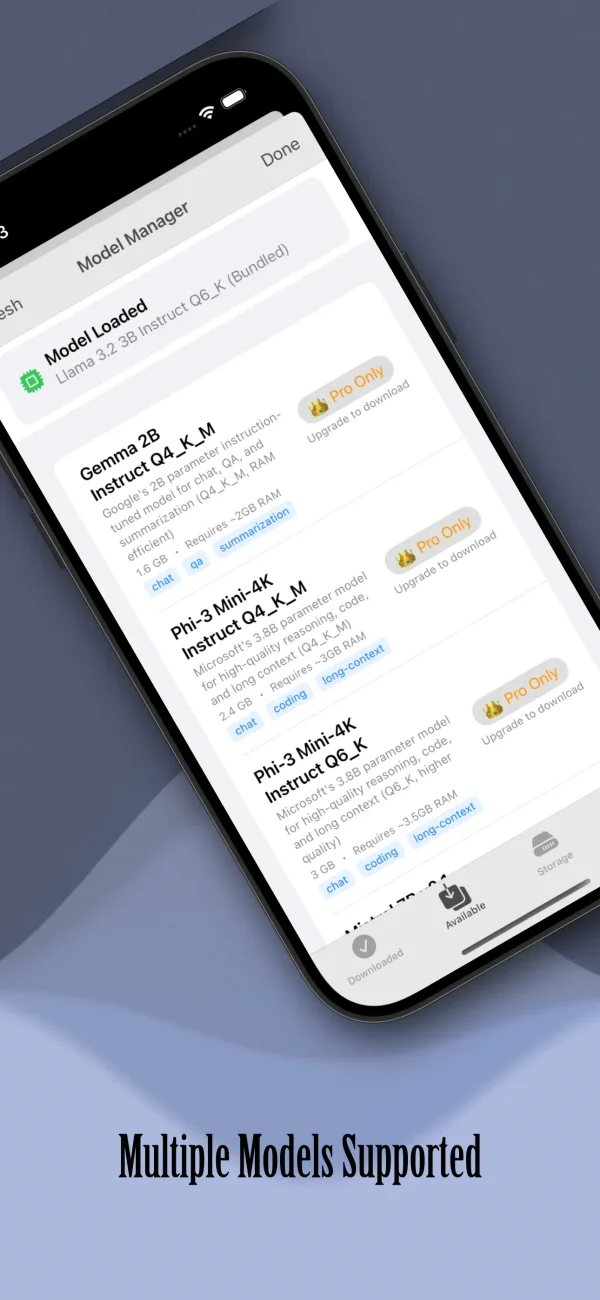
Chat With Your PDFs
Upload contracts, reports, or research papers. Ask questions. Get answers. All offline, all private.
Quick Memo Mode
Brain dump mode. Capture thoughts fast. Find them later. Simple.
Hey Siri, Start Recording
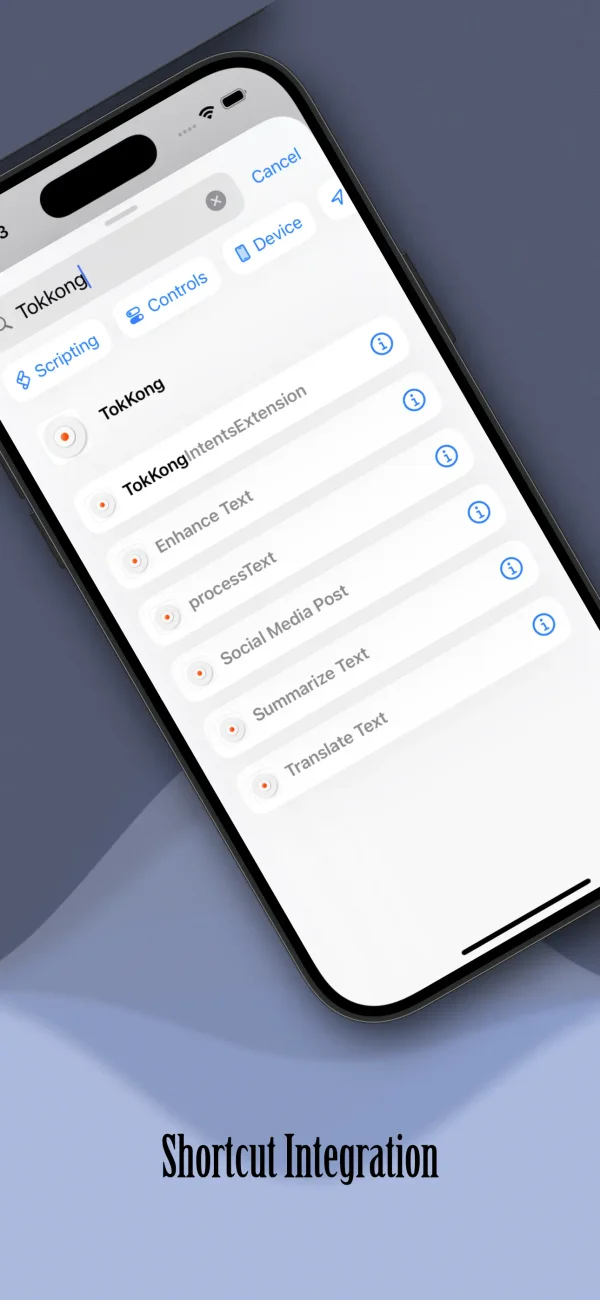
Hands full? Use Siri Shortcuts. Launch transcription, start memos, process files - all voice-controlled.
Never Lose Anything
Every transcript saved. Searchable. Shareable. Organized. On your device where it belongs.
THE FINE PRINT (BUT GOOD)
- Works in airplane mode, submarines, or anywhere with zero signal
- No account needed. No sign-ups. No emails.
- Buy once, own forever. No subscriptions trying to sneak up on you.
- iPhone, iPad, Mac - pick your device
- Export to SRT, TXT, or just copy-paste
WHO'S THIS FOR?
The developer who wants to vibe code without touching a keyboard. The business traveler tired of airport WiFi. The journalist protecting sources. The student recording every lecture. The lawyer who needs bulletproof privacy. The creator with ideas at 3am. Or anyone who just wants their data to stay their data.
BEFORE YOU DOWNLOAD
TokKong runs AI locally on your device. For the smoothest experience, we recommend iPhone 15 or newer. Older devices work too - just a bit slower. It's physics, not a paywall.
---
Your voice. Your words. Your device. Nobody else's business. Feel free to reach out to me and report any issues or leave your comments. I will try my best to enhance the user experience and provide better services - x.com/lbjhkg
What’s new
Version 4.1.0 · Sep 30, 2026
• Guided onboarding with system check, permissions, and defaults that fit your device
• History Summary: Local AI (on-device, no credits) or Online AI
• Mac Menu Bar Mode — enhance clipboard text from the menu bar
App privacy
What Bingjun Li declares on the App Store about how this app handles data.
-
Data not collected
The developer does not collect any data from this app.
Privacy practices may vary, for example with the features you use or your age.
Information
- Seller
- Bingjun Li
- Category
- Business
- Version
- 4.1.0
- Updated
- Sep 30, 2026
- Released
- Mar 6, 2025
- Size
- 1.7 GB
- Requires
- iOS 18.0 or later
- Age rating
- 4+
- Price
- Free
- In-app purchases
- Yes
- Languages
- English, Arabic, French, Japanese, Korean, Malay, Simplified Chinese, Traditional Chinese
- Copyright
- © forthright tech LLC
You might also like
-
 By NexusProfessional Work Assistant
-
 Echo - AIOffline AI and Private LLM
-
 TangiLMPrivate, Local AI Chatbot
-
 My Local VoicePrivate AI Voice & Chat
-
 EchosyPrivate AI meeting transcriber
-
 廣東話轉錄Productivity
-
 Usely:讓每筆消費值得回味Finance
-
 OffgridScribe: Voice to TextPrivate Offline Transcription
-
 AudioScriptercom.audioscripter
-
 SubXero: Subscription ManagerVisualize & track your bills.