
Second Stopwatch
Precise Customizable Stopwatch
Designed for iPhone, iPad, Mac
Free · In-app purchases
- Age rating4+
- CategoryUtilities
- DeveloperVedant Malhotra
- LanguagesEnglish
- Size16.4 MB
Links to the official App Store page
Download.org hosts no file of Second Stopwatch. The button opens its official App Store page, published by Vedant Malhotra. Listing last checked on Nov 14, 2026.
Screenshots


About
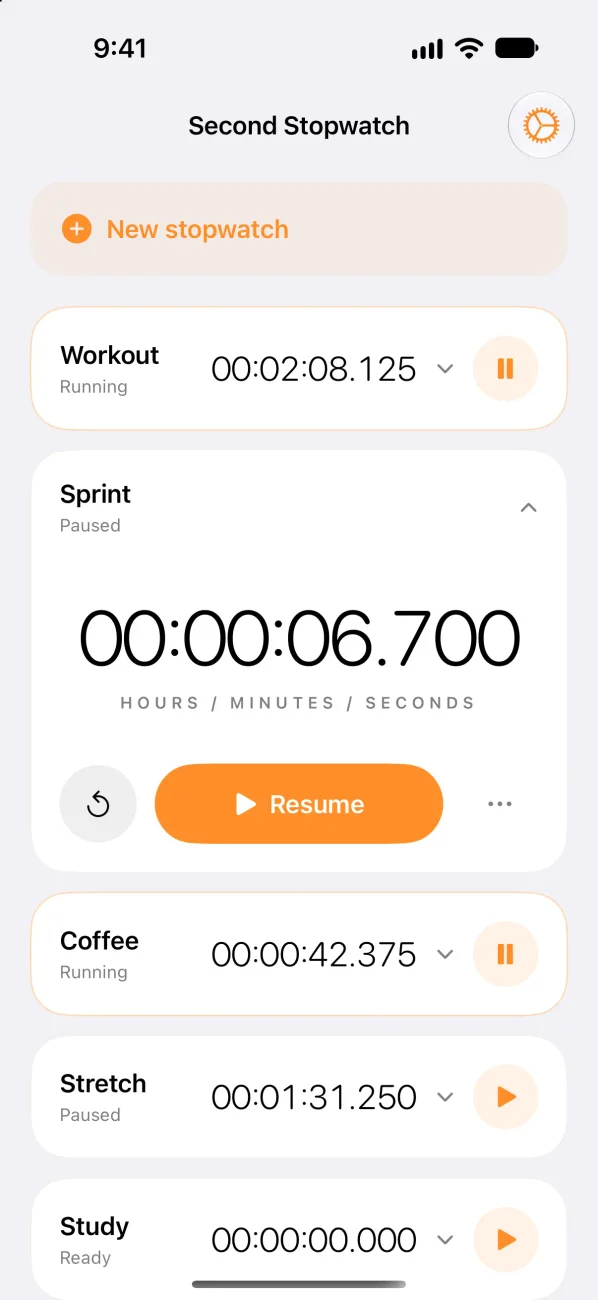
Second Stopwatch is a precise, customizable, and easy-to-use stopwatch.
Customize how your stopwatches display time. Choose from seconds (default), minutes:seconds, or hours:minutes:seconds. You can also choose whether to display milliseconds with any format.
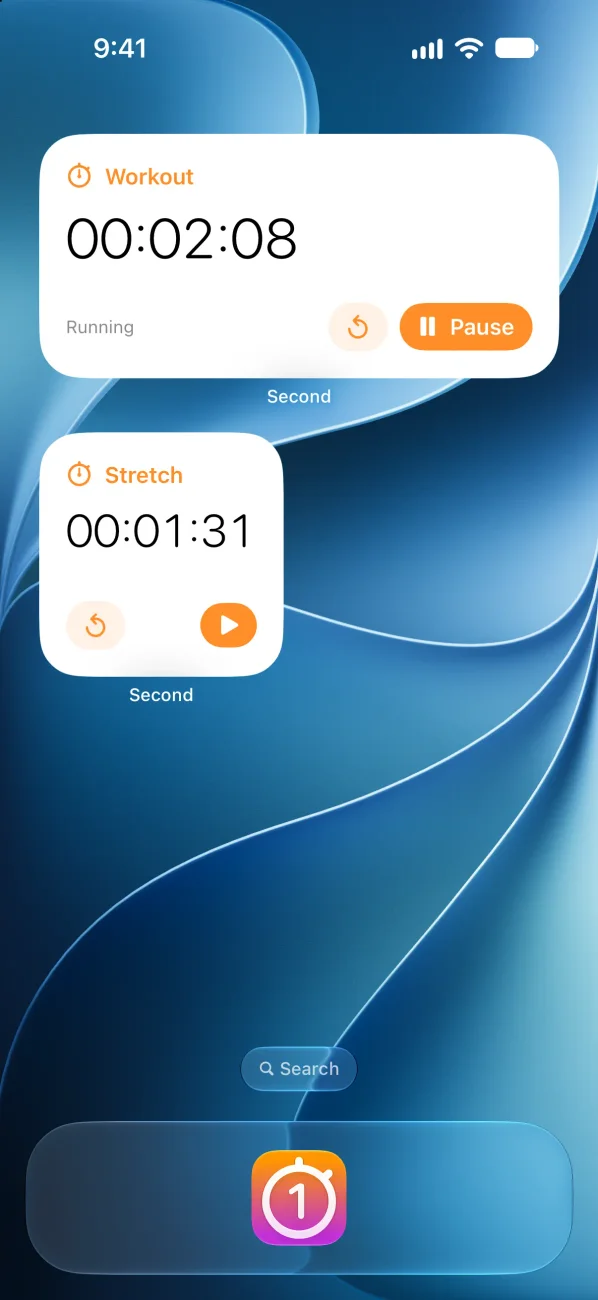
Second Stopwatch has memory built-in. If you start a stopwatch, you can come back to it whenever, even if you close the app or restart your device. Live Activities allow you to monitor a stopwatch easily and the dedicated Apple Watch app lets you run a stopwatch right from your wrist. Widgets on the Home Screen let you quickly access controls and see the status of any of your stopwatches.
Upgrade to Second Stopwatch+ to create unlimited stopwatches. Purchase once and access it across all your devices.
*If you previously purchased “Remove Ads” in an older version of Second Stopwatch, you’ve automatically been converted to Second Stopwatch+ at no additional cost.
What’s new
Version 4.0 · Nov 3, 2026
Second Stopwatch 4.0 brings a brand new and ad-free design, the ability to create multiple stopwatches, bug fixes, smoother experiences throughout the entire app, new widgets, and more.
New features:
- Ready for iOS 27, iPadOS 27, and iPhone Duo with adaptive layouts for whichever device you use.
- Second Stopwatch is now ad-free! If you previously purchased "Remove Ads", you’ve automatically been converted to Second Stopwatch+ at no additional cost.
- A completely redesigned interface with expandable stopwatch cards and faster app performance.
- Introducing Second Stopwatch+. Create unlimited stopwatches that run independently from each other. Purchase once and access across all your devices.
- Second Stopwatch now has memory. Your stopwatches will keep track of the time that has passed, even if you close the app or restart your device.
- New live activities and widgets allow you to easily control and see the status of any stopwatch.
- More time-display options. Choose from the default seconds option, minutes:seconds, and hours:minutes:seconds. Toggle on/off milliseconds for any format.
- A new dedicated layout for large screens. Browse stopwatches in the sidebar or scroll through their cards in the detail pane.
- Better support for iPad and iPhone Duo multitasking.
- An updated Apple Watch experience.
Bug Fixes:
- Fixes a bug which prevented the stopwatch from accurately running in the background.
App privacy
What Vedant Malhotra declares on the App Store about how this app handles data.
-
Data not collected
The developer does not collect any data from this app.
Privacy practices may vary, for example with the features you use or your age.
Information
- Seller
- Vedant Malhotra
- Category
- Utilities
- Version
- 4.0
- Updated
- Nov 3, 2026
- Released
- Apr 25, 2019
- Size
- 16.4 MB
- Requires
- iOS 16.0 or later
- Age rating
- 4+
- Price
- Free
- In-app purchases
- Yes
- Languages
- English
- Copyright
- Copyright © 2026 Vedant Malhotra
You might also like
-
 Big Tap Digital StopwatchLarge Customizable Tap Display
-
 MillisecondTimerAll‑in‑one Millisecond timer
-
 Stopwatch°Multi Stop Watch
-
 Min & Sec TimerMinute & Seconds multi timer
-
 About Timers - Kitchen TimerMultiple Timers & Stopwatch
-
 Easy peasyy StopwatchUtilities
-
 Stopwatch + reading out loudMultiple use is possible
-
 Smart Stopwatch and TimerUtilities
-
 StartWatch - Instant TimersStart now, then set a timer
-
 Stopwatch ٞRunning & Jogging Fitness