
Secure Camera - SafePhoto
Protect photos with encryption
Designed for iPhone, iPod touch
In-app purchases
- Age rating17+
- CategoryPhoto & Video
- DeveloperHiro Suzuki
- LanguagesJapanese+ 13 more
- Size55.9 MB
Links to the official App Store page
Download.org hosts no file of Secure Camera - SafePhoto. The button opens its official App Store page, published by Hiro Suzuki. Listing last checked on Nov 14, 2026.
Screenshots

About
SafePhoto is a private camera app designed to encrypt and protect your important photos.
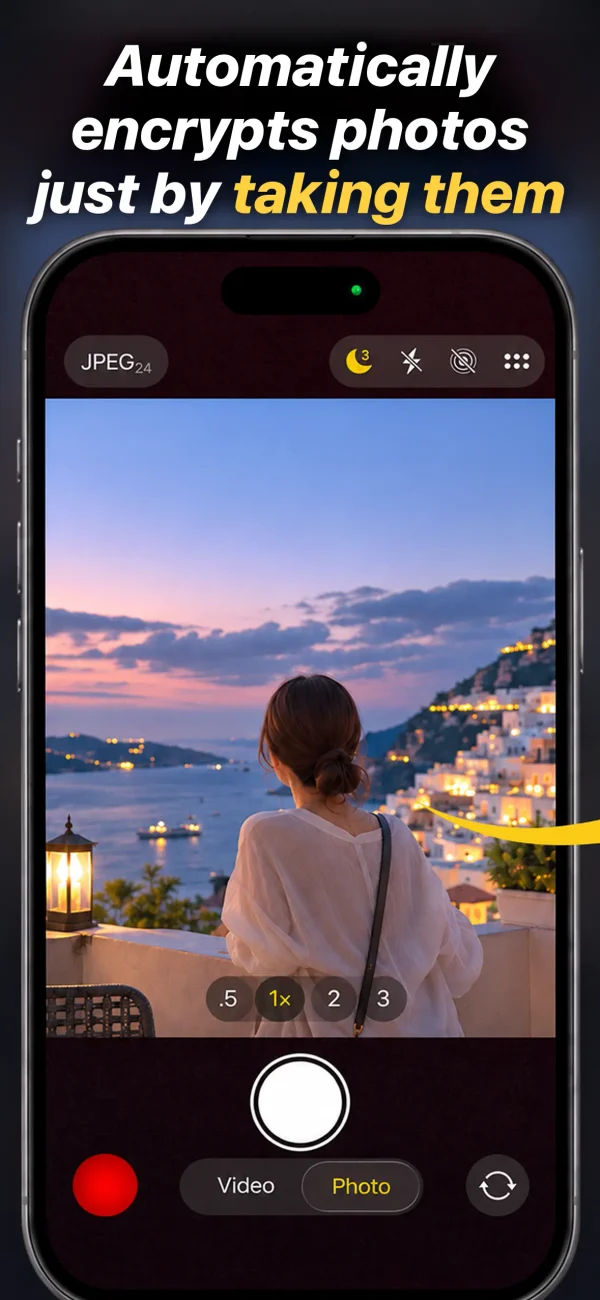
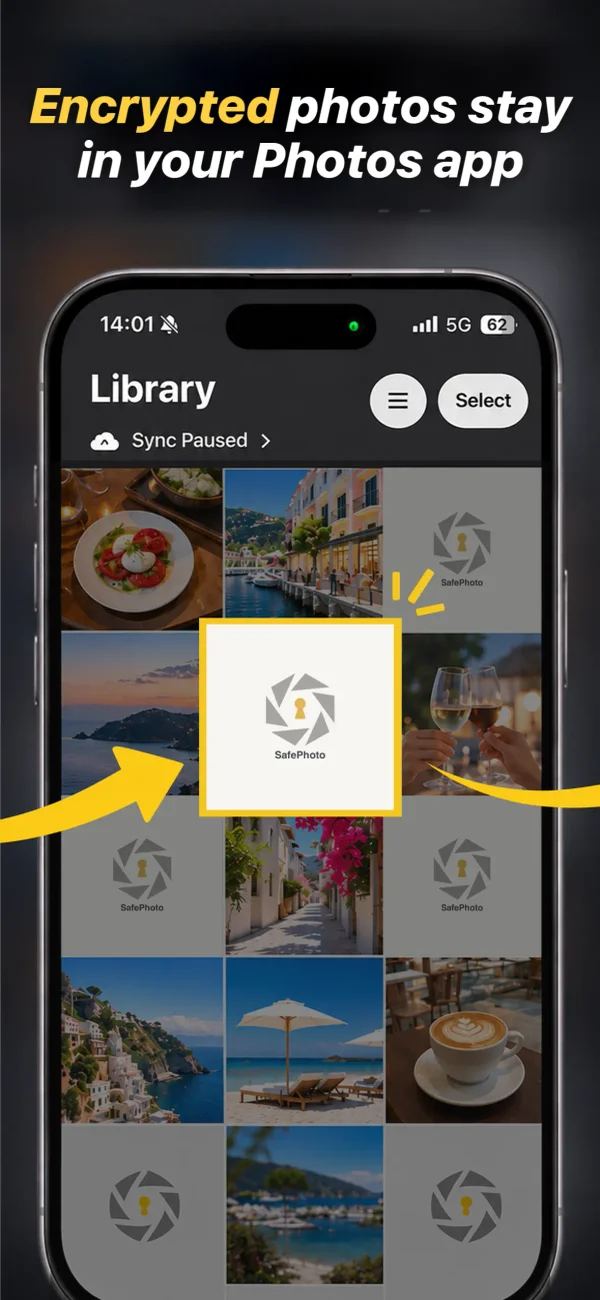
Simply take a photo, and SafePhoto automatically encrypts it. You can even save encrypted photos directly to your iPhone's Photos app.
Whether you want to keep personal pictures private or protect precious memories, SafePhoto gives you a simple and secure way to manage your photos.
【Key Features】
■ Automatic Photo Encryption
Take photos with SafePhoto's built-in camera and encrypt them automatically. Protect your memories the moment you capture them.
■ Save Encrypted Photos to Your Photos App
Store encrypted photos directly in your iPhone's Photos app. Your original photos remain protected until you decrypt them.
■ Face ID Protection
Use Face ID to protect your privacy when unlocking encrypted photos.
■ Customizable Cover Images
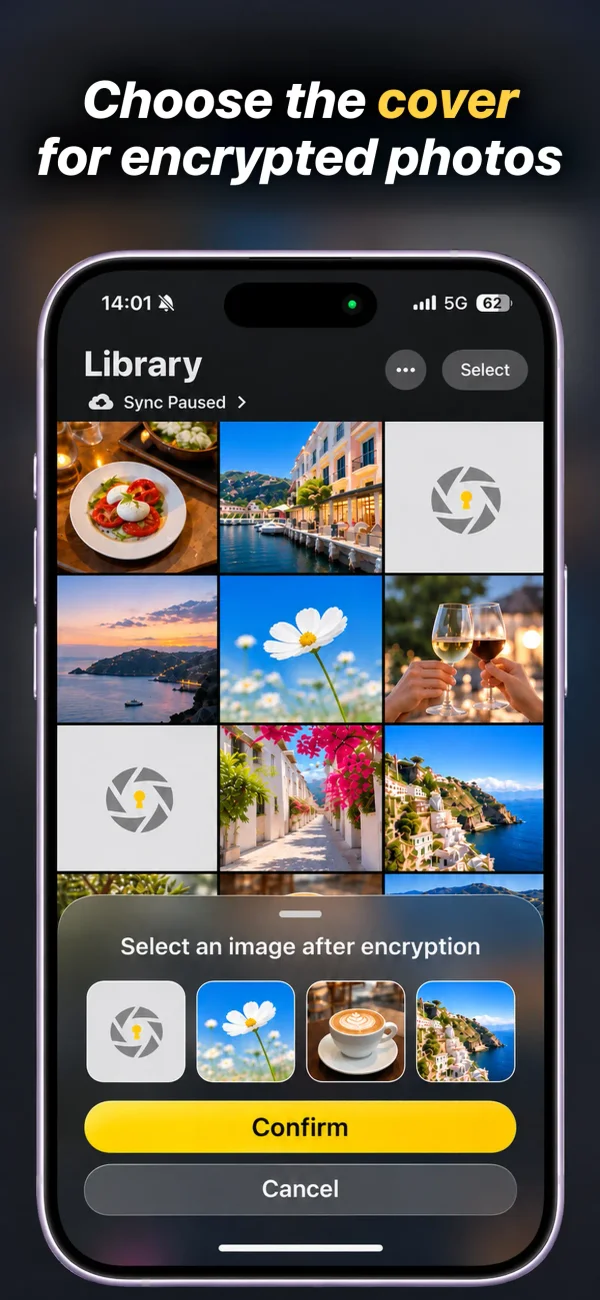
Choose your own cover images for encrypted photos. Personalize how your protected photos appear.
■ Encrypt Photos from Other Apps
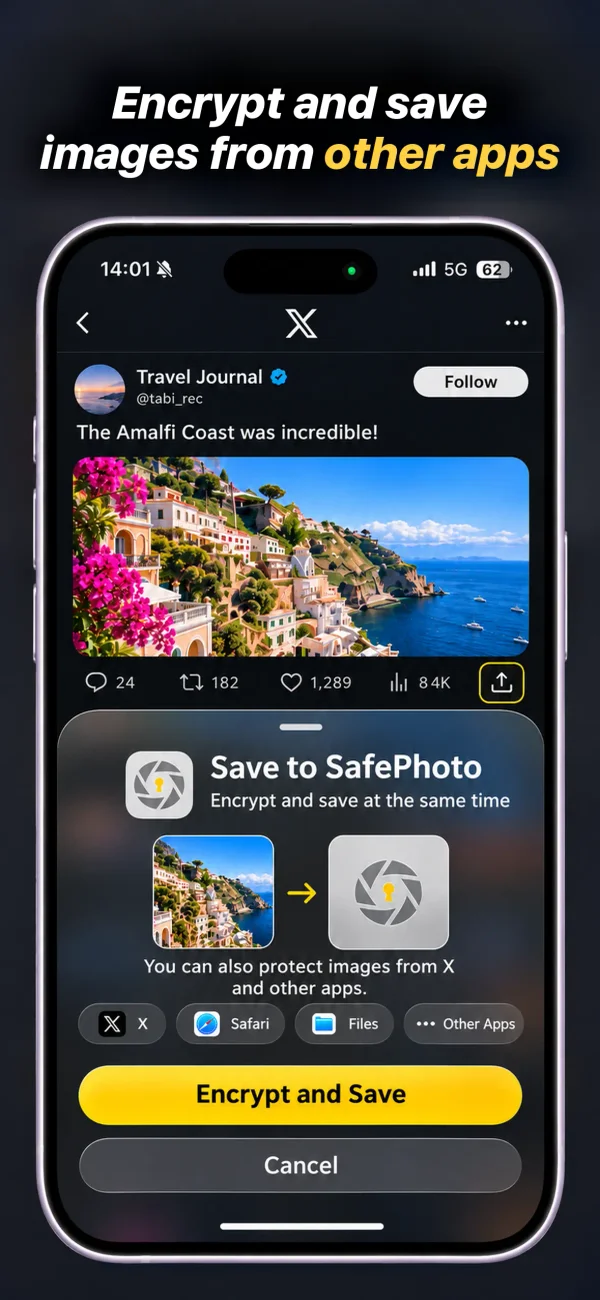
Share photos from supported apps, including X, and encrypt them securely with SafePhoto.
■ Strong Encryption Technology
SafePhoto uses AES-256-GCM encryption to help keep your important photos protected.
■ Decrypt Whenever You Need
Enter your password to decrypt and restore your original photos whenever you want to view or save them.
【How to Use】
1. Take a photo with SafePhoto or select an existing image
2. Set a password and encrypt your photo
3. Save the encrypted image
4. Decrypt it whenever you want to view the original
【Your Privacy Matters】
All photo encryption and decryption is processed locally on your device.
Protect your private photos and precious memories with SafePhoto.
Terms of Use:
https://communication-lock.com/apps/safephoto/terms-of-use
Privacy Policy:
https://communication-lock.com/apps/safephoto/privacy-policy
What’s new
Version 1.6 · Nov 10, 2026
SafePhoto is now even better!
• Automatically encrypt photos as you take them
• Face ID protection
• Customizable cover images
• Import photos from other apps
• Improved usability and stability
App privacy
What Hiro Suzuki declares on the App Store about how this app handles data.
-
Data used to track you
May be used to track you across apps and websites owned by other companies.
- Usage data
-
Data not linked to you
May be collected but is not linked to your identity.
- User content
- Usage data
Privacy practices may vary, for example with the features you use or your age.
Information
- Seller
- Hiro Suzuki
- Category
- Photo & Video
- Version
- 1.6
- Updated
- Nov 10, 2026
- Released
- Sep 22, 2025
- Size
- 55.9 MB
- Requires
- iOS 15.0 or later
- Age rating
- 17+
- In-app purchases
- Yes
- Languages
- Japanese, Arabic, Italian, Indonesian, Dutch, Spanish, Hindi, French, Portuguese, Russian, Simplified Chinese, Traditional Chinese + 2 more
- Copyright
- © DarumaHERO Inc.
You might also like
-
 Private Folder: Photo VaultHide Photos, Videos & Files
-
 TS Photo: Private Pics VaultHide & Lock Secret Pictures
-
 Hide Photos & Videos: NestraSecret Vault, Album Lock
-
 Private Photo Vault - EncryptKeep Your Private Moments Safe
-
 ShotShield:Private Photo VaultHide Photos & Videos Securely
-
 Private Album-Securely CameraPrivacy Protection · Camera
-
 Hairstyle Try-On — CutPreviewAI Hair Color & Makeover
-
 Vaultic – Photo & File VaultHide photos, videos documents
-
 AtticAlbum: Encrypted PhotosPrivate Vault, Biometric Lock
-
 隐私保护相册Photo & Video