- Age rating17+
- CategoryUtilities
- DeveloperChristian Scheub
- LanguagesEnglish
- Size9.9 MB
Links to the official App Store page
Download.org hosts no file of Secure-QR. The button opens its official App Store page, published by Christian Scheub. Listing last checked on Nov 13, 2026.
Screenshots


About
Secure Your Data with Secure QR
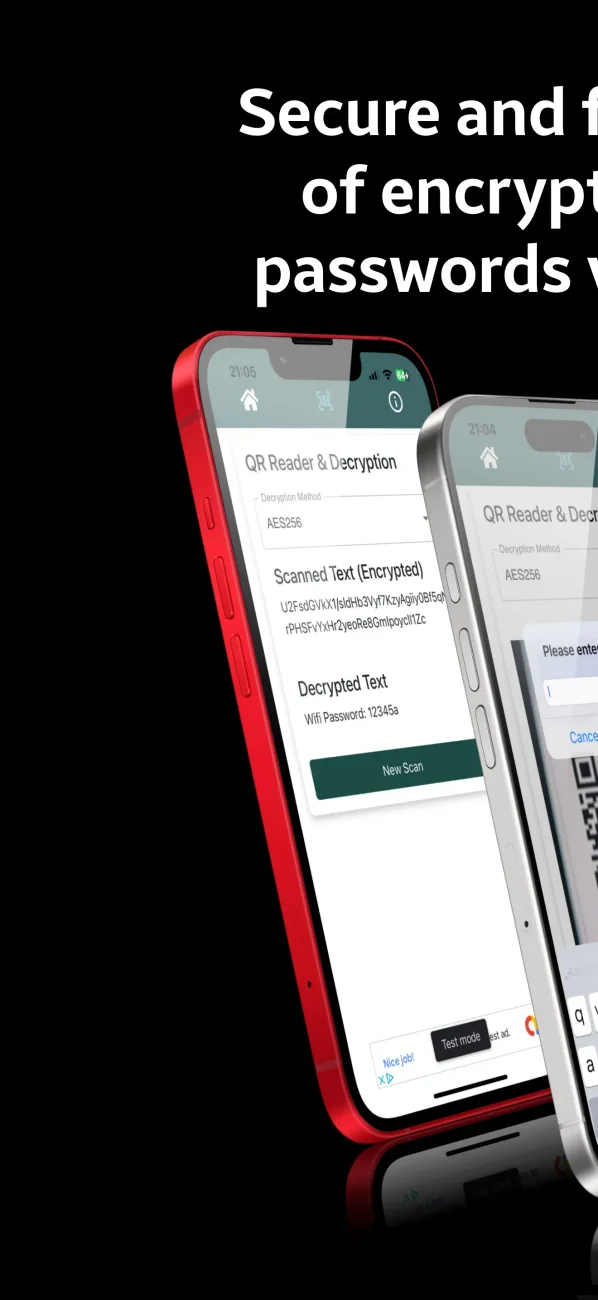
Secure QR is a powerful, privacy-focused QR code generator and scanner. With advanced cryptographic algorithms like AES256, TripleDES, Blowfish, and Rabbit, you can encrypt any text into a QR code for safe sharing or storing sensitive information securely.
Whether you're looking to store passwords, share confidential details, or scan encrypted QR codes, Secure QR offers a seamless, fast, and completely local & Open Source solution—ensuring your data never leaves your device.
Features:
- QR Code Generator with Encryption:
Transform your text securely into encrypted QR codes using cryptographic standards like AES256, TripleDES, Blowfish, or Rabbit encryption.
- QR Code Scanner with Decryption:
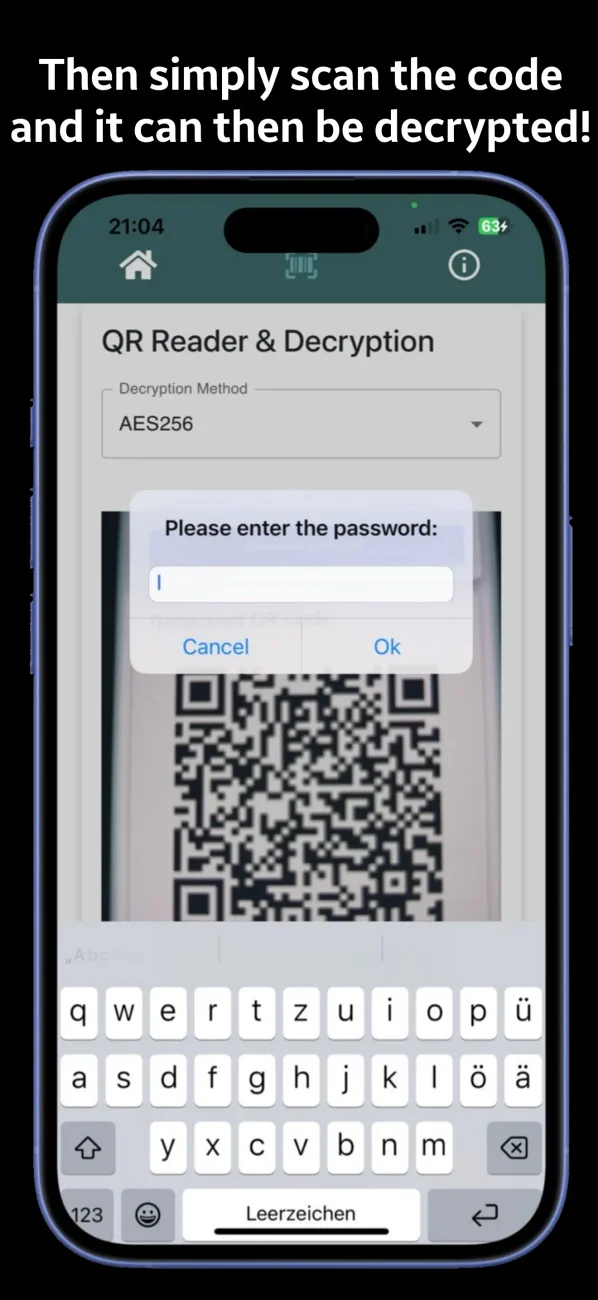
Scan any QR code and decrypt the hidden text with ease.
- Completely Local Application:
No cloud backups, servers, or online storage—your data stays private.
- Open Source Transparency:
Trustworthy and community-driven. View and contribute to our code on GitHub.
- Multiple Cryptographic Options:
Choose between AES256, TripleDES, Blowfish, or Rabbit encryption algorithms for advanced security.
- User-Friendly Interface:
Simple and intuitive design that makes encryption and decryption seamless for everyone.
Why Use Secure QR?
- Secure Password Storage:
Store sensitive passwords securely and generate encrypted QR codes for quick retrieval.
- Safe Data Sharing:
Share confidential notes, credentials, or other sensitive information without the risk of interception.
- Privacy First:
Secure QR prioritizes your privacy by processing everything locally on your device, without storing data online.
How It Works:
1. Enter any text you want to encrypt.
2. Choose your preferred cryptographic encryption method (AES256, TripleDES, Blowfish, Rabbit).
3. Generate a QR code and share it securely or store it locally.
To decode:
Open the app, scan the QR code, and decrypt the data with just one tap.
Open Source:
Secure QR is fully open-source to ensure transparency, security, and reliability. Join our community and contribute to the project. Check it out on GitHub.
Download Secure QR Now & Encrypt Your World Securely!
What’s new
Version 1.2.1 · Apr 19, 2026
Improved security by updating cryptographic libraries (open-source tools within the app).
App privacy
What Christian Scheub declares on the App Store about how this app handles data.
-
Data used to track you
May be used to track you across apps and websites owned by other companies.
- Location
- Usage data
-
Data linked to you
May be collected and linked to your identity.
- Location
- Usage data
Privacy practices may vary, for example with the features you use or your age.
Information
- Seller
- Christian Scheub
- Category
- Utilities
- Version
- 1.2.1
- Updated
- Apr 19, 2026
- Released
- Dec 16, 2024
- Size
- 9.9 MB
- Requires
- iOS 16.6 or later
- Age rating
- 17+
- Price
- Free
- Languages
- English
- Copyright
- © 2024 Christian Scheub
You might also like
-
 VoxScriptUtilities
-
 QRCoder - QR Code CreatorGenerate to scan and share
-
 QR Code Scanner & Reader+QR Code Barcode Scanner
-
 APIreaderProTake your API with you.
-
 Web ToolboxWebsites and pages monitoring
-
 Paranoia Text Encryption Lite(encrypt notes, messages, …)
-
 ChatMCPEmpower AI with local tools
-
 iVerify BasicYour mobile security toolkit
-
 Jinx - System-Wide Ad BlockerBlock ads &Fast Private Secure
-
 Copy my data - Easy TransferMove Contacts and Content Fast