- Age rating4+
- CategoryPhoto & Video
- DeveloperShriansh Shrivastava
- LanguagesEnglish
- Size4.6 MB
Links to the official App Store page
Download.org hosts no file of Selects:. The button opens its official App Store page, published by Shriansh Shrivastava. Listing last checked on Nov 12, 2026.
Screenshots

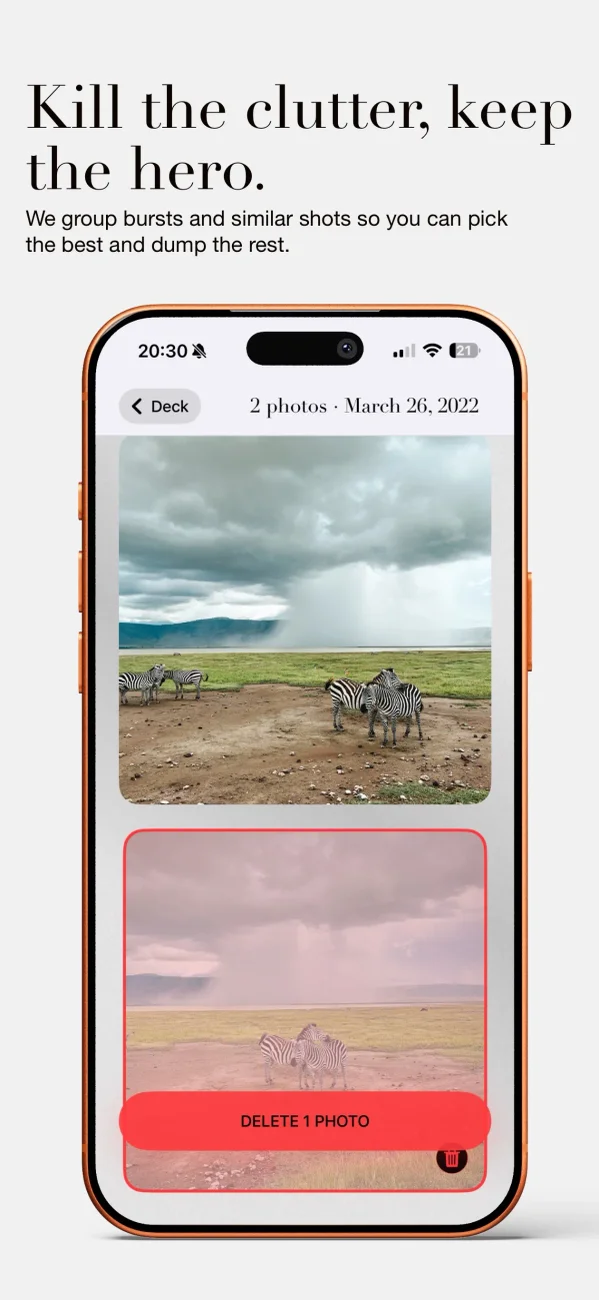

About
Selects: The Smarter Way to Clean Your Camera Roll
Let’s be honest: you currently have 28,000 photos on your phone. 15 of them are identical shots of your dog trying to get one where they aren't blurry. 400 are screenshots of recipes you will never cook. And your iCloud storage is begging for mercy.
Selects is here to fix your camera roll, and we’ve made it so fast and satisfying that it actually feels like a game.
100% Private & Paranoia-Proof
Before we get to the fun stuff, let’s address the two things you’re actually worried about: privacy and accidentally deleting your wedding photos.
No Servers, No Spying: Our AI runs entirely offline on your device using Apple's Neural Engine. We don't see your photos, and your data never leaves your phone.
The Triple Safety Net: Selects cannot permanently delete anything without your explicit permission. Swiping just moves photos to a staging Bin. Swiped by mistake? Tap the Undo button. Emptied the Bin by mistake? Don't panic. Everything simply moves to Apple’s native "Recently Deleted" folder for 30 days before vanishing forever. You are completely safe here.
Zero-Thought Swiping
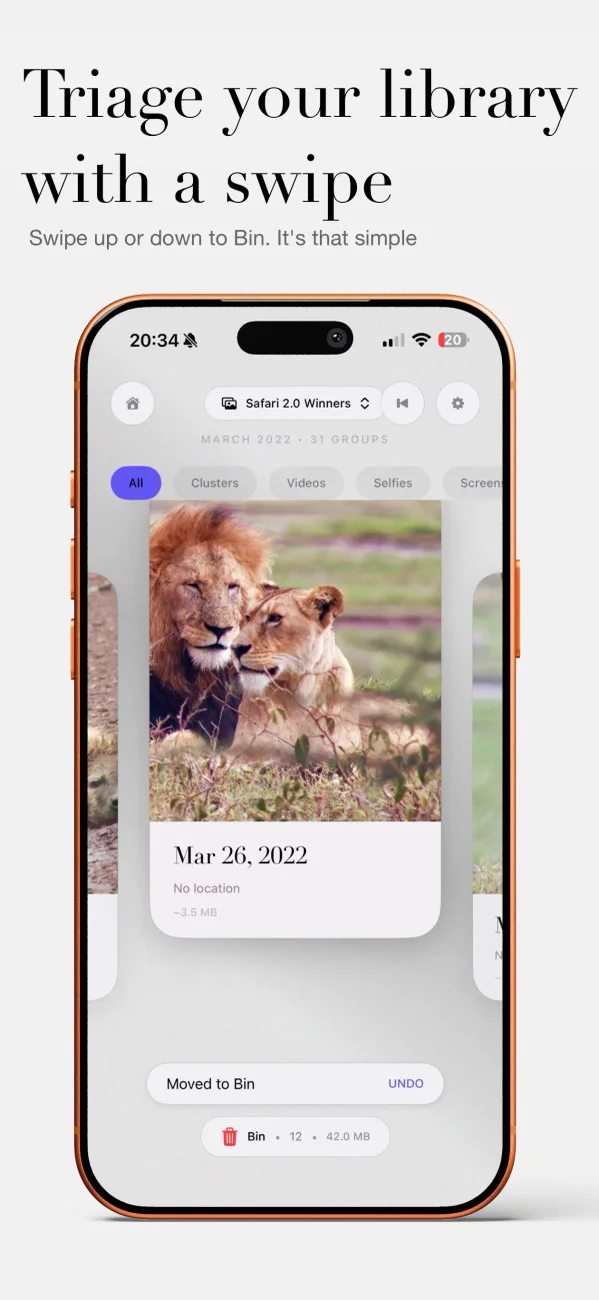
We got rid of tiny checkmarks and confusing menus. In Selects, organizing is pure reflex. Just swipe a card UP or DOWN to send a photo to the Bin. Don’t think about direction, just action. Swiped your grandma by mistake? Our bulletproof "Undo" button instantly brings her back.
An AI That Actually Gets It
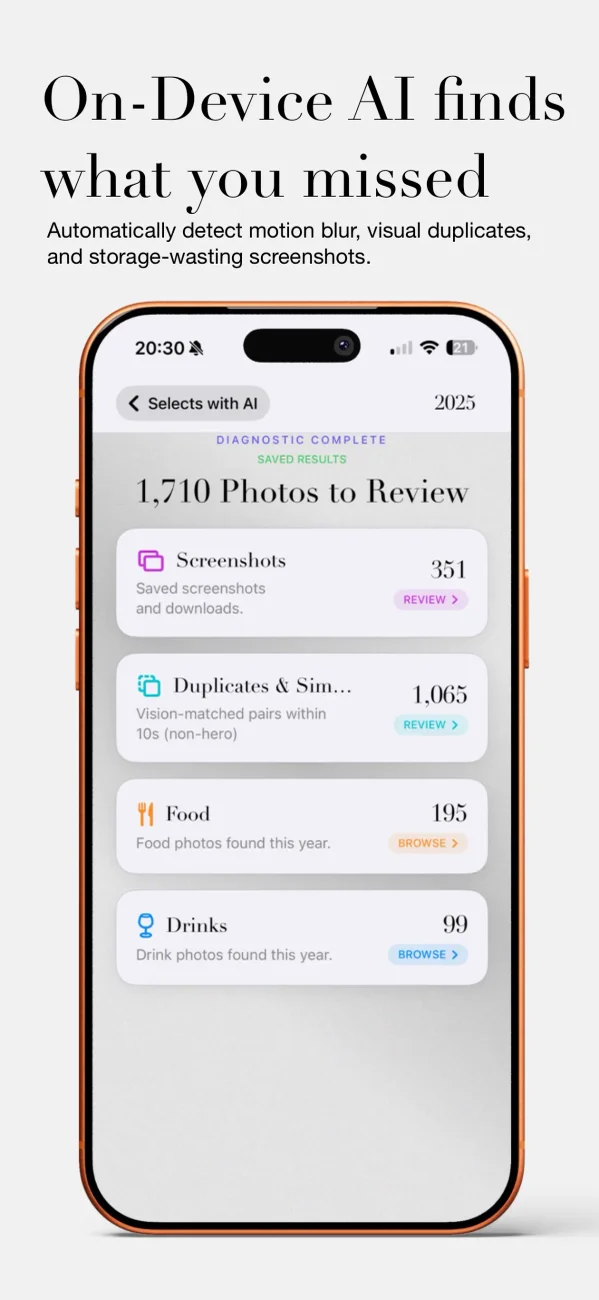
Our on-device AI Lab scans your library to find the clutter so you don't have to. It automatically flags blurry shots, isolates receipts and screenshots, and rounds up your Animals. It even finds your absolute best, high-aesthetic shots (we call them "Diamonds") so you can Favorite them all with one tap.
Heavy Hitters
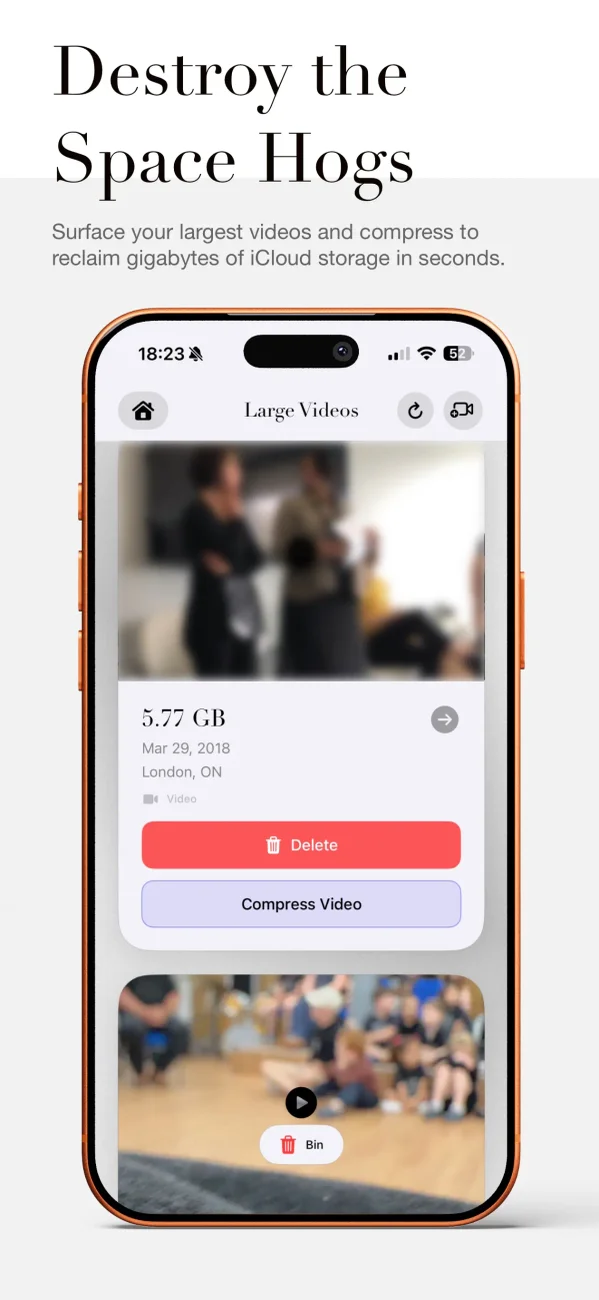
Need to free up space right this second? The "Storage Savers" mission rounds up your absolute largest videos and files so you can reclaim Gigabytes of space in three swipes.
The Duplicate "Magic Wand"
Staring at 10 identical group selfies trying to figure out which one is best? Let the AI do it. Tap the "Magic Wand" and Selects will instantly select all the blurry, blinking, and inferior duplicates for the Bin, leaving only the perfect "Hero" shot untouched.
Album Builder (A Safe Curation Zone)
Building an album for your trip to Italy shouldn't be a chore. Enter Album Builder mode: pick a destination, and just swipe photos to add them. Nothing gets deleted here, and you can even create brand-new Apple Photos albums on the fly without leaving the app.
Enter the Time Machine
Check your dashboard for the Time Machine heatmap to see your entire photo history at a glance. Tap any month to instantly jump back in time and clean up that specific era. We even built a Home Screen Widget that surfaces random memories from over a year ago to remind you what's buried in there.
Panic-Free Deletion & Total Privacy
Scared of the delete button? Don't be. When you empty the Selects Bin, your photos are simply moved to Apple's native "Recently Deleted" folder for 30 days before vanishing forever. You have plenty of time to change your mind. Furthermore, all our AI magic happens strictly offline on your device using Apple's Neural Engine. We never see your photos, and we never touch your data.
Stop paying for extra cloud storage just to host 4,000 memes from 2019. Download Selects and get your camera roll back.
What’s new
Version 1.6 · Jun 2, 2026
You love shooting in 4K. Your iPhone's storage capacity does not. In our biggest update yet, Selects now lets you compress massive videos to free up space without losing your memories.
Video Compression: Head to the Large Videos card to shrink massive files down to 1080p (or keep original resolution with HEVC). Save gigabytes in seconds.
Preview First: We know deleting originals is scary. Selects lets you watch the newly compressed video to verify the quality before you permanently toss the original.
Select Manually: In a rush? Tap the new + icon on the dashboard to jump straight into your camera roll and compress a specific video instantly.
Plus: We polished the Settings menu, added a shiny new Milestone Share card so you can brag about your reclaimed space, and made the whole engine run smoother than ever. Also, our AI search now hunts down saved memes and web clutter so you can purge them fast.
App privacy
What Shriansh Shrivastava declares on the App Store about how this app handles data.
-
Data not collected
The developer does not collect any data from this app.
Privacy practices may vary, for example with the features you use or your age.
Information
- Seller
- Shriansh Shrivastava
- Category
- Photo & Video
- Version
- 1.6
- Updated
- Jun 2, 2026
- Released
- Mar 28, 2026
- Size
- 4.6 MB
- Requires
- iOS 18.6 or later
- Age rating
- 4+
- Price
- $1.99
- Languages
- English
- Copyright
- © Shriansh Shrivastava
You might also like
-
 KeepOrGone - Swipe Clean PhotoSwipe to clean your photos
-
 unPi SelfieDual Camera, One Shot
-
 Video Compressor-Fast CompressShrink Videos. Keep Quality.
-
 PaintingLensPerfect painting photos fast
-
 ReShoot: Before & After CameraRetake same photo every year
-
 VideoSplitter – Video CutterMultiple clips, one export
-
 Echo Photo AppYour photos. Your memories.
-
 Folio: vid2pixTurn your videos to pictures
-
 Live Photo Video MakerGrid, Compare & Merge Media
-
 Duoptra - Dual CameraPro Dual Camera & Video Editor