
- Age rating4+
- CategoryBusiness
- DeveloperSelfie Shifts
- LanguagesEnglish
- Size7.3 MB
Links to the official App Store page
Download.org hosts no file of Selfie Shifts. The button opens its official App Store page, published by Selfie Shifts. Listing last checked on Nov 23, 2026.
Screenshots


About
Selfie Shifts puts your work schedule where it belongs in your pocket.
Open the app and your upcoming shifts are just there, instantly. Punch the time clock with one tap, pick up open shifts before they're gone, and handle the "I can't make it Friday" problem without a single group text.
YOUR SCHEDULE, ALWAYS CURRENT
• See every upcoming shift across all the places you work
• Tap a shift to see who's working alongside you
• Get notified the moment your schedule changes
THE TIME CLOCK, SIMPLIFIED
• Clock in and out from the app, the home-screen widget, or your Apple Watch
• A live timer shows your running shift
• Tap the clock card for your recent punches and total hours
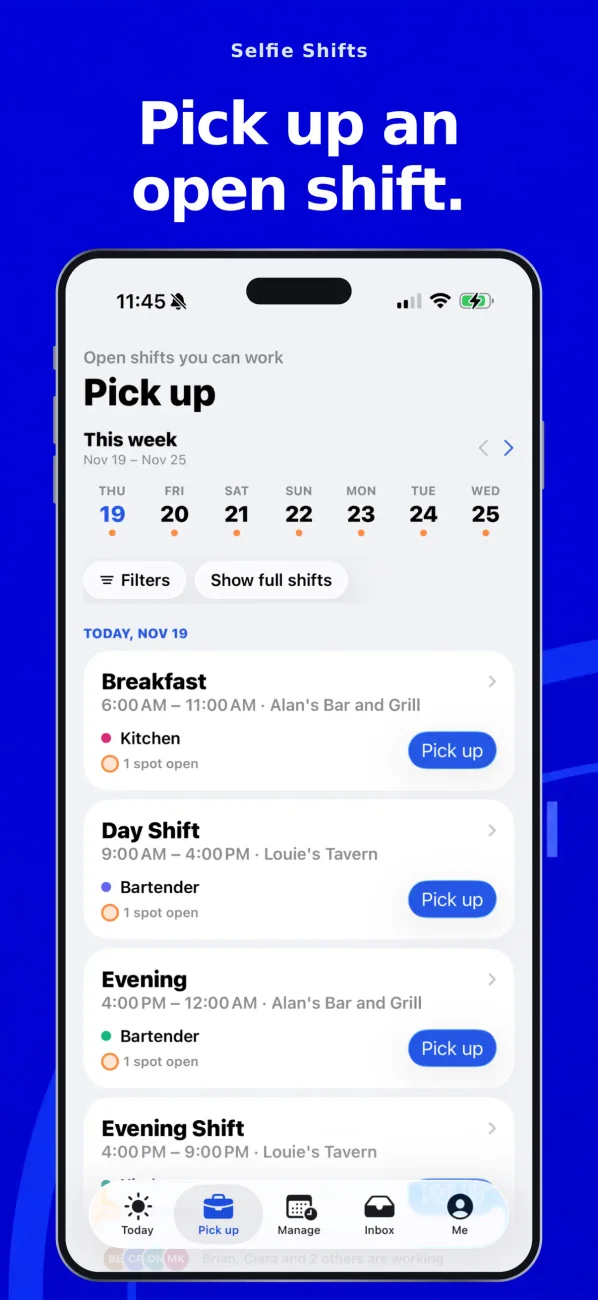
PICK UP MORE WORK
• Browse open and up-for-grabs shifts at every restaurant you work for
• One tap to claim — instant green confirmation when it's yours
• Volunteer as backup on full shifts and get promoted automatically if someone drops
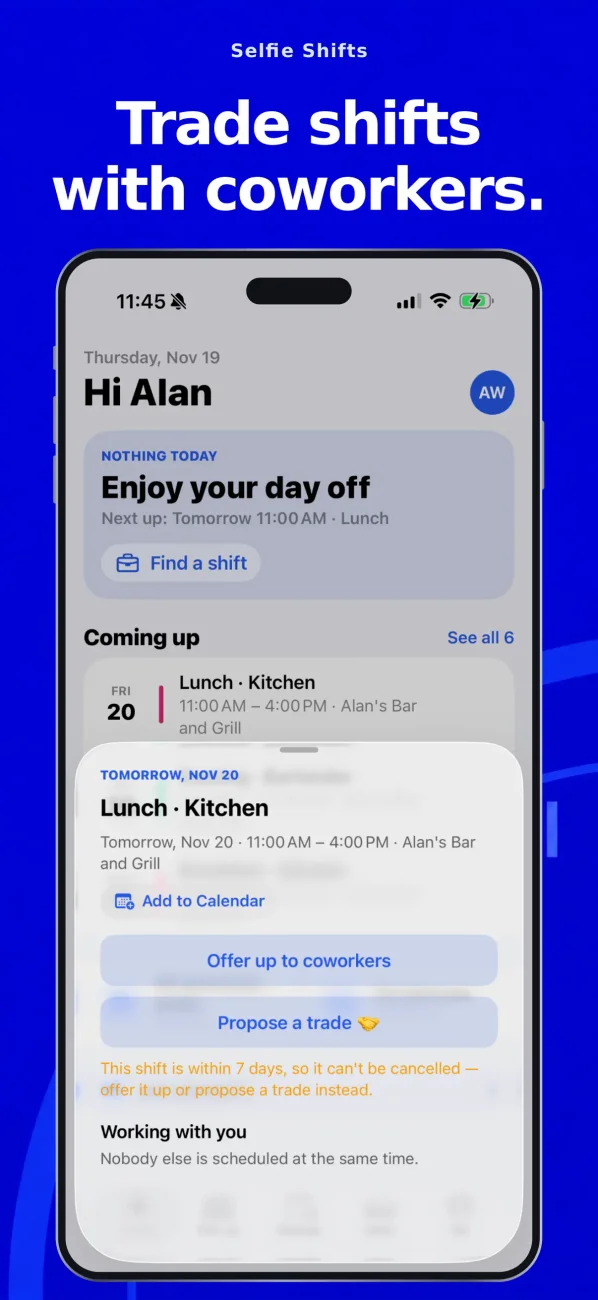
LIFE HAPPENS
• Offer a shift up to coworkers, or propose a direct trade
• Request time off with a date picker and track approval
• Set your availability and scheduling preferences so your manager plans around your life
ALSO IN YOUR POCKET
• Keep pictures of your licenses and certifications on file — snap, name, done
• Home-screen and Lock Screen widgets for your next shift, the time clock, and open shifts
• A full Apple Watch app: clock in, see your week, check your hours — right from your wrist
Selfie Shifts is for teams whose employer uses Selfie Shifts for scheduling. Your manager creates your account — ask them for your login.
What’s new
Version 1.1 · Nov 20, 2026
• Sign in with Face ID — no more typing your password
• Swipe away notifications in your Inbox
• Clock in and out right from your Apple Watch at geofenced workplaces, and track breaks on your wrist
• Upcoming shifts now show which workplace they’re for
• A refreshed login screen and easier first-time setup for new employees
App privacy
What Selfie Shifts declares on the App Store about how this app handles data.
-
Data linked to you
May be collected and linked to your identity.
- Contact info
- User content
- Usage data
Privacy practices may vary, for example with the features you use or your age.
Information
- Seller
- Selfie Shifts LLC
- Category
- Business
- Version
- 1.1
- Updated
- Nov 20, 2026
- Released
- Nov 5, 2026
- Size
- 7.3 MB
- Requires
- iOS 26.0 or later
- Age rating
- 4+
- Price
- Free
- Languages
- English
- Copyright
- © 2026 Selfie Shifts, LLC
You might also like
-
 Shift FillerStaffing Marketplace
-
 Shiftat - shift management appYour work shifts and requests
-
 Ambient OnWork toward something bigger
-
 Superb StaffingNursing Jobs Made Easy
-
 Fill-N Worker: Shift JobsFind Shifts & Get Paid Fast
-
 Shift Work: Find Shifts, HiredFind flexible jobs & paid fast
-
 Xclusive HealthFor healthcare professionals
-
 Spencer County BankFinance
-
 Beloit AuctionBusiness
-
 Standby JobsGig Jobs, Hospitality & Events