
SelfPush: Future Reminders
Daily Messages to Yourself
Designed for iPhone, iPod touch
- Age rating4+
- CategoryProductivity
- DeveloperPeppertree
- LanguagesEnglish+ 3 more
- Size25.2 MB
Links to the official App Store page
Download.org hosts no file of SelfPush: Future Reminders. The button opens its official App Store page, published by Peppertree. Listing last checked on Nov 9, 2026.
Screenshots
About
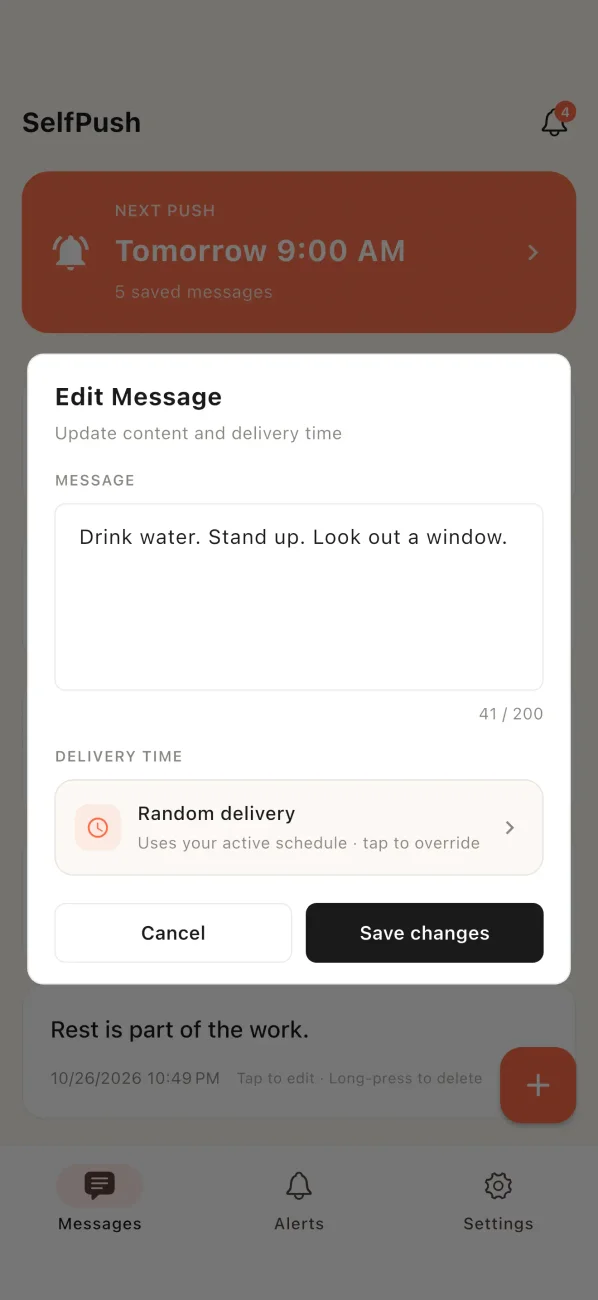
The notes that get through to you are the ones you wrote yourself. SelfPush lets you write a few lines today and have them show up on your lock screen later, as an ordinary push notification, when you are most likely to need them.
WRITE NOW, RECEIVE LATER
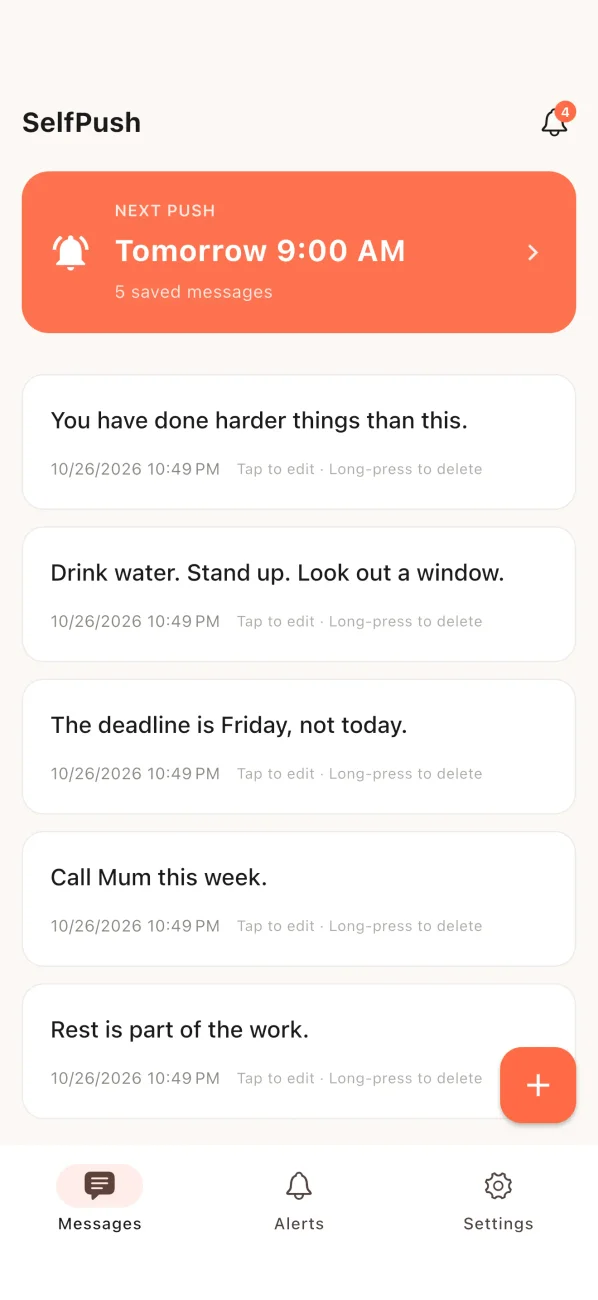
- Save short messages in your own words, as many as you like
- Pick a daily push time in Settings. Each day SelfPush sends one of your saved messages, picked at random
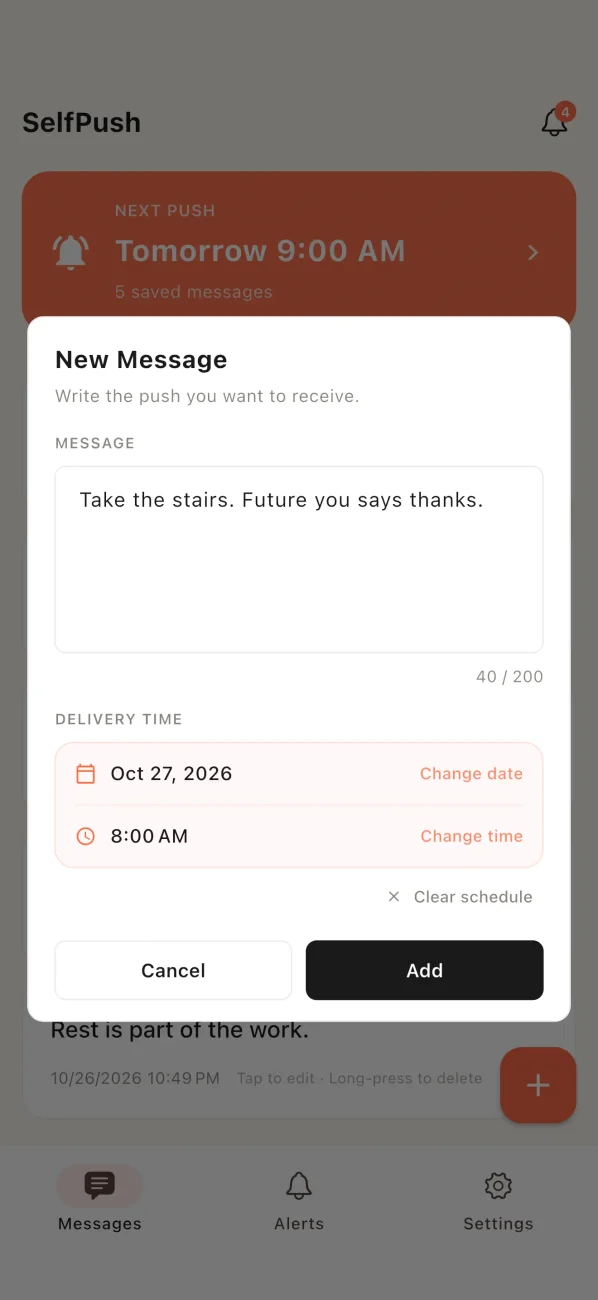
- Or give a single message its own date and time, for the morning of an exam, a hard conversation or a deadline
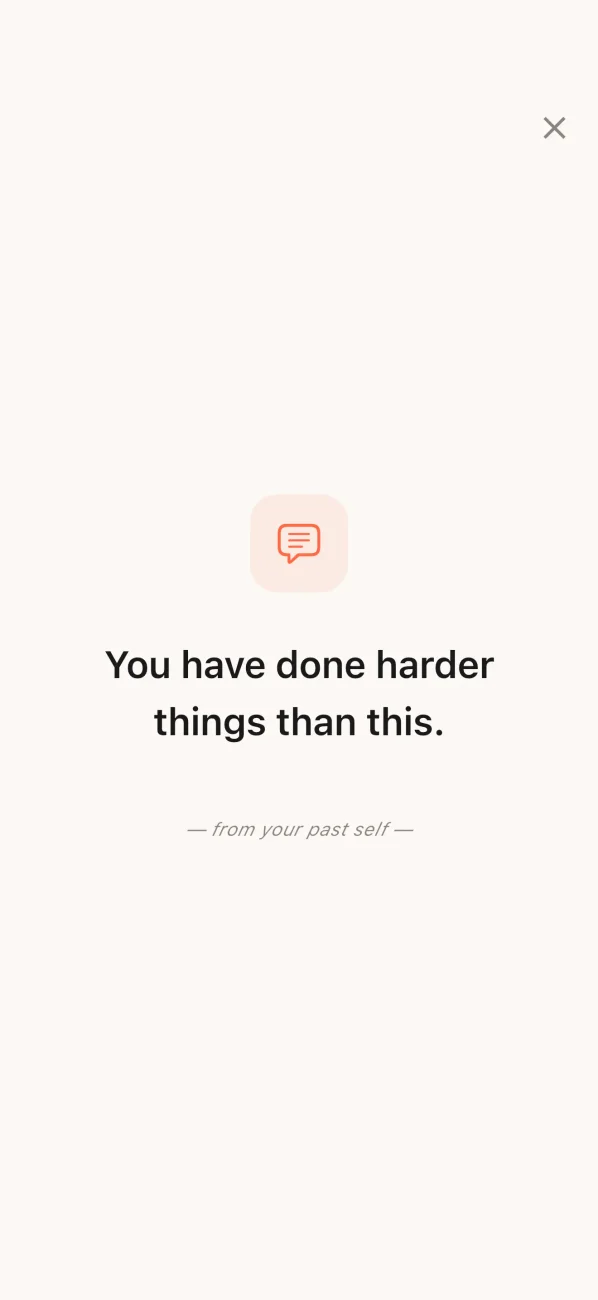
- Tap the push to read the message full screen, signed "from your past self"
- Edit, reschedule or delete any message whenever you like
THREE TABS
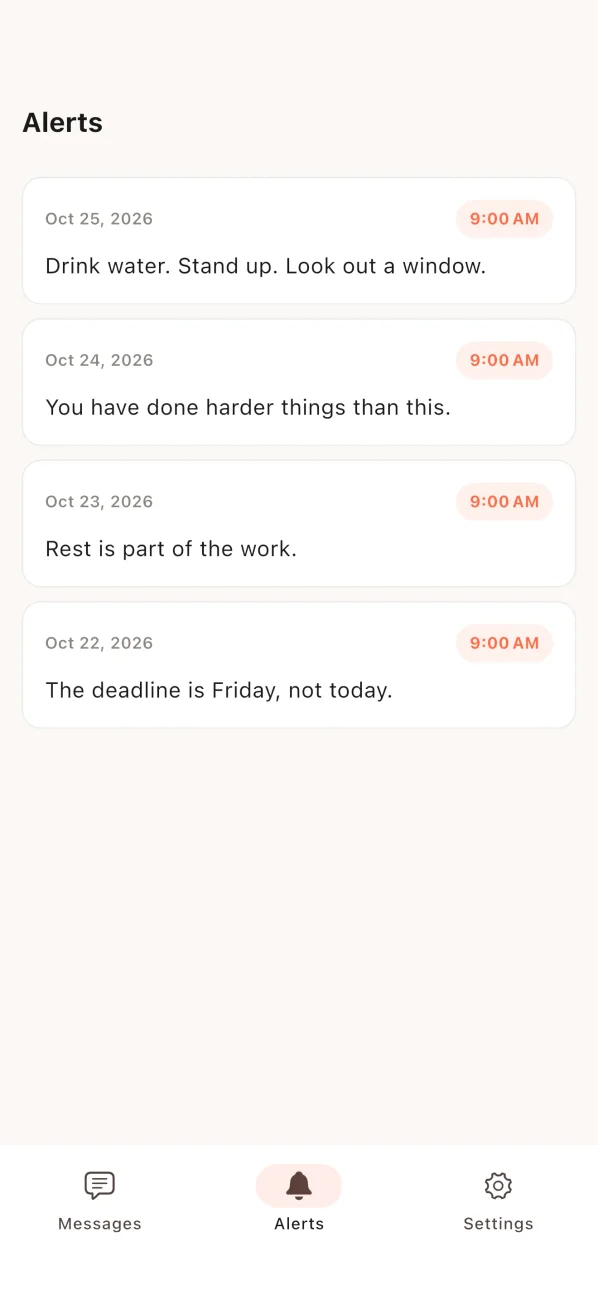
Messages holds your list and shows the next push. Alerts is a history of the pushes that have already arrived. Settings has the push time, the daily on and off switch and a test push that lands right away, so you can see how it will look.
GOOD TO KNOW
SelfPush schedules your daily pushes two weeks ahead on the phone and tops that window up whenever you open the app, so open it now and then. Delivery also follows your phone's notification and battery settings. The notification prompt appears when you set a push time, schedule a message or send a test push, not when you launch the app.
ABOUT THE AD
SelfPush is free and shows one small banner at the bottom of the Alerts tab. The Messages tab, Settings and the full-screen message have no ads.
Where the law requires it (the EEA and UK), a consent form asks about ads before any of them load, and Settings gets an Ad privacy options row for changing your answer later. On iPhone, the system tracking prompt appears only if that form allows it. Decline either one and every feature keeps working.
There is no account and no server of ours. Your messages, schedule and history are stored on the phone, and the ad request is the only thing the app sends out on its own.
LANGUAGES
SelfPush speaks English, Korean, Japanese and Simplified Chinese, switching with your phone's language.
Questions or feedback: contact+selfpush@peppertree.so
What’s new
Version 1.1.0 · Oct 27, 2026
SelfPush 1.1.0
- Set the delivery time right when you write a new message
- Korean, Japanese and Simplified Chinese, following your phone's language
- One small banner ad now sits at the bottom of the Alerts tab. The other tabs and the full-screen message have none
- In the EEA and UK a consent form comes before any ad, and Settings gains an Ad privacy options row so you can revisit your answer
- On iPhone, the tracking prompt is skipped unless the consent form allows it
- The notification prompt now appears when you set a push time or schedule a message, not when you open the app
- Fixed: daily pushes arrived at the wrong hour because they were scheduled in UTC instead of your time zone
- Fixed: daily pushes stopped about two weeks after your last edit. They are now topped up whenever you open the app
- Fixed: a message with its own date and time only fired if the daily schedule was on too
- Fixed: a deleted message could still be delivered
- Listing corrected: SelfPush+, iCloud sync, the 20-message limit and JSON export in the old description were never part of the app
App privacy
What Peppertree declares on the App Store about how this app handles data.
-
Data used to track you
May be used to track you across apps and websites owned by other companies.
- Identifiers
-
Data linked to you
May be collected and linked to your identity.
- Location
- Identifiers
- Usage data
-
Data not linked to you
May be collected but is not linked to your identity.
- Diagnostics
Privacy practices may vary, for example with the features you use or your age.
Information
- Seller
- Peppertree
- Category
- Productivity
- Version
- 1.1.0
- Updated
- Oct 27, 2026
- Released
- May 18, 2026
- Size
- 25.2 MB
- Requires
- iOS 15.0 or later
- Age rating
- 4+
- Languages
- English, Japanese, Korean, Simplified Chinese
- Copyright
- © 2026 Peppertree
You might also like
-
 iTimeBoxFocus Timer for Your Goals
-
 Daily Identity AlignmentIdentity and Goal Reminders
-
 Screenshot Card BoxOrganize screenshots
-
 Halo: Pomodoro Focus TimerBrown noise, streak, deep work
-
 Daily Reset: Done & DustedADHD To Do List & Brain Dump
-
 TriDo - 3 Daily Tasks3 Task a day
-
 Cash Notes: ReceiptProductivity
-
 ooringChores made easier together
-
 Remba: Simple RemindersGentle reminders for everyone
-
 OnCue: Push NotificationsNotify yourself with reminders