- Age rating4+
- CategoryDeveloper Tools
- DeveloperAlessandro Iannacone
- LanguagesEnglish+ 1 more
- Size9.1 MB
Links to the official App Store page
Download.org hosts no file of Semaphore Remote. The button opens its official App Store page, published by Alessandro Iannacone. Listing last checked on Nov 13, 2026.
Screenshots
About
Semaphore Remote is an app for users who manage automation with Semaphore UI and need quick access to their tasks from a mobile device.
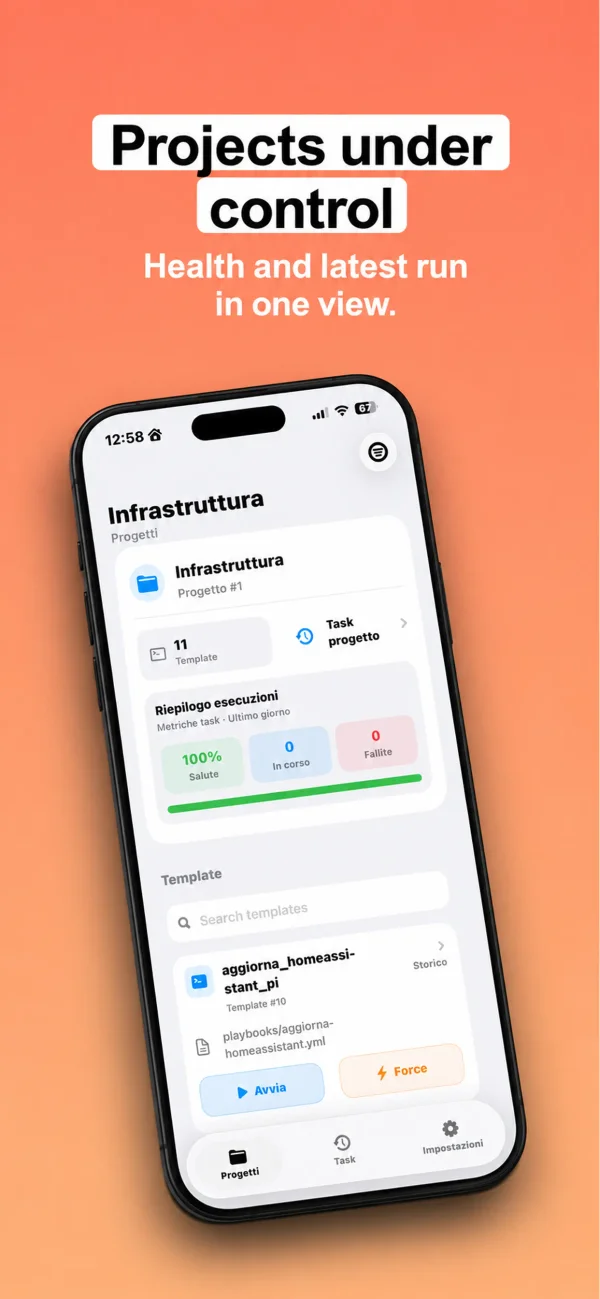
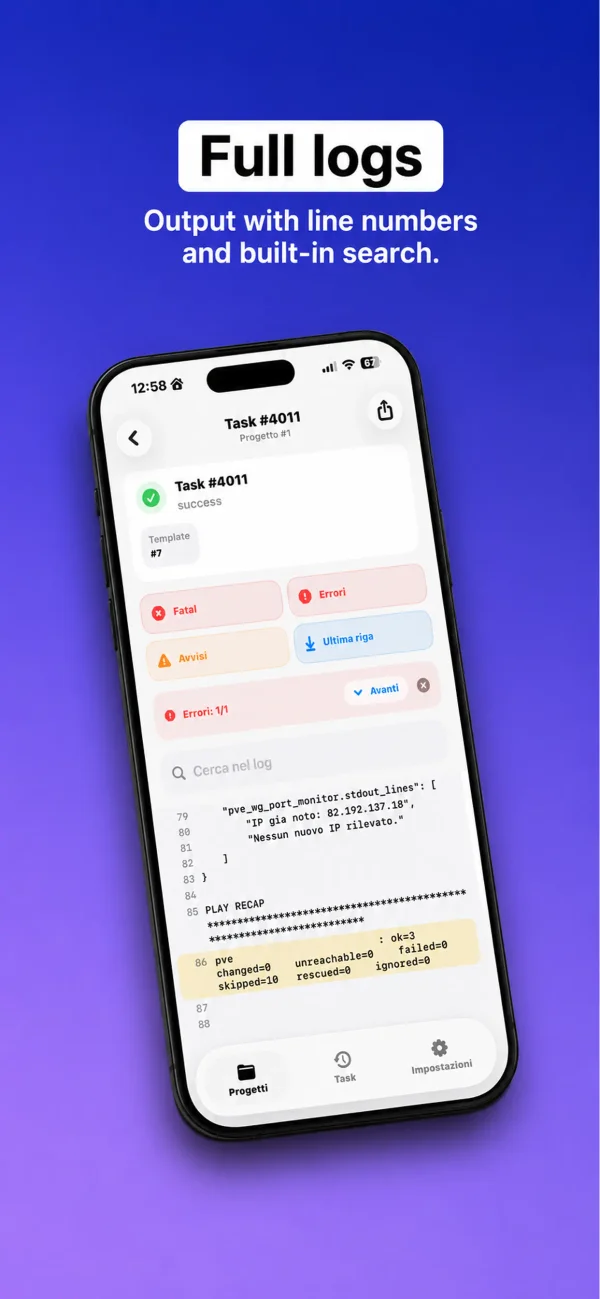
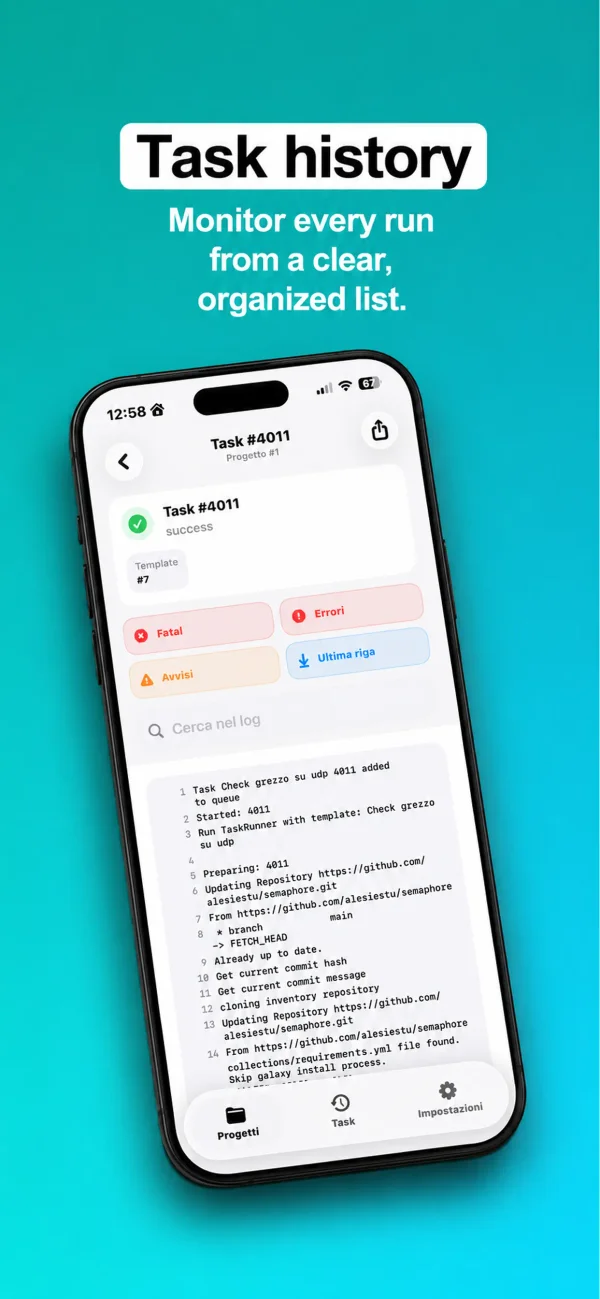
Connect directly to your Semaphore server using a personal API token, browse projects and templates, launch new executions, monitor running tasks, and read raw task output when something needs attention.
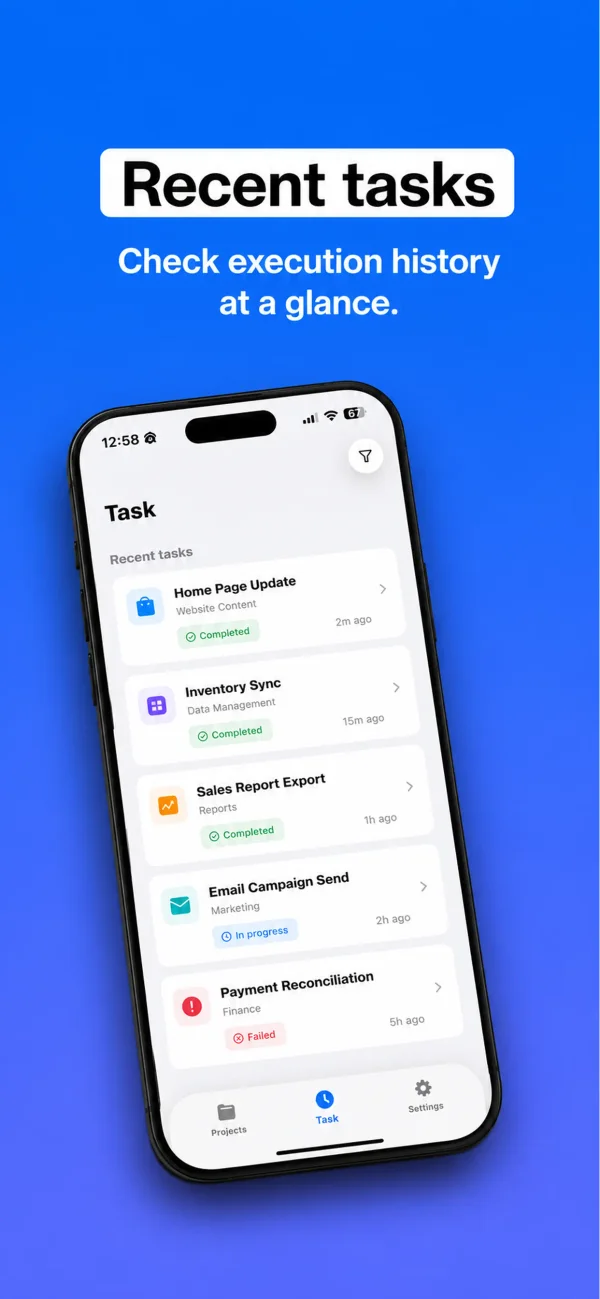
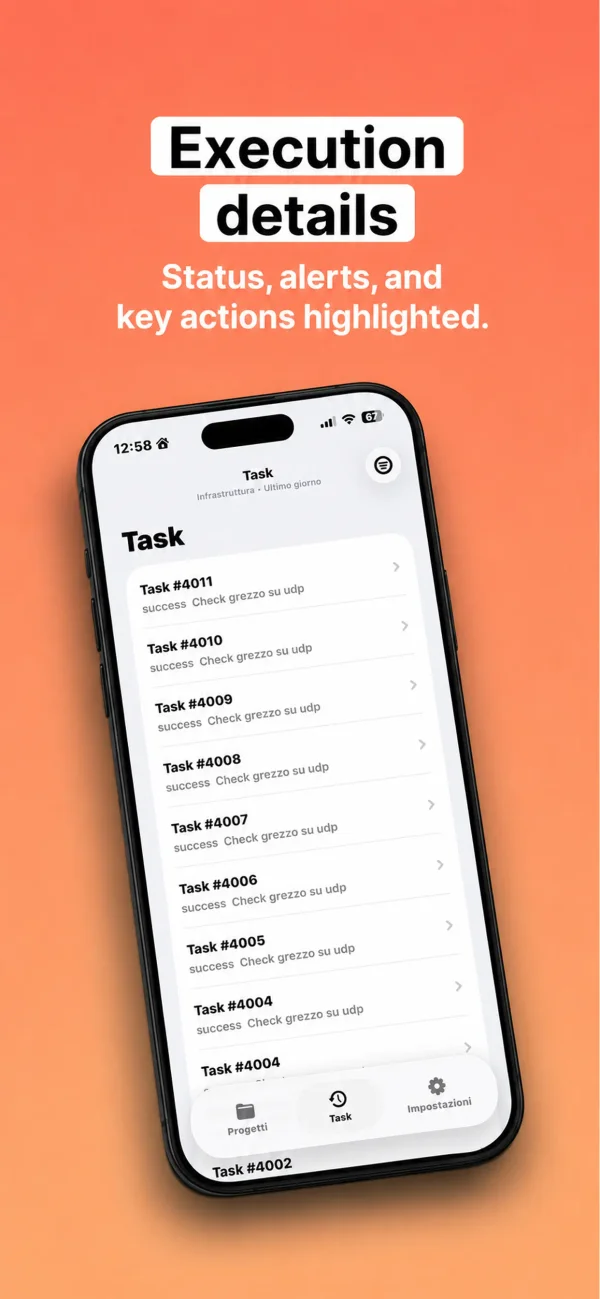
The app is designed for DevOps workflows where speed and simplicity matter. You can open a project, review available templates, start a run, force an execution when needed, check recent tasks, follow active jobs, and quickly jump to fatal messages, errors, warnings, or the last line of a log.
Key features:
• Connect to Semaphore UI using a personal API token
• Browse projects, templates, and task history
• Launch tasks from templates
• Force task runs when needed
• Monitor running, waiting, and pending tasks
• Receive local notifications when monitored tasks finish
• Read raw task output with line numbers
• Search inside logs
• Jump quickly to fatal, error, warning, or last-line matches
• Share task logs as text files
• Supports English and Italian
Semaphore Remote does not require an external account and does not use tracking, analytics, or advertising.
The app communicates only with the Semaphore server configured by the user. The server URL and API token are stored locally on the device and used only to authenticate requests to your Semaphore UI instance.
Note: Semaphore Remote is intended as a mobile companion tool for quick checks and interventions. Local notifications depend on system background behavior and are not a replacement for server-side alerting.
What’s new
Version 1.6.5 · Oct 21, 2026
NEW: Evening reminder
A daily notification at a time you choose, reminding you to check how your tasks went. Turn it on in Settings.
NEW: Find your way around
A Features page in Settings shows everything the app can do — including the Apple Watch app and the Home Screen widget, which you may not have noticed.
Health you can trust
Choose which templates count towards the health percentage. A job running every few minutes no longer hides the templates that actually fail.
Apple Watch
Task names no longer fall back to the playbook file name, and the watch now measures health over the same period you picked in the app.
Also improved
• Connection and API errors explain what actually went wrong
• Picking the project shown by the widget is more reliable
• A What's New screen after each update, plus release notes in Settings
• A new install opens straight to setup instead of an error
App privacy
What Alessandro Iannacone declares on the App Store about how this app handles data.
-
Data not collected
The developer does not collect any data from this app.
Privacy practices may vary, for example with the features you use or your age.
Information
- Seller
- Alessandro Iannacone
- Category
- Developer Tools
- Version
- 1.6.5
- Updated
- Oct 21, 2026
- Released
- Jul 3, 2026
- Size
- 9.1 MB
- Requires
- iOS 26.5 or later
- Age rating
- 4+
- Price
- Free
- Languages
- English, Italian
- Copyright
- Copyright © 2026 Alessandro Iannacone. All rights reserved.
You might also like
-
 CheckWatchCheckMK Push Notifications
-
 NetOps & Dev ToolsNetwork & SysAdmin Toolset
-
 Slint ViewerDeveloper Tools
-
 DockerHub - Container ManagerManage Docker over SSH
-
 Dashy - Dashboard MonitoringGrafana® dashboards & alerts
-
 goPanelWeb Server Manager SSH & AI
-
 Roam - Kubernetes ManagementKubernetes Cluster Monitor
-
 Maruko - Craft Your AppsNext App, Do It Yourself.
-
 iTea - Gitea & Forgejo ClientNative Gitea & Forgejo client
-
 Docker Manager: Homelab & SSHContainers, Compose & servers