SendScan: Scanner + Automation
Workflows to scan, OCR & share
Designed for iPhone, iPad
Free · In-app purchases
- Age rating4+
- CategoryProductivity
- DeveloperCesare Forelli
- LanguagesEnglish
- Size8.4 MB
Links to the official App Store page
Download.org hosts no file of SendScan: Scanner + Automation. The button opens its official App Store page, published by Cesare Forelli. Listing last checked on Nov 17, 2026.
Screenshots


About
Stop doing the same thing after every scan. SendScan combines a powerful multi-page document scanner with OCR and automation workflows: scan, rename, email, save... one tap, fully automatic!
Private iCloud sync. No accounts. No analytics. Optimized for iOS & iPadOS 27.
SCAN ONCE, AUTOMATE EVERYTHING
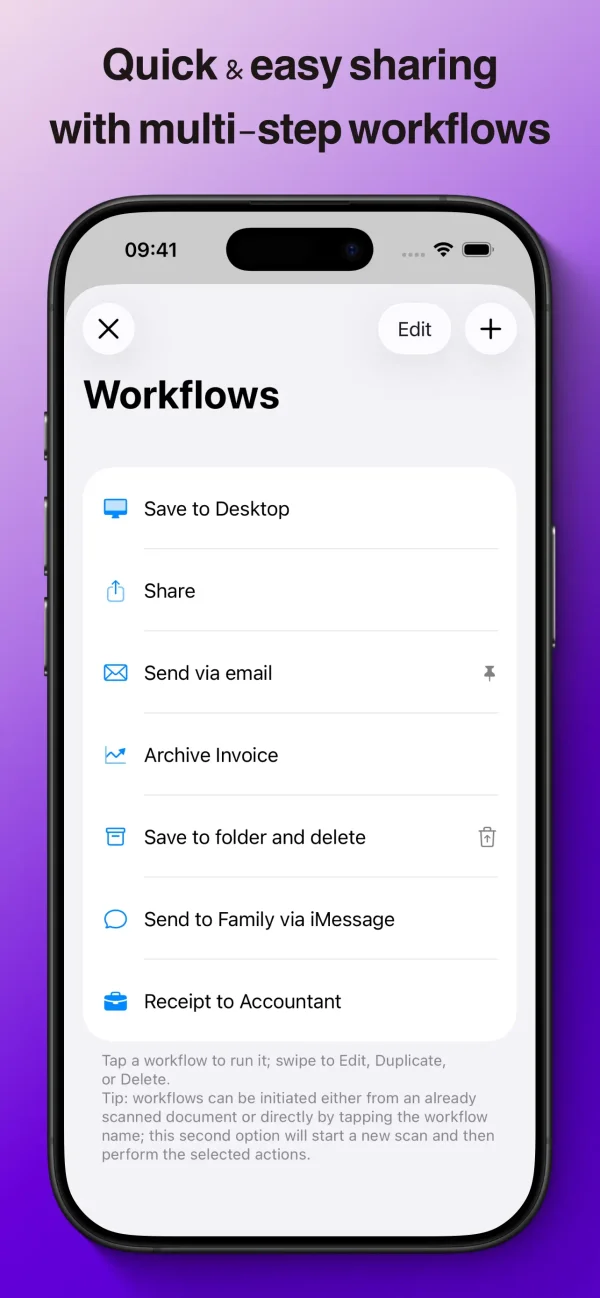
Stop wasting time on repetitive tasks after scanning. Create custom workflows that automatically:
• Save to specific folders: Route documents to the right place instantly
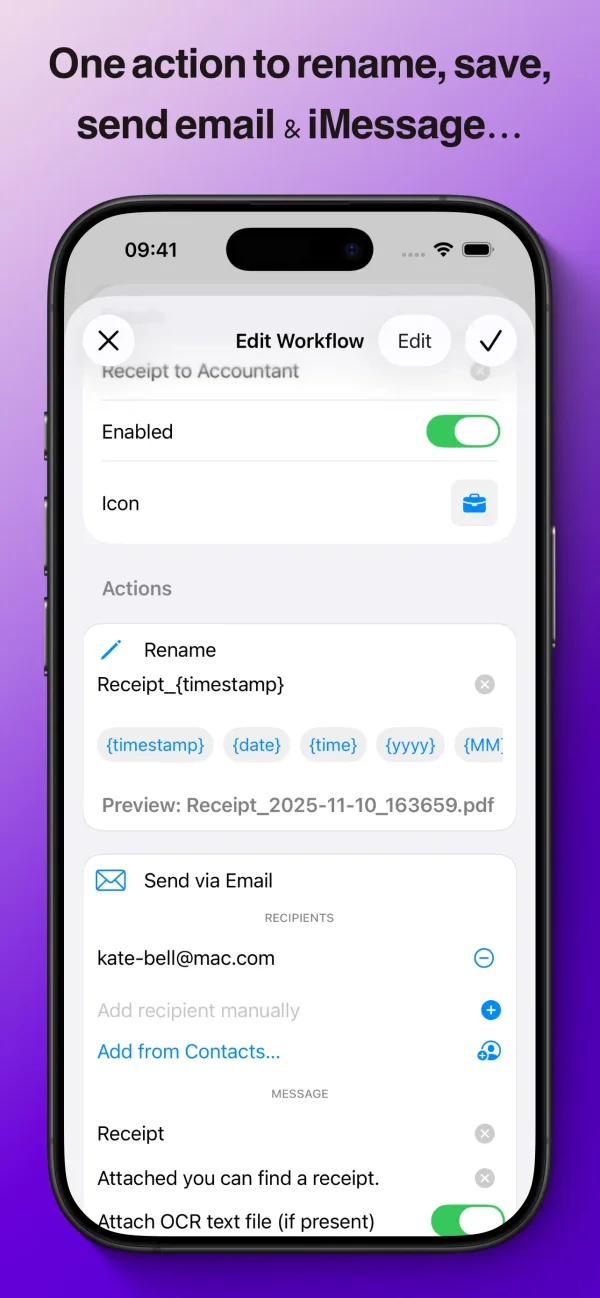
• Email directly: Send scans to clients, colleagues, or yourself with pre-filled subjects and messages *; multiple recipients are supported and you can either type in their address or pick from your device's Contacts
• Share via Messages: Like for email, add recipients and share via Messages automatically *
• Share seamlessly: Use the system share sheet to send documents anywhere
• Rename intelligently: Apply naming patterns with timestamps, dates, and custom tokens
• Chain actions: Combine multiple steps into a single tap
• Optionally delete after the workflow completes
* A confirmation tap before sending is required by iOS.
OCR & SEARCHABLE PDFs
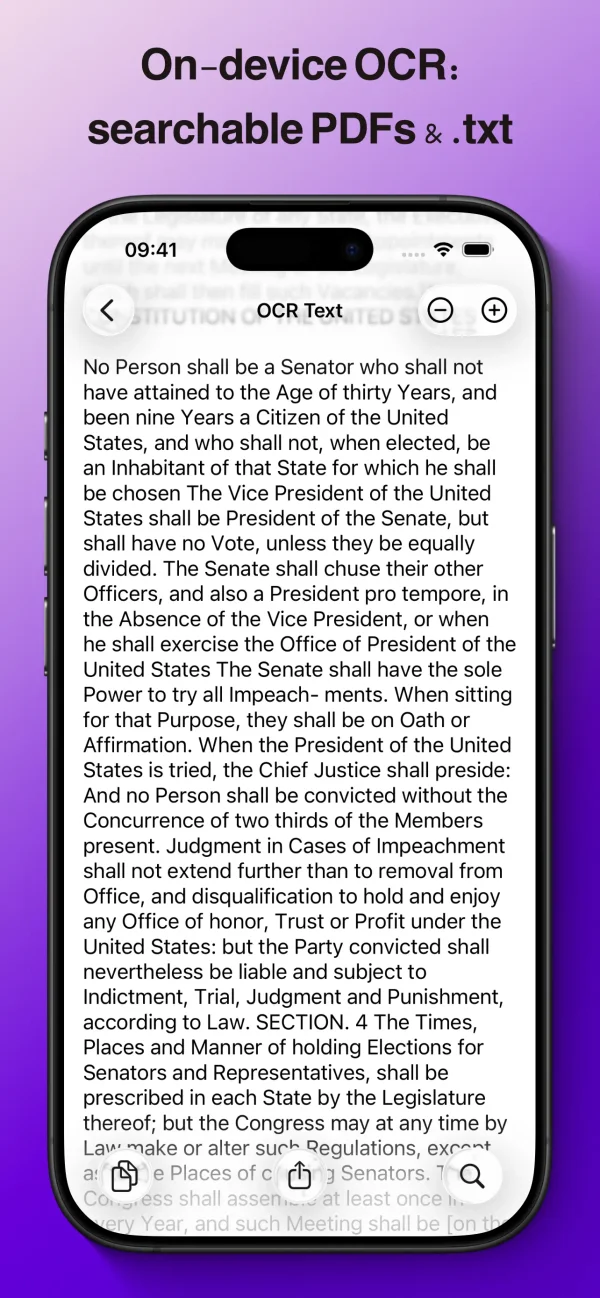
Make your scans searchable and extract text automatically, privately on-device:
• Searchable PDFs: Enable automatic OCR to create PDFs with invisible, selectable text layers with per-word accurate position in search
• Text extraction: Every OCR'd scan includes a companion .txt file for easy text access
• TXT viewer: View and search recognized text with highlighting and font controls
• Share plain text: Quickly share extracted text without the PDF
• Manual OCR: Add text recognition to existing PDFs with one tap
• Workflow integration: Automatically attach .txt files when emailing or sharing
• Quality control: Save as PDF (multi-page) or JPG (one per page) with adjustable quality and compression
WIDGETS, SHORTCUTS & QUICK ACTIONS
Scan and run workflows without opening the app:
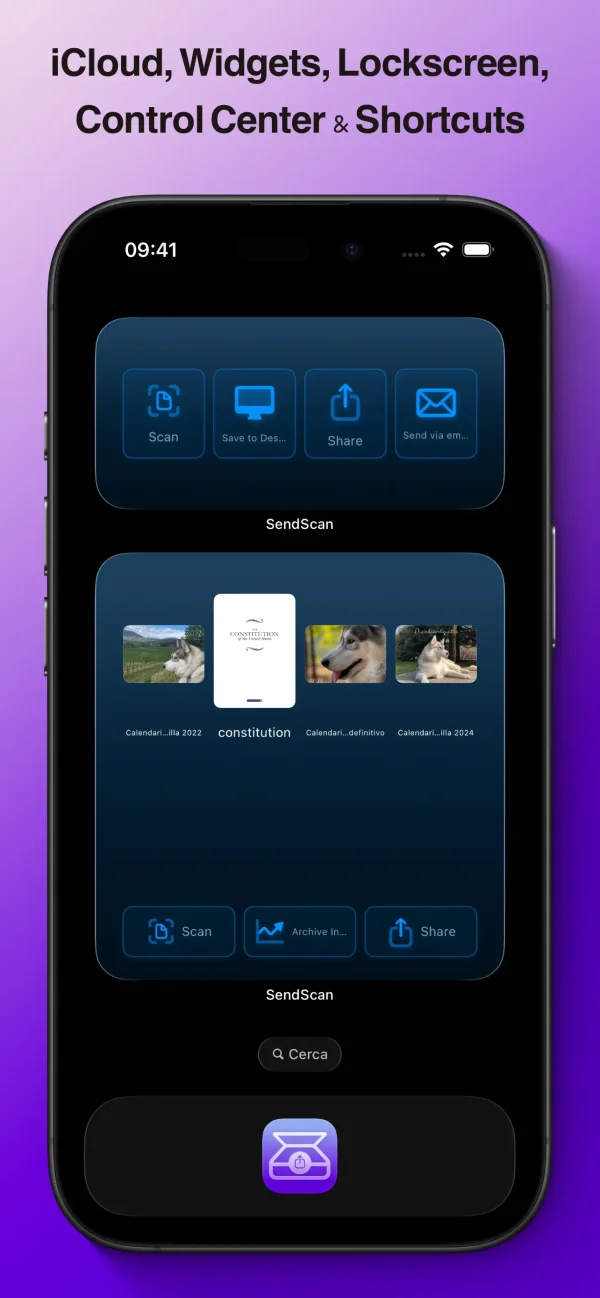
• Home Screen widgets: One-tap access to your most-used workflows
• Recent documents widget: See thumbnails of your latest scans
• Lock Screen widgets: Scan from your Lock Screen
• Control Center: Add scanning to your quick actions
• App icon Quick Actions: Long-press the app icon to scan or run pinned workflows
• Pin workflows: Add your favorite workflow to the center toolbar button for instant access
• Shortcuts integration: Build advanced automations with Apple Shortcuts
SMART FILE MANAGEMENT
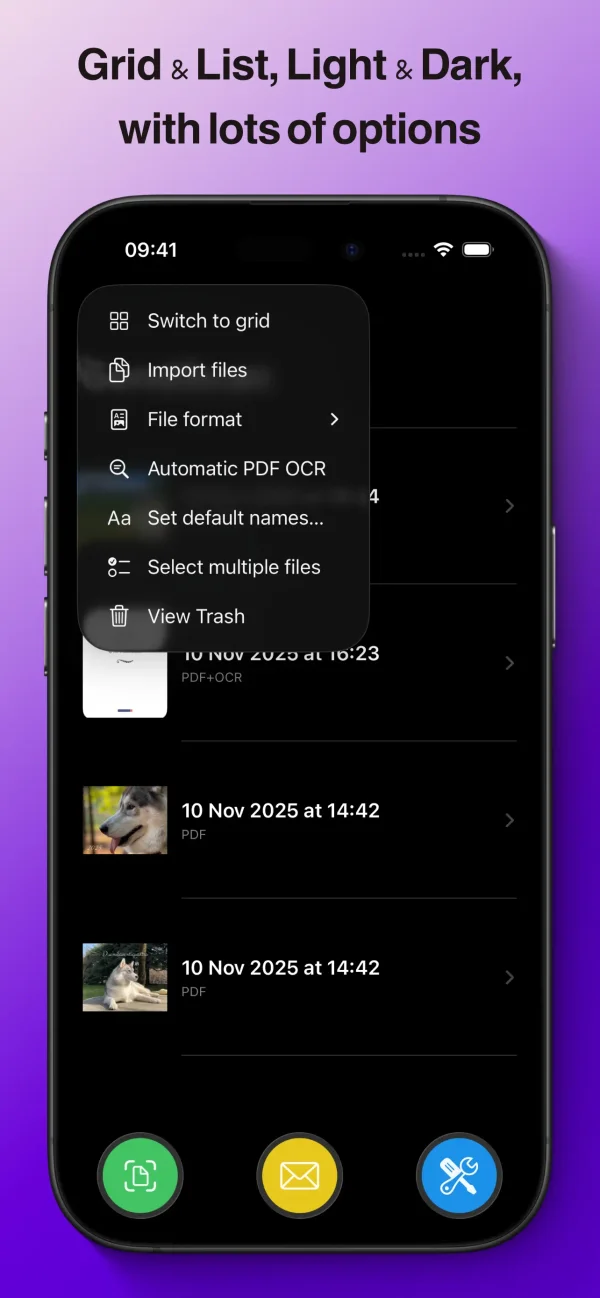
• Grid or list views: Choose your preferred browsing style
• Rename and organize: Flexible file management with naming templates
• Multi-select: Batch operations for efficiency
PRIVACY YOU CAN TRUST
Your documents belong to you, period.
• Zero analytics or tracking: No telemetry, no third-party libraries
• Local-first storage: Documents stay on your device
• Private iCloud sync: Your data syncs via your personal iCloud Drive with Apple's encryption; the developer cannot access your files
• No account required: No sign-ups, no data collection
FREE TO START, PRO WITHOUT BREAKING THE BANK
Free tier:
• Unlimited scanning
• Run each default workflow 3 times to try them out
SendScan Pro (yearly subscription or lifetime unlock):
• Create unlimited custom workflows
• Chain multiple actions in a single workflow
• Full automation power, without limits
• Lifetime unlock includes Family Sharing: Share with up to 5 family members
OPTIMIZED FOR iOS & iPadOS 27, compatible with iOS and iPadOS 26.
Designed with Apple's Liquid Glass visual language and fine-tuned for iOS & iPadOS 27, for a beautiful, modern experience on iPhone and iPad.
Terms of Use (EULA): https://www.apple.com/legal/internet-services/itunes/dev/stdeula/
Privacy Policy: https://cdf1982.com/privacy/sendscan_privacy_policy.html
What’s new
Version 1.3 · Sep 14, 2026
SendScan is now optimized for iOS & iPadOS 27! The Scan, Workflows and pinned workflow buttons at the bottom are now made of round Liquid Glass, which also fixes a faint outline that appeared around them on iOS 27.
Thank you for scanning with SendScan and sharing your feedback! If you're enjoying the app, a quick 5-star review on the App Store makes a real difference. And SendScan Pro supporters: you make updates like this one possible.
Happy automations!
–Cesare
App privacy
What Cesare Forelli declares on the App Store about how this app handles data.
-
Data not collected
The developer does not collect any data from this app.
Privacy practices may vary, for example with the features you use or your age.
Information
- Seller
- Cesare Forelli
- Category
- Productivity
- Version
- 1.3
- Updated
- Sep 14, 2026
- Released
- Nov 14, 2025
- Size
- 8.4 MB
- Requires
- iOS 26.0 or later
- Age rating
- 4+
- Price
- Free
- In-app purchases
- Yes
- Languages
- English
- Copyright
- © 2026 Cesare Forelli
You might also like
-
 Paperlogix - Document ScannerScan and Automate
-
 4ToDoTasks. Routines. Goals. Radar
-
 Punch: visual shared spacesYour stash, notes & organizer
-
 Reminders & Calendar WidgetTasks and events on widget
-
 ChatLeaf: Chat to PDFConvert Whatsapp Chats to PDF
-
 ScriptureStudy Pro™Powerful Bible Study Platform
-
 Telepromptly - Script PromptWrite, Scroll, Record
-
 Views by HypercodeYour website in every viewport
-
 PDF Text IncludeAdd text to PDF files
-
 NjnVoice-First AI Assistant