
Senior Calendar
Big Text, Large Print Calendar
Designed for iPhone, iPad, iPod touch
Free · In-app purchases
- Age rating4+
- CategoryUtilities
- DeveloperFoodmenu.world Inc.
- LanguagesEnglish+ 20 more
- Size46.2 MB
Links to the official App Store page
Download.org hosts no file of Senior Calendar. The button opens its official App Store page, published by Foodmenu.world Inc. Listing last checked on Nov 22, 2026.
Screenshots





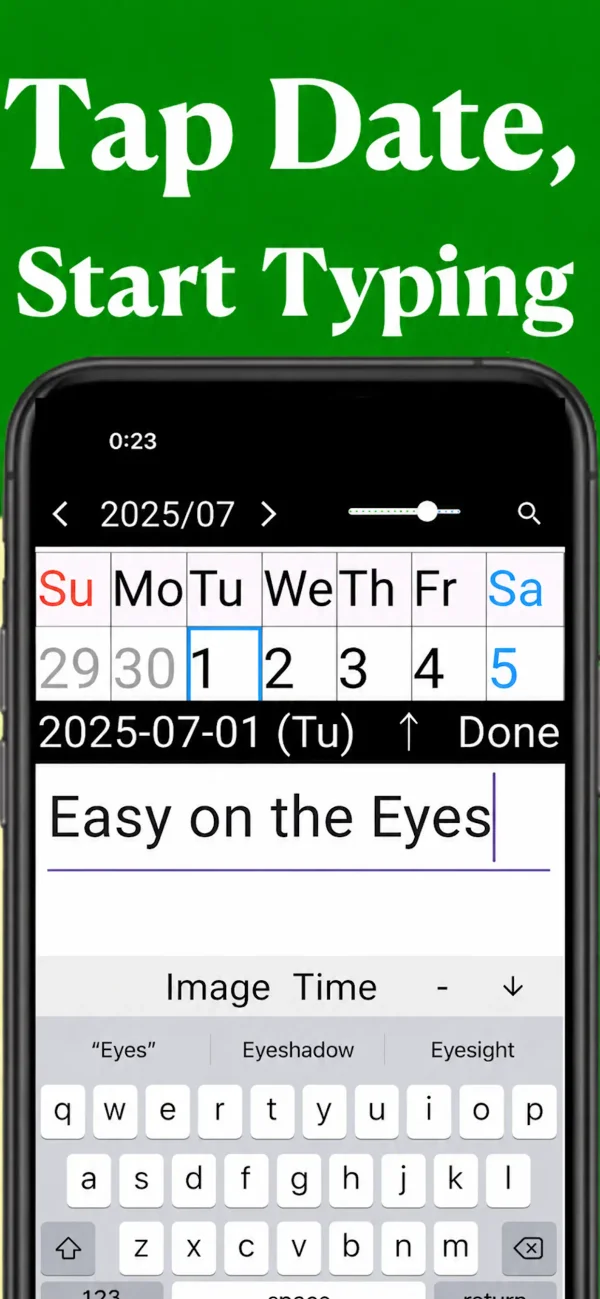
About
▼ Large Text, Easy-to-Read Calendar
Senior Calendar is a simple and easy-to-use calendar app designed for people in their 40s, 50s, 60s and beyond, as well as seniors and older adults.
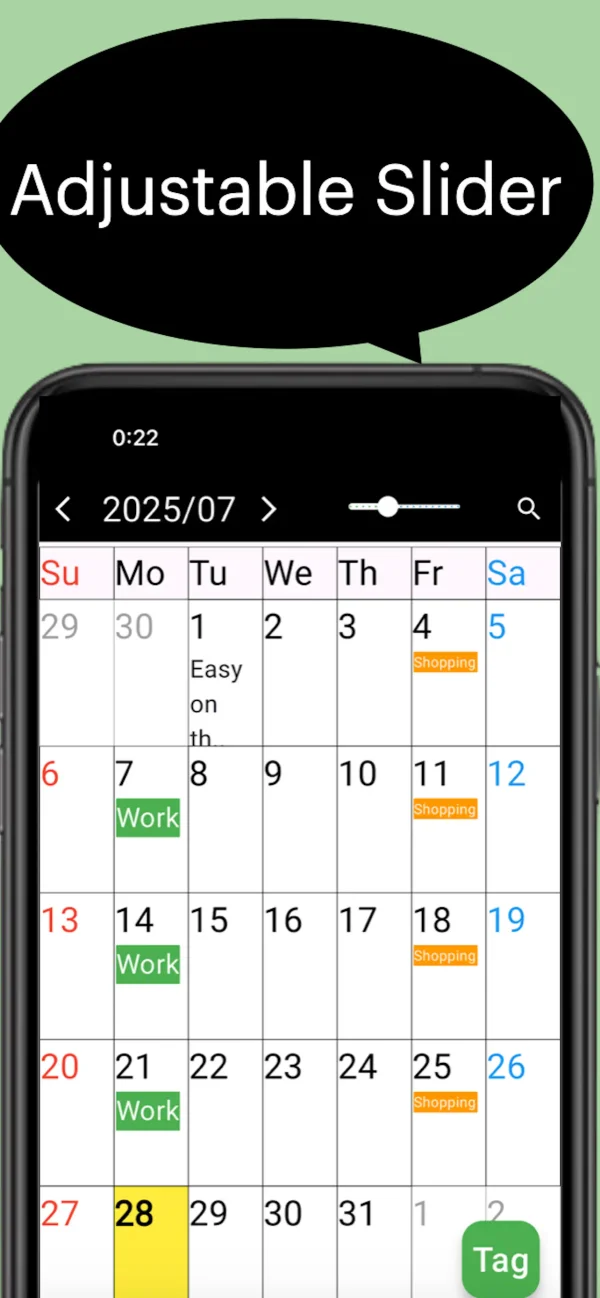
In addition to its simple and intuitive operation, one of its biggest features is the ability to freely adjust the text size.
*You can change the text size using the slider at the top of the screen.
Perfect for those who find small text difficult to read due to presbyopia or changes in eyesight.
You can also make the text smaller, making the app comfortable to use for younger generations as well.
(The simple design makes it easy for anyone to use.)
▼ Try Different Calendar Styles
1. Wall-style monthly calendar
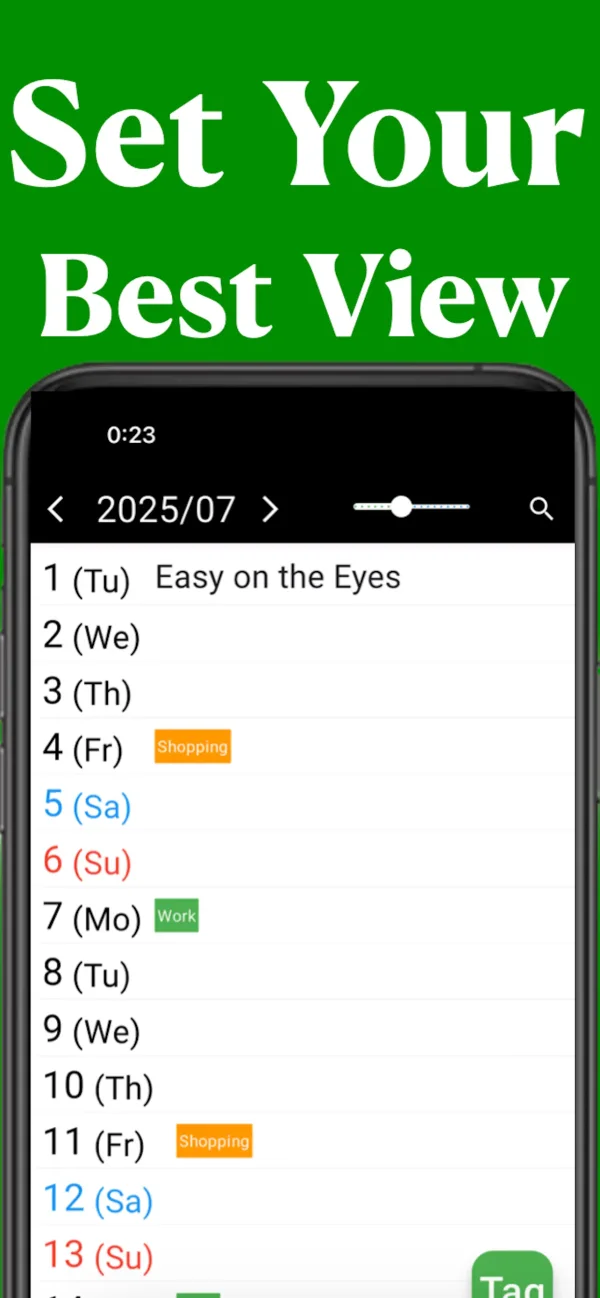
2. Vertical schedule calendar
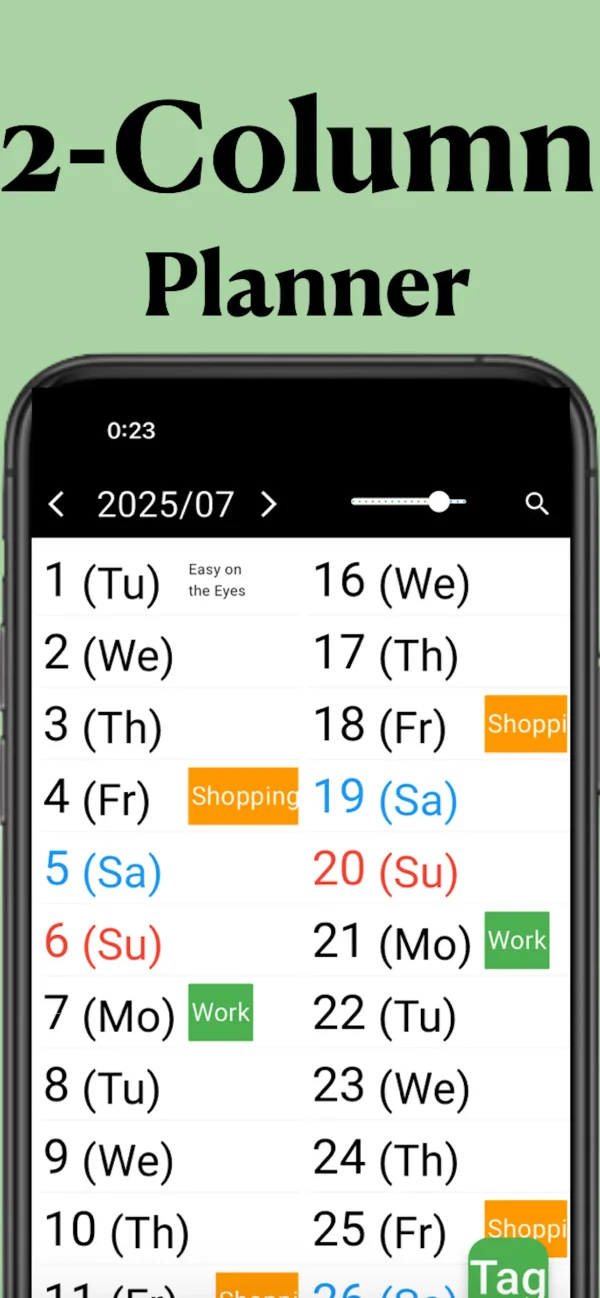
3. Two-column planner-style calendar
You can easily switch between styles using the tabs at the bottom of the screen.
Try different views for checking and planning your schedule, and use the one that works best for you.
▼ Recommended for
・Anyone looking for a large-text, easy-to-read calendar
・Those who want a simple, easy-to-use calendar app
・People with presbyopia who find small text difficult to read
・Those who want a simple calendar without unnecessary features
・People in their 40s, 50s, 60s and beyond who want a clear calendar
・Families looking for an easy-to-use calendar for older family members
▼ Main Features
・Freely adjustable text size
・Add schedules using large, readable text
・3 different calendar styles
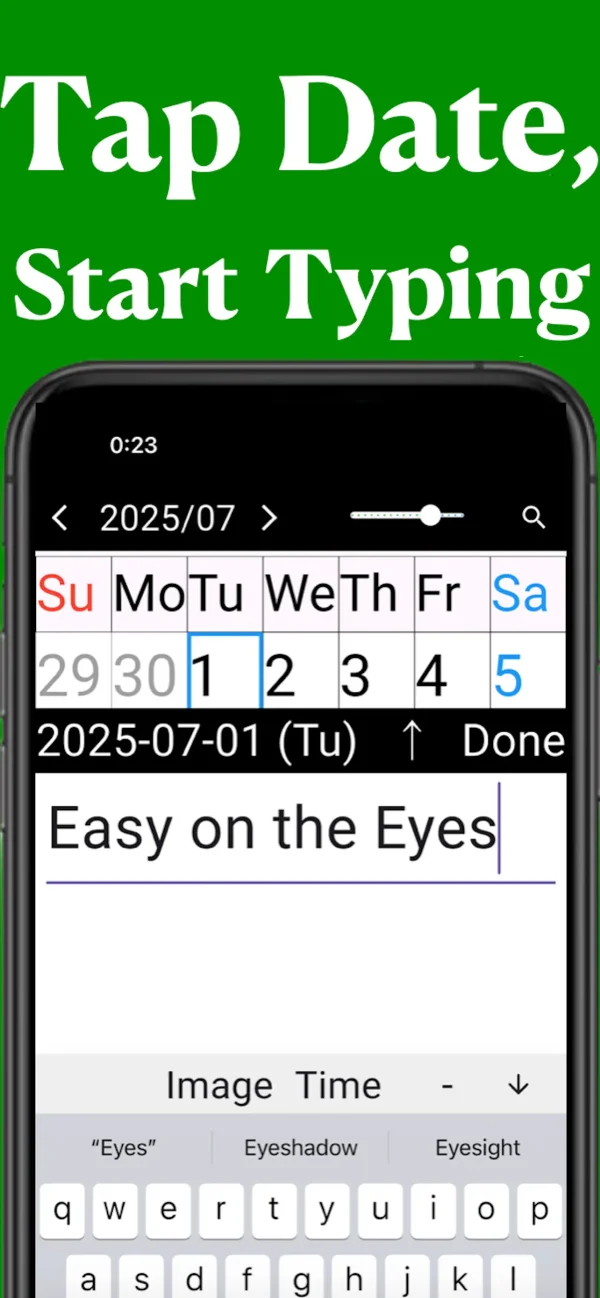
・Simply tap a date to quickly enter a schedule
・Tag feature for adding schedules to multiple days at once
・Large text that is easy to read even without reading glasses
For people in their 40s, 50s, 60s and beyond,
for seniors and older adults,
for those with low vision or presbyopia,
and for anyone who prefers a simple design.
If you are looking for an "easy-to-read" calendar with "large text,"
give Senior Calendar a try.
--
Terms of Service
https://foodmenu.world/seniorCalendar/en/tos
Privacy Policy
https://foodmenu.world/seniorCalendar/en/privacy
What’s new
Version 1.1.2 · Oct 14, 2026
Bug fix
App privacy
What Foodmenu.world Inc. declares on the App Store about how this app handles data.
-
Data used to track you
May be used to track you across apps and websites owned by other companies.
- Location
- Identifiers
- Usage data
- Diagnostics
-
Data linked to you
May be collected and linked to your identity.
- Location
- Identifiers
- Usage data
- Diagnostics
-
Data not linked to you
May be collected but is not linked to your identity.
- Diagnostics
Privacy practices may vary, for example with the features you use or your age.
Information
- Seller
- Foodmenu.world Inc.
- Category
- Utilities
- Version
- 1.1.2
- Updated
- Oct 14, 2026
- Released
- Jul 31, 2025
- Size
- 46.2 MB
- Requires
- iOS 13.0 or later
- Age rating
- 4+
- Price
- Free
- In-app purchases
- Yes
- Languages
- English, Danish, Dutch, French, German, Indonesian, Italian, Japanese, Korean, Malay, Polish, Portuguese + 9 more
- Copyright
- Big Text Calendar app - Senior Calendar - ©︎ 2026 Foodmenu.world
You might also like
-
 Custom Holiday CalendarCreate Your Own Holidays
-
 2025 Calendar in EnglishCalendar 2026 with holidays
-
 Smart Digital & Analog ClockCustomizable Clock with Widget
-
 Kitchen Timer - Simple CookingBaking, boiling & meal prep
-
 My Calendar GlobalMy Calendar Global
-
 Bubble CalendarUtilities
-
 Clock - Alarm ClockSmart Alarm & Countdown Timer
-
 Calendar MeetA smarter way to schedule
-
 2027 Calendar AppHolidays, Events & Planner
-
 Calculator%.Simple, big screen and buttons