Sentry Clip Viewer
EV Dashcam with Telemetry
Designed for iPhone, iPad, Mac
In-app purchases
- Age rating4+
- CategoryUtilities
- DeveloperQloud LTD
- LanguagesEnglish+ 1 more
- Size14.1 MB
Links to the official App Store page
Download.org hosts no file of Sentry Clip Viewer. The button opens its official App Store page, published by Qloud LTD. Listing last checked on Nov 13, 2026.
Screenshots


About
Sentry Clip Viewer brings your Tesla dashcam footage to life with multi-camera synchronized playback, real-time telemetry visualization, and professional export. Browse clips directly from your NAS, USB drive, or local storage on iPhone, iPad, and Mac.
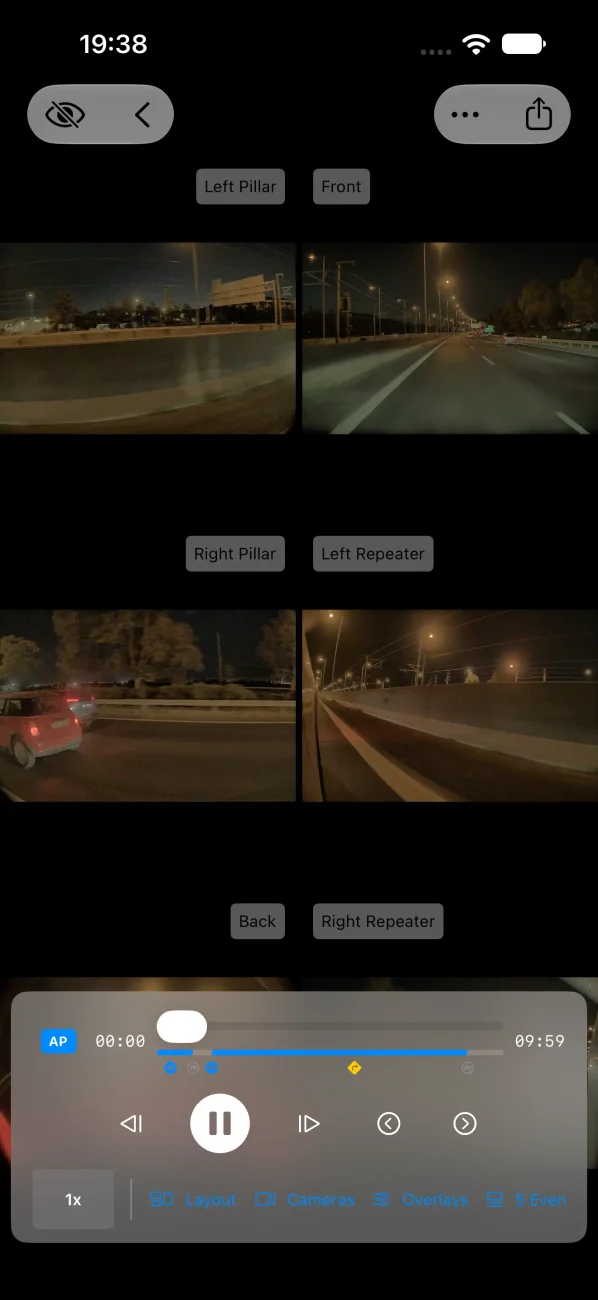
MULTI-CAMERA SYNCHRONIZED PLAYBACK
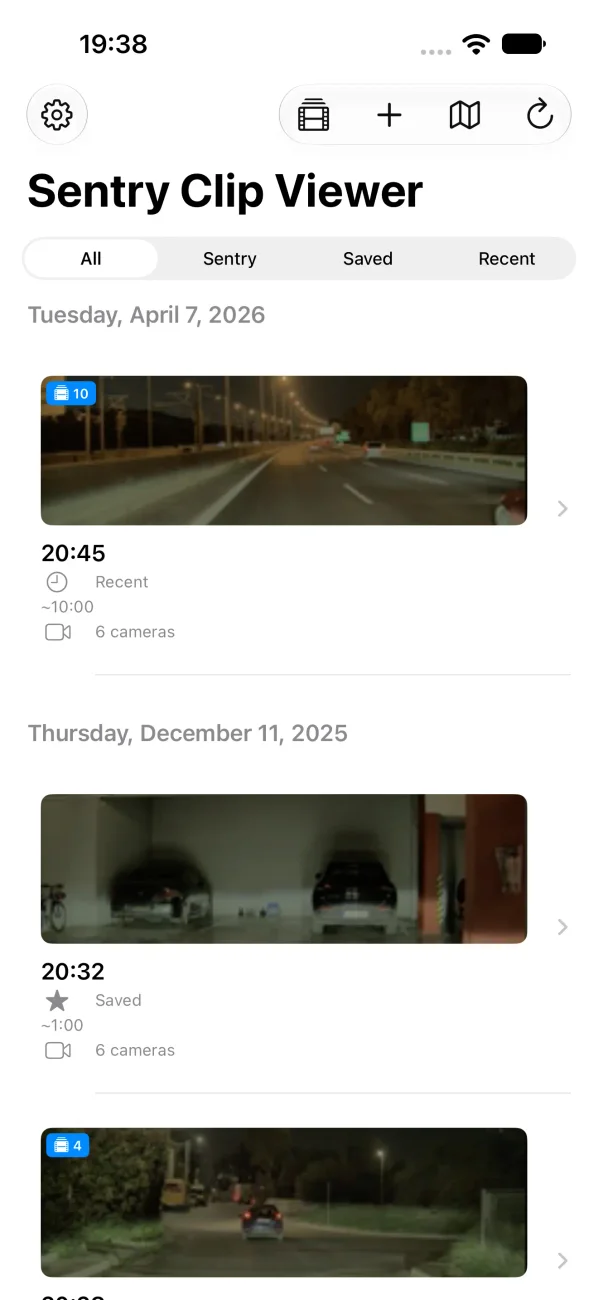
- 4 cameras for AI3, 6 cameras for AI4
- Tap any camera to expand fullscreen
- Swipe left/right to switch cameras, double-tap or swipe down to exit
- Long-press to hide cameras; grid auto-adjusts
- Filter clips by Sentry, Saved, or Recent
- Smooth 30fps synchronized playback
NAS & NETWORK DRIVE SUPPORT
- Browse clips directly from QNAP, Synology, and other NAS devices
- Native SMB connection — no need to copy files to your device
- Smart local caching for smooth playback over WiFi
- Configurable cache size with easy management
- Works on iPhone, iPad, and Mac
MAC SUPPORT
- Runs natively on macOS 13+ via Mac Catalyst
- Native folder selection and keyboard shortcuts
- Menu bar integration and optimized interface
- Perfect for reviewing footage on a larger screen
USB IMPORT
- Connect via Lightning or USB-C adapter
- Per-file progress with real-time updates
- Automatic duplicate detection
- Preserves TeslaCam folder structure
CONTINUOUS CLIP MERGING
- Automatically detects consecutive 1-minute clips
- Seamless playback across multiple clips
- Export merged clips as single video
PLAYBACK SPEED CONTROL
- 0.25x to 2x speed for detailed analysis or quick review
TESLA-STYLE TELEMETRY OVERLAY
- Location panel with reverse geocoding
- Speed, steering wheel, autopilot status
- Color-coded: Blue=AP, Green=Autosteer, Orange=TACC
- Throttle/brake bar, turn signals, gear position
- GPS mini map, G-force meter, compass
- Flexible positioning with corner placement options
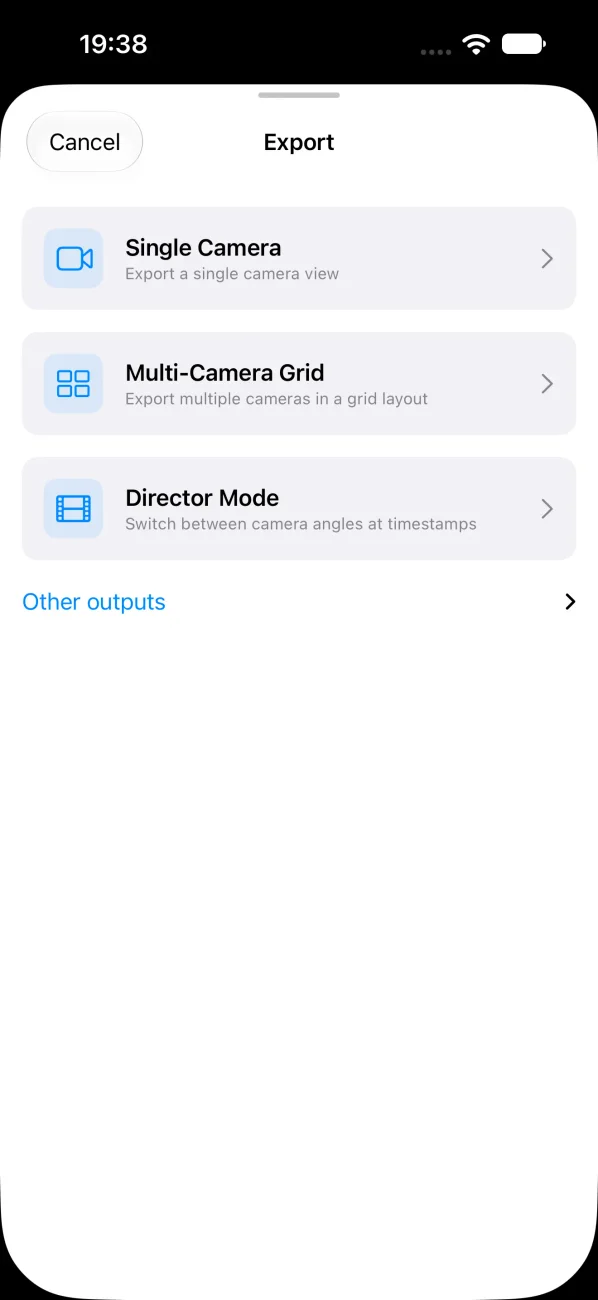
ENHANCED EXPORT EXPERIENCE
- True WYSIWYG preview with live overlay rendering
- Multi-camera grid preview before export
- In/Out point markers for range selection
- Quality presets: Original, 75%, 50%, 25%
- 256-color watermark customization
- Independent overlay controls for map and G-force
DRAGGABLE OVERLAYS
- Drag any panel anywhere on screen
- Double-tap to reset position
- Pinch to resize map and G-force
- Toggle visibility of each element
TESLA SOUND EFFECTS
- Autopilot chimes: Autosteer, TACC, and FSD activation/deactivation
- Turn signals: Realistic blinker tick at Tesla's 680ms interval
- Gear shifts: Park and Reverse engagement sounds
- Hard braking: Forward collision warning for heavy deceleration
- Pedestrian warning: Reverse low-speed alert loop
- Speaker toggle in playback toolbar; volume control in export
PROFESSIONAL VIDEO EXPORT
- Real-time export preview showing exact output
- Customizable HUD display modes
- Corner positioning for overlays
- Tesla-style telemetry integration
FORENSIC PDF REPORTS
- 2-3 page professional documentation
- Clip info, vehicle state, GPS, G-force
- Route map with waypoints and direction arrows
- Speed, throttle/brake, steering graphs
- Power & Throttle graph (TeslaMate only)
IPAD OPTIMIZED
- Split view: browse clips while watching
- Keyboard shortcuts (iOS 17+)
- Larger export preview display
THIRD-PARTY TELEMETRY
- Tessie, TeslaScope, and TeslaMate support
- Simplified authentication with OAuth 2.0 (TeslaScope)
- Battery %, temperature, elevation, odometer
- Power consumption (TeslaMate only)
- Auto-detects km/mi from TeslaMate settings
- Data cached locally for offline access
PRIVACY FIRST
- 100% on-device processing
- No data collection or tracking
- No account required (except optional telemetry providers)
REQUIREMENTS
- Tesla with AI3 or AI4 computer
- Firmware 2025.44.25+ for telemetry
- iOS 16.0+ / macOS 13.0+
Join Tesla owners worldwide who trust Sentry Clip Viewer for dashcam analysis and incident documentation.
What’s new
Version 3.2.1 · Nov 6, 2026
Bug fixes and improvements:
- Better layouts and controls on iPhone, iPad and foldable screens
- Player controls stay usable at large accessibility text sizes
- Clearer labels for Settings and annotation undo/redo
- Stability fixes
Sentry Clip Viewer is free. Every feature, including all exports, works without paying. An optional one-time Permanent Unlock removes the Home banner and makes the export watermark optional. If you bought the app before, you keep full access automatically.
App privacy
What Qloud LTD declares on the App Store about how this app handles data.
-
Data not collected
The developer does not collect any data from this app.
Privacy practices may vary, for example with the features you use or your age.
Information
- Seller
- Qloud LTD
- Category
- Utilities
- Version
- 3.2.1
- Updated
- Nov 6, 2026
- Released
- Dec 18, 2025
- Size
- 14.1 MB
- Requires
- iOS 16.0 or later
- Age rating
- 4+
- In-app purchases
- Yes
- Languages
- English, Simplified Chinese
- Copyright
- © Qloud LTD
You might also like
-
 FusionCam for TeslaSync, trim & export your clips
-
 RTTyWi-Fi, latency and app checks
-
 Cellmetry EVBattery, charging & trip data
-
 Sentry ConnectDashcam Viewer for Sentry USB
-
 RedDash: Dashcam for TeslaView & Export Sentry Clips
-
 ClipCache小猫剪切板Utilities
-
 Clean Gallery: Photo SorterSwipe to Sort & Free Space
-
 Boat Buddy - Nautical GuideBoat GPS, tides & logbook
-
 Radio World: Live StationsListen to radio worldwide
-
 Contact Backup and ShareContact Backup