SeQRCode: Safe QR Code Scanner
Check links before you open
Designed for iPhone, iPad
$1.99
- Age rating4+
- CategoryUtilities
- DeveloperAstrochimp, LLC.
- LanguagesEnglish
- Size48.9 MB
Links to the official App Store page
Download.org hosts no file of SeQRCode: Safe QR Code Scanner. The button opens its official App Store page, published by Astrochimp, LLC. Listing last checked on Nov 18, 2026.
Screenshots
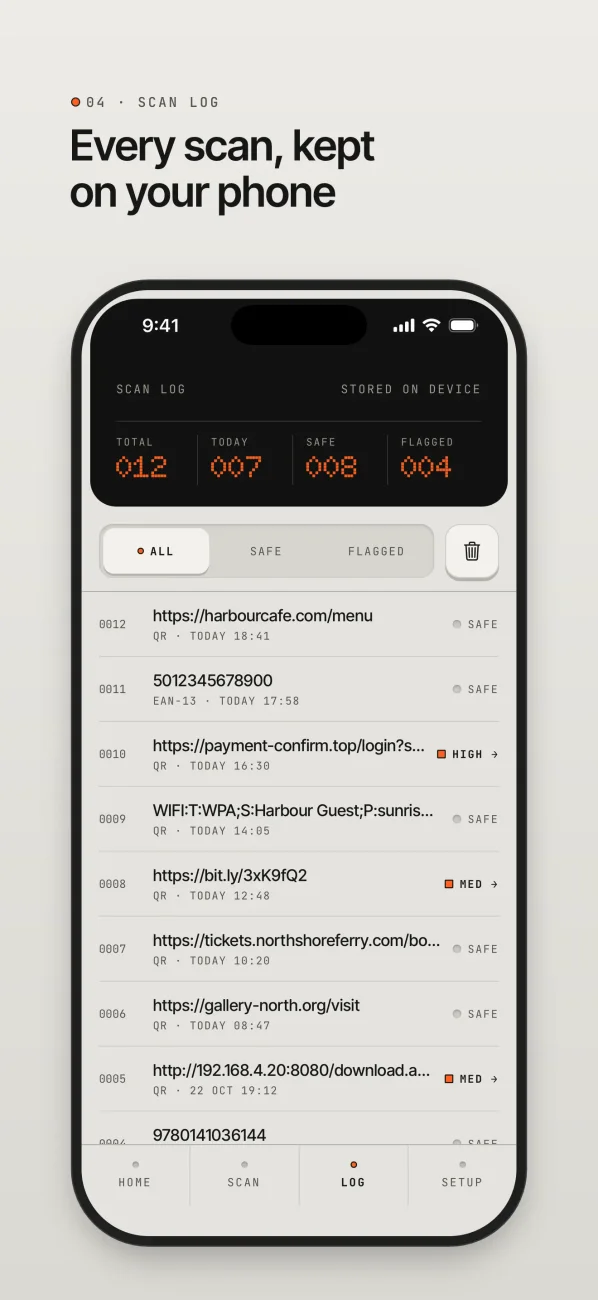
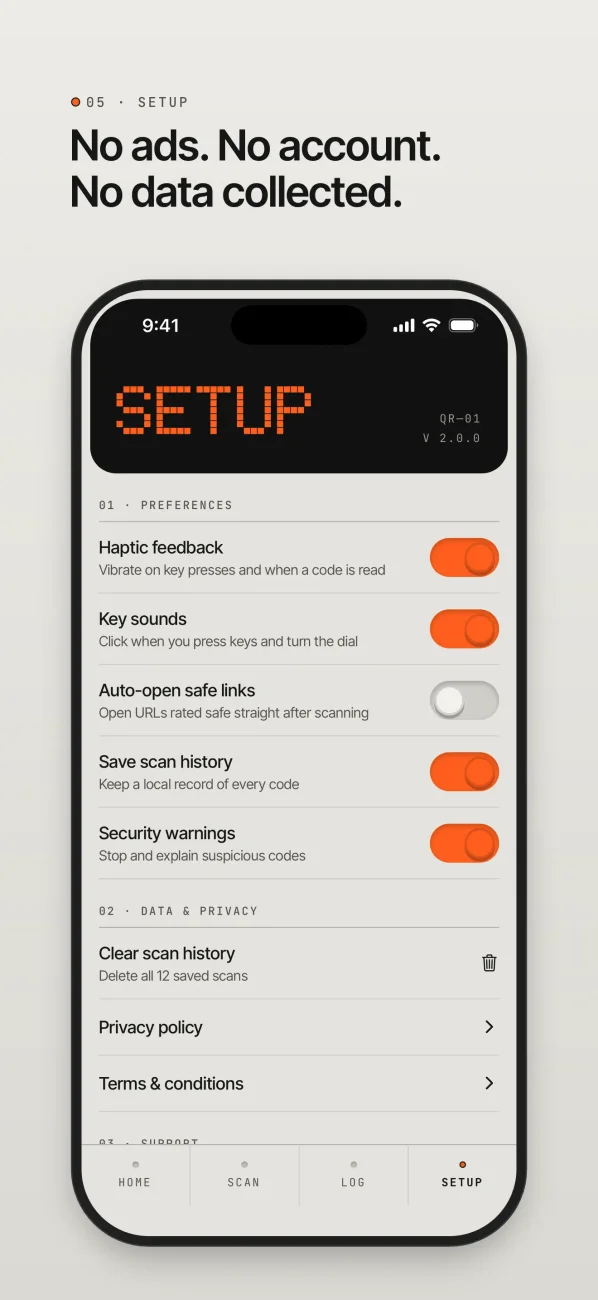
About
Every QR code hides a link, and you can't see where it goes until you open it. SeQRCode reads the code first and checks the link for phishing tricks, so you decide before you visit.
HOW IT WORKS
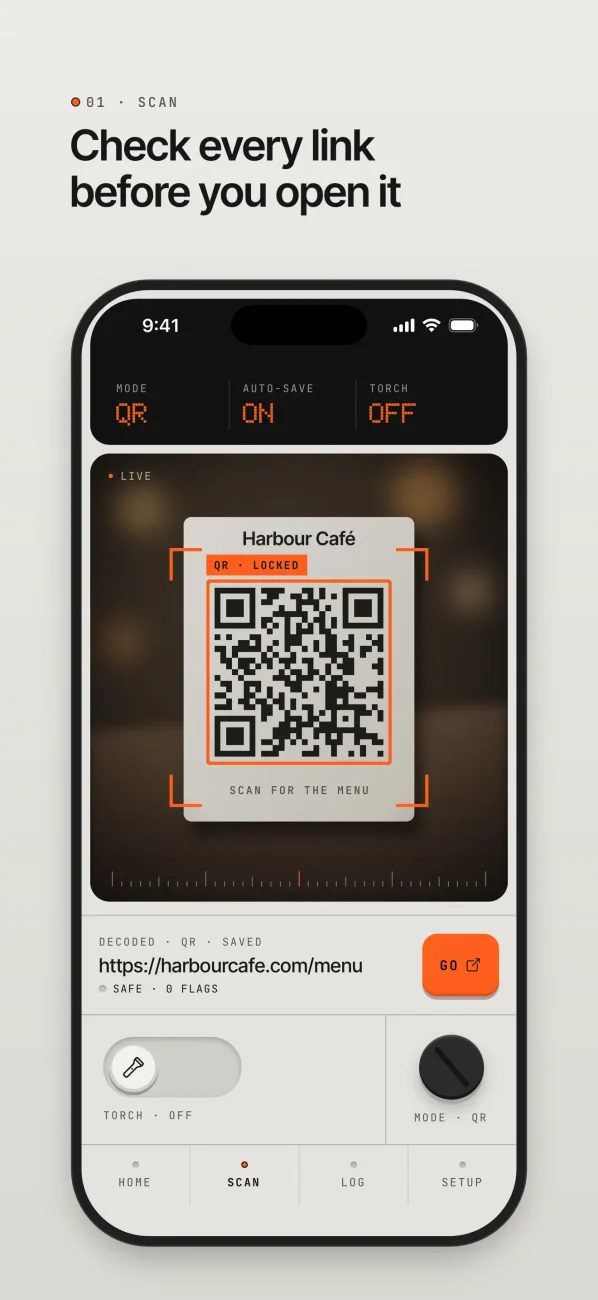
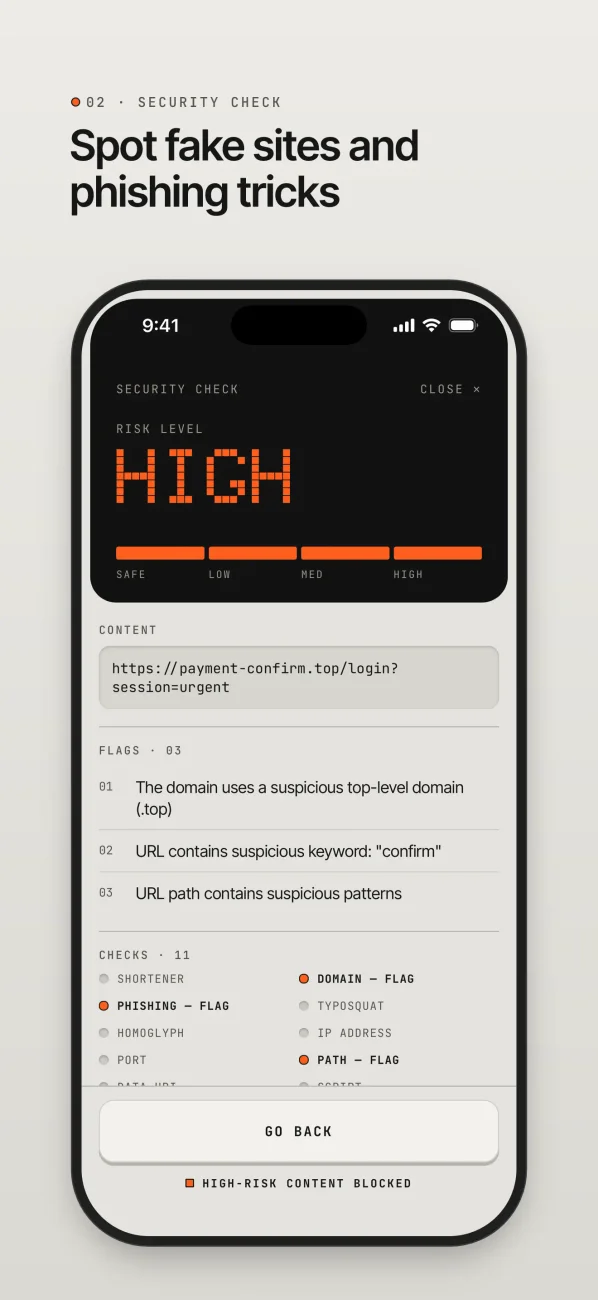
Point your camera at a QR code or barcode. SeQRCode shows what's inside and rates it Safe, Low, Medium or High risk, with a plain reason for every warning sign. Safe links open with one tap. Flagged links show the security check first, and high-risk links are blocked.
11 CHECKS ON EVERY LINK
• Look-alike domains that imitate a well-known site
• Look-alike letters swapped in to fool the eye
• Link shorteners that hide the real destination
• Raw IP addresses and unusual ports
• Risky domain endings such as .top
• Pressure words such as "verify", "confirm" or "expired"
• Fake login pages and risky file downloads
• Hidden script and data links
• Cryptocurrency addresses, so you double-check before sending money
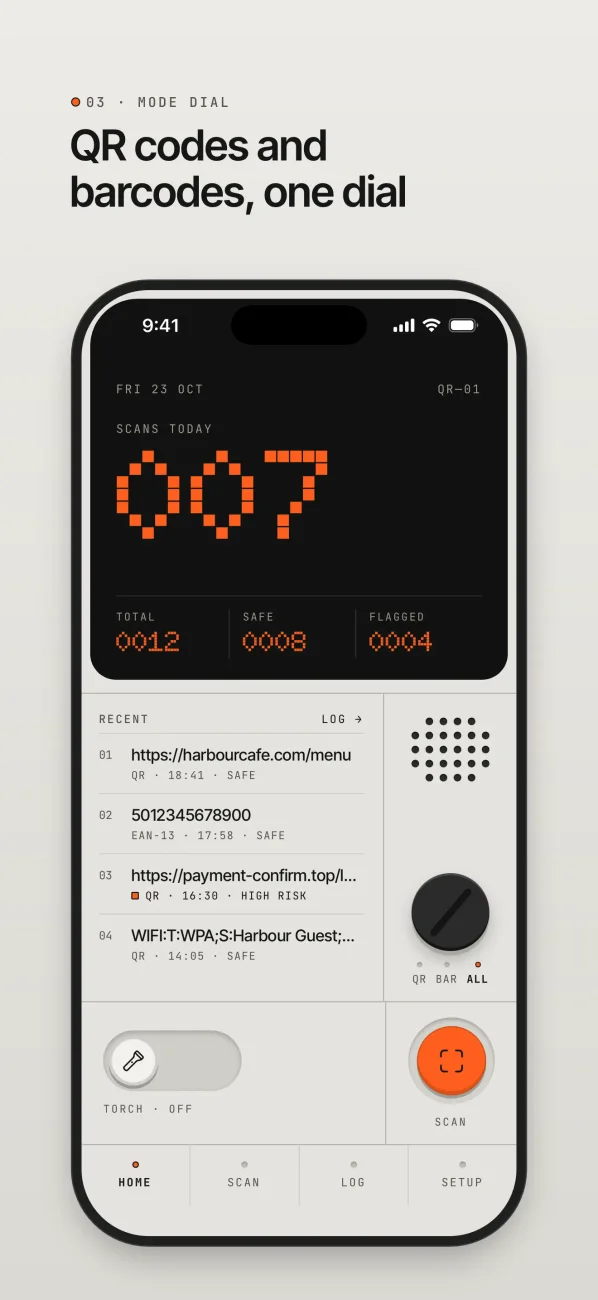
ONE DIAL FOR EVERY CODE
• QR: QR codes only, for the fastest lock
• BAR: EAN-13, EAN-8, UPC-A, UPC-E, Code 39, Code 93, Code 128, ITF-14 and Codabar
• ALL: everything above, plus Aztec, Data Matrix and PDF417
• A torch switch for dim menus, tickets and parking meters
YOUR SCAN LOG
• Every scan is saved on your phone with its time and risk rating
• Filter safe and flagged scans, delete one scan or clear them all
• Turn history off at any time in Setup
PRIVATE BY DESIGN
• Links are checked on your phone. Nothing is sent to a server
• No ads, no account, no tracking
• Data Not Collected, as shown under App Privacy
BUILT LIKE AN INSTRUMENT
An LCD readout, a mode dial that clicks into place, key sounds and firm haptics. Turn sounds and vibration off in Setup.
SeQRCode looks for common warning signs. It can't promise that a site is safe, so when in doubt, don't open it.
Questions or ideas: support@astrochimp.com
What’s new
Version 2.0.0 · Oct 26, 2026
SeQRCode 2.0 is a complete redesign.
• A new instrument-panel look with an LCD readout, a mode dial and a new icon
• A security check that runs 11 tests on every link and explains each warning in plain words
• High-risk links are blocked; other flagged links ask before they open
• Switch between QR codes, barcodes and all code types with the dial
• A torch switch on the Home screen for dark menus and tickets
• A scan log with Safe and Flagged filters
• Firm haptics and key clicks, both optional in Setup
SeQRCode 2.0 needs iOS 16.4 or later.
App privacy
What Astrochimp, LLC. declares on the App Store about how this app handles data.
-
Data not collected
The developer does not collect any data from this app.
Privacy practices may vary, for example with the features you use or your age.
Information
- Seller
- Astrochimp, LLC.
- Category
- Utilities
- Version
- 2.0.0
- Updated
- Oct 26, 2026
- Released
- Sep 4, 2025
- Size
- 48.9 MB
- Requires
- iOS 16.4 or later
- Age rating
- 4+
- Price
- $1.99
- Languages
- English
- Copyright
- © 2026 Astrochimp, LLC.
You might also like
-
 MFA ExporterExport Google Authenticator
-
 Locations Saver ProLocation & Parking Manager
-
 EarthSteps - Pedometer&CounterChallenge around the earth
-
 PhotoSweep – Clean PhotosDelete Duplicates & Videos
-
 HelpRead -Help read small textAI helps read and explain text
-
 Truzent SecurityHack Alert & Wi-Fi Scan
-
 QR & Barcode Scanner PlusUtilities
-
 EliozzFamily audio, tap to play
-
 Todo: Tasks & NotesTrack parcels from anywhere
-
 All in One Calculator - MathMultiply calculators, No Ads!