
Servlume: Field Reports
Before & After Photos to PDF
Designed for iPhone, iPad, iPod touch
Free · In-app purchases
- Age rating4+
- CategoryBusiness
- DeveloperGokhan Oksak
- LanguagesEnglish+ 8 more
- Size28.6 MB
Links to the official App Store page
Download.org hosts no file of Servlume: Field Reports. The button opens its official App Store page, published by Gokhan Oksak. Listing last checked on Nov 18, 2026.
Screenshots
About
Servlume turns a finished job into a clean, branded PDF report in a few minutes. Right on your phone, with no account and no signal needed.
Made for independent technicians and small service businesses: HVAC, plumbing, electrical, appliance repair, cleaning, pest control, facility maintenance and handyman work.
HOW IT WORKS
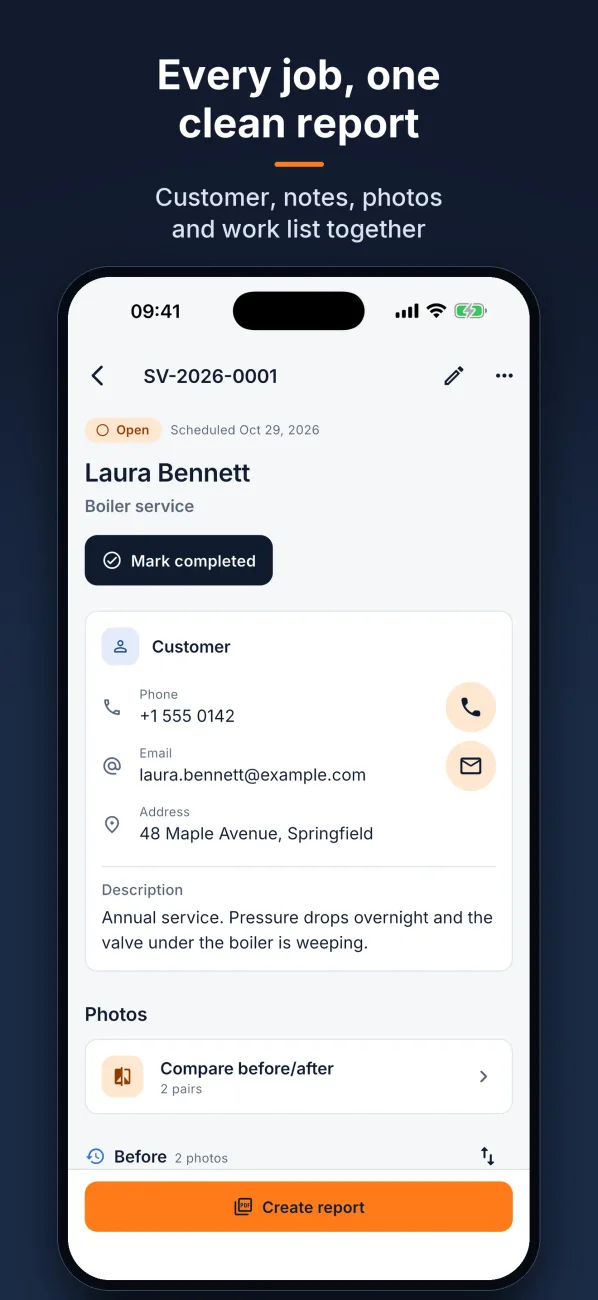
• Create a job: customer, phone, address, job type and description. Start from a saved job template if you like. Every job gets its own reference number, such as SV-2026-0007.
• Take Before photos, do the work, then take After photos, with the camera or from your gallery.
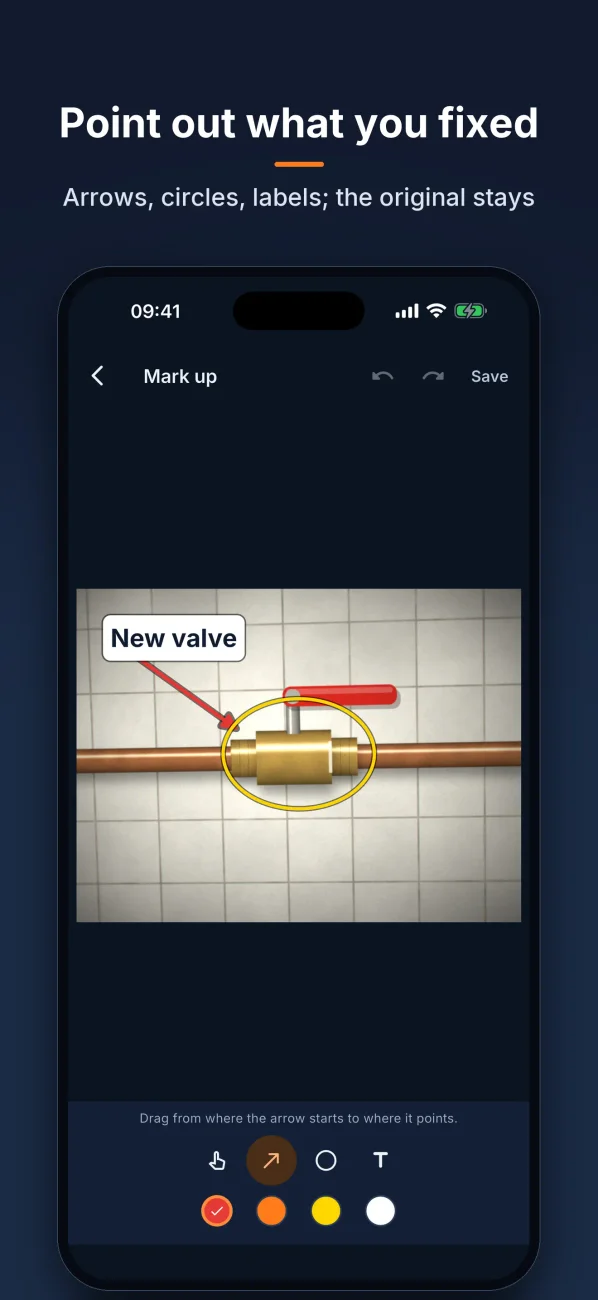
• Mark up photos with arrows, circles and text labels, and add a caption to each.
• Tick off the work performed list.
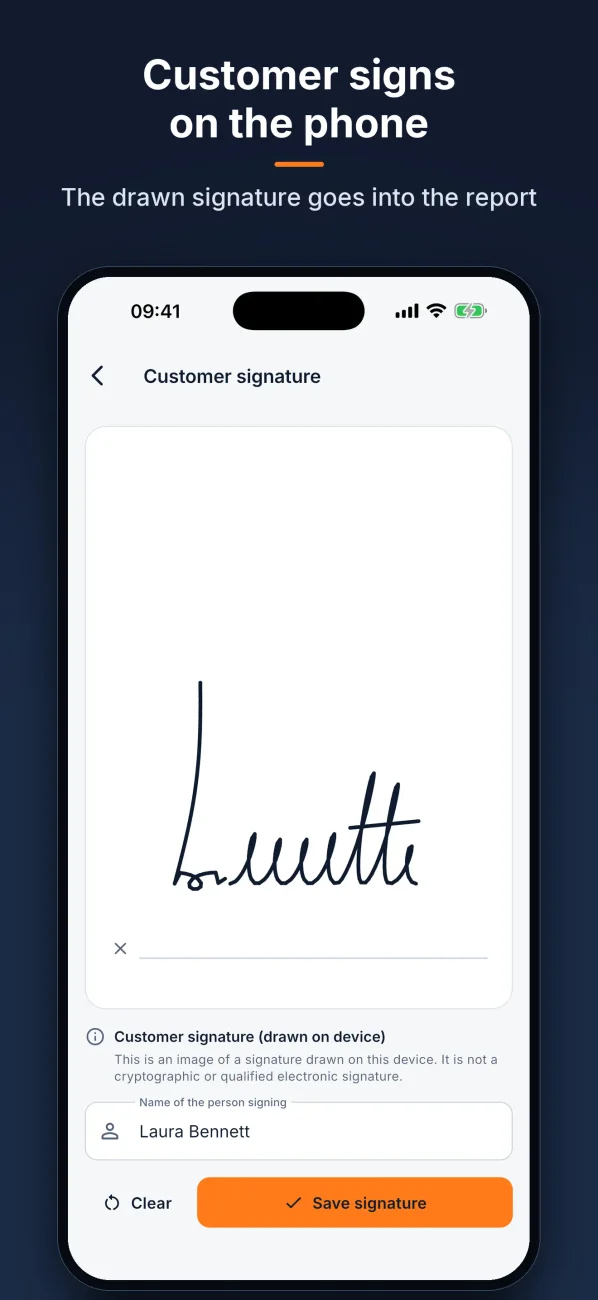
• Let the customer sign on the phone's screen. The drawn signature goes into the report.
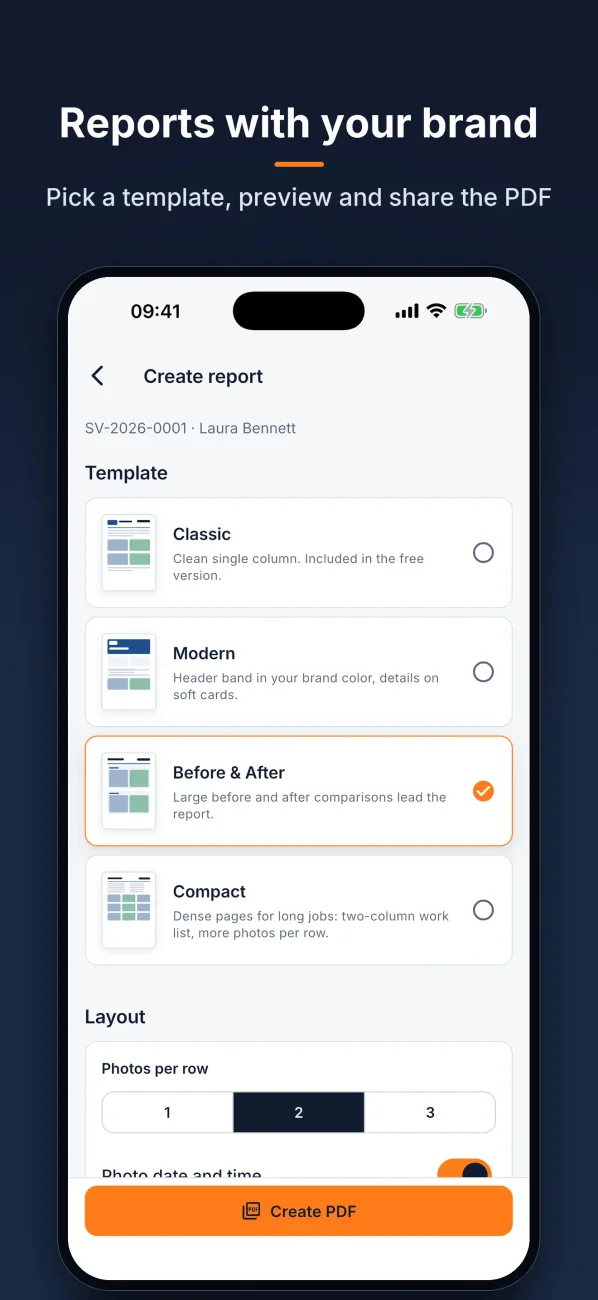
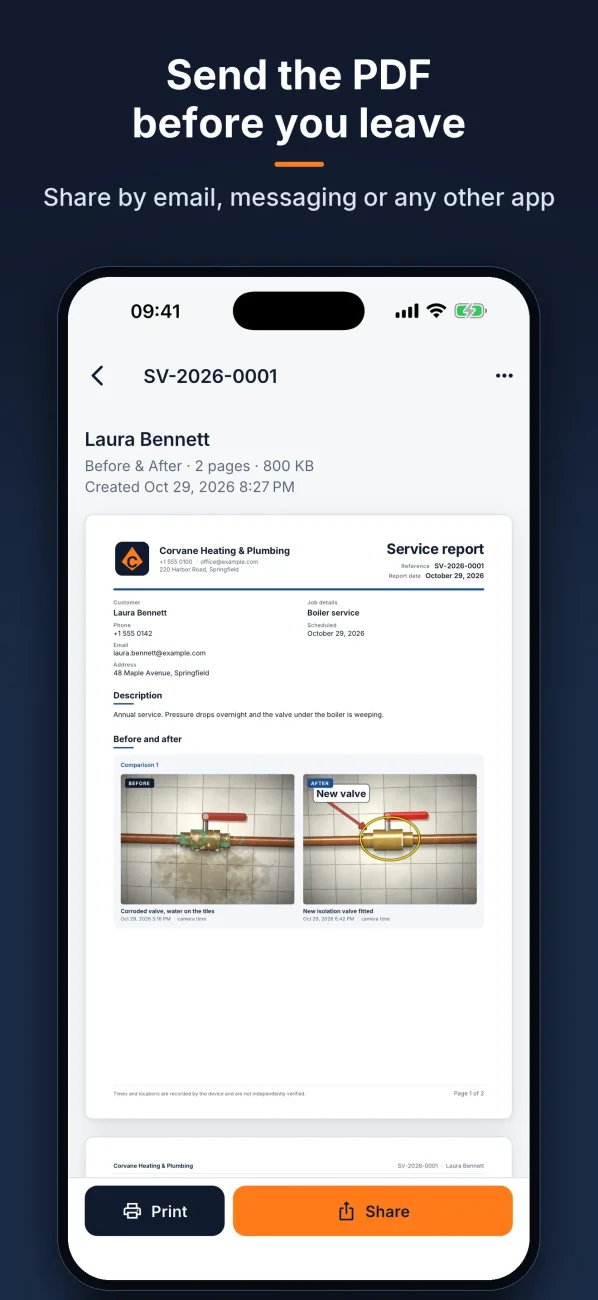
• Pick a report template, preview the PDF and share it by email, a messaging app or any other app.
PHOTOS THAT EXPLAIN THE WORK
• Before, After and Other stages; reorder photos or move them between stages
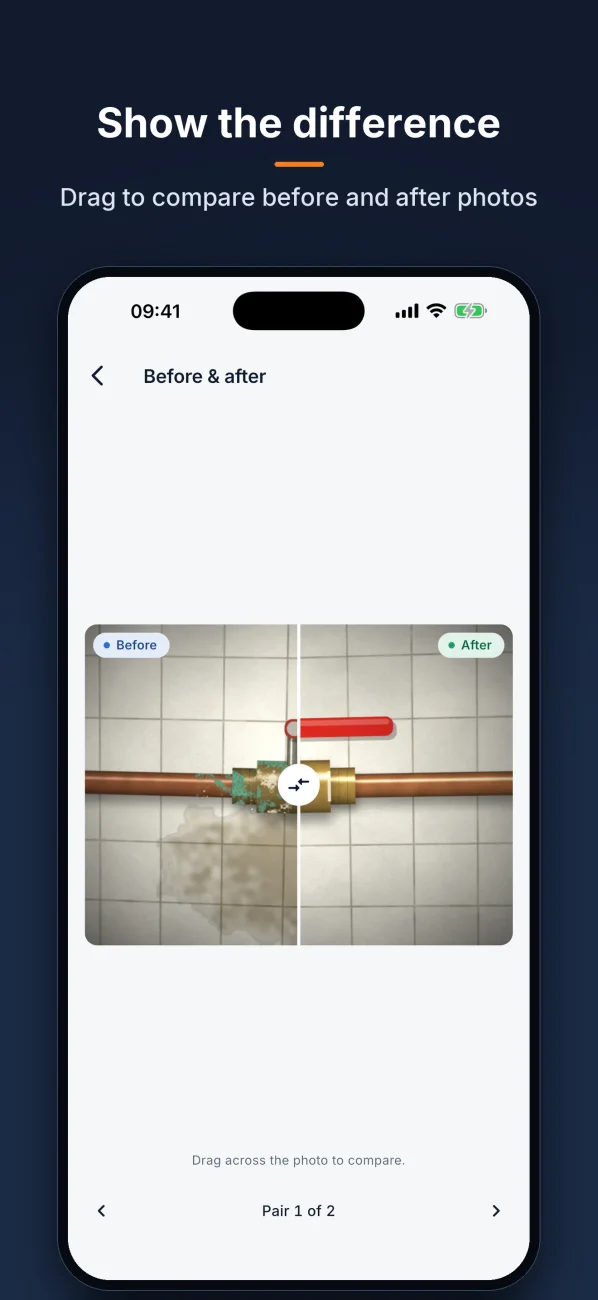
• Compare before and after with a swipe slider
• Markup in four colours with undo and redo; your original photo is never changed
• Date and time on every photo; optional location stamp with GPS coordinates
REPORTS THAT LOOK LIKE YOUR BUSINESS
• Your company name, phone, email, address and brand colour on every report
• Customer details, job description, work performed, before/after photo pairs with captions and markup, customer signature with signer name and time, closing notes
• Page numbers added automatically; long jobs flow neatly across pages
• Report language: English, German or Turkish, set in your business profile
• Every report you create is kept in the Reports tab
ORGANISED ON SITE AND AFTERWARDS
• Home shows today's jobs, jobs in progress and recent reports
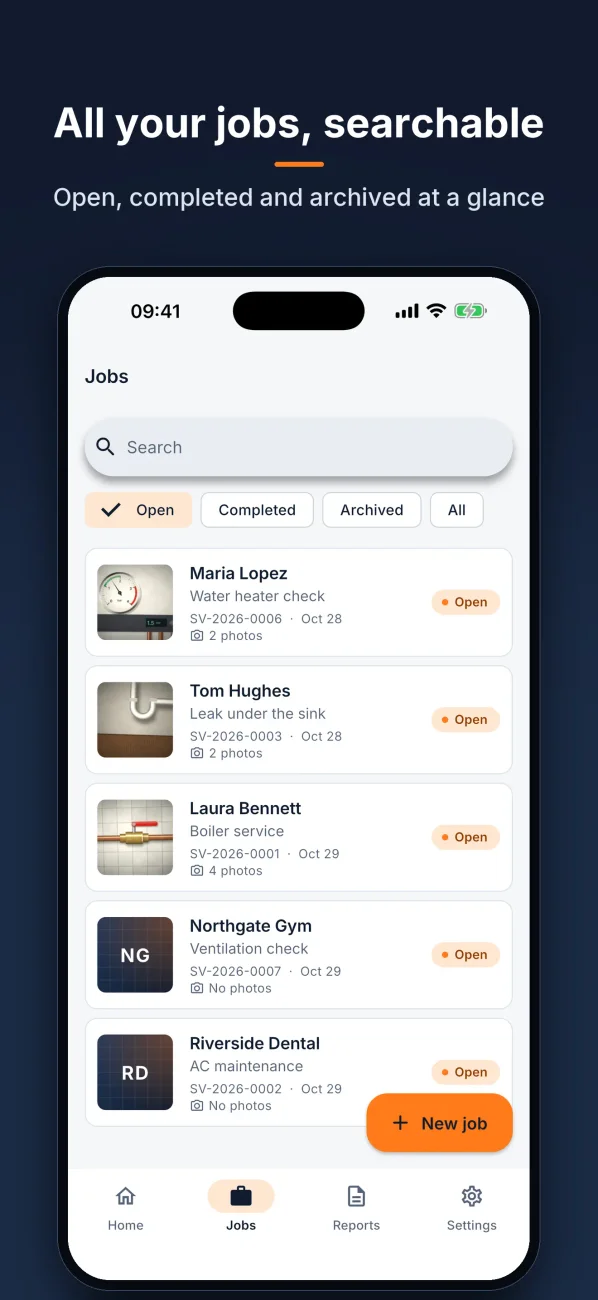
• Search by customer, reference, job type, address or description; filter by Open, Completed or Archived
• Reusable job templates with a default work list
• Call or email the customer straight from the job
• Light and dark mode; layouts for phones and tablets
FREE AND PRO
The free version includes:
• Up to 3 open jobs at a time (completing or archiving a job frees a slot)
• Up to 10 photos per job
• Markup, captions, before/after compare, customer signature, PDF preview and sharing
• The Classic report template
• Backup and restore
Servlume Pro is a one-time purchase, not a subscription:
• Unlimited open jobs and photos
• All four templates: Classic, Modern, Before & After and Compact
• Your logo on every report
• Layout options: photos per row and which sections appear (timestamps, coordinates, signature, notes)
• No "Created with Servlume" line on your reports
Limits only apply when you create something new. Jobs, photos and reports you already have are never locked or deleted.
PRIVATE AND OFFLINE BY DESIGN
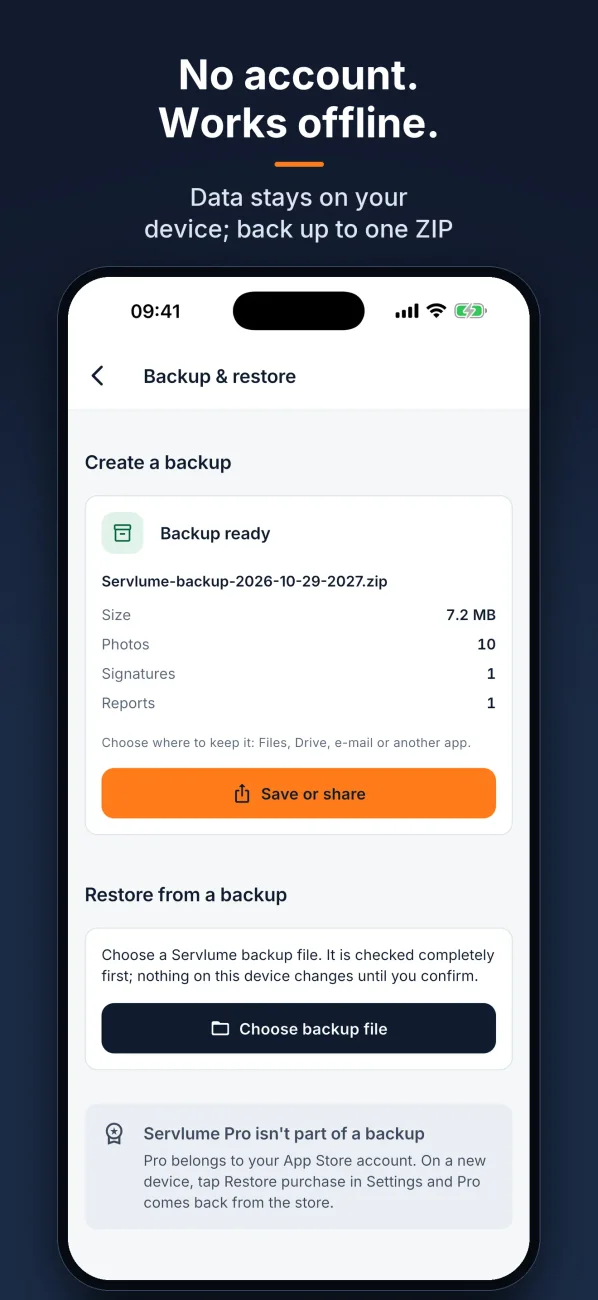
Your jobs, photos, signatures and reports are stored only on your device. No account, no cloud sync, no ads, no analytics. Everything works offline; only buying or restoring Pro needs a connection to the App Store. Back up everything to a single ZIP file and keep it in the Files app, iCloud Drive or your email. A restore checks the whole file before anything on your device changes.
GOOD TO KNOW
Photo times come from your device's clock and coordinates from its location service. The customer signature is drawn on the phone and placed in the report as an image.
App privacy
What Gokhan Oksak declares on the App Store about how this app handles data.
-
Data not collected
The developer does not collect any data from this app.
Privacy practices may vary, for example with the features you use or your age.
Information
- Seller
- Gokhan Oksak
- Category
- Business
- Version
- 1.0.0
- Updated
- Nov 12, 2026
- Released
- Nov 11, 2026
- Size
- 28.6 MB
- Requires
- iOS 15.0 or later
- Age rating
- 4+
- Price
- Free
- In-app purchases
- Yes
- Languages
- English, Dutch, French, German, Italian, Polish, Portuguese, Spanish, Turkish
- Copyright
- © 2026 Nodvera Studio