
Session Timer by OrphicMath®
Track Your Metrics
Designed for iPhone, iPad
Free · In-app purchases
- Age rating4+
- CategoryEducation
- DeveloperORPHICMATH LLP
- LanguagesEnglish
- Size16.7 MB
Links to the official App Store page
Download.org hosts no file of Session Timer by OrphicMath®. The button opens its official App Store page, published by ORPHICMATH LLP. Listing last checked on Nov 20, 2026.
Screenshots

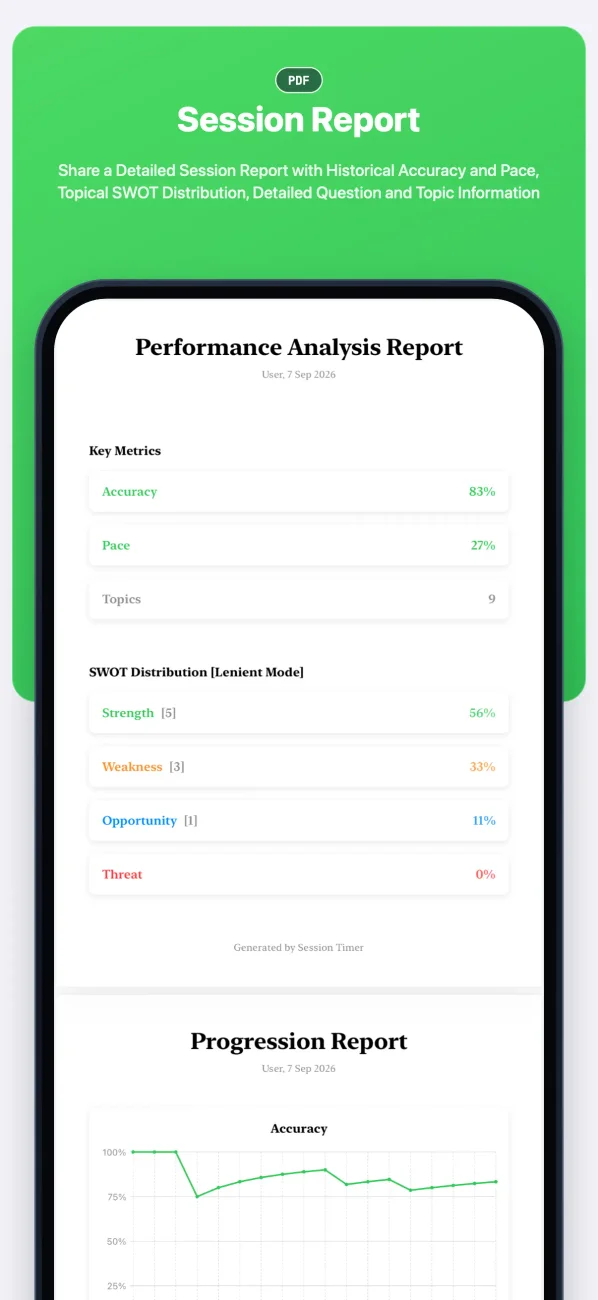
About
Session Timer by OrphicMath®
Created by a seasoned IB & IGCSE private tutor, Session Timer turns focused practice into actionable insight with dynamic SWOT analysis, professional PDF reports, and robust homework tracking.
Built for students, tutors, and educators, this powerful productivity tool brings structure, speed, and self-awareness to exam preparation, helping you refine accuracy, manage time under pressure, and pinpoint exactly where to improve.
How It Works
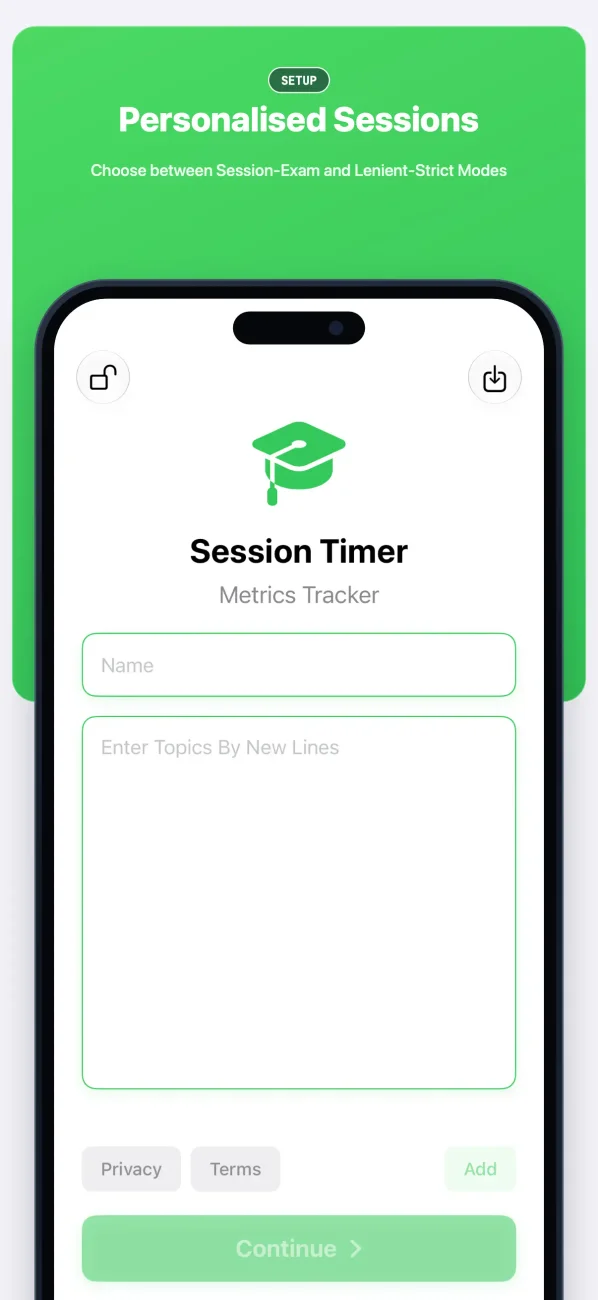
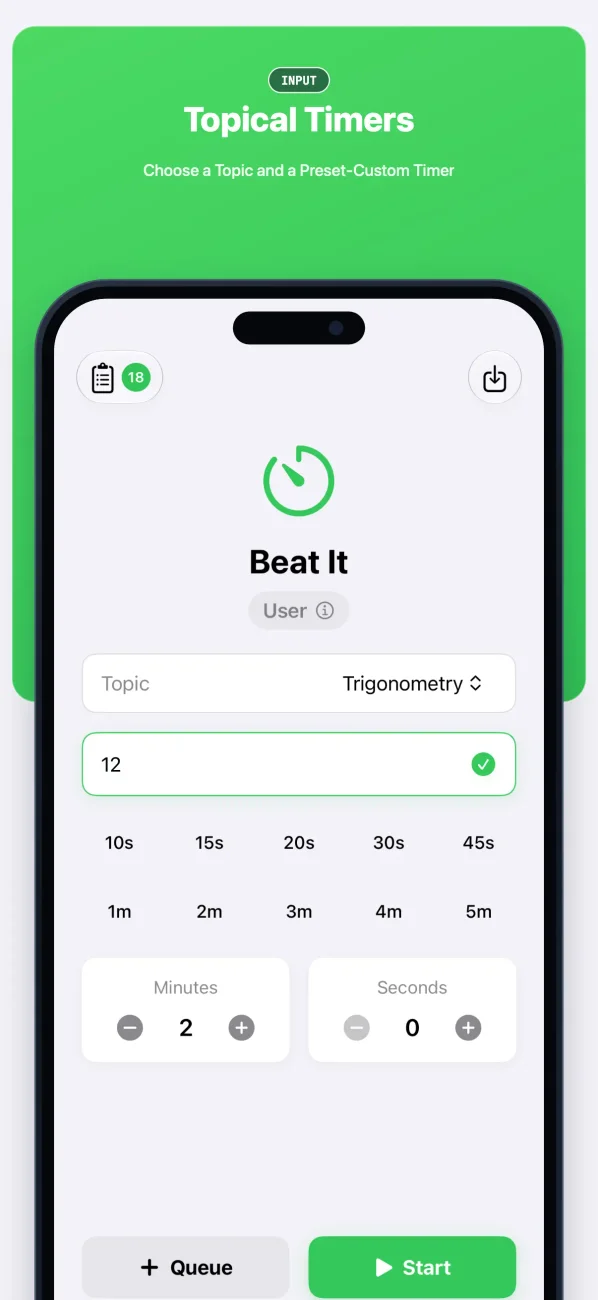
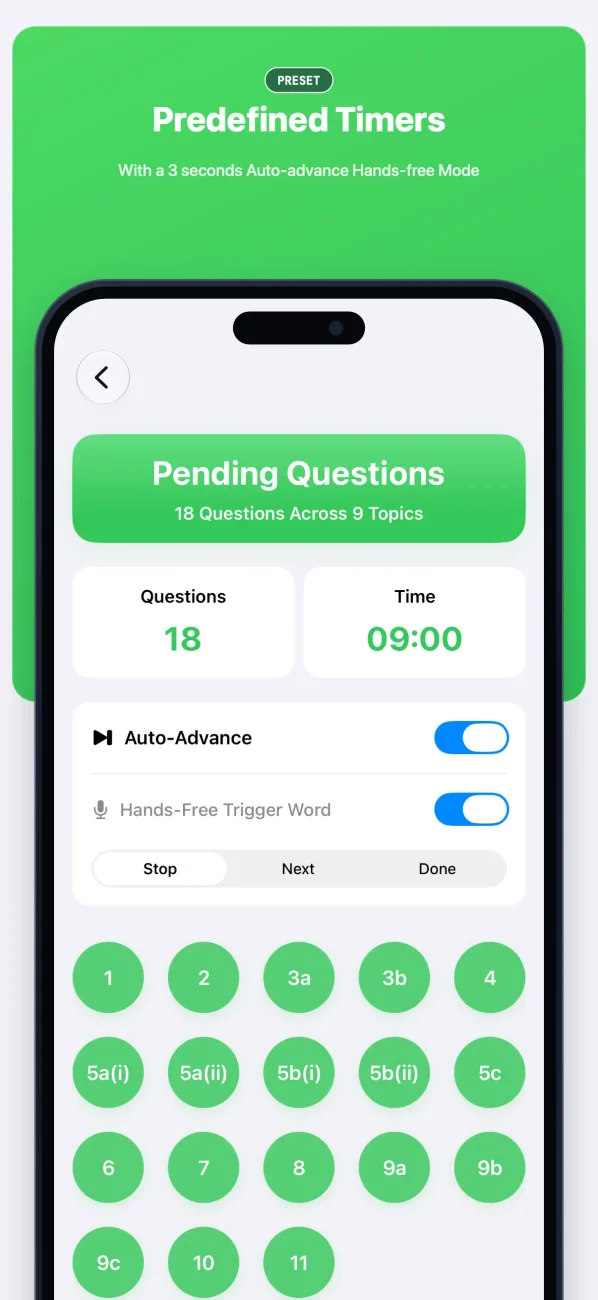
• Set Up or Import: Select a custom topic to track long-term growth, or instantly import a pre-loaded "Homework/Exam Mode" file from your teacher. Enable Auto-Advance to stay in the zone, flowing seamlessly from one question to the next without touching the screen.
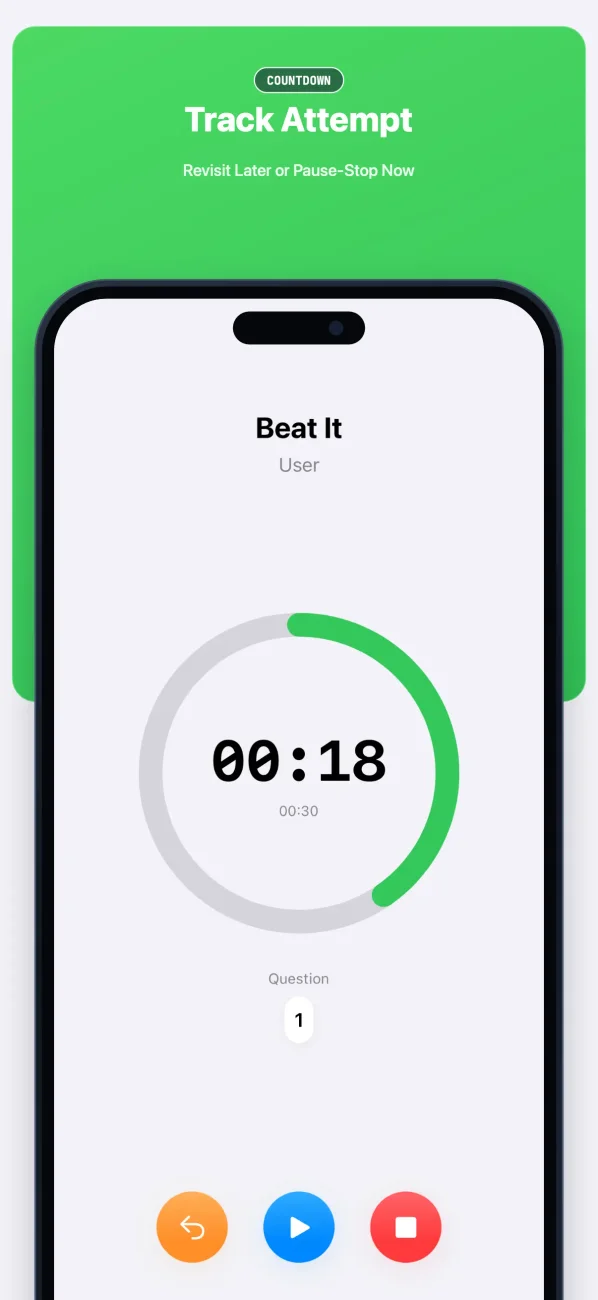
• Time & Solve: Set your countdown timer and tackle questions under exam conditions. Our Smart Question Numbering automatically handles complex IB/A-Level formats, smoothly incrementing from 1a(i) to 1a(ii).
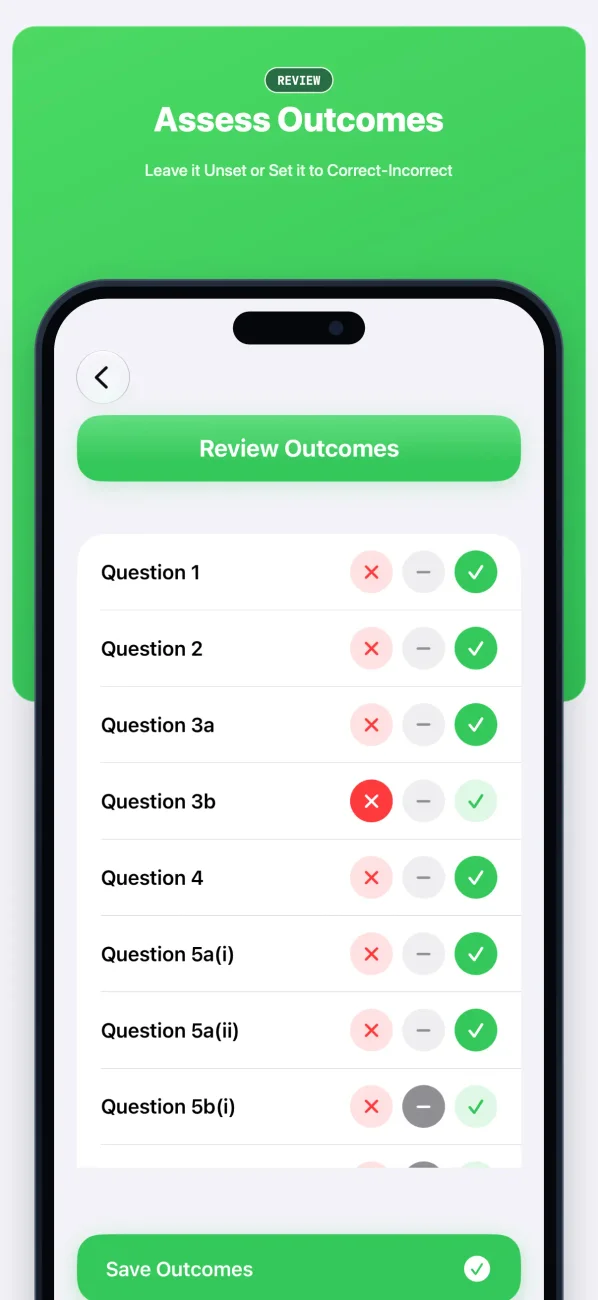
• Self-Assess: Mark your answer as Correct or Incorrect immediately after the timer ends, or queue them up to grade them all at once in our beautifully redesigned, bulk-action Review Screen.
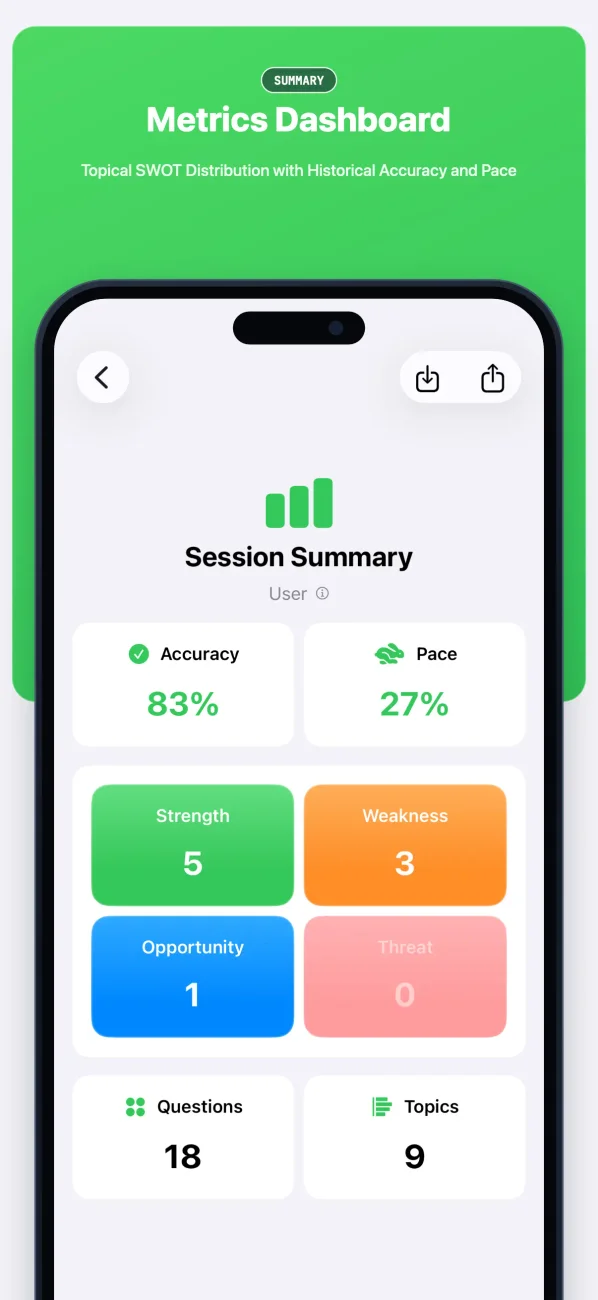
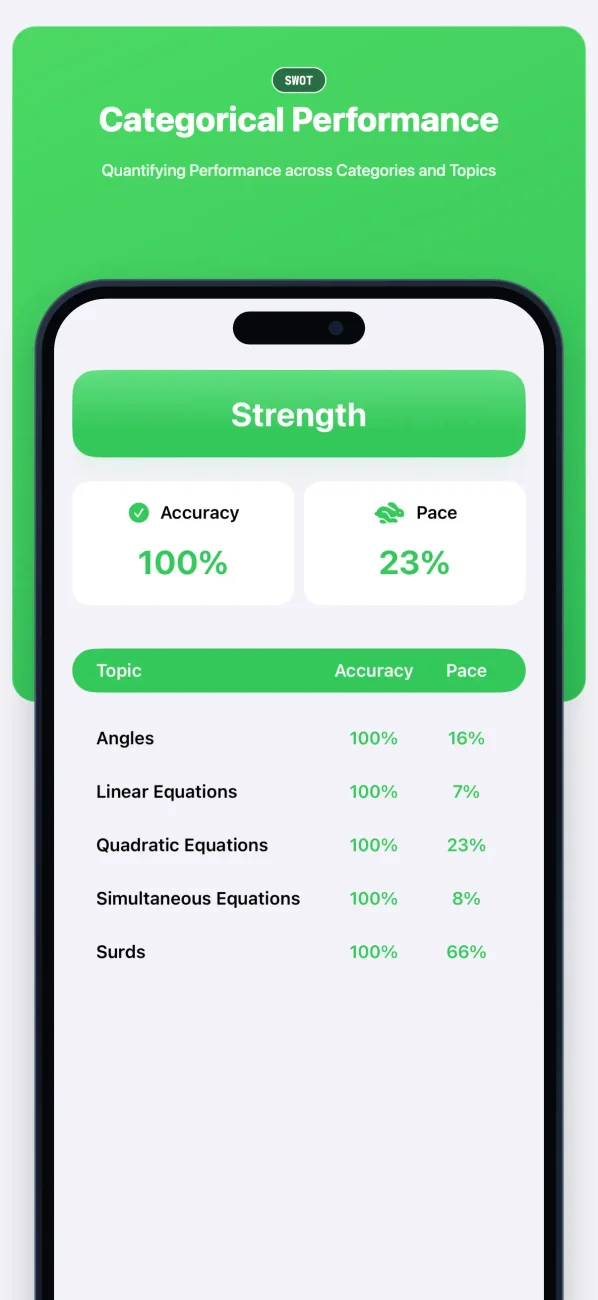
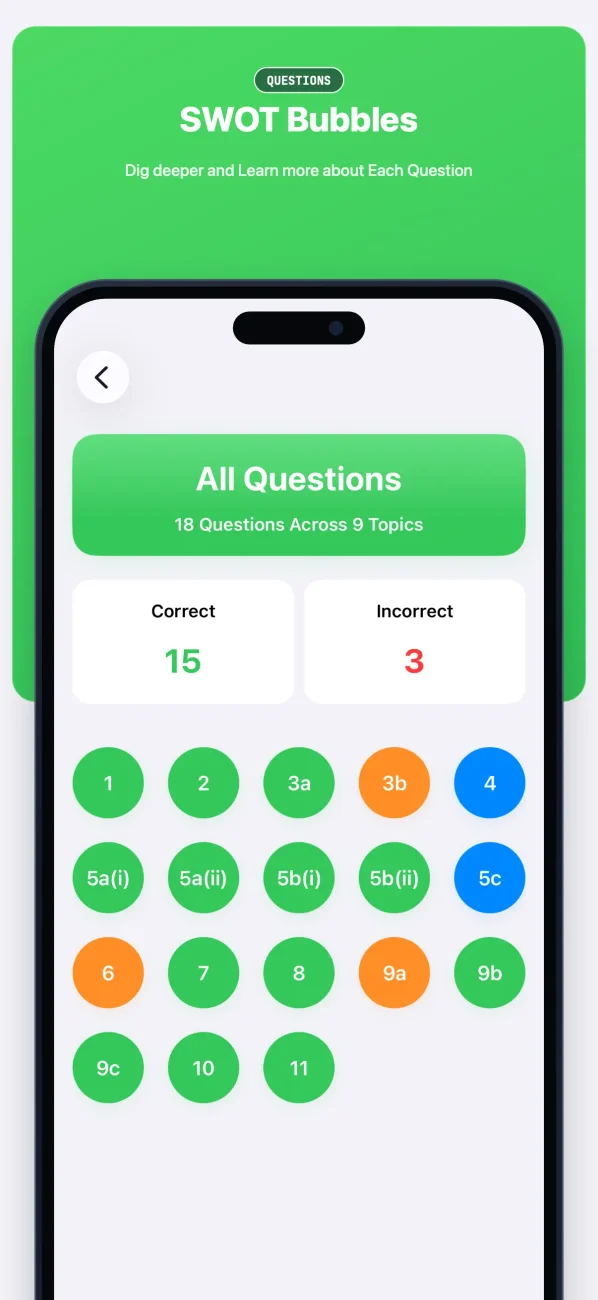
• Automated SWOT Analysis: Every response feeds into a live, adaptive profile:
Strengths: Accurate and fast
Weaknesses: Inaccurate but fast
Opportunities: Accurate but slow
Threats: Inaccurate and slow
• Export & Analyse: Generate polished, shareable PDF reports detailing your history, accuracy/pace trends, and topic-by-topic SWOT breakdown.
Key Features
• Hands-Free Voice Commands: Stop the timer or advance the queue using just your voice. The audio engine is fully optimised to duck your background music while you speak and gracefully pause your timer during incoming calls or Siri requests.
• Revisit & Defer: Don't let a difficult question ruin your momentum. Send tough questions to the back of the queue. Our precision time-tracking engine saves your exact elapsed time and restores it when you cycle back around.
• Clean, Focused Interface: Enjoy native iOS squircle styling, fluid animations, floating action bars, and tactile haptic feedback on a distraction-free dashboard designed to simulate real exam conditions.
• Seamless Auto-Advance: Keep your hands on your work for uninterrupted, continuous practice.
• Homework Mode: Teachers can pre-load questions with specific time limits, export them as a single file, and send them to students to complete.
• Anti-Cheat File History: Securely track the chain of custody for any imported file to ensure academic integrity.
• Adaptive Workflows: Choose between Lenient Mode [L] or Strict Mode [S], and Session Mode [S] or Exam Mode [E].
• Smart Numbering: Intelligent predictive text for complex exam question sequencing.
• Unlimited Custom Topics: Track performance across an infinite number of subjects and units.
• Premium Tools [Requires Subscription]: Unlock unlimited questions, adjustable countdown timers, and comprehensive PDF exports for parent-teacher communication or personal review.
Why Session Timer?
This isn't a gamified gimmick. Built by a private tutor with over 10 years of experience working with international students globally, Session Timer is grounded in real academic needs. It is a practical, professional tool that respects a learner’s time and goals.
With Session Timer, students build discipline, educators track progress, and learning becomes measurable.
Study smarter. Track better. Grow faster. Download Session Timer today.
What’s new
Version 2.0 · Nov 10, 2026
• Flawless Background Audio & Voice Commands: Keep your focus and your playlist. Our entirely rebuilt audio engine now flawlessly handles background audio, natively ducking Spotify or Apple Music when you speak. It seamlessly survives incoming phone calls, alarms, and Siri interactions without crashing or dropping your session.
• A Premium, Tactile Interface: We have unified the app’s design language with native iOS "squircle" cards, fluid floating Action Bars, and crisp haptic feedback. Every interaction, from tapping a button to transitioning between questions, now feels exceptionally smooth and responsive.
• Faster Session Reviews: The Review Outcomes screen has been completely redesigned. Queue up your unanswered questions and grade them using a sleek, unified grouped list with intuitive 3-way toggles. A dynamic Action Bar lets you bulk-save your results in one tap.
• Revisit Questions Without Losing Time: Got stuck on a tough question? Defer it to the back of your queue. Our precision time-tracking engine freezes your exact elapsed time and seamlessly restores it the second the question loops back around.
App privacy
What ORPHICMATH LLP declares on the App Store about how this app handles data.
-
Data not collected
The developer does not collect any data from this app.
Privacy practices may vary, for example with the features you use or your age.
Information
- Seller
- ORPHICMATH LLP
- Category
- Education
- Version
- 2.0
- Updated
- Nov 10, 2026
- Released
- Aug 28, 2025
- Size
- 16.7 MB
- Requires
- iOS 18.0 or later
- Age rating
- 4+
- Price
- Free
- In-app purchases
- Yes
- Languages
- English
- Copyright
- © ORPHICMATH LLP
You might also like
-
 FasilitAppWorkshop planner & run mode
-
 Study Timer For StudentTimer for study, work & task
-
 Learn with BhashaEducation
-
 Sudy - Study Time TrackerEducation
-
 FE Electrical & Computer PrepFundamentals Engineering Exam
-
 StudyCircle TimerEducation
-
 Plant Identifier - Plantsy AICare Guide & Disease Diagnosis
-
 Go Global SchoolEducation
-
 Study Tracker - DeluxeStudy Planner & Track Studies
-
 MHB AcademyMy HealthBuddy | Academy